Graphql-engine: Help collect the app for the react-admin
I created the application, according to the training react-admin
https://github.com/Pomazan-Bogdan/app-hasura-react-admin/tree/master/src
And I have a few questions:
Is the address correct in this:
_dataProvider={hasuraDataProvider('https://api.emista.online/v1alpha1/graphql', headers)}_What do I need to write in https://github.com/Pomazan-Bogdan/app-hasura-react-admin/blob/master/src/Users.js
To view https://api.emista.online/console/data/schema/public/tables/user/browse
I will be very grateful.
I remember you had a test application (react-admin), is it possible to look at its source code?
 pomazanbohdan
All 17 comments
I remember you had a test application (react-admin), is it possible to look at its source code?
https://github.com/hasura/graphql-engine/pull/1407#issuecomment-455534546
https://tutorial-decvbtlyjt.now.sh/#/login
@praveenweb
pomazanbohdan
on 23 Jan 2019
@Pomazan-Bogdan - Hi, answering your queries below:
Is the address correct in this:
dataProvider={hasuraDataProvider('https://api.emista.online/v1alpha1/graphql', headers)}
The URL should just be https://api.emista.online (and not contain v1alpha1/graphql)
What do I need to write in https://github.com/Pomazan-Bogdan/app-hasura-react-admin/blob/master/src/Users.js
To view https://api.emista.online/console/data/schema/public/tables/user/browse
I have put up the test application. You can view an example integration here to see what needs to be written.
Hope this gives an idea.
 praveenweb
on 23 Jan 2019
praveenweb
on 23 Jan 2019
I create app https://hidden-citadel-38499.herokuapp.com/
But:

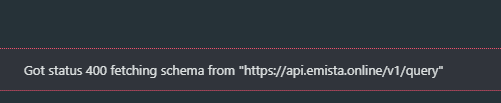
https://gitea.misto.site/EMisto/app/src/branch/master/src/App.js
pomazanbohdan
on 23 Jan 2019
My Headers not send:
Access-Control-Allow-Headers: x-hasura-access-key
(
pomazanbohdan
on 23 Jan 2019
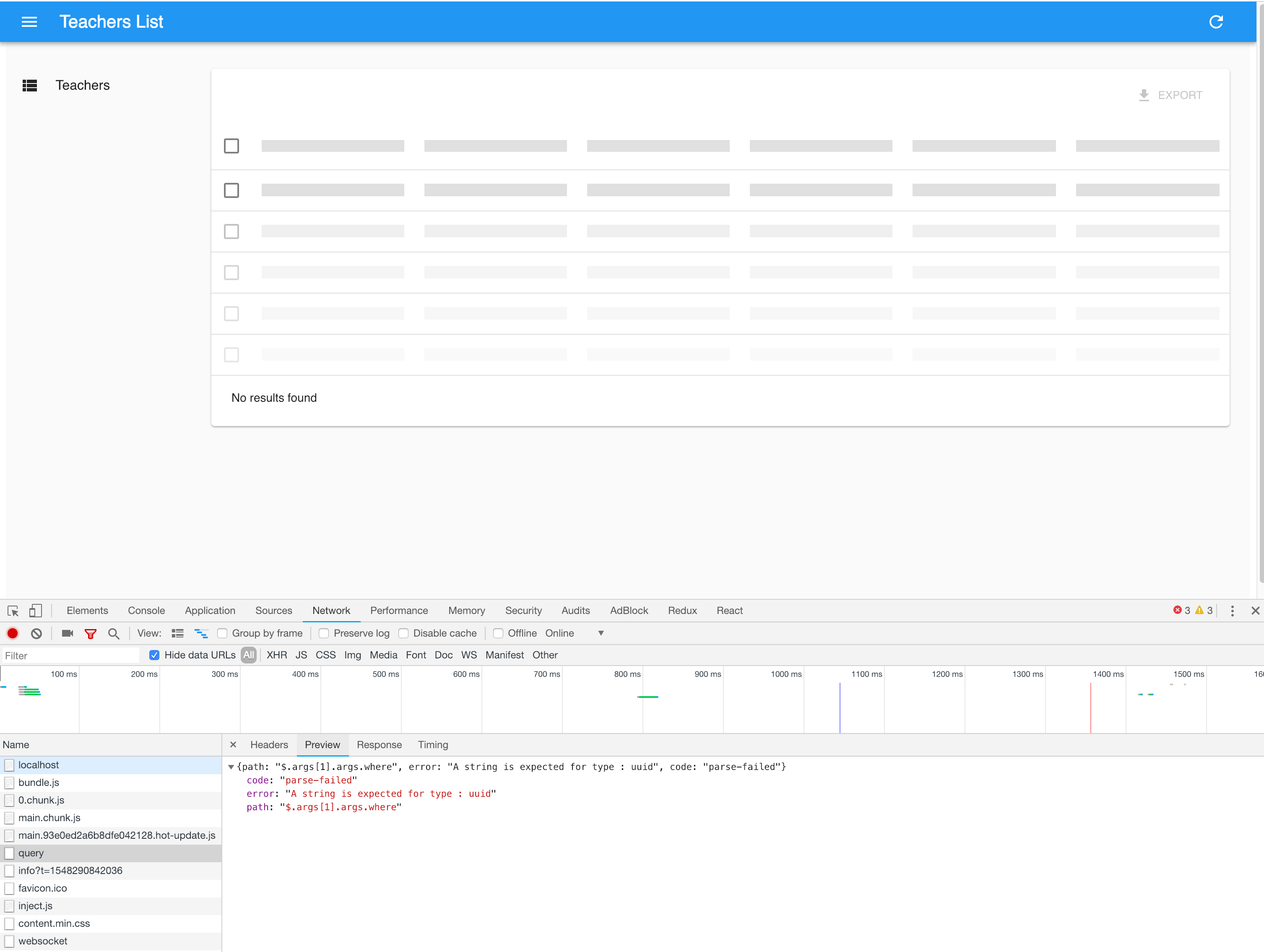
{path: "$.args[1].args.where", error: "A string is expected for type : uuid", code: "parse-failed"}
code: "parse-failed"
error: "A string is expected for type : uuid"
path: "$.args[1].args.where"
pomazanbohdan
on 23 Jan 2019
@praveenweb Hello,
I have a droplet in Digitalocean which uses PostgreSQL. the Hasura console only gives graphql API like this https://hasura-school.xxxxxxxx.com/v1alpha1/graphql , does this client support for this?.
When I tried to use like this url https://hasura-school.xxxxxxxx.com/ got this error
import React from "react";
import PostIcon from "@material-ui/icons/Book";
import { Admin, Resource, ListGuesser } from "react-admin";
import hasuraDataProvider from "ra-data-hasura";

import { TeacherList } from "./pages/Teacher";

const GRAPHQL_ENDPOINT = `https://hasura-school.xxxxxxxx.com`;

const headers = {
    "Accept": "application/json",
    "Content-Type": "application/json",
    "X-Hasura-Access-Key": `xxxxxxxxxx`
};

const App = () => (
    <Admin dataProvider={hasuraDataProvider(GRAPHQL_ENDPOINT, headers)}>
        <Resource
            name="teacher"
            list={TeacherList}
        />
    </Admin>
);

export default App;
 Aathi
on 24 Jan 2019
Aathi
on 24 Jan 2019
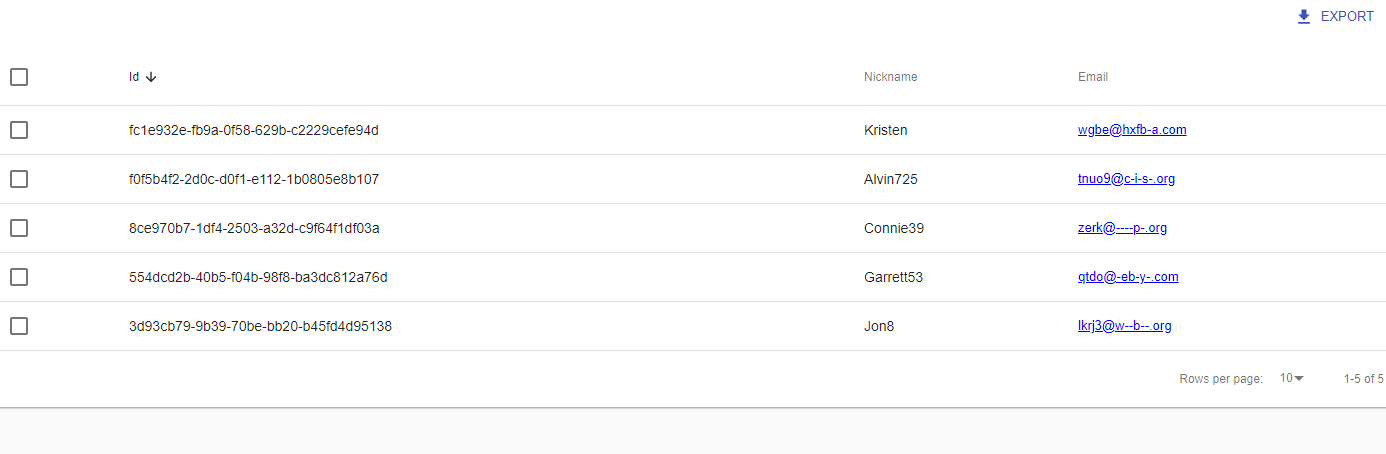
@Pomazan-Bogdan @Aathi - Okay, it seems to be an issue when the id column is of type UUID. Currently it assumes id to be of type Int. I have released version 0.0.3 to support any type for id column.
Install the latest package - npm install --save [email protected].
praveenweb
on 24 Jan 2019
Like!
pomazanbohdan
on 24 Jan 2019
@praveenweb Awesome it works, But we may come with a different issue. 😆
Aathi
on 24 Jan 2019
@praveenweb
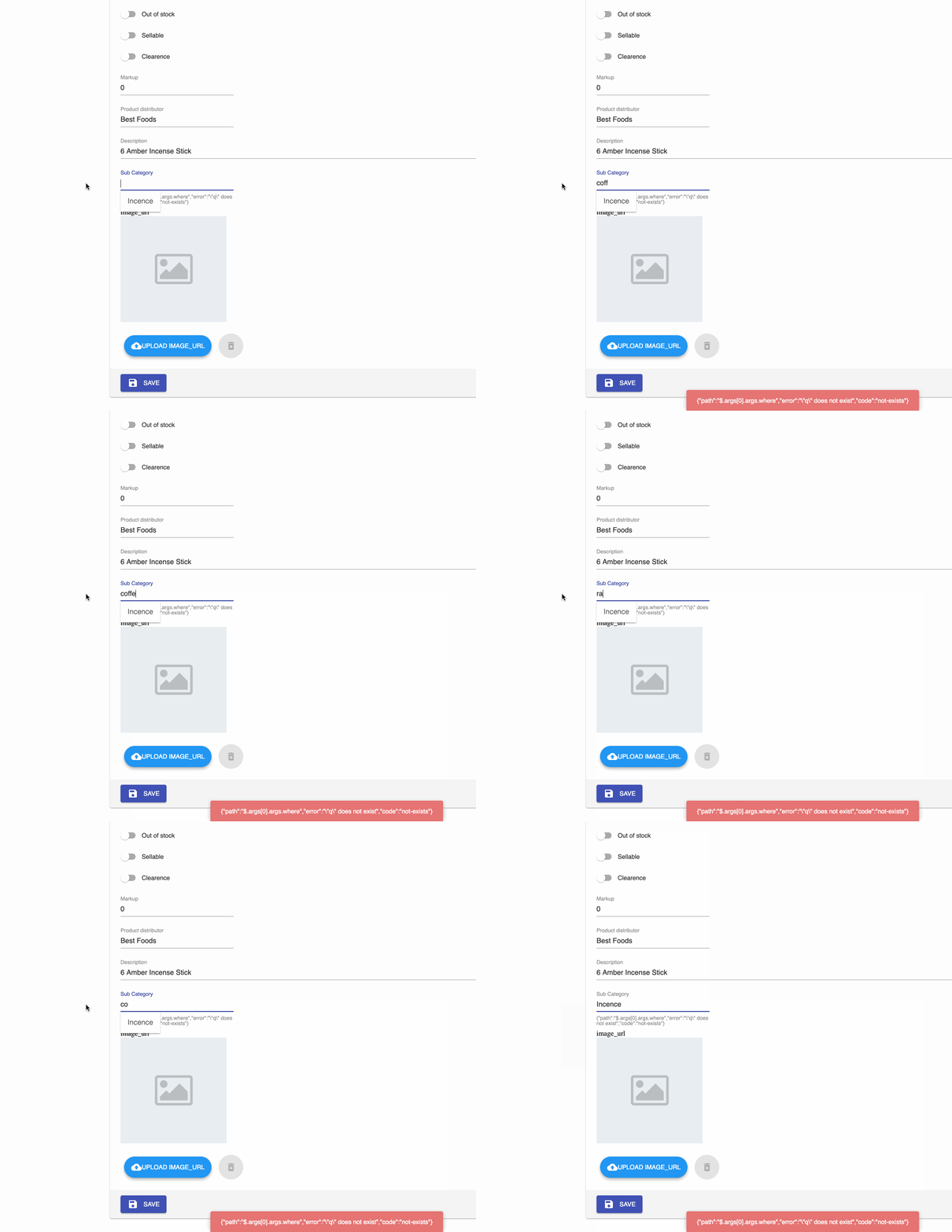
I have encountered a bug, I tried to use autocomplete inside reference input.
<ReferenceInput label="Sub Category" source="sub_category_id" reference="sub_category">
      <AutocompleteInput optionText="name" />
</ReferenceInput>
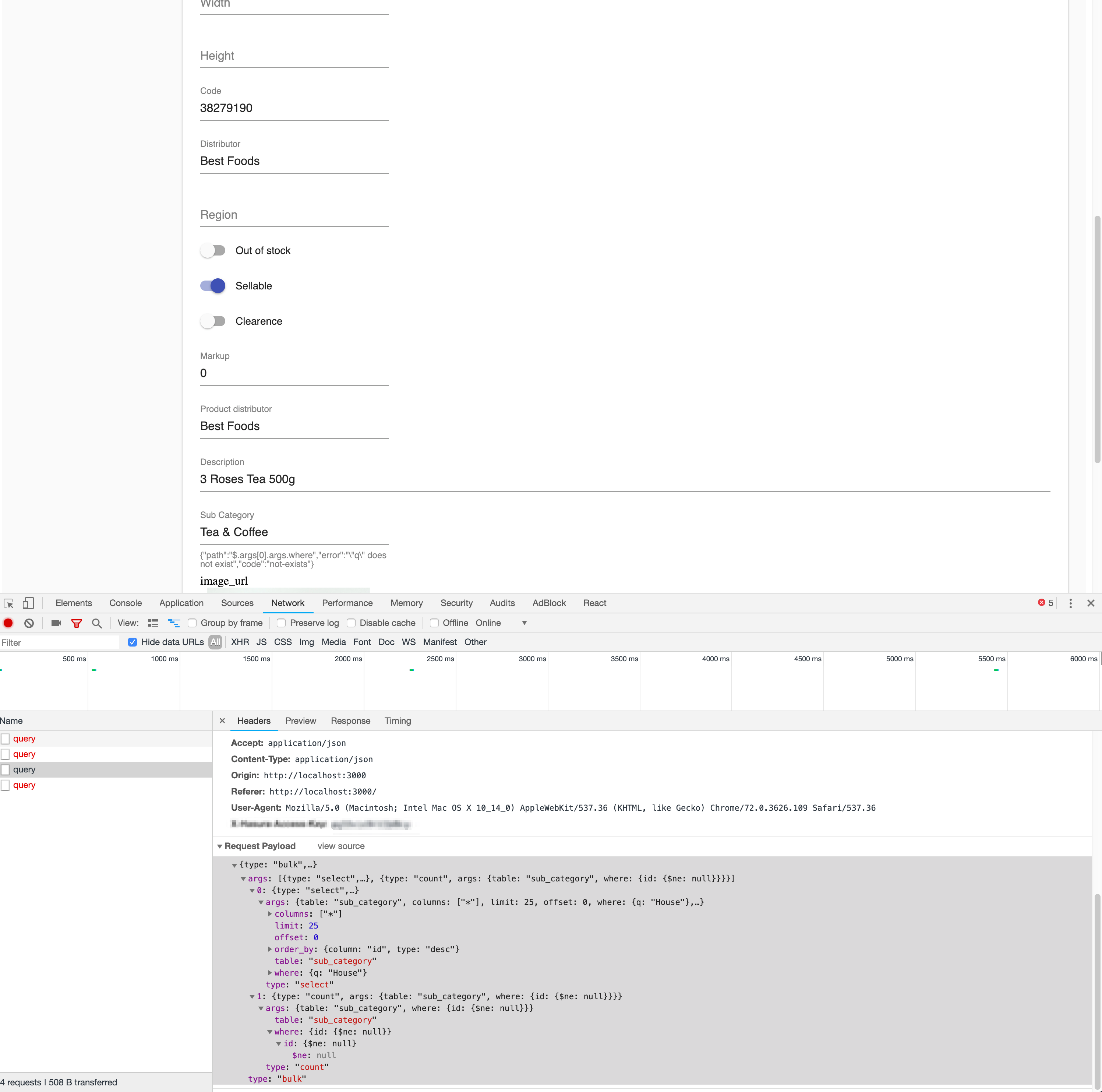
but it shows this error rather filtering the sub categories and also I have 180 sub categories but it shows only 25.
{"path":"$.args[0].args.where","error":"\"q\" does not exist","code":"not-exists"}
is it possible to increase page limit up to 100? current limit is only 25.
perPage={25}
Aathi
on 16 Feb 2019
@Aathi - Can you share the query that goes to the server when you are making the autocomplete? There is already a known limitation that search isn't supported. This could be related to that.
praveenweb
on 16 Feb 2019
@praveenweb
This is the query goes out when I type
{type: "bulk",…}
args: [{type: "select",…}, {type: "count", args: {table: "sub_category", where: {id: {$ne: null}}}}]
0: {type: "select",…}
args: {table: "sub_category", columns: ["*"], limit: 25, offset: 0, where: {q: "House"},…}
columns: ["*"]
limit: 25
offset: 0
order_by: {column: "id", type: "desc"}
table: "sub_category"
where: {q: "House"}
type: "select"
1: {type: "count", args: {table: "sub_category", where: {id: {$ne: null}}}}
args: {table: "sub_category", where: {id: {$ne: null}}}
table: "sub_category"
where: {id: {$ne: null}}
id: {$ne: null}
$ne: null
type: "count"
type: "bulk"
Aathi
on 16 Feb 2019
@praveenweb have you had time to check the issue?
Aathi
on 21 Feb 2019
@Aathi - Hey, missed this one. As i mentioned in the previous comment, it turned out that react-admin is making a search query (look at the where clause where: {q: "House"}) which isn't supported by ra-data-hasura yet.
So the search term is available but doesn't mention which column it is searching on, its complex to do a full text search across all columns in postgres. (It may not be performant either).
I have created a new issue to track this. #1645
praveenweb
on 21 Feb 2019
@praveenweb Maybe we can document creating a custom sql function that does this fulltext search on the table? users can add it to select tables.
However, ra-admin would have to change to use a different graphql query too right?
 coco98
on 21 Feb 2019
coco98
on 21 Feb 2019
@Aathi
As a temporary solution, you can set the filterToQuery parameter for the ReferenceInput to select a specific column to search in.
Example:
<ReferenceInput label="Sub Category" source="sub_category_id" reference="sub_category" filterToQuery={q => ({name: { _like: `%${q}%` }})}>
      <AutocompleteInput optionText="name" />
</ReferenceInput>
 MhdSyrwan
on 21 Mar 2019
MhdSyrwan
on 21 Mar 2019
Maybe related: #1637
 mnlbox
on 21 Mar 2019
mnlbox
on 21 Mar 2019
Related issues
 codepunkt
·
3Comments
codepunkt
·
3Comments
 rikinsk-zz
·
3Comments
rikinsk-zz
·
3Comments
 egislook
·
3Comments
egislook
·
3Comments
 EmrysMyrddin
·
3Comments
EmrysMyrddin
·
3Comments
 lishine
·
3Comments
lishine
·
3Comments
Most helpful comment
@Pomazan-Bogdan @Aathi - Okay, it seems to be an issue when the
idcolumn is of typeUUID. Currently it assumesidto be of typeInt. I have released version0.0.3to support any type foridcolumn.Install the latest package -
npm install --save [email protected].