Grapesjs: Drag and drop issue in dragMode of translate
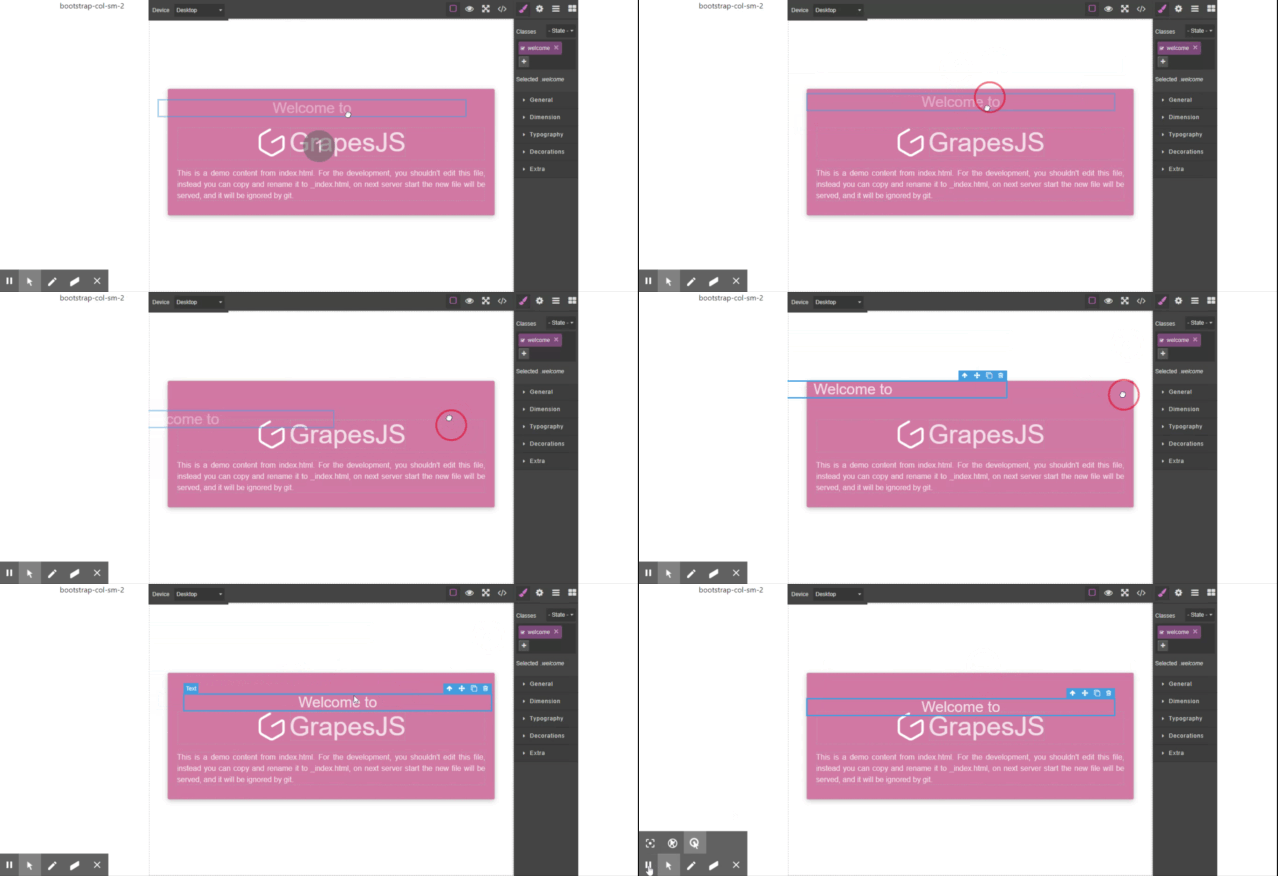
there is an issue am facing (seems offset issue) while trying and hold and drag the toolbar's move icon
i have added bootstrap and columns (col-sm-2 & col-sm-10) then trying to hold the targeted component and dragging its working fine.
but it doesn't work properly when I try to drag the component by holding move icon of toolbar **_i.e cursor position and component position getting more distance between
but if I click on the full-screen button or use col-sm-12 (full width) and try two drag and drop works fine
I have attached below the live demo
 ramusesan
All 6 comments
could anyone help on this issue @pouyamiralayi do you have any idea
ramusesan
on 30 Dec 2019
@ramusesan might be related to this issue: #2423 hopefully the refactored canvas will solve these issues
As @artf suggested on that issue you could try this branch: https://github.com/artf/grapesjs/tree/multi-frame
 MartinPutz
on 30 Dec 2019
MartinPutz
on 30 Dec 2019
hi @ramusesan here is the PR.
cheers!
 pouyamiralayi
on 30 Dec 2019
pouyamiralayi
on 30 Dec 2019
thank you guys @MartinPutz @pouyamiralayi
ramusesan
on 30 Dec 2019
Thanks for the report @ramusesan I close this as a duplicate of #2207
Changes in the PR will be available in the next release
 artf
on 2 Jan 2020
artf
on 2 Jan 2020
Thanks for the report @ramusesan I close this as a duplicate of #2207
Changes in the PR will be available in the next release
@artf
When will this feature be added?
It really is necessary
 motazad
on 28 May 2020
motazad
on 28 May 2020
Related issues
 ionic666
·
3Comments
ionic666
·
3Comments
 mathiasbc
·
3Comments
mathiasbc
·
3Comments
 andre2
·
3Comments
andre2
·
3Comments
 krunal039
·
3Comments
krunal039
·
3Comments
 adam-gpc
·
3Comments
adam-gpc
·
3Comments