Grapesjs: How to change the title for Image component on Hover?
Hello @artf ,
How can I change the title for my image component when I hover on it?
LIke the highlighted text on this image:
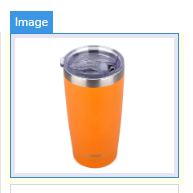
Thanks!
 Chaitwo
🚀1
All 3 comments
Set the 'custom-name' attribute on the component.
 zgover
on 8 Aug 2019
zgover
on 8 Aug 2019
👍2
custom-name is deprecated, use name instead
 artf
on 8 Aug 2019
artf
on 8 Aug 2019
👍1
Thanks a ton @Zachary1748 and @artf for the help, it worked like a charm.
I've updated the getName function and changed the name attribute for images.
name = name == 'image' ? 'image (Double Click to upload Images)' : name;
Chaitwo
on 10 Aug 2019
Was this page helpful?
0 / 5 - 0 ratings
Related issues
 crazyxhz
·
3Comments
crazyxhz
·
3Comments
 kickbk
·
3Comments
kickbk
·
3Comments
 tribulant
·
3Comments
tribulant
·
3Comments
 adam-gpc
·
3Comments
adam-gpc
·
3Comments
 nojacko
·
3Comments
nojacko
·
3Comments
Most helpful comment
Set the 'custom-name' attribute on the component.