Grapesjs: [Question] Define or hide properties for specific components
Hi,
I'm wondering if there is the possibility to define properties for specific components. I mean, when I select the component Image I would like that in the style manager panel the section relative to the Typography is not shown; in the same way, when I select a Table component I would like to see in the style manager a property My Property in the Dimension panel that I want available only for the Table component. Is this possible?
Thank you!
 peakrams
All 6 comments
I'm not sure if this is the optimal way of doing it but you can listen to the event component:selected and if the component selected is the one you want you can add a new sector. Then you need to listen to the event component:deselected and if the component deselected is the one from before you remove the extra sector.
If you don't want to create a whole sector you can juts use addProperty and removePropertyover an existing sector.
The same can be done to remove sectors for a specific component.
editor.on('component:selected', function(component) {
if(component.attributes.tagName == 'div') {
const styleManager = editor.StyleManager;
styleManager.addSector('div-only-sector',{
name: 'Div only sector',
open: true,
properties: [{ name: 'This is a div'}]
});
}
});
editor.on('component:deselected', function(component) {
if(component.attributes.tagName == 'div') {
const styleManager = editor.StyleManager;
styleManager.removeSector('div-only-sector');
}
})
 juanj
on 15 Sep 2018
juanj
on 15 Sep 2018
Actually, you can also rely on a few Component's properties made exactly for this purpose:
stylable- True if it's possible to style the component. You can also indicate an array of CSS properties which is possible to style, eg. ['color', 'width'], all other properties will be hidden from the style manager. Default:trueunstylable- Indicate an array of style properties which should be hidden from the style manager. Default:[]stylable-require- Indicate an array of style properties to show up in Style Manager which have been marked astoRequire. Default:[]
About the stylable-require, it works when you configure your Style Manager with some property containing toRequire options, so it will be hidden until some component will not require it. Eg.
{
      name: 'Dimension',
      open: false,
      // use buildProps to create built-in properties
      buildProps: [ 'width', 'flex-width', 'height', 'max-width', 'min-height'],
      // flex-width doesn't actually exist, so extend it in properties via `id`
      properties: [{
        id: 'flex-width',
        type: 'integer',
        name: 'Width to req',
        units: ['px', '%'],
        property: 'flex-basis',
        // This will hide the property and will be shown only if some
        // selected component would have something like:
        // 'stylable-require': ['flex-basis']
        toRequire: 1,
      }]
    }
 artf
on 15 Sep 2018
artf
on 15 Sep 2018
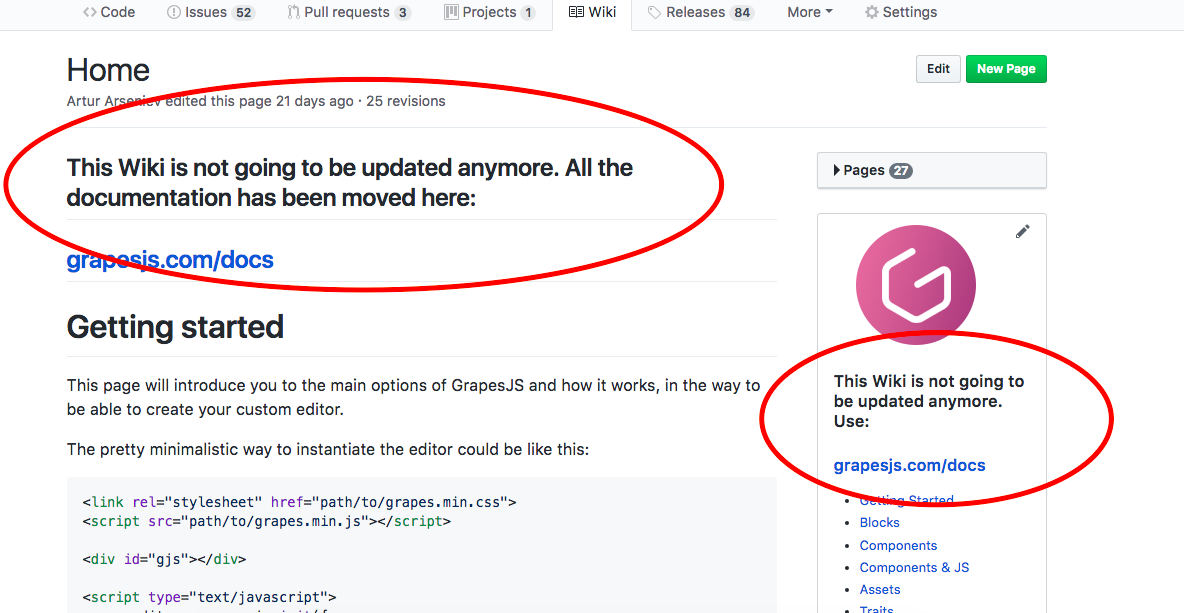
Thank you, guys! I'm sorry for not consulting the new docs before asking my question, I searched in the docs here on github but there is no warning in the components api page about the docs on github not maintained anymore.
peakrams
on 16 Sep 2018
@peakrams the warning is actually there but the Github's Markdown doesn't let you apply custom styles to make it more visible ¯\_(ツ)_/¯
artf
on 16 Sep 2018
Hi. I've seen that after your repl. I search directly through my bookmarked Components api page and there there is no such warning, at least on the mobile version it does not appear, but it's OK, thank you :)
P. S. I rechecked and it is at the very bottom of the page, my bad.
peakrams
on 17 Sep 2018
This thread has been automatically locked since there has not been any recent activity after it was closed. Please open a new issue for related bugs.
![lock[bot] picture](https://avatars1.githubusercontent.com/in/6672?v=4&s=40) lock[bot]
on 17 Sep 2019
lock[bot]
on 17 Sep 2019
Related issues
 applibs
·
3Comments
applibs
·
3Comments
 adam-gpc
·
3Comments
adam-gpc
·
3Comments
 FlashPapa
·
3Comments
FlashPapa
·
3Comments
 Geczy
·
3Comments
Geczy
·
3Comments
 alibouaziz
·
3Comments
alibouaziz
·
3Comments
Most helpful comment
Actually, you can also rely on a few Component's properties made exactly for this purpose:
stylable- True if it's possible to style the component. You can also indicate an array of CSS properties which is possible to style, eg. ['color', 'width'], all other properties will be hidden from the style manager. Default:trueunstylable- Indicate an array of style properties which should be hidden from the style manager. Default:[]stylable-require- Indicate an array of style properties to show up in Style Manager which have been marked astoRequire. Default:[]About the
stylable-require, it works when you configure your Style Manager with some property containingtoRequireoptions, so it will be hidden until some component will not require it. Eg.