Grapesjs: Calling updateScript from the script section of a pluging
Hi guys,
I've been stuck for a few hours trying to figure out how to call updateScript from the script section of a custom plugin. So far I was able to create my own plugin which I would like to share once it's stable. I need to refresh it once it connects to an external API and retrieves specific data.
export default function(editor, opt = {}) {
    const c = opt;
    const editr = editor;
    const domc = editor.DomComponents;
...
    domc.addType(COMPONENT_TYPE, {
        model: defaultModel.extend({
            defaults: ....
            script: function()
    {
       // ** ********** HOW DO I CALL IT   FROM HERE**
        this.updateScript

    }
}

    view: defaultView.extend({
        init()
        {
            this.listenTo(this.model, 'change:clienId change:limitImages', this.updateScript);
            const comps = this.model.get('components');

        }
any help is appreciated !
Thank you!
 daniel-farina
All 4 comments
Hi @daniel-farina this is something might confuse a lot of people, especially when you see the script as a function. Everything inside script is completely out of the scope of GrapesJS, there is nothing to access (model/view/methods) all the transformations should be inside that script. Let's just take as an example some new custom component with js, the editor will generate a code similar to this:
...
<!-- Generated HTML -->
<div id="c123">Your component content...</div>
<script>
     ...
     // Generated JS
     var el = document.getElementById('c123');
     el.updateScript() // <-- This will obviously throw an error
     // This is your final template with JS, there is no GrapesJS, no models/views
</script>
Just take a look on how I've made the script part in Countdown Component
There you can see a trick used to grab a property from the model.
...
script: function() {
     // will be replaced by GrapesJS with `model.get('startfrom')`
     var startfrom = '{[ startfrom ]}';
     ...
This is the only way you can pass "stuff"
I hope this helps
 artf
on 3 Oct 2017
artf
on 3 Oct 2017
@artf
Thank you for clarifying that. It makes perfect sense. What I ended up doing is:
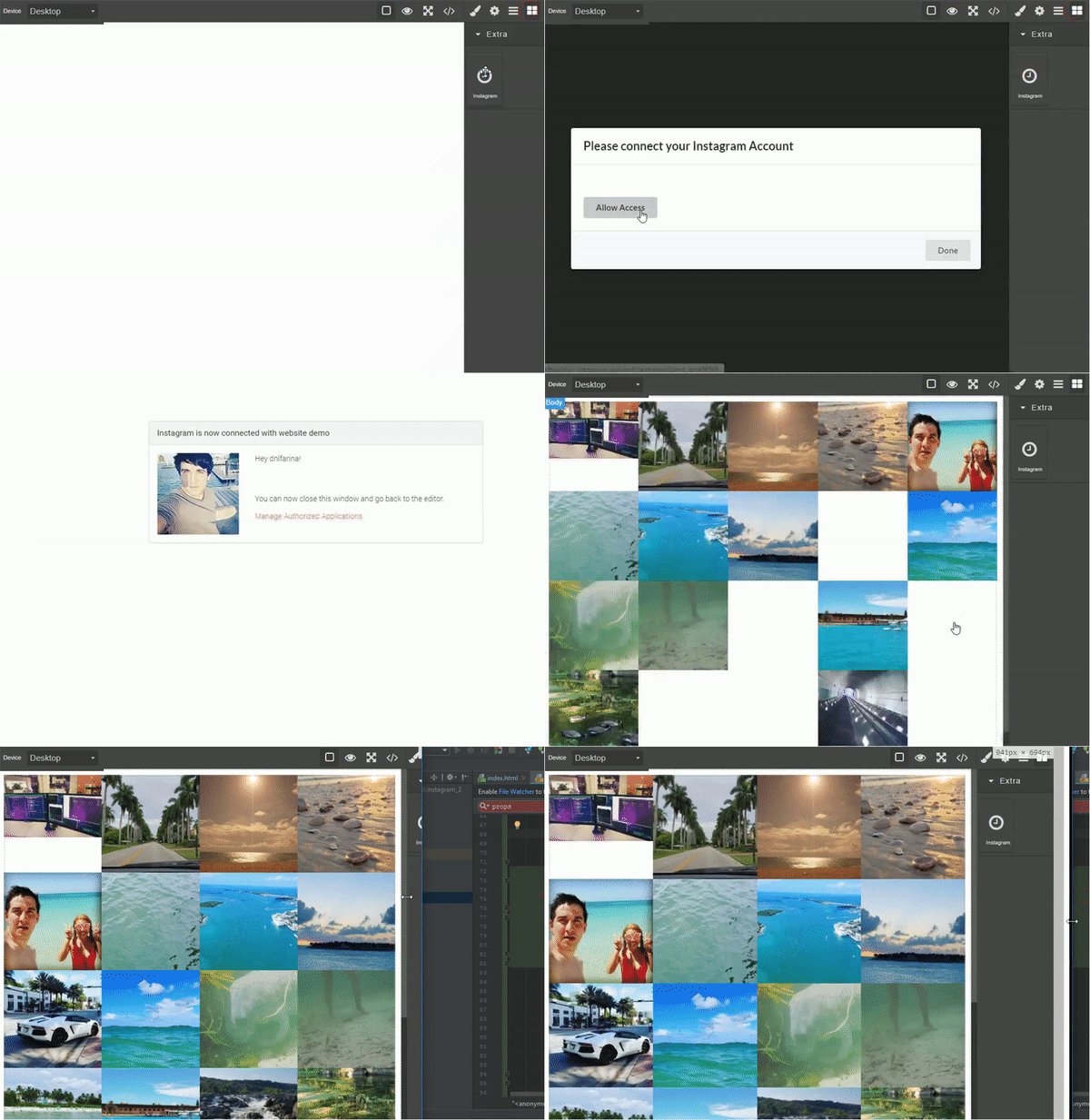
Making a function within my plugin's script that is called based on the user's interaction with a modal. so I can refresh it now when I detect the user completed the API access request (when he clicks the done button).
I still have many things to add/fix/finish but it's taking shape!
Instagram plugin preview:
Todo:
- Give user the options to select how many pictures per row on different screen sizes
- Select between Gallery or Slider
- Allow user to select a limit of images he would like to display
- Add video, likes and link to see original on hover.
daniel-farina
on 4 Oct 2017
Amazing work @daniel-farina excited to see it done 😍
artf
on 4 Oct 2017
This thread has been automatically locked since there has not been any recent activity after it was closed. Please open a new issue for related bugs.
![lock[bot] picture](https://avatars1.githubusercontent.com/in/6672?v=4&s=40) lock[bot]
on 18 Sep 2019
lock[bot]
on 18 Sep 2019
Related issues
 faizansaiyed
·
3Comments
faizansaiyed
·
3Comments
 YashPrince
·
3Comments
YashPrince
·
3Comments
 andre2
·
3Comments
andre2
·
3Comments
 tribulant
·
3Comments
tribulant
·
3Comments
 FlashPapa
·
3Comments
FlashPapa
·
3Comments
Most helpful comment
@artf
Thank you for clarifying that. It makes perfect sense. What I ended up doing is:
Making a function within my plugin's script that is called based on the user's interaction with a modal. so I can refresh it now when I detect the user completed the API access request (when he clicks the done button).
I still have many things to add/fix/finish but it's taking shape!
Instagram plugin preview:

Todo: