My wizard look like this:
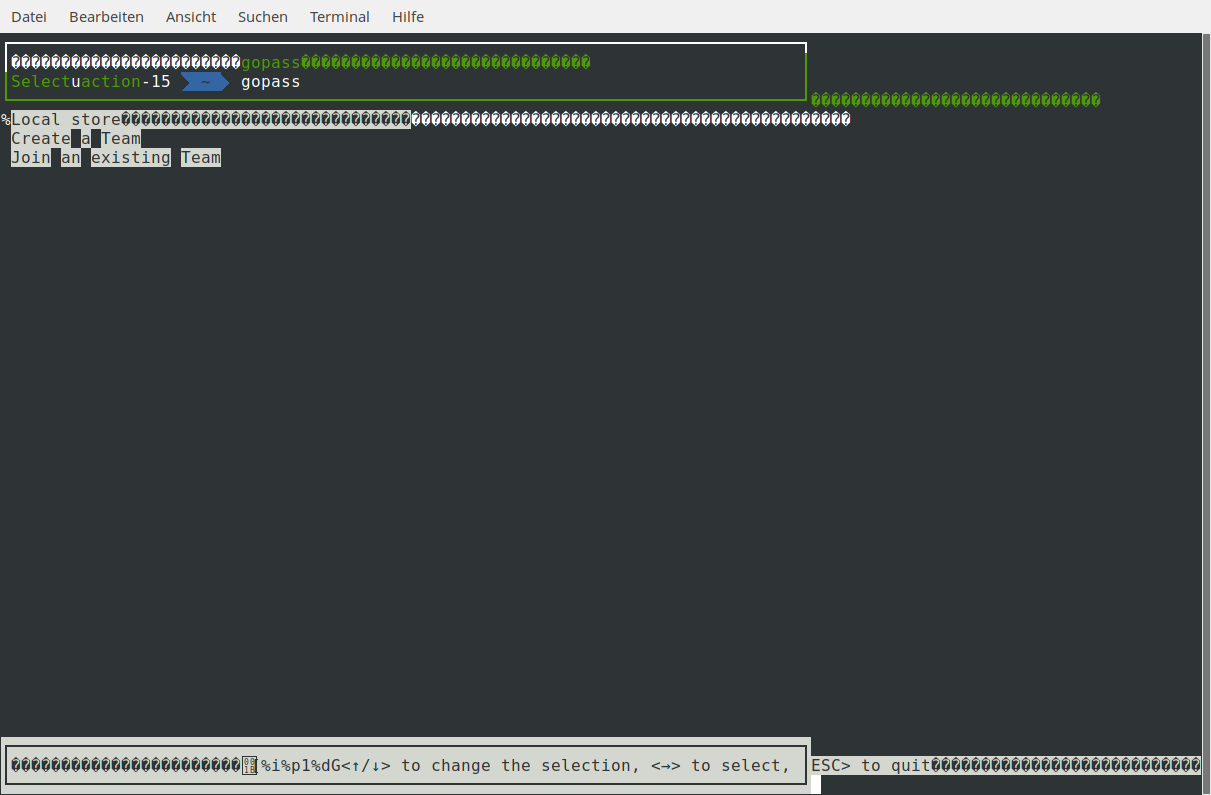
- Arch Linux
- zsh 5.4.2 (x86_64-unknown-linux-gnu)
- gopass 1.6.10 (2018-01-21 15:53:49) go1.9.2 linux amd64
 schmunk42
All 15 comments
Sorry, but I can't reproduce this.
Could you quickly try to run the wizard in another shell (bash or zsh without customizations)?
 dominikschulz
on 22 Feb 2018
dominikschulz
on 22 Feb 2018
bash without custom font, does not look better...
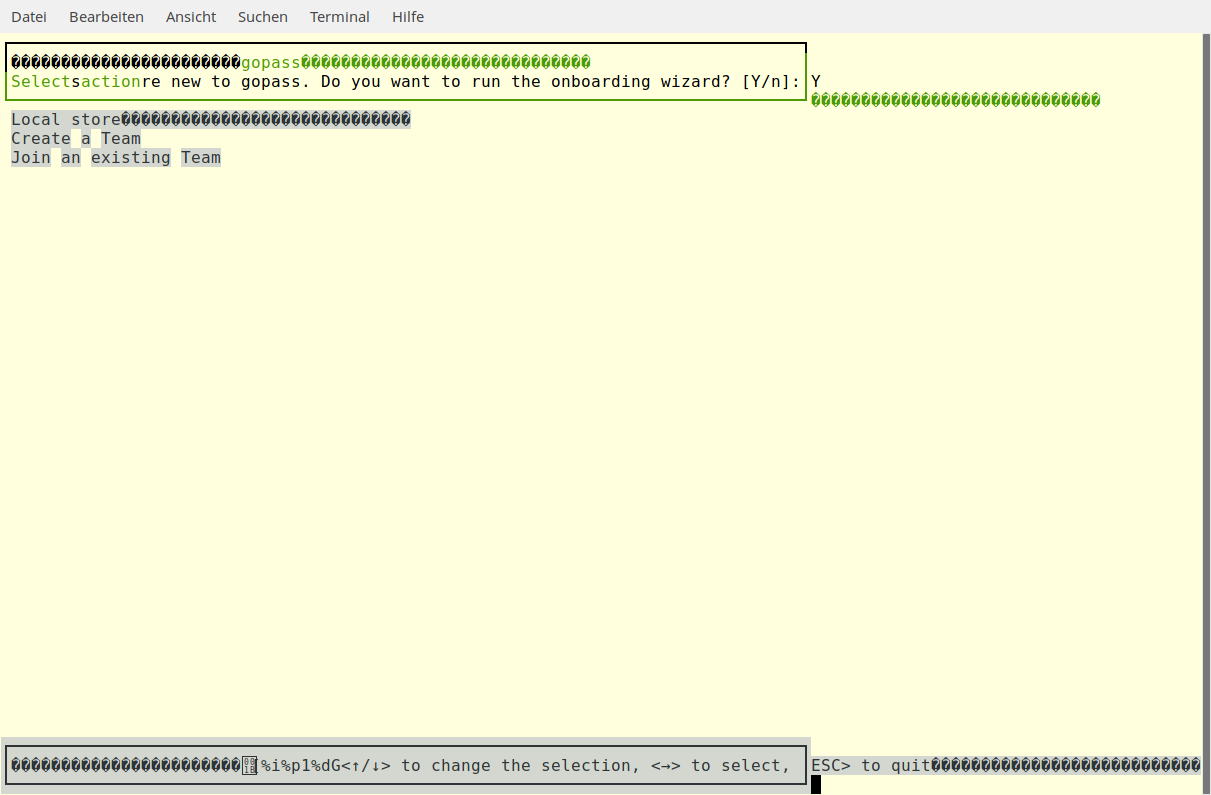
Also, when I try to select something via cursor keys the wizard immediately fails with
Error: failed to run onboarding wizard: user aborted
Character encoding is set to UTF-8
schmunk42
on 22 Feb 2018
Found something .... my default setting is
echo $TERM
xterm-256color
when I set it to
export TERM=linux
the interactive part looks fine.
[update]
works even better with TERM=xterm-color
schmunk42
on 26 Feb 2018
Same as schmunk42 here: broken with (default) xterm-256color, ok with xterm-color.
 toubib
on 28 Feb 2018
toubib
on 28 Feb 2018
The problem is most probably in one of the TUI libraries gopass is using (gocui, termbox-go).
I wonder if we can work around this by setting TERM=xterm-color on startup.
dominikschulz
on 2 Mar 2018
What works for me also, is:
alias gopass='TERM=xterm-color gopass'
in .bashrc.
schmunk42
on 2 Mar 2018
After a recent Arch update (unsure which package), mine now looks like this too w/ pretty much stock bash. I can confirm setting the TERM variable did fix it.
 gburtini
on 11 Mar 2018
gburtini
on 11 Mar 2018
I was bitten by the Arch rolling updates too. Workaround from @schmunk42 works perfectly though. Before stumbling across this issue, I did tinker with a few other terminal emulators and found a couple that weren't affected: terminology (presumably because it is EFL-based rather than xterm-based) and rxvt-unicode.
 kelveden
on 9 Apr 2018
kelveden
on 9 Apr 2018
Yes. I've seen this before too.
But now it seems like it is resolved. At least for me.
 metalmatze
on 8 May 2018
metalmatze
on 8 May 2018
Hmm, would be nice to a get a confirmation for the others affected by this, since I was never able to reproduce it.
dominikschulz
on 10 May 2018
@dominikschulz Unfortunately I'm working on a Mac today and so can't replicate but I've set a reminder to check when I'm on my Arch Linux box again tomorrow - I'll remove the workaround and see what happens.
kelveden
on 10 May 2018
@dominikschulz I can confirm that it's still producing the original problem - gopass 1.6.11.
And just to reiterate: if I leave TERM as default (i.e. xterm-256color) in my shell I get the problem. If I set TERM to xterm-color when starting gopass the problem goes away.
kelveden
on 11 May 2018
In #789 we updated the terminal libs, so this might be fixed.
dominikschulz
on 25 May 2018
I'm closing this for now. Just raise another issue if this comes up again.
dominikschulz
on 30 May 2018
The bug is fixed for me now, thank you.
toubib
on 6 Jun 2018
Related issues
 Brixy
·
7Comments
Brixy
·
7Comments
 blaggacao
·
5Comments
blaggacao
·
5Comments
 nilskuhn
·
6Comments
nilskuhn
·
6Comments
 sudoforge
·
4Comments
dominikschulz
·
5Comments
sudoforge
·
4Comments
dominikschulz
·
5Comments
Most helpful comment
What works for me also, is:
in
.bashrc.