Googleads-mobile-unity: ADS does not work on iOS (SDK tried to perform a networking task before being initialized)
Admob does not work for iOS, the same code works just fine for Android.
I'm currently using v5.3.0 of this plugin, which was tested with the iOS SDK 7.63.0.
[REQUIRED] Step 1: Describe your environment
- Unity version: 2020.1.16
- Google Mobile Ads Unity plugin version: 5.3.0
- Platform: iOS
- Platform OS version: iOS 14
[REQUIRED] Step 2: Describe the problem
Steps to reproduce:
- add 5.3.0 Admob plugin version;
- make the build for iOS;
- see messages like in the screenshot

 DmytroSobko
All 20 comments
Same here.
An ad was called after 'MobileAds.Initialize' callback.
My app is also a game already being serviced by Android, and I'm expanding my platform to iOS.
Test Unit ID used.
UnityVersion : 2019.4.17f1
Google Mobile Ads Unity plugin version : 5.4.0
PlatformVersion : ios14 / Ipad Air (3gen)
 memento3525
on 6 Jan 2021
memento3525
on 6 Jan 2021
Same Here. IOS Platform
 zhouruikevin
on 6 Jan 2021
zhouruikevin
on 6 Jan 2021
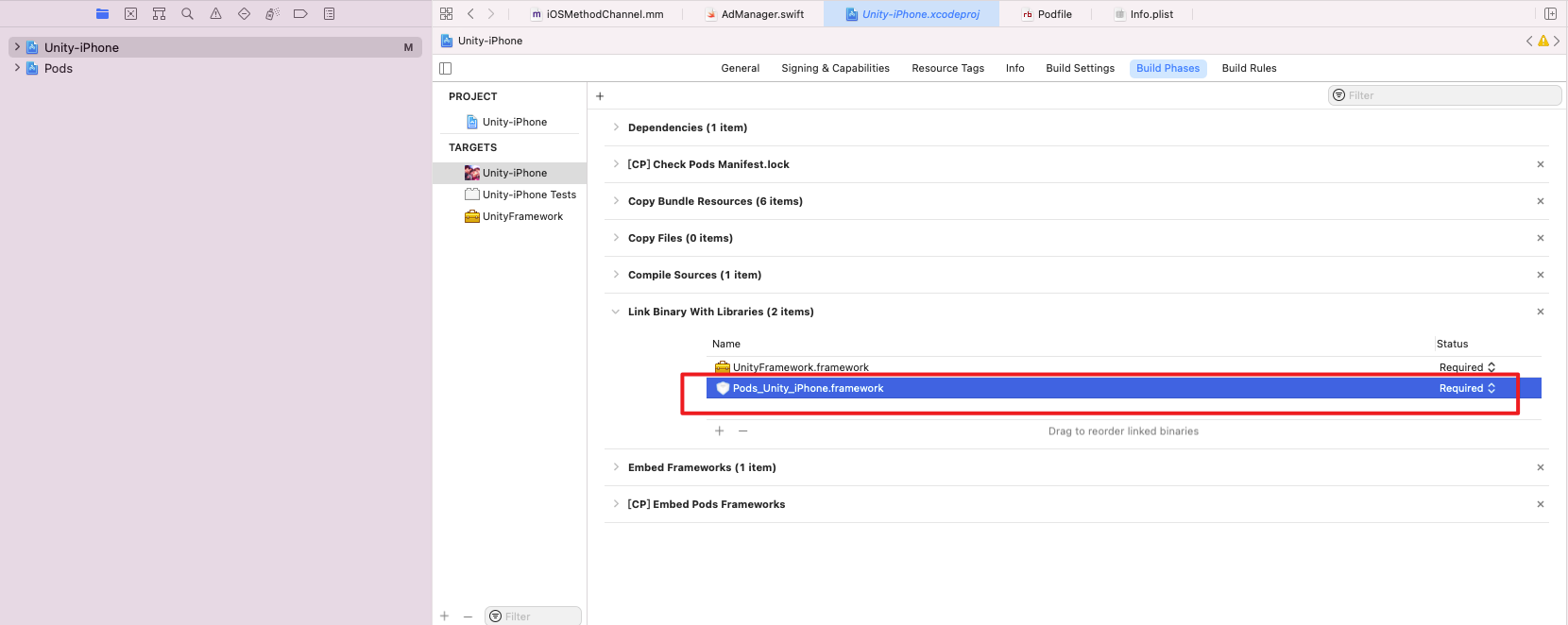
Soveld! Add a framework.
zhouruikevin
on 7 Jan 2021
Soveld! Add a framework.
Hmm,I don't have such a framework. Where did you find it?
DmytroSobko
on 7 Jan 2021
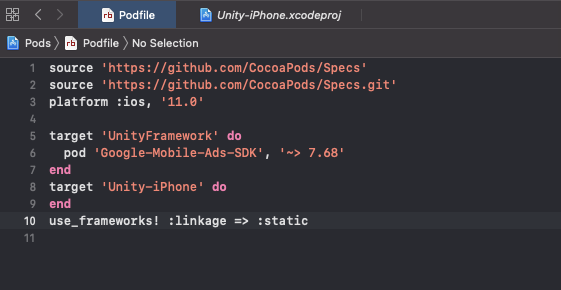
Adding this to the podfile fixed the issue
use_frameworks! :linkage => :static
DmytroSobko
on 25 Jan 2021
use_frameworks! :linkage => :static
Didn't help me :(
 kuharev
on 1 Mar 2021
kuharev
on 1 Mar 2021
Adding this to the podfile fixed the issue
use_frameworks! :linkage => :static
Can you explain more?
kuharev
on 1 Mar 2021
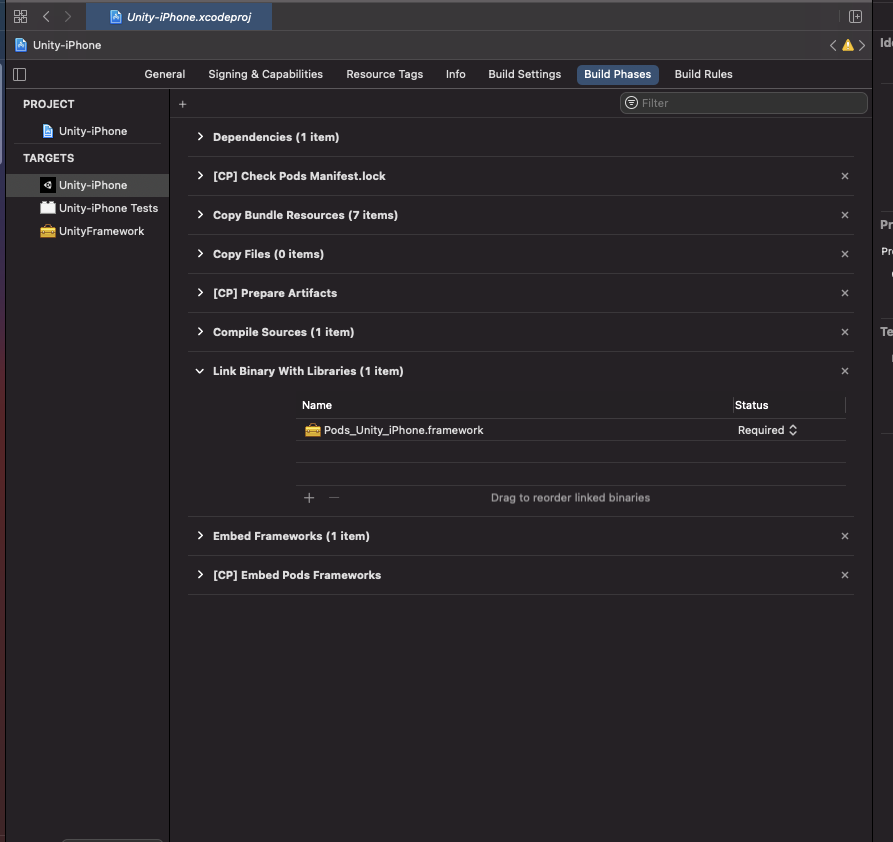
I am having the same issue on iOS as well. I am currently using admob v5.4.0 and am testing it on iPhone 12 running iOS 14.4. I already have the Pods_Unity_iPhone.framework:
Adding the "use_frameworks! :linkage => :static" to the pod file does not appear fix the issue for me either. Hope somebody will be able to help us out with this issue.
 KingKlauz
on 1 Mar 2021
KingKlauz
on 1 Mar 2021
Adding this to the podfile fixed the issue
use_frameworks! :linkage => :static
Works for me. Unity 2019.4.20f1, Mopub 5.16.1 and Admob 7.69.0
 pixeption
on 9 Mar 2021
pixeption
on 9 Mar 2021
I am having the same issue on iOS as well. I am currently using admob v5.4.0 and am testing it on iPhone 12 running iOS 14.4. I already have the Pods_Unity_iPhone.framework:
Adding the "use_frameworks! :linkage => :static" to the pod file does not appear fix the issue for me either. Hope somebody will be able to help us out with this issue.
Did you somehow solve the issue?
 jayaram9877
on 17 Mar 2021
jayaram9877
on 17 Mar 2021
Same issue here.
before it worked well when i used
'Google-Mobile-Ads-SDK', '~>7.68'
'GoogleMobileAdsMediationUnity', '3.4.2.1'
It's OK but.
it issue appears when I add
'GoogleMobileAdsMediationFacebook', '6.2.1.0'
 JoS84
on 21 Mar 2021
JoS84
on 21 Mar 2021
Did you somehow solve the issue?
Not exactly. But I was integrating some other 3rd party SDKs into my project afterwards and the issue went away. I do notice that my pod file is much different after integrating these other 3rd party SDKs. Though ads do appear now on iOS, they introduce another issue where all audios get muted after a rewarded ad is loaded. There is already a thread about this on this GitHub as well. So it's just 1 issue after another honestly.
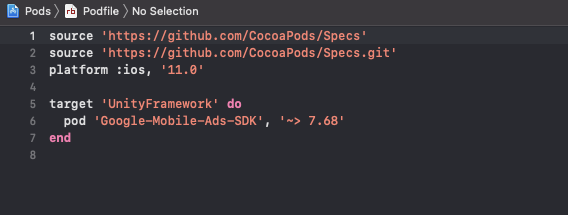
My altered pod file:
KingKlauz
on 21 Mar 2021
Since the pod file is regenerated on each build you might want to have the following settings in iOS Resolver:
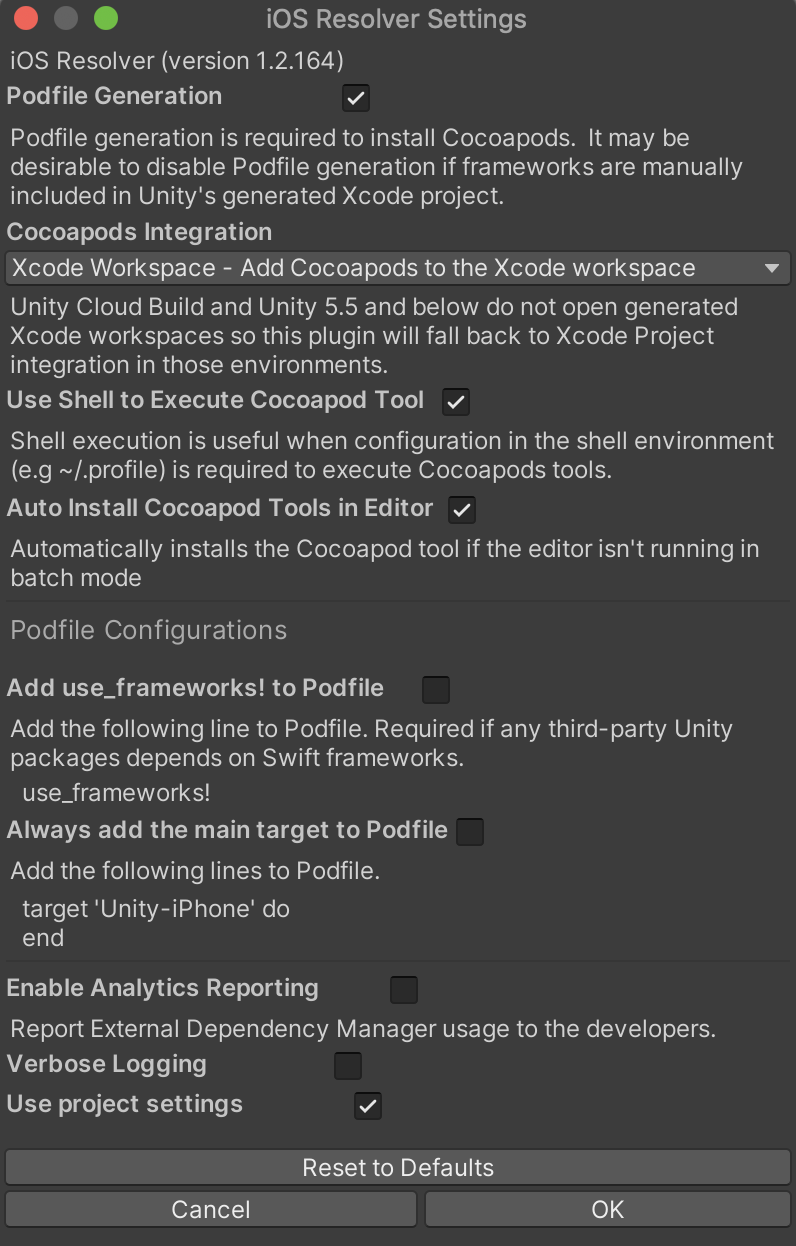
This gives me the same pod flie as above and the issue is no longer present.
 glodos
on 23 Mar 2021
glodos
on 23 Mar 2021
Since the pod file is regenerated on each build you might want to have the following settings in iOS Resolver:
This gives me the same pod flie as above and the issue is no longer present.
Ouh! Thank you for the tip!
KingKlauz
on 24 Mar 2021
Since the pod file is regenerated on each build you might want to have the following settings in iOS Resolver:
This gives me the same pod flie as above and the issue is no longer present.
OMG! WORKS NOW!!!!
 egorovsa
on 1 Apr 2021
egorovsa
on 1 Apr 2021
Hey I am still facing this issue. I tried the above mentioned solutions but no luck. Did anyone find any solution?
 NagasumukhHD
on 4 May 2021
NagasumukhHD
on 4 May 2021
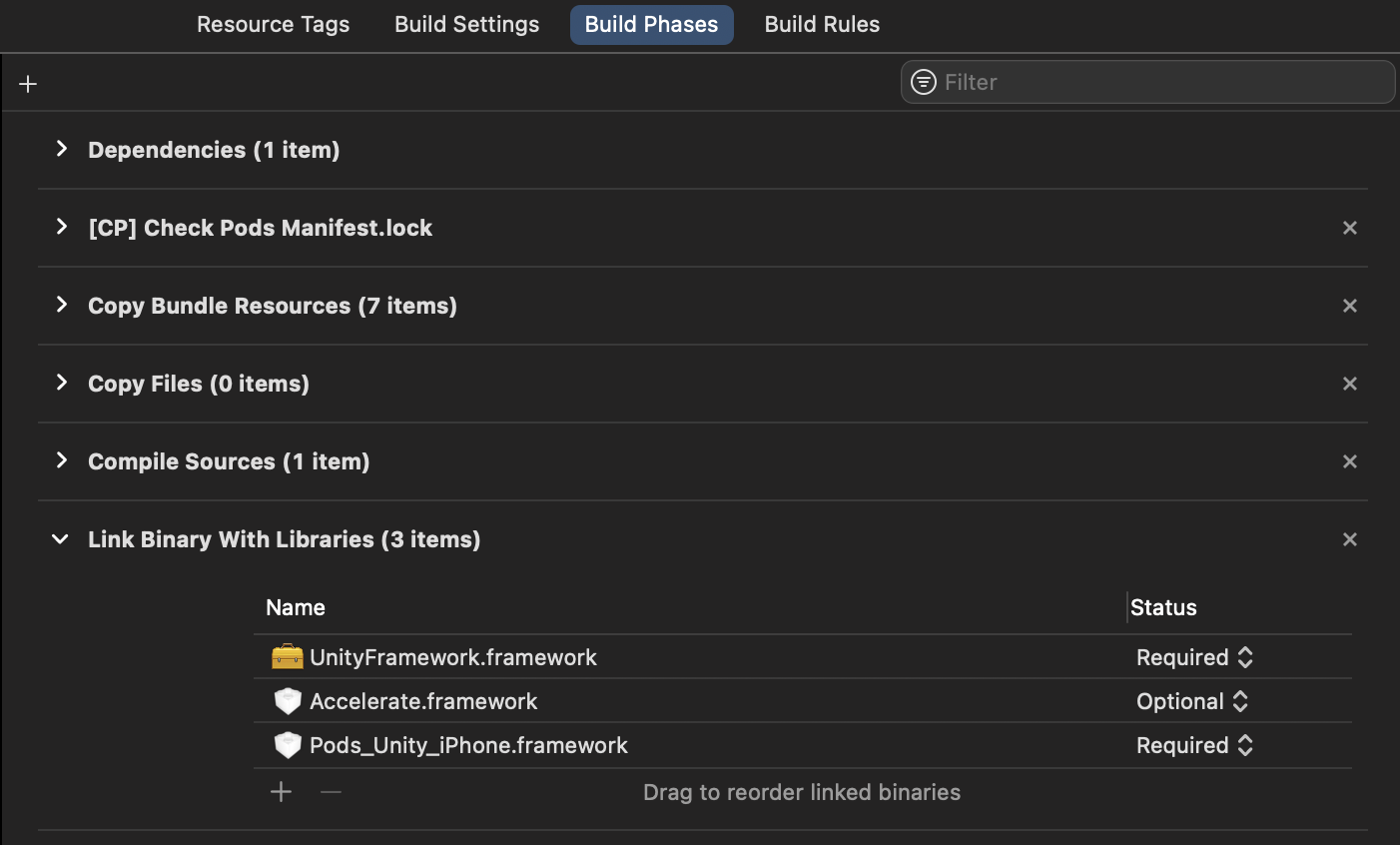
adding UnityFramework.framework fixed my issue
 ang713
on 20 May 2021
ang713
on 20 May 2021
@ang713 same here
 victorcui
on 21 May 2021
victorcui
on 21 May 2021
hello anybody, I use the same method in iOS14 and it is no problem, but iOS13 is still problematic, and it is no problem to connect to the Xcode real machine for debugging, but not after archive and installation.
 chaors
on 13 Jul 2021
chaors
on 13 Jul 2021
I am having the same issue on iOS as well. I am currently using admob v5.4.0 and am testing it on iPhone 12 running iOS 14.4. I already have the Pods_Unity_iPhone.framework:
Adding the "use_frameworks! :linkage => :static" to the pod file does not appear fix the issue for me either. Hope somebody will be able to help us out with this issue.
me too 😿😿
chaors
on 14 Jul 2021
Related issues
 hnim
·
6Comments
hnim
·
6Comments
 AdnanNazir
·
4Comments
AdnanNazir
·
4Comments
 qbit86
·
6Comments
qbit86
·
6Comments
 bigmonmulgrew
·
4Comments
bigmonmulgrew
·
4Comments
 can-keskin
·
8Comments
can-keskin
·
8Comments
Most helpful comment
Since the pod file is regenerated on each build you might want to have the following settings in iOS Resolver:
This gives me the same pod flie as above and the issue is no longer present.