Google-signin: [Error: DEVELOPER_ERROR] Signin without Firebase
Login returns [Error: DEVELOPER_ERROR]
In the previous version 5.0.0 works fine. But in 6.0.0 not able to login getting __DEVELOPER ERROR__.
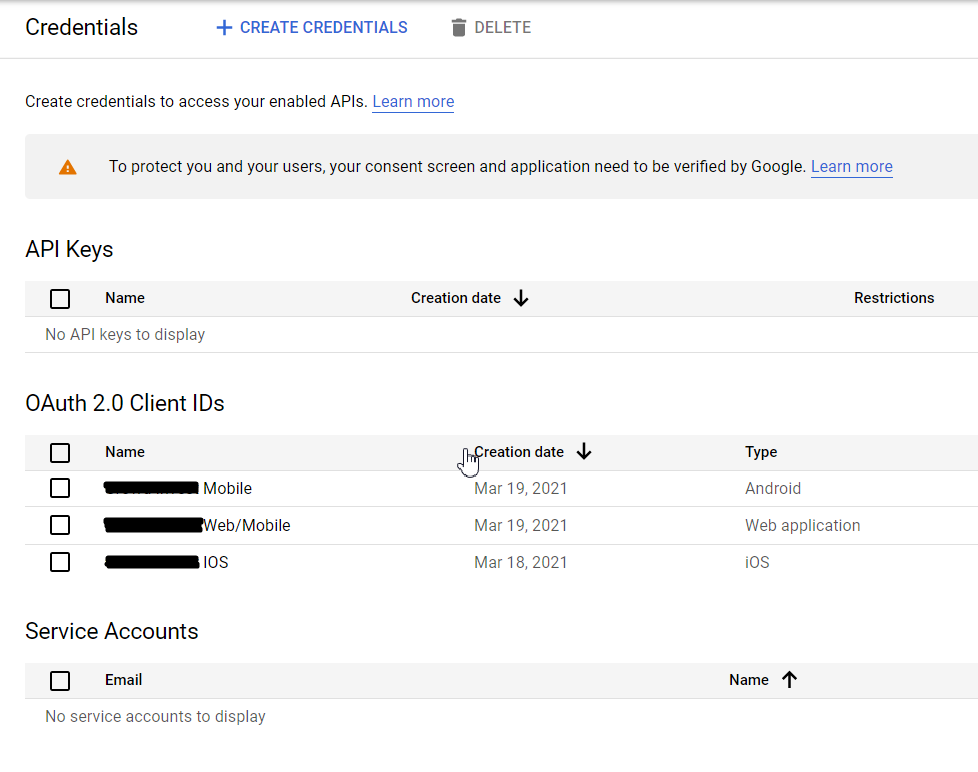
I'm using application type as web application. And I followed all the procedures vice versa. Also I tried application type as android. It works fine with the IOS without firebase not in android.
Attachments
Using multiple Client-ID
Error in RN-Console

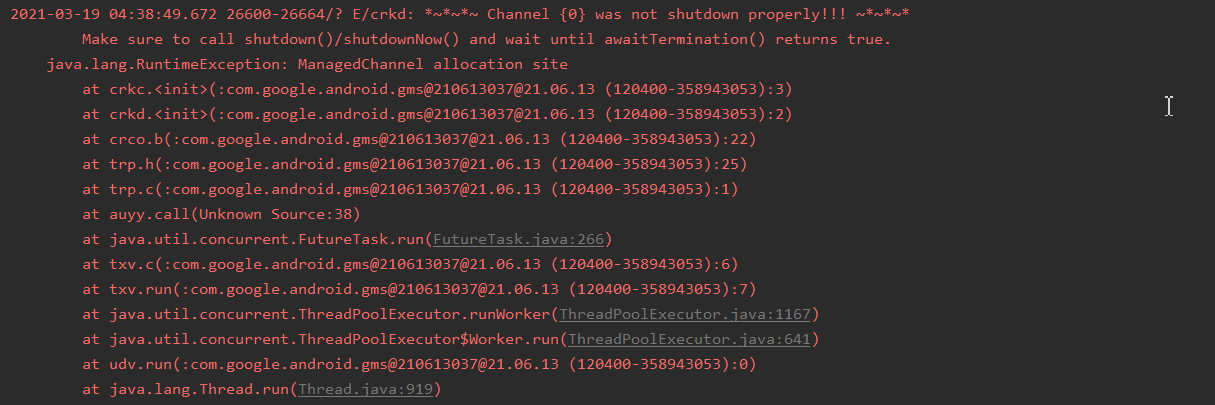
Android-LogCat while pressing login button I got some issue like this. It's not there in the previous version 5.0.0
Steps to Reproduce
- Click sign-in button
- Select account
- Get User Information
Expected Behavior
- Click sign-in button
- Select account
- Get User Information
Actual Behavior
- Click sign-in button
- Select account
- [Error: DEVELOPER_ERROR]
Environment
- react-native => ^0.63.2
- @react-native-google-signin/google-signin => ^6.0.0
- Gradle Version => 6.5
- googlePlayServicesAuthVersion => 17.0.0
- Version of Android => 5.0.0 to 20
- Type of device => Simulator, Handset
- OS => Windows 10
- Processor => Intel(R) Core(TM) i7-9750H CPU @ 2.60GHz 2.59 GHz
- Installed RAM => 24.0 GB (23.9 GB usable)
- System type => 64-bit operating system, x64-based processor
Conclusion
This is a Google signin without firebase. This is not happen while using previous version5.0.0. But the current version 6.0.0. works fine with IOS not with android. I spend a whole day to fix this. But still I can't. So please Fix it ASAP. Thanks in advance. If you need any extra info let me know.
 sydimthi
All 5 comments
I am also facing this issue. Have someone solved this ?
 TheChanDI
on 29 Mar 2021
TheChanDI
on 29 Mar 2021
I faced a similar issue. I had to create a new project and add an SHA-1 signing certificate while creating it.
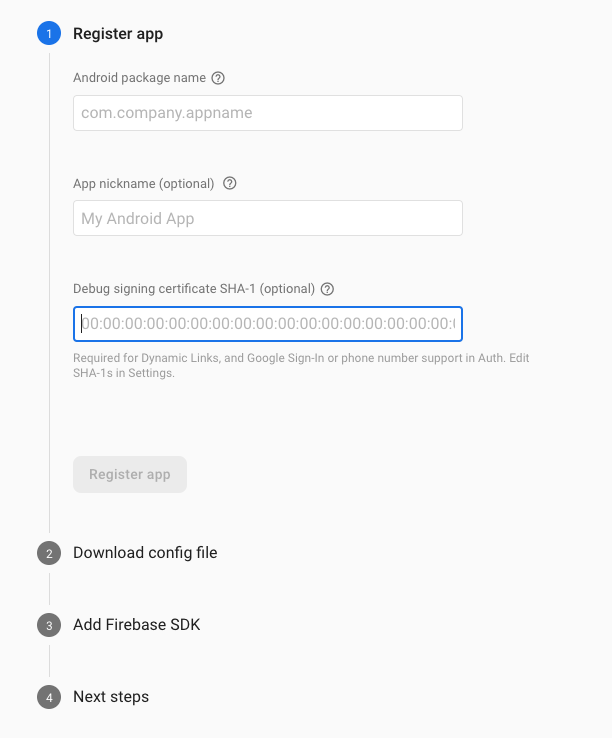
Here's how you can find SHA-1 for the Keystore you are using
Also, don't forget to initialize GoogleSignin
GoogleSignin.configure({
  webClientId:
    'WEB_CLIENT_ID'
});
To find the WEB_CLIENT_ID, open your google-services.json and find the client_id with client_type:3 which is inside oauth_client array.
    "oauth_client": [
      {
        "client_id": "NOT THIS CLIENT ID",
        "client_type": 1,
        "android_info": {
          "package_name": "com.myapp",
          "certificate_hash": "hash"
        }
      },
      {
        "client_id": "CORRECT_ONE",
        "client_type": 3
      }
    ],
Also, don't forget to update the google-services file if you are recreating the project and make sure signing with google is enabled in firebase.
 rawatnaresh
on 30 Mar 2021
rawatnaresh
on 30 Mar 2021
@rawatnaresh i am facing this issue for google signin without firebase.
TheChanDI
on 30 Mar 2021
@rawatnaresh I'm not using firebase.
sydimthi
on 30 Mar 2021
@TheChanDI Yeah I have figured out the issue.
NOTE: THIS FIX IS ONLY FOR GSINGIN WITHOUT FIREBASE
Procedure
Step 1: Remove react-native-google-signin/google-signin if you installed and delete build folder from "android/app/", ".gradle" from "android".
Step 2: Now install the package. and Follow their guidelines:
!! Don't follow these steps ==>
- Update android/app/build.gradle with apply plugin: 'com.google.gms.google-services'
Step 3: Go to your developer console and create a OAuth 2.0 Client IDs as Web application and copy client id.
Step 4: Paste the client ID in index.jsimport {GoogleSignin} from '@react-native-google-signin/google-signin'; GoogleSignin.configure({` webClientId: <====your client id here====>, offlineAccess: false, });Step 5: ! Note please don't add this line in string.xml
<string name="server_client_id">YOUR_SERVER_CLIENT_ID</string>
And finally worked for me.
Try it and let me know : 👍
sydimthi
on 30 Mar 2021
Related issues
 ChaoTzuJung
·
3Comments
ChaoTzuJung
·
3Comments
 serbanstef
·
3Comments
serbanstef
·
3Comments
 Decoder3-14
·
3Comments
Decoder3-14
·
3Comments
 havinhthai
·
3Comments
havinhthai
·
3Comments
 goodhyun
·
3Comments
goodhyun
·
3Comments