Google-signin: how to get phoneNumber from userInfo
hai, i've provide phoneNumber & webClientId on configure()
 GoogleSignin.configure({
     scopes: [
        'email',
        'profile','https://www.googleapis.com/auth/user.phonenumbers.read',
        'https://www.googleapis.com/auth/user.addresses.read',
        'https://www.googleapis.com/auth/user.birthday.read'
     ],
    webClientId: env.webclientid
});
but i got no phoneNumber on userInfo response
{
  idToken: string,
  accessToken: string | null,
  accessTokenExpirationDate: number | null, // DEPRECATED, on iOS it's a time interval since now in seconds, on Android it's always null
  serverAuthCode: string,
  scopes: Array<string>, // on iOS this is empty array if no additional scopes are defined
  user: {
    email: string,
    id: string,
    givenName: string,
    familyName: string,
    photo: string, // url
    name: string // full name
  }
}
is there's some way to get phoneNumber on userInfo? this is what i expected
...
user: {
    phoneNumber: string // how to get this ???
    email: string,
    id: string,
    givenName: string,
    familyName: string,
    photo: string,
    name: string
}
...
Reff
Environment
Please provide the version of your
- react-native: "0.57.7"
- react-native-google-signin: "^1.2.2",
 fadhbapr
All 10 comments
This should work. Can you try on both iOS and Android and verify that phone number field is not returned within the user object?
 jozan
on 31 Mar 2019
jozan
on 31 Mar 2019
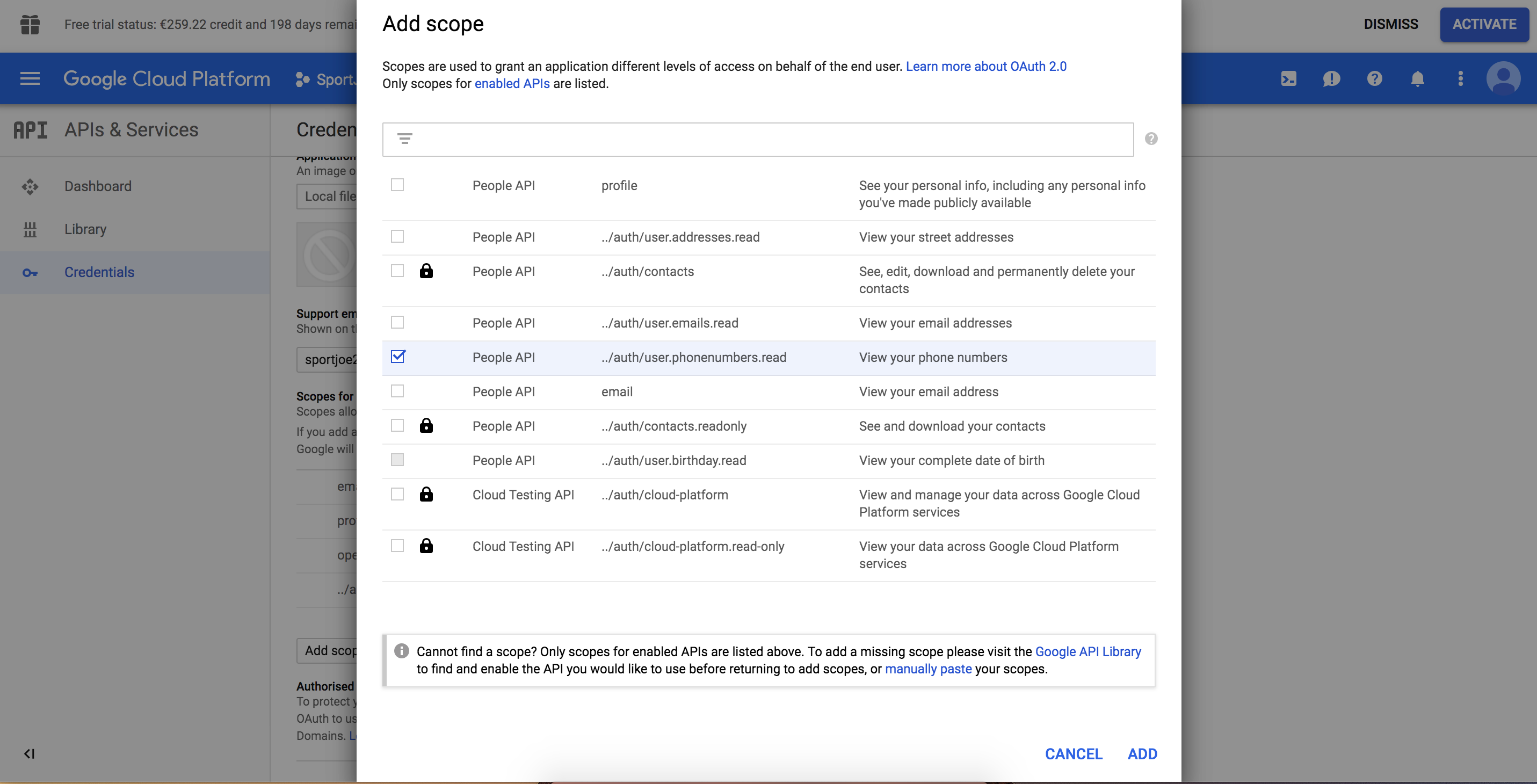
So as I was searching around there is also a requirement to add scopes to your app credentials, here:
https://console.cloud.google.com/apis/credentials/consent
Unfortunately that still didn't work for me with the birthday read
Even though I have an access for it
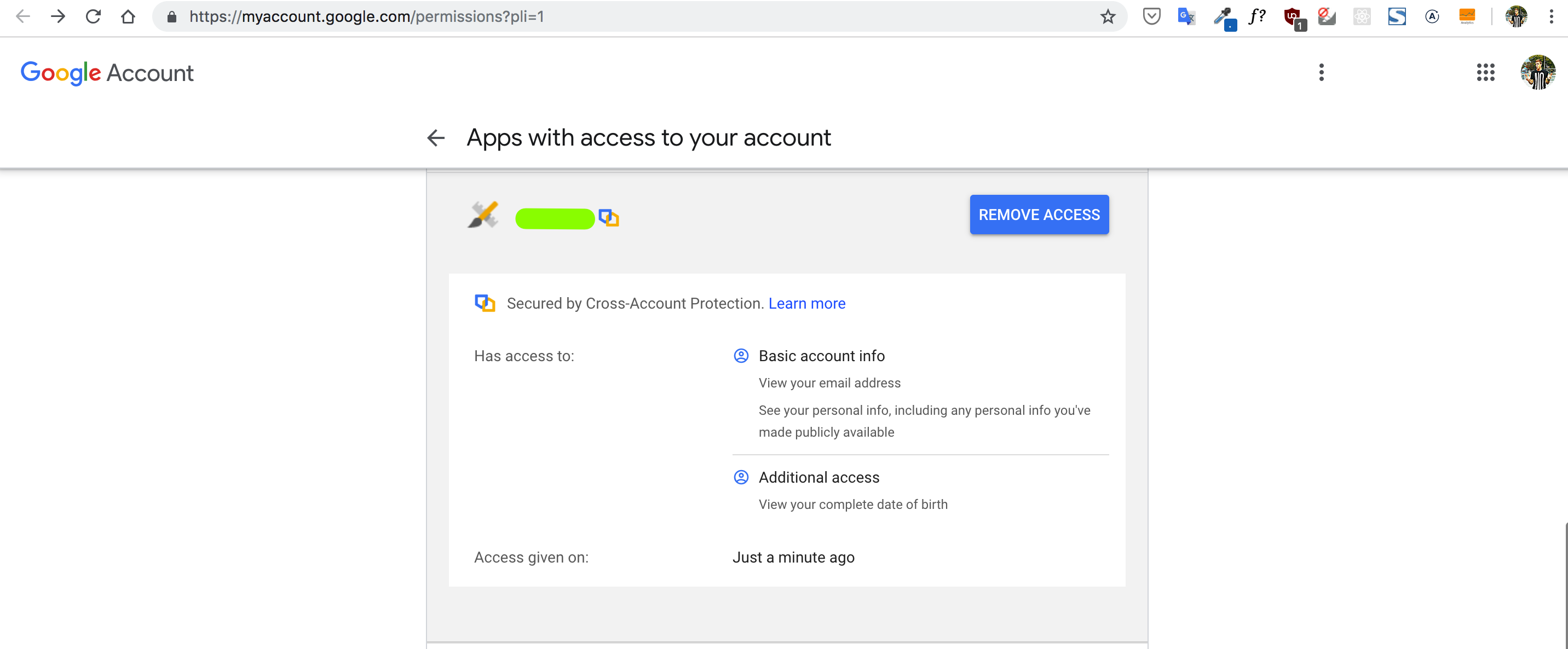
Still help required...
 durdevic
on 1 Apr 2019
durdevic
on 1 Apr 2019
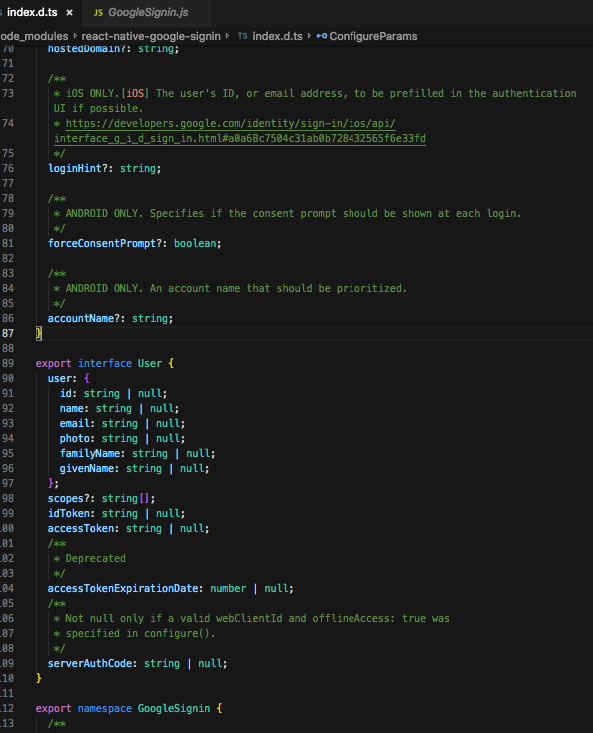
I was going through the npm package right now, and saw that the User interface doesn't even have any of the additional scopes. So from my perspective I think he can't return a value even if it existed.
durdevic
on 1 Apr 2019
I'm afraid this is not a bug but something you'll have to implement by yourself.
Looking at https://developers.google.com/identity/sign-in/ios/api/interface_g_i_d_google_user
or https://developers.google.com/android/reference/com/google/android/gms/auth/api/signin/GoogleSignInAccount there doesn't seem to be a way to get phone number
There are specific packages for working with different google apis, see for example https://developers.google.com/people/v1/libraries#java
 vonovak
on 7 Apr 2019
vonovak
on 7 Apr 2019
In the end I ended up with a solution that I forward the users to the page where they manually add their information.
Additionally there was another solution in sense of you calling another API with the access token that you have received, e.g.
https://people.googleapis.com/v1/people/{userId}?personFields=genders,birthdays
You just put in Headers, Authorization: 'Bearer {accessToken}'
Then you should receive the user object with all the properties you asked for.
Hope it helps!
durdevic
on 8 Apr 2019
closing as I don't believe this is an issue with this package (as I commented above)
https://github.com/react-native-community/react-native-google-signin/issues/642#issuecomment-480784948 is the correct solution
vonovak
on 8 Apr 2019
@durdevic hey can you please help me? I tried your solution but i always getting error.
this is the error i'm getting :
"Request had invalid authentication credentials. Expected OAuth 2 access token, login cookie or other valid authentication credential"
I've already had the user authentication and try to add API_KEY in request like in https://developers.google.com/people/api/rest/v1/people/get documentation
Any explanation would help! thanks
 fadilhim
on 3 Jan 2020
fadilhim
on 3 Jan 2020
@PokoGroot Heya, as from I recall, we only used Google token for fetching the data while logging in otherwise we had our own token. If you can't get the data from Google with their API_KEY, maybe you're not getting the correct one.
Try making cloning the project and setting up everything from scratch following the instructions, that's always the best way. Further than this I don't know any other advice I could give you. Good luck!
durdevic
on 5 Jan 2020
_signIn = async () => {
try {
await GoogleSignin.hasPlayServices();
const userInfo = await GoogleSignin.signIn();
if (userInfo) {
const {accessToken} = await GoogleSignin.getTokens();
axios({
method: 'GET',
headers: {
Authorization: Bearer ${accessToken},
},
url: https://people.googleapis.com/v1/people/${
userInfo.user.id
}?personFields=genders,birthdays,
})
.then(function(response) {
// handle success
console.log(response);
// console.log(response.data.birthdays[0].date);
//console.log(response.data.genders[0].formattedValue);
})
.catch(function(error) {
// handle error
console.log(error);
});
}
} catch (error) {
switch (error.code) {
case statusCodes.SIGN_IN_CANCELLED:
// sign in was cancelled
Alert.alert('cancelled');
break;
case statusCodes.IN_PROGRESS:
// operation (eg. sign in) already in progress
Alert.alert('in progress');
break;
case statusCodes.PLAY_SERVICES_NOT_AVAILABLE:
// android only
Alert.alert('play services not available or outdated');
break;
default:
Alert.alert('Something went wrong', error.toString());
}
}
};
 mahisat
on 29 Jun 2020
mahisat
on 29 Jun 2020
how to refresh access token, in my case every time i'm getting same accessToken.
 Veeresh-alt
on 25 Sep 2020
Veeresh-alt
on 25 Sep 2020
Related issues
 thaimauit
·
4Comments
thaimauit
·
4Comments
 ChaoTzuJung
·
3Comments
ChaoTzuJung
·
3Comments
 GrishmaM
·
3Comments
GrishmaM
·
3Comments
 guidotajan
·
4Comments
guidotajan
·
4Comments
 BigPun86
·
4Comments
BigPun86
·
4Comments
Most helpful comment
In the end I ended up with a solution that I forward the users to the page where they manually add their information.
Additionally there was another solution in sense of you calling another API with the access token that you have received, e.g.
https://people.googleapis.com/v1/people/{userId}?personFields=genders,birthdaysYou just put in Headers, Authorization: 'Bearer {accessToken}'
Then you should receive the user object with all the properties you asked for.
Hope it helps!