Google-signin: [iOS] Need more info on ios installation
I am sorry to open an issue, but I need mode info on ios installation.
I am not expert about ios, so to me this is pretty ugly to understand:
Without Cocoapods
    - download the GoogleSignIn SDK from here and unzip it. Drag and drop the unzipped .framework files into the Frameworks group in Xcode and copy GoogleSignIn.bundle to your project. During copying, check copy items if needed.
    - make sure GoogleSignIn.bundle is added in your Xcode project's Copy Bundle Resources build phase.
Can you explain to me pls what does exactly mean this sentence "Drag and drop the unzipped .framework files into the Frameworks group in Xcode and copy GoogleSignIn.bundle to your project".
Also the second thing to do is not clear to me.
 giacomok
All 8 comments
Without Cocoapods
Follow these steps
1) download the GoogleSignIn SDK https://developers.google.com/identity/sign-in/ios/sdk/ get the latest version.
2) Open the above file and you will see some .framework files
3) In you react-native project inside ios/ folder there should be a .xcodeproj file. Open that one using xcode. You should see the following
NOTE: Ignore the arrows here just look at the left panel.
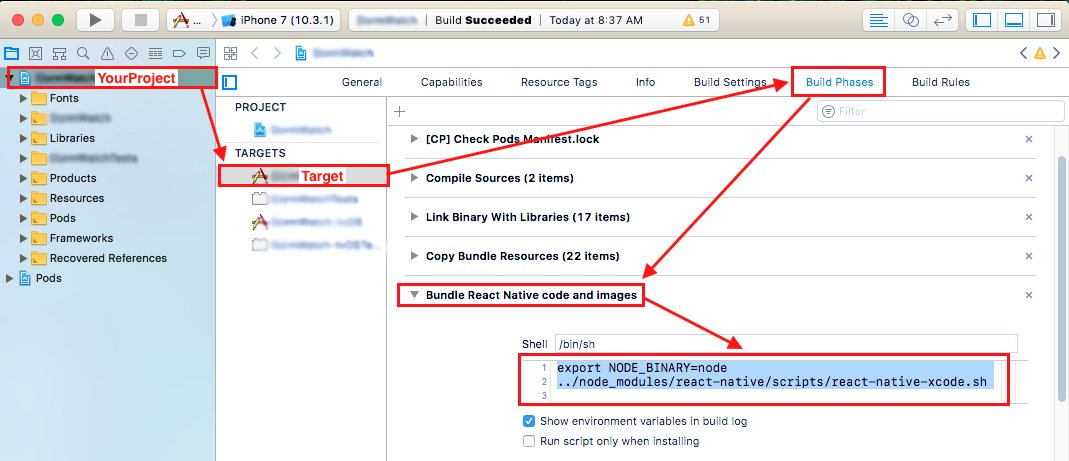
4) Drag and drop all the .framework files you downloaded from the Google SDK into that Frameworks folder you see on the left panel. When you do this it will prompt you how you would like it to copy, make sure you check copy items if needed.
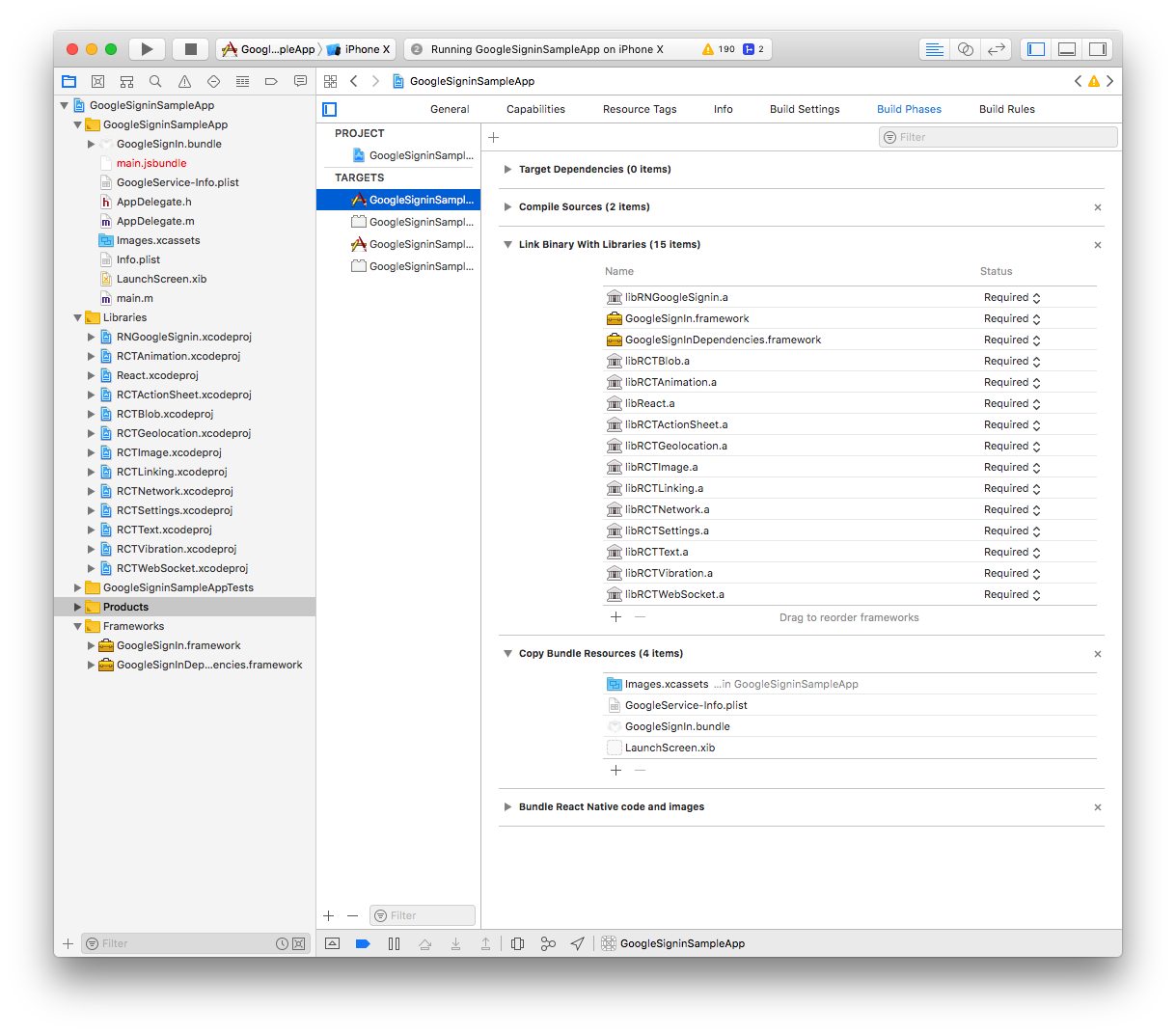
5) make sure GoogleSignIn.bundle is added in your Xcode project's Copy Bundle Resources build phase as following
 AndreiCalazans
on 14 Jan 2019
AndreiCalazans
on 14 Jan 2019
This repository has a step by step commit history on how to do it, just change the branch and look at the commit history
https://github.com/AndreiCalazans/TestGoogleSignin
AndreiCalazans
on 14 Jan 2019
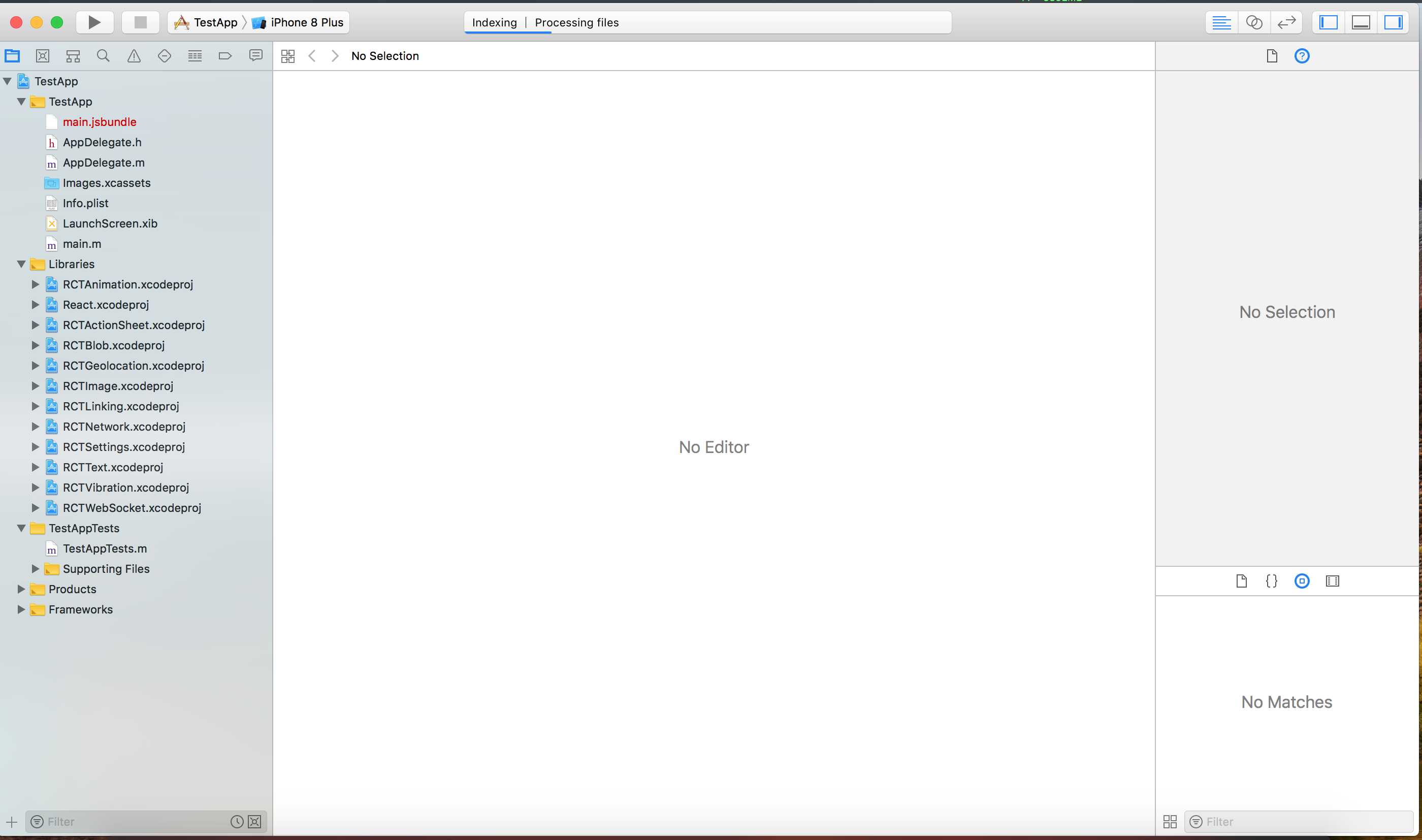
I do not have "Frameworks" folder under "My project" folder in the left panel.
Is it normal?
giacomok
on 14 Jan 2019
Nope, this is what a fresh React Native app started with react-native init <project name> looks like
AndreiCalazans
on 15 Jan 2019
I developed the app with Ignite CLI and it works in android. I am trying to port it in iOS.
giacomok
on 15 Jan 2019
@GiacomoK I'm closing this issue since it's related to how you structured your built set up. Please try stackoverflow or react's discord chat to solve your issues. Issue in this repo are for bugs in the package.
AndreiCalazans
on 17 Jan 2019
@AndreiCalazans I've followed all the steps to install without cocoapods and i keep ending up with error
#import <GoogleSignIn/GoogleSignIn.h>
#import <React/RCTComponent.h>

@interface RNGoogleSignInButton : GIDSignInButton

@property (nonatomic, copy) RCTBubblingEventBlock onPress;

@end
in the above file from '/node-modules/react-native-google-signin/ios/RNGoogleSignin/RNGoogleSignInButton.h'
I get file not found.similar to this issue. Not sure what to do.
Using v1.0.2 of library and google SDK 4.4.0 (not working on 4.3.0 also)
 essuraj
on 29 Jan 2019
essuraj
on 29 Jan 2019
@essuraj I encountered the same problem when I install this library without Cocoapods.
Try this:
https://github.com/react-native-community/react-native-google-signin/issues/608#issuecomment-462507587
 simonso3
on 12 Feb 2019
simonso3
on 12 Feb 2019
Related issues
 apperside
·
4Comments
apperside
·
4Comments
 thaimauit
·
4Comments
thaimauit
·
4Comments
 yogeshpaisode
·
4Comments
yogeshpaisode
·
4Comments
 TyLy83
·
4Comments
TyLy83
·
4Comments
 BigPun86
·
4Comments
BigPun86
·
4Comments
Most helpful comment
@essuraj I encountered the same problem when I install this library without Cocoapods.
Try this:
https://github.com/react-native-community/react-native-google-signin/issues/608#issuecomment-462507587