Google-signin: RNGoogleSignin Buildtime issues after linking
Hello, I followed all the steps using the iOS instructions but got error saying:

Environment
"react": "16.3.1"
"react-native": "0.55.3"
"react-native-google-signin": "^0.12.0"
 gecusdevus
All 10 comments
Automatic or manual installation?
Currently We haven't had time to actually verify the manual installation process that is missing.
It works fine with cocoapods(automatic installation).
I'm gonna send a PR make it more clear on how to use cocoapods to get the pod.
 AndreiCalazans
on 30 May 2018
AndreiCalazans
on 30 May 2018
Can you add a reproducible example ? that would help us look into this error.
AndreiCalazans
on 30 May 2018
Hey guys, I have the same issue (it worked before but suddenly I cannot build the project on iOS anymore, on Android works fine)

 cristian-chiric
on 1 Jun 2018
cristian-chiric
on 1 Jun 2018
Hello, I have the same error. Just install react-native-google-signin and react-native-google-signin
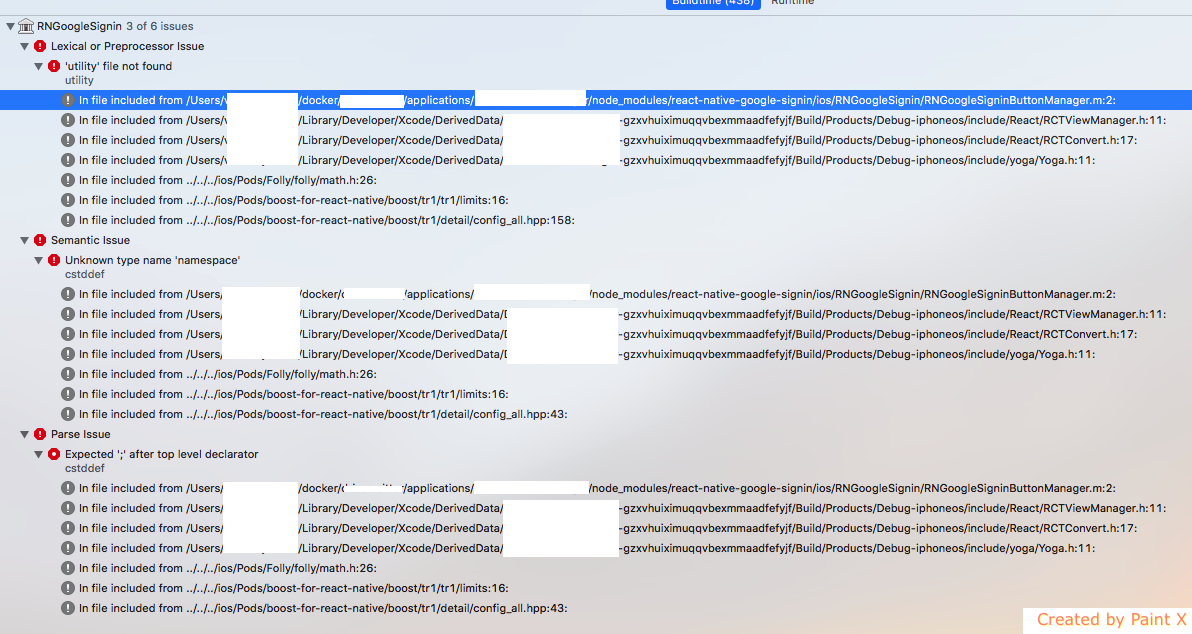
 vinzcoco
on 3 Jun 2018
vinzcoco
on 3 Jun 2018
For me the problem came from Pods combine with the installation of the new version of react-native-maps : 0.21.0.
To solved my problem i remove Pods to my project and use react-native-maps : 0.18.3
After that i juste do :
- react-native link react-native-google-signin
- Go to Build Settings and add to Framework Search Paths path to GoogleSdk: by default $(PROJECT_DIR)/../node_modules/react-native-google-signin/ios/GoogleSdk
- And after follow this procedure : https://github.com/react-native-community/react-native-google-signin/blob/master/ios-guide.md#2-google-project-configuration
I think to remove Pods is not a good solution... but it's work form me.
vinzcoco
on 3 Jun 2018
@vinzcoco can you clarify about removing Pods to your project? Did you remove Cocoapods or just the react-native-google-signin? Because i have the same situation where i also have the latest react-native-maps to my project.
gecusdevus
on 4 Jun 2018
The solution that worked for me was to change the react-native version from 0.55.4 to 0.52.1 and to add changed the pod 'CxxBridge' to pod 'BatchedBridge'.
cristian-chiric
on 5 Jun 2018
I am also having an issue with building on IOS. The error that I get:



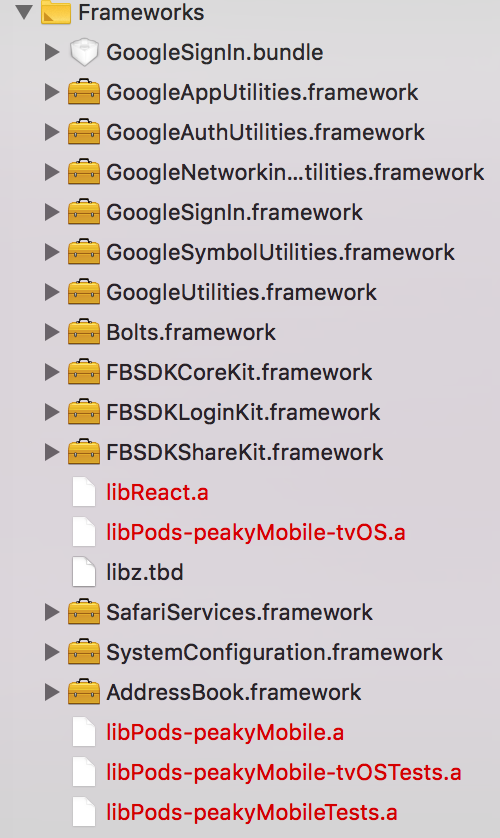
Running on react version 0.51.0
 peakyDicers
on 12 Jun 2018
peakyDicers
on 12 Jun 2018
FYI, this issue resolved if you install from master "react-native-google-signin": "react-native-community/react-native-google-signin".
 mjgallag
on 15 Jun 2018
mjgallag
on 15 Jun 2018
Alright, this problem is fixed on master. Thanks @mjgallag
gecusdevus
on 21 Jun 2018
Related issues
 apperside
·
4Comments
apperside
·
4Comments
 serbanstef
·
3Comments
serbanstef
·
3Comments
 Decoder3-14
·
3Comments
Decoder3-14
·
3Comments
 havinhthai
·
3Comments
havinhthai
·
3Comments
 GrishmaM
·
3Comments
GrishmaM
·
3Comments
Most helpful comment
FYI, this issue resolved if you install from master
"react-native-google-signin": "react-native-community/react-native-google-signin".