Google-play-music-desktop-player-unofficial-: Doesn't open on ubuntu 18.10
Checklist:
[x] I have checked that there are no issues with similar or the same content
YOU SHOULD CHECK CLOSED ISSUES ASWELL
- [x] I have checked the FAQ (https://github.com/MarshallOfSound/Google-Play-Music-Desktop-Player-UNOFFICIAL-/wiki/FAQ) and the answer I am looking for is not there
- [x] I have double checked and can reproduce the issue
OS: Ubuntu 18.10
GPMDP Version: 4.6.1
Issue Descriptions:
App doesn't open whatsoever. When I run via command line, I get:
[1]    9872 segmentation fault (core dumped)  google-play-music-desktop-player

~
It worked fine on ubuntu 18.04, but not on 18.10 (tried on two different computers, sent a crash report from one).
Steps to Reproduce:
Install on ubuntu 18.10
Try to open it.
Thanks for your help!
P.S. It seems similar to #3117, but libgconf-2-4 was already installed.
 nklayman
All 44 comments
👋 Thanks for opening your first issue here! If you're reporting a 🐞 bug, please make sure you include steps to reproduce it. We get a lot of duplicate issues on this repo, so please double check now that your issue has not already been solved or doesn't have an open issue already.
To help make it easier for us to investigate your issue, please follow the contributing guidelines and ensure the issue template was filled out.
![welcome[bot] picture](https://avatars.githubusercontent.com/in/4141?v=4&s=40) welcome[bot]
on 19 Oct 2018
welcome[bot]
on 19 Oct 2018
Seeing the same. libgconf-2-4 is installed and this is a fresh install of 18.10.
 manicholls
on 19 Oct 2018
manicholls
on 19 Oct 2018
I have the same problem. Attempting to build from source right now.
 Steampunkery
on 21 Oct 2018
Steampunkery
on 21 Oct 2018
Source build failed, here is the log file. Hosted on dropbox because it's a massive file, too big for pastebin or hastebin
Steampunkery
on 21 Oct 2018
I got that error when I tried to build from source as well.
nklayman
on 21 Oct 2018
I don't have 18.10 yet, so I can't try and troubleshoot your issue directly, but for a sanity check have both of you installed the ubuntu dev dependencies from the wiki? It appears to be having a problem either building
mdns or using node-gyp rebuild which could be due to a lack of python or some other kind of compiler error.
 jostrander
on 22 Oct 2018
jostrander
on 22 Oct 2018
It failed for me too, I'll see if I can fix the build from source sometime. I recently upgraded to 18.10 (its awesome!) so I'm yarning to have my desktop client back.
 zerkz
on 22 Oct 2018
zerkz
on 22 Oct 2018
@jostrander @nklayman @Steampunkery After getting my dev dependencies in order on 18.10, I can still confirm it crashes (seems to be a SEGFAULT?) even after building straight from source.
zerkz
on 22 Oct 2018
Same here. Just finished my build. I would have replied earlier but I uninstalled node after it failed to build yesterday because I had only installed it for that purpose 😆
Steampunkery
on 22 Oct 2018
Possibly something to do with this? https://github.com/electron/electron/issues/13972
Which links to this: https://bugs.launchpad.net/ubuntu/+source/glibc/+bug/1790966
jostrander
on 22 Oct 2018
@jostrander i just found that and was about to post this. I believe this is definitely related.
zerkz
on 22 Oct 2018
@JoshuaGarrison27 taking a quick read at that bug's comments, particularly this one, if we bump electron to 2.0.8 or later, we can get past it?
zerkz
on 22 Oct 2018
@zerkz I'm not sure why was I tagged on this. I am only running on Windows.
 JoshuaGarrison27
on 22 Oct 2018
JoshuaGarrison27
on 22 Oct 2018
@JoshuaGarrison27 doh, my bad, meant to tag @jostrander :joy:
zerkz
on 22 Oct 2018
That might be the case @zerkz but I can't test it unfortunately. I do know that the 3.x release of electron works out of the box as I've been testing it locally on my machine lately, so you shouldn't have any other issues upgrading it.
jostrander
on 22 Oct 2018
@jostrander I'm building with 2.0.8 as we speak.
zerkz
on 22 Oct 2018
@jostrander Bam! it worked. Opening a PR right now.
zerkz
on 22 Oct 2018
Awesome! Glad to hear, I have more changes coming soon that will bump it to the 3.x branch so it may not be necessary.
jostrander
on 22 Oct 2018
zerkz
on 22 Oct 2018
FYI the same problem happens on Fedora 29 which will be released today.
 christofdamian
on 30 Oct 2018
christofdamian
on 30 Oct 2018
The version with the fix is not released yet. If you want to download a working version, you have to go to : https://circleci.com/gh/MarshallOfSound/Google-Play-Music-Desktop-Player-UNOFFICIAL- and the check the last build for "#master". Then, go to "artifacts" and download the package you want.
This is for deb 64 bits :
And this for deb 32 bits :
PS: This is dev version so it may have some bugs or instability.
 GCorbel
on 7 Nov 2018
GCorbel
on 7 Nov 2018
Okay, maybe I'm going mad, but I cannot see an Artifacts tab for any recent build in CircleCI.
For any Fedora users who end up here, your latest URLs (as of 19/12/18) are:
 agc93
on 19 Dec 2018
agc93
on 19 Dec 2018
Make sure the build varient is artifactcollector instead of Debian or fedora.
nklayman
on 19 Dec 2018
@nklayman Even in the artifact_gather jobs, I'm still not seeing anything?

agc93
on 21 Dec 2018
I think you need to sign in to circleci to see artifacts. If you can't, I can send you a link to the latest one. What platform are you on?
nklayman
on 21 Dec 2018
@nklayman I'm on Fedora, but I've already got the links (see comments above :smile: ). I don't have a CircleCI account, but I've got the link pattern sorted so will have to use that, thanks.
agc93
on 21 Dec 2018
WORKAROUND: If you install Visual Studio Code, you can use the working libnode.so from that to get this to work on Fedora 29.
Just run this command: sudo ln -fs /usr/share/code/libnode.so /usr/share/google-play-music-desktop-player/libnode.so
This links the working libnode from VS Code to the player.
 jwulf
on 2 Jan 2019
jwulf
on 2 Jan 2019
WORKAROUND: If you install Visual Studio Code, you can use the working libnode.so from that to get this to work on Fedora 29.
Just run this command:
sudo ln -fs /usr/share/code/libnode.so /usr/share/google-play-music-desktop-player/libnode.soThis links the working libnode from VS Code to the player.
I installed the VS Code and then ran this command, but my GPMDP still will not start up. :-(
 pb1051
on 5 Jan 2019
pb1051
on 5 Jan 2019
@MarshallOfSound Any plans for a release soon? seems folks are still hitting this issue a lot.
zerkz
on 5 Jan 2019
It's good to hear there's some fix for this... but after trying to figure out how to build from the repo for an hour and failing on various dependencies, I've given up again.
Back to 4.4.x with me once again.
 silentdis
on 26 Jan 2019
silentdis
on 26 Jan 2019
Little confused how this is closed. on Fedora 29 issue still persists. Went as far as to try the flatpak as well but it has the same issue (realize not related here but just for reference).
Have no need for Visual Studio and did the work around using Atom. But a workaround isn't really a fix. It is likely I have missed something obvious.
sudo dnf install ~/Downloads/atom.x86_64.rpm
sudo mv /usr/share/google-play-music-desktop-player/libnode.so /usr/share/google-play-music-desktop-player/libnode.so.bad
sudo ln -s /usr/share/atom/libnode.so /usr/share/google-play-music-desktop-player/libnode.so
 knuckleheadTech
on 5 Feb 2019
knuckleheadTech
on 5 Feb 2019
I understand the confusion. It's closed because it's technically fixed in master, but it hasn't been released.
jostrander
on 5 Feb 2019
Gotcha. Went to grab latest master but I guess with no account I don't see it.
Thought I was clever with the libnode fix but now it loads to the old blackscreen issue that from was a few releases ago. Pretty sure this is a dependency issue but it's been long enough ago I forget. Would you mind linking the rpm from the latest fixed master?
knuckleheadTech
on 5 Feb 2019
jostrander
on 5 Feb 2019
This is working for me on Fedora 29
pb1051
on 6 Feb 2019
I did a gif to explain what to do :

You have to be logged to see the "artifact tab" and go to https://circleci.com/gh/MarshallOfSound/Google-Play-Music-Desktop-Player-UNOFFICIAL-/tree/master .
GCorbel
on 15 Feb 2019
for Google-ability:
If you're seeing a backtrace like
Program terminated with signal SIGSEGV, Segmentation fault.
#0  0x0000000000a4fa30 in ?? ()
Missing separate debuginfos, use: dnf debuginfo-install google-play-music-desktop-player-4.6.1-1.x86_64
(gdb) bt
#0  0x0000000000a4fa30 in  ()
#1  0x00007f60179bd2b2 in node::http2::Http2Session::Callbacks::Callbacks(bool) () at /usr/share/google-play-music-desktop-player/libnode.so
#2  0x00007f60179bd375 in  () at /usr/share/google-play-music-desktop-player/libnode.so
#3  0x00007f6017c17e0a in call_init.part () at /lib64/ld-linux-x86-64.so.2
#4  0x00007f6017c17f0a in _dl_init () at /lib64/ld-linux-x86-64.so.2
#5  0x00007f6017c0914a in _dl_start_user () at /lib64/ld-linux-x86-64.so.2
#6  0x0000000000000001 in  ()
#7  0x00007fff0448b7bd in  ()
#8  0x0000000000000000 in  ()
(gdb) q
then this is the issue you're hitting.
I suggest re-titling the issue since this appears to affect x64 Linux in general. I'm on
~$ lsb_release -a
LSB Version:    :core-4.1-amd64:core-4.1-noarch:cxx-4.1-amd64:cxx-4.1-noarch:desktop-4.1-amd64:desktop-4.1-noarch:languages-4.1-amd64:languages-4.1-noarch:printing-4.1-amd64:printing-4.1-noarch
Distributor ID: Fedora
Description:    Fedora release 29 (Twenty Nine)
Release:    29
Codename:   TwentyNine
and seeing the same:
~$ google-play-music-desktop-player
Segmentation fault (core dumped)
 ringerc
on 6 Mar 2019
ringerc
on 6 Mar 2019
Adding a comment for Fedora 29:
Make sure you don't have any garbage from a failed installation:
sudo rpm -qa | grep google-play-music-desktop-player
sudo yum remove google-play-music-desktop-player
Download the package mentioned by @pb1051 and @jostrander
Finally, install it with:
yum install google-play-music-desktop-player-4.6.1.x86_64.rpm
It will install all the necessary dependencies and or boi runs nice and smoothly afterwards.
Thanks, guys
 marquesarthur
on 19 Mar 2019
marquesarthur
on 19 Mar 2019
the quickest fix for me on Ubuntu 18.10 was sudo apt-get purge google-play-music-desktop-player to remove the broken install. Then use snap, sudo snap install google-play-music-desktop-player
 webmasterMeyers
on 12 Jul 2019
webmasterMeyers
on 12 Jul 2019
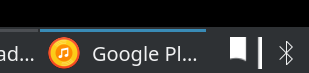
This worked for me on Fedora 30. Tray icon doesn't look too good though (next to bt icon)
 rpgdev
on 27 Aug 2019
rpgdev
on 27 Aug 2019
Any chance on seeing a 4.6.2 or 4.7.0 or whatever actually being released? It's been a year since this issue has been noticed in 4.6.1, and almost a year since it has been fixed, and yet workarounds are still needed...
 Kernald
on 13 Oct 2019
Kernald
on 13 Oct 2019
I did a wipe of my existing 4.6.1-1 install (https://github.com/MarshallOfSound/Google-Play-Music-Desktop-Player-UNOFFICIAL-/issues/3391#issuecomment-474522652), and installed the RC version I found here: https://github.com/MarshallOfSound/Google-Play-Music-Desktop-Player-UNOFFICIAL-/issues/3548 - this fixed the problem for me on Pop!_OS (which is basically Ubuntu/Debian).
 kavika13
on 4 Nov 2019
kavika13
on 4 Nov 2019
I did a wipe of my existing 4.6.1-1 install (#3391 (comment)), and installed the RC version I found here: #3548 - this fixed the problem for me on Pop!_OS (which is basically Ubuntu/Debian).
The problem is, the RC you linked to is just that - a release candidate. Any distribution packaging GPMDP is gonna have the previously released 4.6.1 - which, as this issue shows, doesn't work anymore.
Kernald
on 4 Nov 2019
The problem is, the RC you linked to is just that - a release candidate. Any distribution packaging GPMDP is gonna have the previously released 4.6.1 - which, as this issue shows, doesn't work anymore.
Yes, I agree with you. I commented because I found a work-around that met my personal criteria, and didn't see it mentioned on the thread.
TBH a showstopper issue with a working fix should have warranted a hotfix release a year ago, or whenever it got fixed. The maintainer should probably solicit help if they can't manage to do that sort of thing in a timely manner.
kavika13
on 4 Nov 2019
Related issues
 PazerOP
·
4Comments
PazerOP
·
4Comments
 amgrider
·
3Comments
amgrider
·
3Comments
 GeraldNDA
·
3Comments
GeraldNDA
·
3Comments
 Nxt3
·
4Comments
Nxt3
·
4Comments
 darkvertex
·
4Comments
darkvertex
·
4Comments
Most helpful comment
The version with the fix is not released yet. If you want to download a working version, you have to go to : https://circleci.com/gh/MarshallOfSound/Google-Play-Music-Desktop-Player-UNOFFICIAL- and the check the last build for "#master". Then, go to "artifacts" and download the package you want.
This is for deb 64 bits :
https://2838-40008106-gh.circle-artifacts.com/0/home/circleci/project/dist/installers/debian/google-play-music-desktop-player_4.6.1_amd64.deb
And this for deb 32 bits :
https://2838-40008106-gh.circle-artifacts.com/0/home/circleci/project/dist/installers/debian/google-play-music-desktop-player_4.6.1_i386.deb
PS: This is dev version so it may have some bugs or instability.