Google-play-music-desktop-player-unofficial-: 4.6.1 Minimize to Tray
OS:
W7 Enterprise
GPMDP Version:
4.6.1
Issue Descriptions:
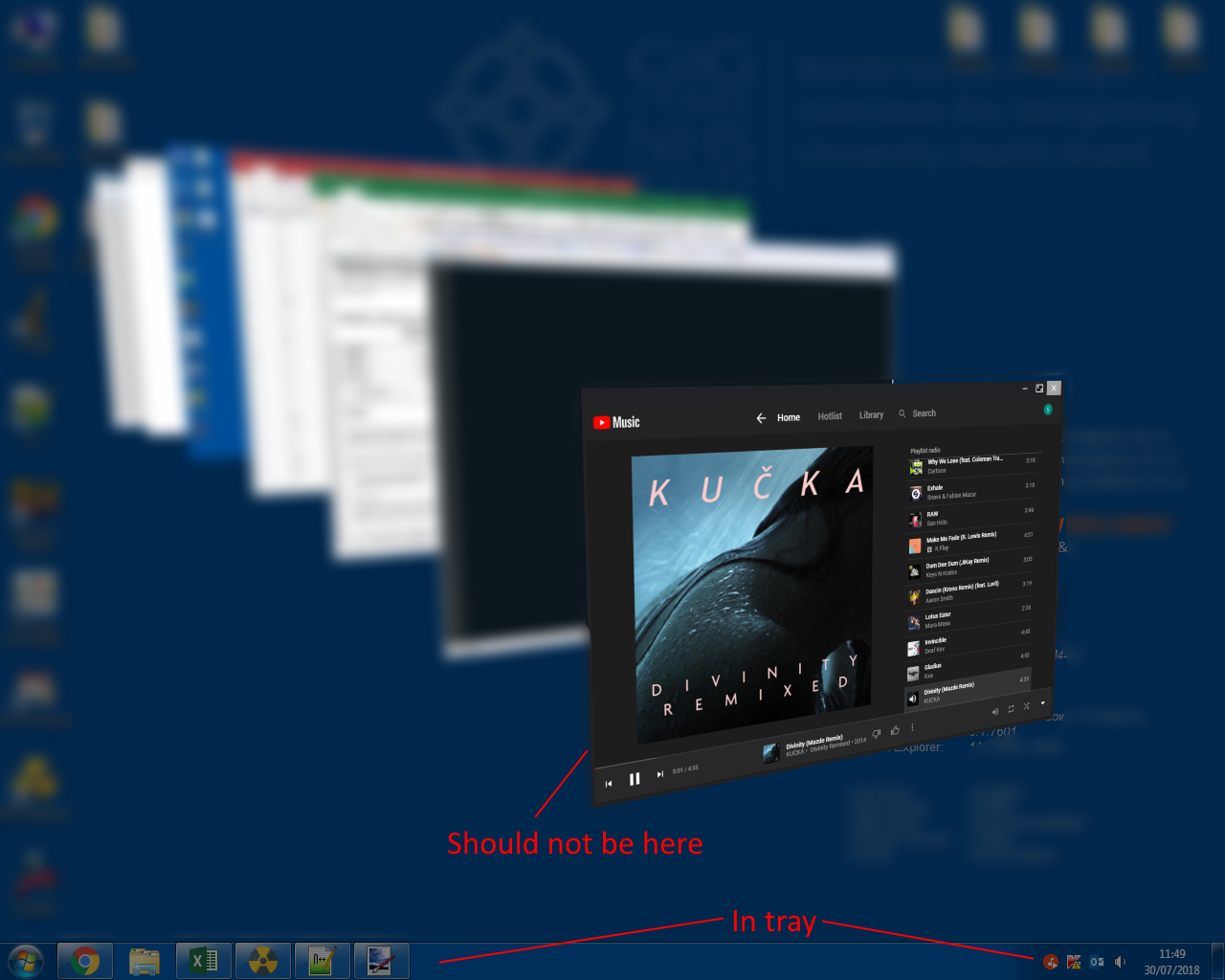
- Minimizing minimizes GPMDP to the taskbar, not the tray even with the setting turned on. (Close closes to tray)
- GPMDP is visible and can be switched to when Alt-Tabbing & Win-Tabbing when it is closed to the tray.
Steps to Reproduce:
- Turn on Minimize to Tray in settings
- Press minimize, app will minimize, not close to tray.
- Maximise the app once more
- Press close, app will minimise to tray (good)
- Alt / Win Tab and it is still visible in the application list and can be launched despite being in the tray.
Proposed solution:
- Fix tray - I belive the taskbar icon is being turned off, but the window is just minimized rather than going to the tray hence why it is still visible in the app switcher.
- Add close to tray setting to compliment minimize to tray (m2t).
Proposed behavior:
m2t off, c2t off
Minimize: Minimize to taskbar icon, no tray icon shown at any point
Close: Close application
m2t on, c2t off
Minimize: Minimize to tray, remove taskbar icon
Close: Close application
m2t on, c2t on
Minimize: Minimize to tray, remove taskbar icon
Close: Minimize to tray, remove taskbar icon
m2t off, c2t on
Not selectable
 Ba11istix
All 5 comments
Minimize to tray takes affect when you click through close button
 MarshallOfSound
on 30 Jul 2018
MarshallOfSound
on 30 Jul 2018
Yes, the application does 'minimize to tray' - but it is not in the tray, only the taskbar icon disappears. Alt tab and you can bring the app back which should not be possible when truly in the tray.
Ba11istix
on 30 Jul 2018
In toggleMainWindow you have this:
global.wasMaximized = Settings.get('maximized', false);
win.minimize();
if (WindowManager.getWindowManagerName() === 'i3') {
    win.hide();
}
// Hide to tray, if configured
if (Settings.get('minToTray', true)) {
    win.setSkipTaskbar(true);
}
I'm not sure what i3 would be as a Window manager, but assuming it is not for a Windows base and minToTray is true the app gets minimized, and setSkipTaskbar is called with true (removing the taskbar icon) - but the app is still only minimized. I believe there should be a further win.hide() to hide the window as is it now in the tray only.
Edit:
Found the old issue where something similar has cropped up before
1269
I agree the minimize animation is nice, but I think it is breaking the behavior of the application, can we minimize and then hide in all cases?
if (Settings.get('minToTray', true)) {
    win.setSkipTaskbar(true);
    win.hide();
}
@MarshallOfSound , not sure if you will still get notifications for this or not, found one more issue though
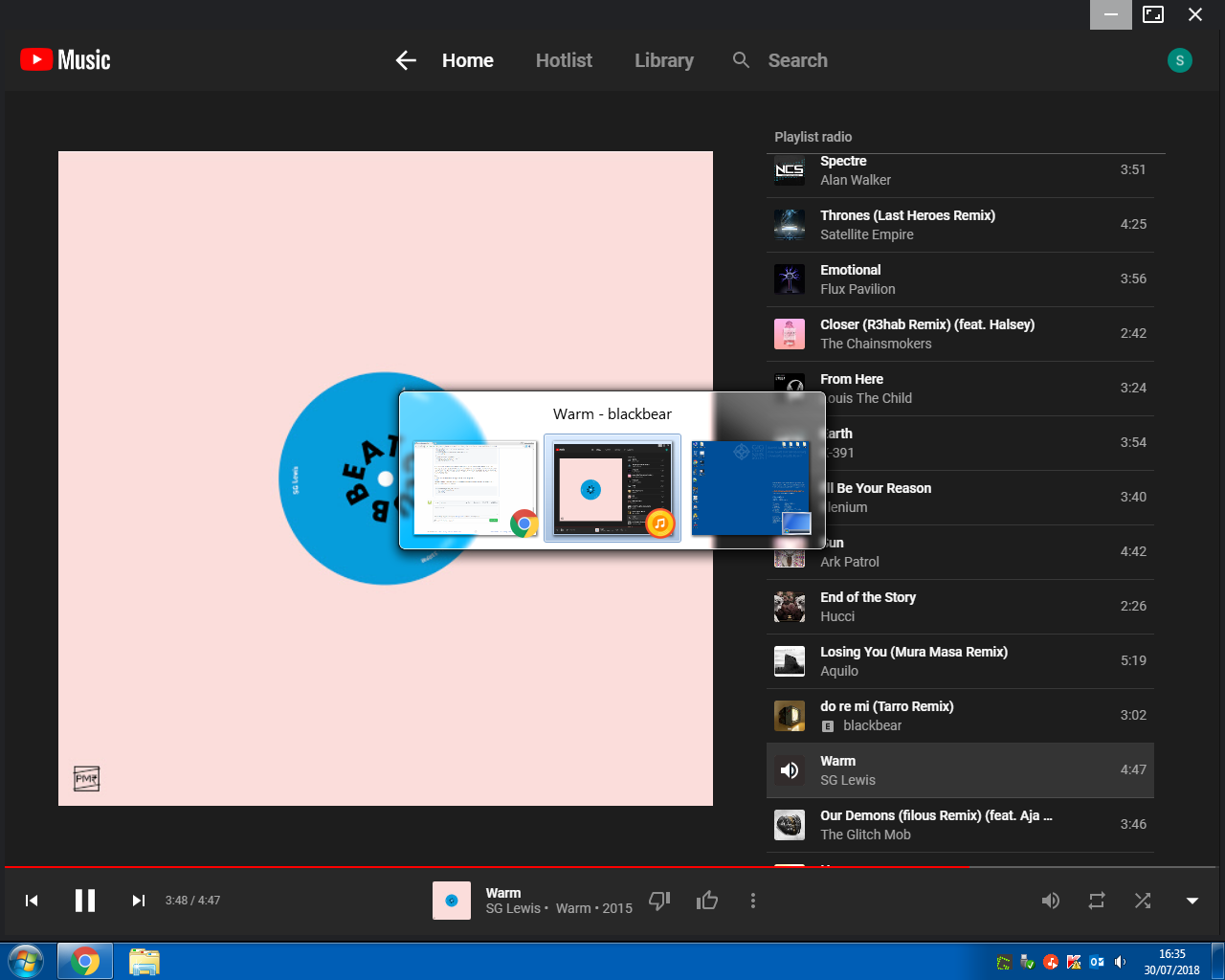
This is the AltTab view (the one where I believe the window should not be shown when in the tray), the app is still selectable and will come to into focus, but because it has not been restored properly the taskbar icon is not displayed.
Ba11istix
on 30 Jul 2018
This problem is still relevant.
 e2t
on 5 Sep 2018
e2t
on 5 Sep 2018
Related issues
 Turbotailz
·
4Comments
Turbotailz
·
4Comments
 kfk2312
·
3Comments
kfk2312
·
3Comments
 oscarfroberg
·
3Comments
oscarfroberg
·
3Comments
 ARTVRO
·
3Comments
ARTVRO
·
3Comments
 timp3289
·
3Comments
timp3289
·
3Comments