Google-play-music-desktop-player-unofficial-: Stopped Loading on Ubuntu 17.10
Hi, in the last few days the app has stopped loading in Ubuntu 17.10, it just changes the cursor to a spinner for a few seconds and then nothing. Rebooting had no effect, same with removing and installing the latst version on the website, the app simply doesn't load.
I've had it installed for a few months before that and its worked fine.
Any suggestions?
 stevechilds
All 14 comments
👋 Thanks for opening your first issue here! If you're reporting a 🐞 bug, please make sure you include steps to reproduce it. We get a lot of duplicate issues on this repo, so please double check now that your issue has not already been solved or doesn't have an open issue already.
To help make it easier for us to investigate your issue, please follow the contributing guidelines and ensure the issue template was filled out.
![welcome[bot] picture](https://avatars.githubusercontent.com/in/4141?v=4&s=40) welcome[bot]
on 10 May 2018
welcome[bot]
on 10 May 2018
Firewall issue maybe? Are you blocking traffic outbound?
 jostrander
on 15 May 2018
jostrander
on 15 May 2018
Nope and its worked fine before. Google Music also works fine if run from Chrome. It literally stopped working over night.
stevechilds
on 15 May 2018
Try installing libgconf-2-4. I was having the same issue and saw this suggested in another thread. It worked for me.
 johndeaton
on 17 May 2018
johndeaton
on 17 May 2018
@johndeaton - You're a star, that worked!
stevechilds
on 17 May 2018
Great! I'm glad it worked for you too.
johndeaton
on 18 May 2018
This worked for me too on Ubuntu 18.04.
 mejiaro
on 20 May 2018
mejiaro
on 20 May 2018
The deb package should mark libgconf-2-4 as dependency, in my opinion. I've run into the issue just now and this could be avoided by that dependency marker.
 LillyWho
on 12 Aug 2018
LillyWho
on 12 Aug 2018
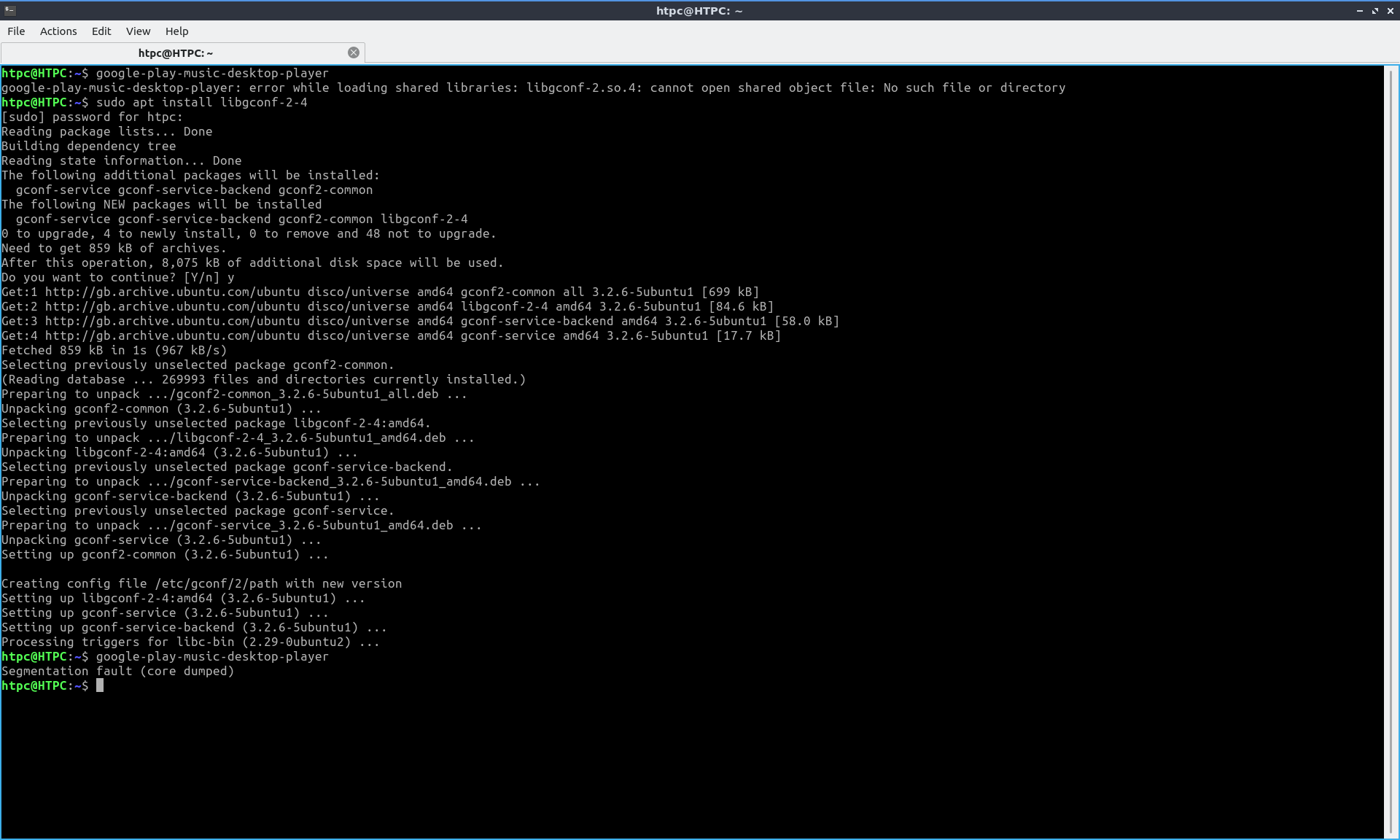
Out of the frying-pan into the fire...
 speedstyle
on 28 May 2019
speedstyle
on 28 May 2019
I'm getting the same Seg Fault error as speedstyle after installing libgconf-2-4 on Ubuntu 19.04
 MichalKrasno
on 3 Jun 2019
MichalKrasno
on 3 Jun 2019
I can also confirm @speedstyle, @MichalKrasno on 19.04.
I already had _libgconf-2-4_ installed and got:
Segmentation fault (core dumped)
Then i removed the lib just for kicks and got:
google-play-music-desktop-player: error while loading shared libraries: libgconf-2.so.4: cannot open shared object file: No such file or directory
 mjohnson8165
on 6 Jun 2019
mjohnson8165
on 6 Jun 2019
Same issue here on Ubuntu 19.04. The application worked just fine on Ubuntu 18.04, but after upgrading, I get that same Segmentation Fault.
 GregoryConrad
on 1 Jul 2019
GregoryConrad
on 1 Jul 2019
@mjohnson8165 @MichalKrasno @speedstyle Looks like #3553 is related.
GregoryConrad
on 1 Jul 2019
OK, #3117 can be resolved by installing libgconf-2.4 and the segfault is separate and documented in #3553.
speedstyle
on 5 Jul 2019
Related issues
 damiong28
·
3Comments
damiong28
·
3Comments
 ivko1950
·
4Comments
ivko1950
·
4Comments
 oscarfroberg
·
3Comments
oscarfroberg
·
3Comments
 Turbotailz
·
4Comments
Turbotailz
·
4Comments
 kfk2312
·
3Comments
kfk2312
·
3Comments
Most helpful comment
This worked for me too on Ubuntu 18.04.