Google-play-music-desktop-player-unofficial-: Wrong language is displayed
OS: Windows 10 x64
GPMDP Version: 4.5.0
Issue Descriptions:
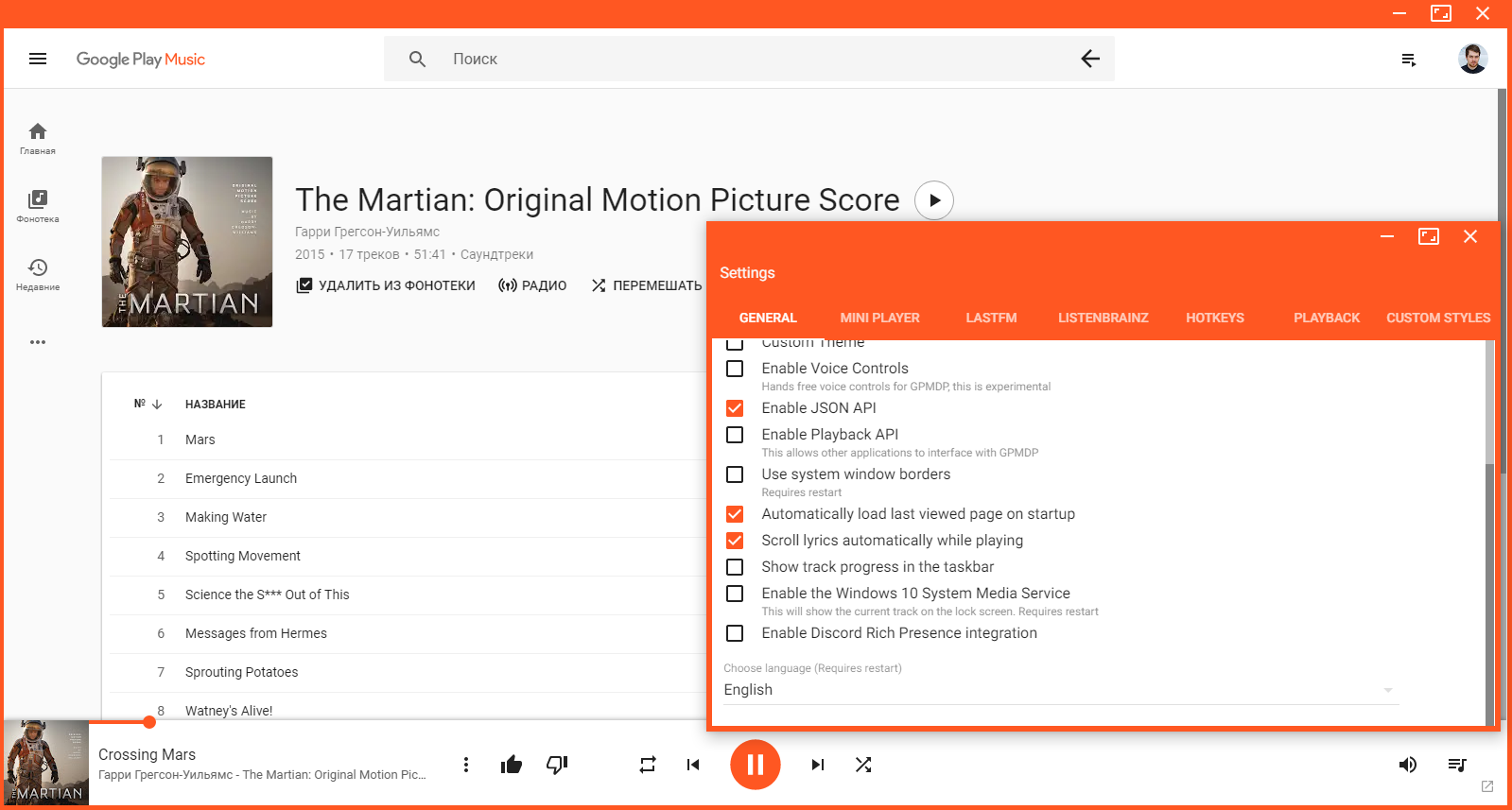
GPMDP shows content in Russian language instead of English.
Language of Windows 10 - English (other apps work with English language).
My Google account language - English (but earlier it was Russian language).
Language of browser version Google Play Music - English.
Language of GPMDP in settings - English.
Displayed language of GPMDP - Russian.
Steps to Reproduce:
- Download and install app.
- Bug appears at the starting.
 kostyabakay
All 5 comments
(but earlier it was Russian language)
This will be why, that text that is in Russian comes from Google's UI not us so they have determined (probably through your google account) that you want to see russian. I'd search for every language option you can find in your google account 😀
 MarshallOfSound
on 11 Apr 2018
MarshallOfSound
on 11 Apr 2018
@MarshallOfSound If you append ?hl=en to the URL it changes the language of GPM. I guess it is possible to add option to add it in GPMDP.
I did it via Google Chrome and it changed the language in my browser, but didn't change GPMDP language. It's probably stored in a cookie or session.
 Soaku
on 25 Aug 2018
Soaku
on 25 Aug 2018
@KostyaBakay I found a solution: relog to your account through the player. On the logging screen choose english instead of russian. Voila, it works!
 lisovyk
on 6 Sep 2018
lisovyk
on 6 Sep 2018
@lisovyk Google yesterday requested a relogin on GPMDP. Today I was surprised to see a different language. So I guess that's the solution.
Soaku
on 6 Sep 2018
@lisovyk thank you, it works :+1:
kostyabakay
on 8 Oct 2018
Related issues
 Gimbergsson
·
3Comments
Gimbergsson
·
3Comments
 Nxt3
·
4Comments
Nxt3
·
4Comments
 ivko1950
·
4Comments
ivko1950
·
4Comments
 xnaas
·
4Comments
xnaas
·
4Comments
 damiong28
·
3Comments
damiong28
·
3Comments
Most helpful comment
@KostyaBakay I found a solution: relog to your account through the player. On the logging screen choose english instead of russian. Voila, it works!