Google-play-music-desktop-player-unofficial-: UI broken after latest Google update
I'm just reporting this to bring it to your attention.


 FezVrasta
All 34 comments
/cc @chrismou @jacobwgillespie @GPMDP-Magical-Unicorn @jostrander
Things broke yo
 MarshallOfSound
on 14 Nov 2016
MarshallOfSound
on 14 Nov 2016
Holy fragoles!
That's what I get for not restarting my player for a few days :scream:
Cheers for the heads up!
 chrismou
on 14 Nov 2016
chrismou
on 14 Nov 2016
@chrismou Only just happened AFAIK I restarted my player not 2 hours ago and still had the old UI.
MarshallOfSound
on 14 Nov 2016
FWIW, IMO the new front page is fuuugly
Who was that guy on here who worked for Google? I need to get him to tell the gmusic team I'm not happy :joy:
chrismou
on 14 Nov 2016
FWIW, IMO the new front page is fuuugly
I agree, currently patching gmusic-theme.js now. It looks like gmusic.js itself though is still working.
MarshallOfSound
on 14 Nov 2016
It doesn't help that even without modifications their new UI is buggy and doesn't work correctly....
MarshallOfSound
on 14 Nov 2016
I see some random white flashes by time in time
FezVrasta
on 14 Nov 2016
@FezVrasta I'm getting those as well, appears to be on GPM's side of things as I get them without the theme enabled. Strange white lines at the top of the screen. Making progress on fixing the theming.
https://github.com/gmusic-utils/gmusic-theme.js/commit/584e13551dcb4a70e7432c5b6b41aa65f9f7dde1
Just checking the light theme now
MarshallOfSound
on 14 Nov 2016
Hopefully they aren't tampering with it at the moment as well or we'll have to do this all over again soon.
 jostrander
on 14 Nov 2016
jostrander
on 14 Nov 2016
Also took the liberty in our theming library of killing the stupid amount of padding they added between blocks. 148px seemed a bit much
MarshallOfSound
on 14 Nov 2016
4.0.3 is being cooked up by the CI agents right now 👍
MarshallOfSound
on 14 Nov 2016
Is there a way of forcing an update check on the linux client? I ran into this the other day, where I ended up just downloading the new version manually and installing over the top
chrismou
on 14 Nov 2016
@chrismou There isn't an auto-update on the linux client _still_
Not sure the auto-update part is technically possible and I've never had the effort to make a simple update check / notification thing 😢
So yeah, for now, install over 👍 😆
MarshallOfSound
on 14 Nov 2016
If I end up staying on Linux much longer, maybe I'll set up a Debian repository so we can install and update it with apt :joy:
https://wiki.debian.org/SettingUpSignedAptRepositoryWithReprepro
chrismou
on 14 Nov 2016
We actually have an apt repo somewhere in the abyss... @MarshallOfSound would know where at
jostrander
on 14 Nov 2016
MarshallOfSound
on 14 Nov 2016
Oh cool, so there is a way of getting updates through - just not how I installed it :joy:
chrismou
on 14 Nov 2016
👍
MarshallOfSound
on 14 Nov 2016
Although saying that, it's stuck on 3.2.4
chrismou
on 14 Nov 2016
I should probably stick this in another issue ticket, if it's actually an issue. Sorry, polluting this closed ticket...
chrismou
on 14 Nov 2016
@chrismou I just published 4.0.3 on that bintray repo. It should be up there (might take a while for the CDN to update). The 4.x releases never hit it because my auto-upload thing only handled 3.x 😆
MarshallOfSound
on 14 Nov 2016
Interestingly though, the Debian package has already updated (https://dl.bintray.com/marshallofsound/deb/dists/debian/main/binary-amd64/Packages
Anyways, I've switched the sources file to use that and it looks to be pulling the latest update through. Sweeet. :smile:
chrismou
on 14 Nov 2016
👍 Anyway, I'm off to bed. Thanks for the panic attack Google 😆
MarshallOfSound
on 14 Nov 2016
I'm still having problems guys:


FezVrasta
on 15 Nov 2016
@FezVrasta See https://github.com/gmusic-utils/gmusic-theme.js/issues/60
The last 2 images I can see the issue and it has been fixed in that issue mentioned above. I can't see what the issue is in the first image 👍
MarshallOfSound
on 15 Nov 2016
In the first image, the navigation dots are white on a super light grey background and are almost invisible. They should probably be of the same color of the accent (in my case, dark gray)
To note that I'm already on 4.0.3
FezVrasta
on 15 Nov 2016
@FezVrasta How did you get a white background behind those dots? (Like which page)
MarshallOfSound
on 15 Nov 2016
It's the main page with the light theme.

FezVrasta
on 15 Nov 2016
I see that, in some sections, the dots are correctly white, but probably they should change based on the context (I guess the native Google Music interface already addresses this problem)

FezVrasta
on 15 Nov 2016
This is the behaviour in the web interface:

FezVrasta
on 15 Nov 2016
@FezVrasta Yep I just adjusted the theme to only override the page indicator fill color on the dark theme. (The CSS had ended up in the common file for some reason). All the issues you mentioned are now fixed upstream 👍
MarshallOfSound
on 15 Nov 2016
Great 😬
FezVrasta
on 15 Nov 2016

If I leave GPMDP in the background and reopen it after sometime the background on the Home page sometimes changes back to white for some reason.
Didn't open a new issue because it looks similar to some other issue which has been discussed in here. If you want a new issue for this I can open one.
Win 7 Enterprise x64
I'm on the latest successfull CI build
 deletescape
on 21 Nov 2016
deletescape
on 21 Nov 2016
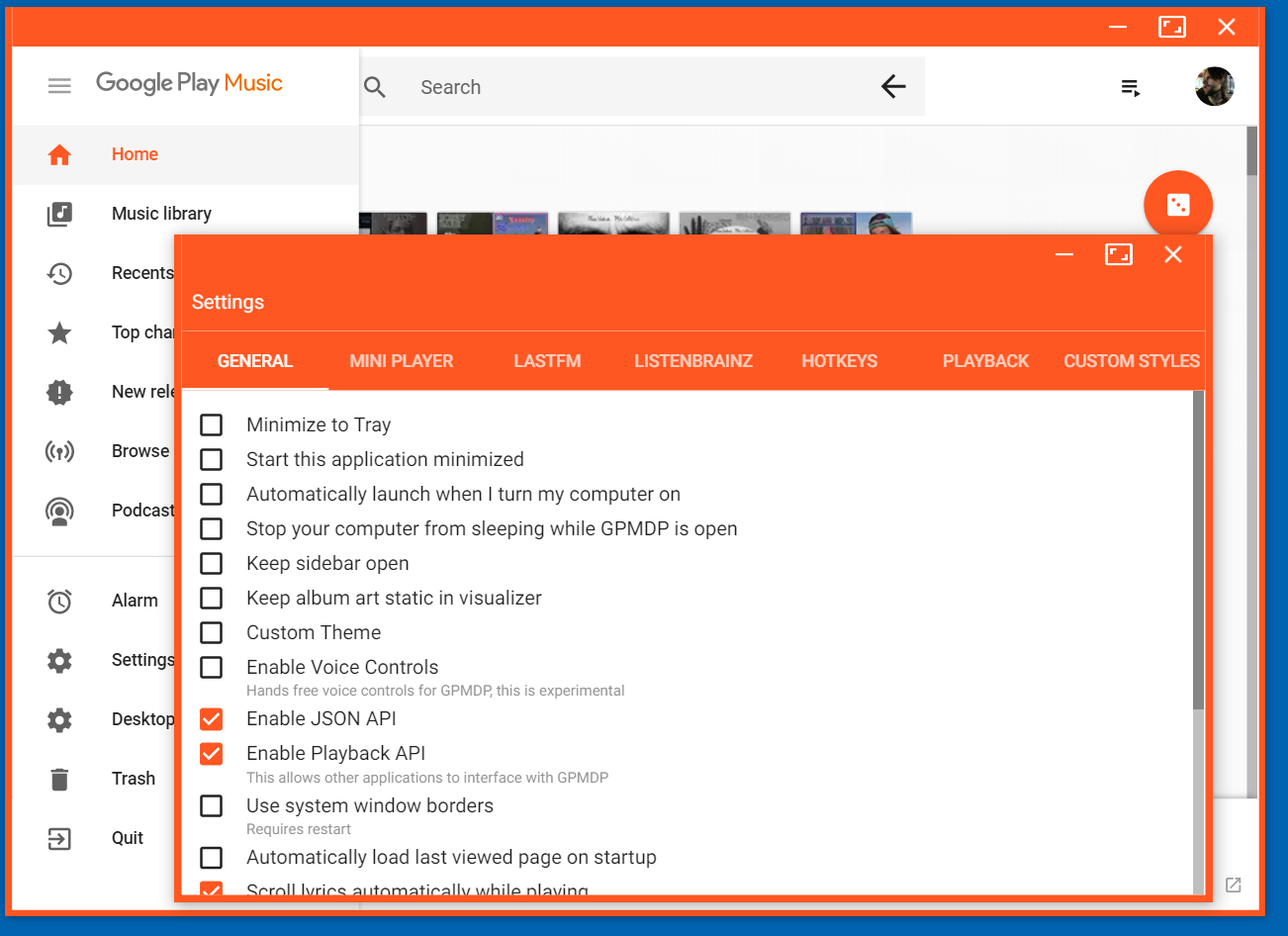
I am having this padding issue on 4.5.0, I experience it only windows 10 (MacOS seems to be fine).
I have custom scaling set to 175% in windows on a 1080p display (maybe this is relevant?), though this was not an issue in the past.
Let me know if you need any other information.
Cheers
 mafuchi
on 19 Apr 2018
mafuchi
on 19 Apr 2018
Related issues
 Gimbergsson
·
3Comments
Gimbergsson
·
3Comments
 xnaas
·
4Comments
xnaas
·
4Comments
 greghesp
·
3Comments
greghesp
·
3Comments
 EzraLopez
·
4Comments
EzraLopez
·
4Comments
 damiong28
·
3Comments
damiong28
·
3Comments
Most helpful comment
Also took the liberty in our theming library of killing the stupid amount of padding they added between blocks. 148px seemed a bit much