Google-cloud-php: [Spanner] Struct values occasionally come with additional rows and ValueMapper fails to map
Environment details
- OS: linux
- PHP version: 7.0
- Package name and version:
google/cloud: 0.92.0
Steps to reproduce
None at the moment
Code example
$results = $spannerDb->execute(
  'SELECT some_field, ARRAY_AGG(STRUCT(field, field, field)) FROM some_table GROUP BY some_value'
);
foreach ($results->rows() as $row) {
}
Hi, I'm currently getting an issue that does not occur everytime I run the same code with the same datataset in spanner.
What happens is that I get this issue while fetching rows from a SELECT query:
PHP Fatal error:  Uncaught TypeError: Argument 2 passed to Google\Cloud\Spanner\ValueMapper::decodeValue() must be of the type array, null given, called in Vendor/google/cloud/Spanner/src/ValueMapper.php on line 169 and defined in Vendor/google/cloud/Spanner/src/ValueMapper.php:229
Stack trace:
#0 Vendor/google/cloud/Spanner/src/ValueMapper.php(169): Google\Cloud\Spanner\ValueMapper->decodeValue(NULL, NULL)
#1 Vendor/google/cloud/Spanner/src/ValueMapper.php(269): Google\Cloud\Spanner\ValueMapper->decodeValues(Array, Array, 'associative')
#2 Vendor/google/cloud/Spanner/src/ValueMapper.php(258): Google\Cloud\Spanner\ValueMapper->decodeValue(Array, Array)
#3 Vendor/google/cloud/Spanner/src/ValueMapper.php(169): Google\Cloud\Spanner\ValueMapper->decodeValue(Array, Array)
#4 in Vendor/google/cloud/Spanner/src/ValueMapper.php on line 229
I made some investigation because alone this error is useless.
I went on the the affected lines (line 169 of value mapper) and what I figured out is that this issue is raised while fetching a STRUCT in an ARRAY. It is queried that way: ARRAY_AGG(STRUCT(field1, field2, field3)).
This STRUCT has the following definition:
// this is a dump of $columns in ValueMapper::decodeValues
array(3) {
  [0]=>
  array(2) {
    ["name"]=>
    string(8) "foo"
    ["type"]=>
    array(1) {
      ["code"]=>
      int(6)
    }
  }
  [1]=>
  array(2) {
    ["name"]=>
    string(13) "bar"
    ["type"]=>
    array(1) {
      ["code"]=>
      int(6)
    }
  }
  [2]=>
  array(2) {
    ["name"]=>
    string(11) "baz"
    ["type"]=>
    array(1) {
      ["code"]=>
      int(1)
    }
  }
}
So a regular value looks like that:
// this is a dump of $row in ValueMapper::decodeValues before the "unset"
array(7) {
  [0]=>
  string(32) "foovalue"
  [1]=>
  string(40) "barvalue"
  [2]=>
  bool(true)
}
However I figured that in some circumstances the $row is coming with an additional null value.
Example:
// this is a dump of $row in ValueMapper::decodeValues before the "unset"
array(7) {
  [0]=>
  string(32) "foovalue"
  [1]=>
  string(40) "barvalue"
  [2]=>
  bool(true)
  [3]=>
  NULL
}
And thus in that case the index 3 does not exist in $columns and it makes the rest of the code to fail.
Note that this struct comes with other normal struct in the array (other struct dont have the null value). It does not occur everytime for the same query. For instance the database was not modified and if I run the same query with same code (basically same everything) it might work, and if I run it again one second after it might fail.
I also tried to modify my SQL query like using a different LIMIT in order to isolate the result, but I never observe the issue when I modified the SQL query. I tried to run the exact same query in spanner console, I never observed the issue neither in the console.
I'll remain available for any help I can give to troubleshoot this issue.
Thanks
 gsouf
gsouf
All 14 comments
Hi @gsouf,
I'm having trouble reproducing the issue. I know you said it doesn't happen all the time, so in order to eliminate as many variables as possible, I wonder if you could give me a simplified version of the table schema and dataset which raises the issue. That would allow me to be more certain that I'm duplicating your scenario.
 jdpedrie
on 30 Jan 2019
jdpedrie
on 30 Jan 2019
Hi @jdpedrie I might have hard time to provide you with a reproductable case. I ill try, but maybe first we should try to see if the additional NULL field I mentionned is part of the response made by spanner, or if it's added by the library? Maybe can you help me to find where in the php code I can dump the data that come from spanner before they are handled locally?
gsouf
on 30 Jan 2019
You could log the value of $result, which will be an array of type PartialResultSet.
jdpedrie
on 30 Jan 2019
@jdpedrie I figured out that the null value is added to the struct when the method mergeValues is called in parseRowsFromBufferedResults.
I gave a look to the data in $result, it contains chunks of data. The issue appears when the last element of a chunk is the middle of an array... When mergeValues is called then the last element of the array has a null value added.
I mocked the data to look like how they are in $result (that you told me to dump) and I manually call a copy of the method mergeValues with the mocked data.
Please note that in the 2nd chunk, the first element of the array is an empty array. This is not a mistake, it's how data were in the dump of $result.
<?php
$result = [
    [
        "metadata" => [
            "rowType" => [
                "fields" => [
                    [
                        "name" => "foo",
                        "type" => [
                            "code" => 6
                        ]
                    ],
                    [
                        "name" => "barlist",
                        "type" => [
                            "code" => 8,
                            "arrayElementType" => [
                                "code" => 9,
                                "structType" => [
                                    "fields" => [
                                        [
                                            "name" => "bar1",
                                            "type" => [
                                                "code" => 6
                                            ]
                                        ],
                                        [
                                            "name" => "bar2",
                                            "type" => [
                                                "code" => 6
                                            ]
                                        ],
                                    ]
                                ]
                            ]
                        ]
                    ]
                ]
            ],
            "transaction" => [
                "id" => 0
            ]
        ],
        "values" => [
            "foo-1",
            [
                [
                    "bar1-1",
                    "bar2-1",
                ]
            ],
            "foo-2",
            [
                [
                    "bar1-2",
                    "bar2-2",
                ],
                [
                    "bar1-3",
                    "bar2-3",
                ],
            ],
        ],
        "chunkedValue" => true,
        "resumeToken" => ""
    ],
    [
        "values" => [
            [
                [],
                [
                    "bar1-4",
                    "bar2-4",
                ],
            ],
        ],
        "chunkedValue" => false,
        "resumeToken" => ""
    ]
];

var_dump(mergeValues($results[0]['values'], $results[1]['values']));

function mergeValues(array $set1, array $set2)
{
    $lastItemSet1 = array_pop($set1);
    $firstItemSet2 = array_shift($set2);
    $item = $firstItemSet2;

    if (is_string($lastItemSet1) && is_string($firstItemSet2)) {
        $item = $lastItemSet1 . $firstItemSet2;
    } elseif (is_array($lastItemSet1)) {
        $item = mergeValues($lastItemSet1, $firstItemSet2);
    } else {
        array_push($set1, $lastItemSet1);
    }

    array_push($set1, $item);
    return array_merge($set1, $set2);
}
Please let me know if this is enough for you to fix the issue.
gsouf
on 30 Jan 2019
Hi @jdpedrie
Sorry if I look impatient but could you give any ETA on fixing this? It's getting important to us to get this to work soon as it prevent us to go further in our work. If you are not able to fix it soon for any reasons please let me know and I'll find a workaround.
gsouf
on 4 Feb 2019
@gsouf no problem, I certainly understand how inconvenient this must be, and I apologize for that! We are working on it. Due to the complicated nature of the problem, I can't give you a certain estimate yet, but I certainly hope to have it resolved in the next week or ten days.
One potential workaround, if you're not concerned about the streaming nature of the current implementation (if you're retrieving only a small resultset, for instance), would be to make use of the underlying call to executeSql rather than executeStreamingSql:
use Google\Cloud\Spanner\SpannerClient;
use Google\Cloud\Spanner\Session\CacheSessionPool
use Google\Cloud\Spanner\V1\SpannerClient as GeneratedClient;

$keyFilePath = '/path/to/keyfile.json';

$generatedClient = new GeneratedClient([
    'credentials' => $keyFilePath
]);

$sessionPool = new CacheSessionPool($cacheItemPool); // Provide a PSR-6 cache item pool
$spanner = new SpannerClient([
    'gapicSpannerClient' => $generatedClient,
    'keyFilePath' => $keyFilePath
]);

$database = $spanner->connect('instance-id', 'database-id', [
    'sessionPool' => $sessionPool
]);

$sess = $sessionPool->acquire(); // Defaults to a read-only session
$sessName = $sess->name();

$queryResults = $generatedClient->executeSql($sessName, 'SELECT 1');
echo $queryResults->serializeToJsonString();
$sessionPool->release();
$queryResults will be an instance of ResultSet.
jdpedrie
on 4 Feb 2019
@jdpedrie thanks for the workaround. To make it easy to use I need to transform the object Google\Protobuf\ListValue to a simple php array, any documentation available ?
gsouf
on 4 Feb 2019
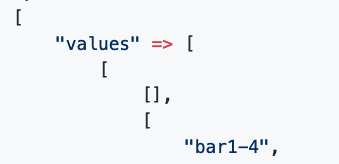
You can serialize the ListValue as follows, then match the resulting values to the column names by index.
$v = new ListValue([
    'values' => [
        (new Value)->setStringValue('foo'),
        (new Value)->setNumberValue(10),
    ]
]);

print_r(json_decode($v->serializeToJsonString(), true));
The output of this operation:
Array
(
    [0] => foo
    [1] => 10
)
Once you get the non-streaming sql call working with the same data and query string as before, let me know if you still get that empty array anywhere in the result.
jdpedrie
on 4 Feb 2019
For the issue, I dont think that it will return an empty array. It appears to be something related to chunked data and if I understood correctly the workaround you gave to me will never return chunked data?
Also, I feel like having the empty array is pretty expected in order to indicate that the outer array is truncated but the last struct of the previous chunk is already in full.
gsouf
on 4 Feb 2019
That's what I expect, yes, but confirmation of that expectation will give me additional confidence. :)
jdpedrie
on 4 Feb 2019
@jdpedrie I applied your workaround and could map the value. It was a bit tricky as I had to workaround the workaround 🤯. I had to implement the value mapper, but the columns definitions didn't come as they come with the other streaming method so the value mapper was not compatible and had to map it as well.. well, it's a bit ugly but it's all sorted out and working that way until the fix comes.
That said I confirm I dont have the observed issue when I apply the workaround, no NULL or empty array values from what I can see.
gsouf
on 4 Feb 2019
@gsouf glad you were able to get it figured out and can move forward. Thanks for the confirmation. I'm sorry for the hassle and I'll keep you posted as we continue working out the problem.
jdpedrie
on 4 Feb 2019
@gsouf we just tagged a new release with this fix. Please take a look, and if you have any further problems let us know!
jdpedrie
on 6 Feb 2019
Related issues
 lorenzosfarra
·
7Comments
lorenzosfarra
·
7Comments
 castaneai
·
7Comments
castaneai
·
7Comments
 smalot
·
6Comments
smalot
·
6Comments
 matthewgoslett
·
4Comments
matthewgoslett
·
4Comments
 ammopt
·
6Comments
ammopt
·
6Comments