Google-cloud-go: Logging never worked
I followed and run the exact example on
https://github.com/GoogleCloudPlatform/golang-samples/blob/master/logging/logging_quickstart/main.go
Nothing is logged in the Google's Stackdriver log (https://console.cloud.google.com/logs/viewer)
Only the output from fmt.Printf("Logged: %v\n", text) is logged as a stdout log. Nothing is logged from logger.Log(logging.Entry{Payload: text})
I am running the example as a second generation GAE instance both locally and deployed to GAE.
Also, all the err variables are always nil, so I have no clue what's going wrong.
 user2657
All 10 comments
cc @jmdobry @dazuma @munangst
 jadekler
on 14 Mar 2019
jadekler
on 14 Mar 2019
cc @tbpg (per Chris' suggestion)
jadekler
on 18 Apr 2019
Thanks. I didn't get a chance to try this out this week, @user2657. But, I'll get back to you next week.
 tbpg
on 19 Apr 2019
tbpg
on 19 Apr 2019
Hello @user2657, thank you for this report and welcome to the Google-Go-Cloud project!
So I think this might just be a case of us not directing exactly where to look.
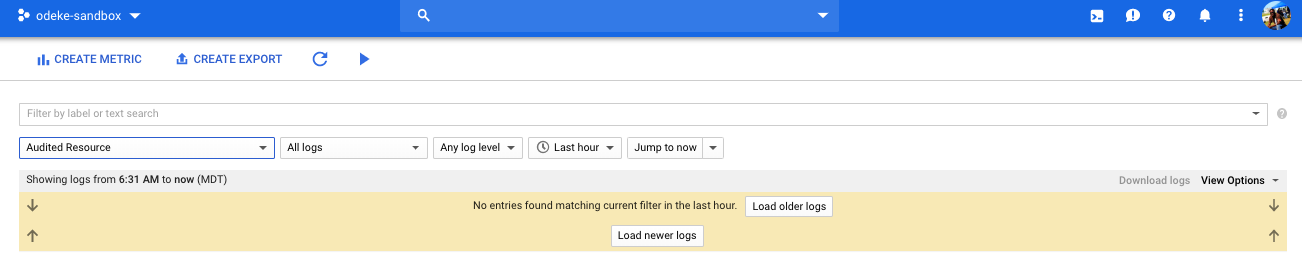
When one loads up https://console.cloud.google.com/logs/viewer, on my screen it automatically selects for me "Audited Resource" which doesn't yet show the log that was just made
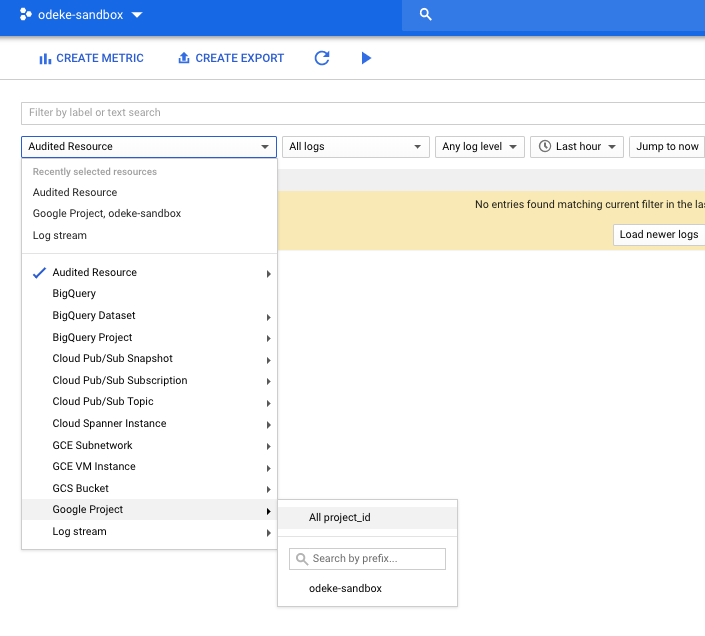
When I change the resource to "Google Project" and select my project "odeke-sandbox" I can see the logs now
and finally
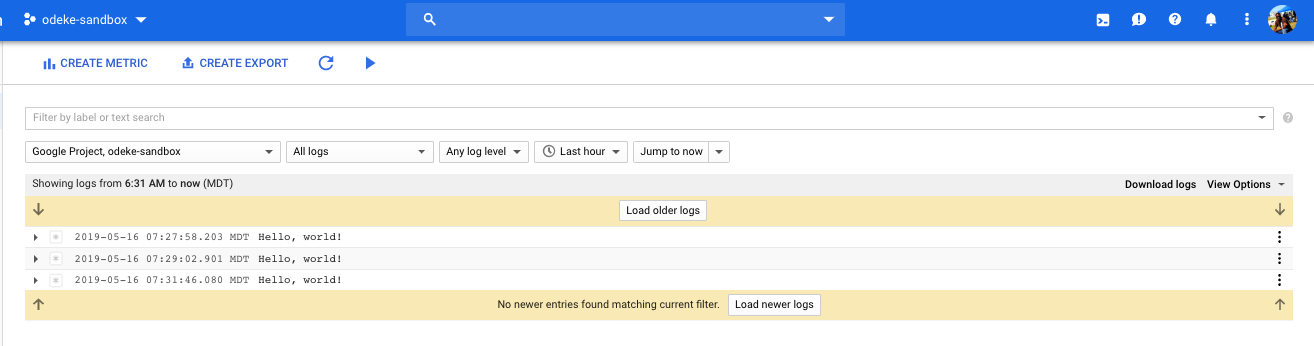
So perhaps that just might be it and maybe @tbpg @jadekler @broady perhaps we could provide some instructions on how to examine the logs or is that at the discretion of the GCP logging UI folks since that UI can change?
 odeke-em
on 16 May 2019
odeke-em
on 16 May 2019
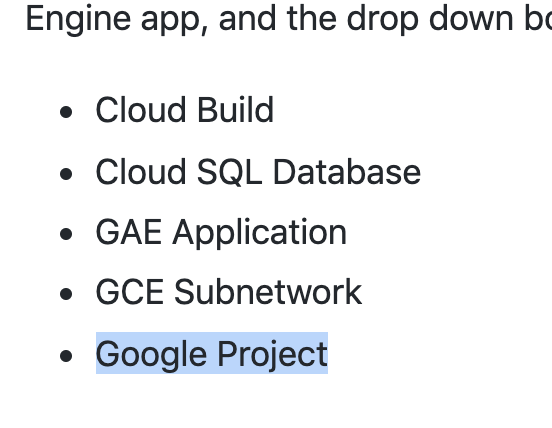
Hi @odeke-em , thanks for investigating. For my case, I ran the go program as 2nd generation Google App Engine app, and the drop down box from logs viewer didn't contain the same entries as yours. I have:
- Cloud Build
- Cloud SQL Database
- GAE Application
- GCE Subnetwork
- Google Project
GAE Application was selected by default and should be the correct category expected for application running in the GAE environment, yet nothing is logged.
user2657
on 16 May 2019
Please select "Google Project" which you listed
odeke-em
on 16 May 2019
I believe "GAE Application" gets logs from the actual Google App Engine infrastructure ran by Google, as opposed to being from your user-code which is "Google Project".
odeke-em
on 16 May 2019
Just tried again and I can confirm @odeke-em is correct that the log does appear under "Google Project".
Thank you.
user2657
on 16 May 2019
@user2657, sorry I took so long. @odeke-em, thank you for stepping in to help.
I'm glad y'all got it figured out. Closing this for now.
tbpg
on 16 May 2019
Awesome, thank you for the confirmation @user2657 and great to see this work for you.
Today, I'll nudge the team about making such guides to help disambiguate between the various sources of logs or at least to all to document this in our logging guides and samples.
@tbpg anytime :)
odeke-em
on 16 May 2019
Related issues
 purohit
·
4Comments
purohit
·
4Comments
 GlennAmmons
·
3Comments
GlennAmmons
·
3Comments
 3cham
·
3Comments
3cham
·
3Comments
 alxmsl
·
4Comments
alxmsl
·
4Comments
 imkira
·
4Comments
imkira
·
4Comments