Google-cloud-dotnet: "Access denied" when retrieving access token for service account credential
I have installed Google.Cloud.Speech.V1P1Beta1 -Version 1.0.0-beta02 package. And in C#, I am trying to run this QuickStart given here https://cloud.google.com/speech-to-text/docs/quickstart-client-libraries
It executes properly before the line
var response = speech.Recognize(new RecognitionConfig()
{
Encoding = RecognitionConfig.Types.AudioEncoding.Linear16,
SampleRateHertz = 16000,
LanguageCode = "en",
}, RecognitionAudio.FromFile("audio.raw"));
And after this no response is received. Please guide
 SanaWaseem
All 36 comments
I don't see that line of code in the sample - have you changed it? Also, could you clarify what you mean by "after this no response is received"? Do you mean:
- An exception is thrown
- A response was received, but
response.Resultsis empty - The call never completed
?
I've just had it working correctly with a wav file - the sample rate was 44100 rather than 16000, but that's all I had to change in the sample code.
 jskeet
on 4 Feb 2019
jskeet
on 4 Feb 2019
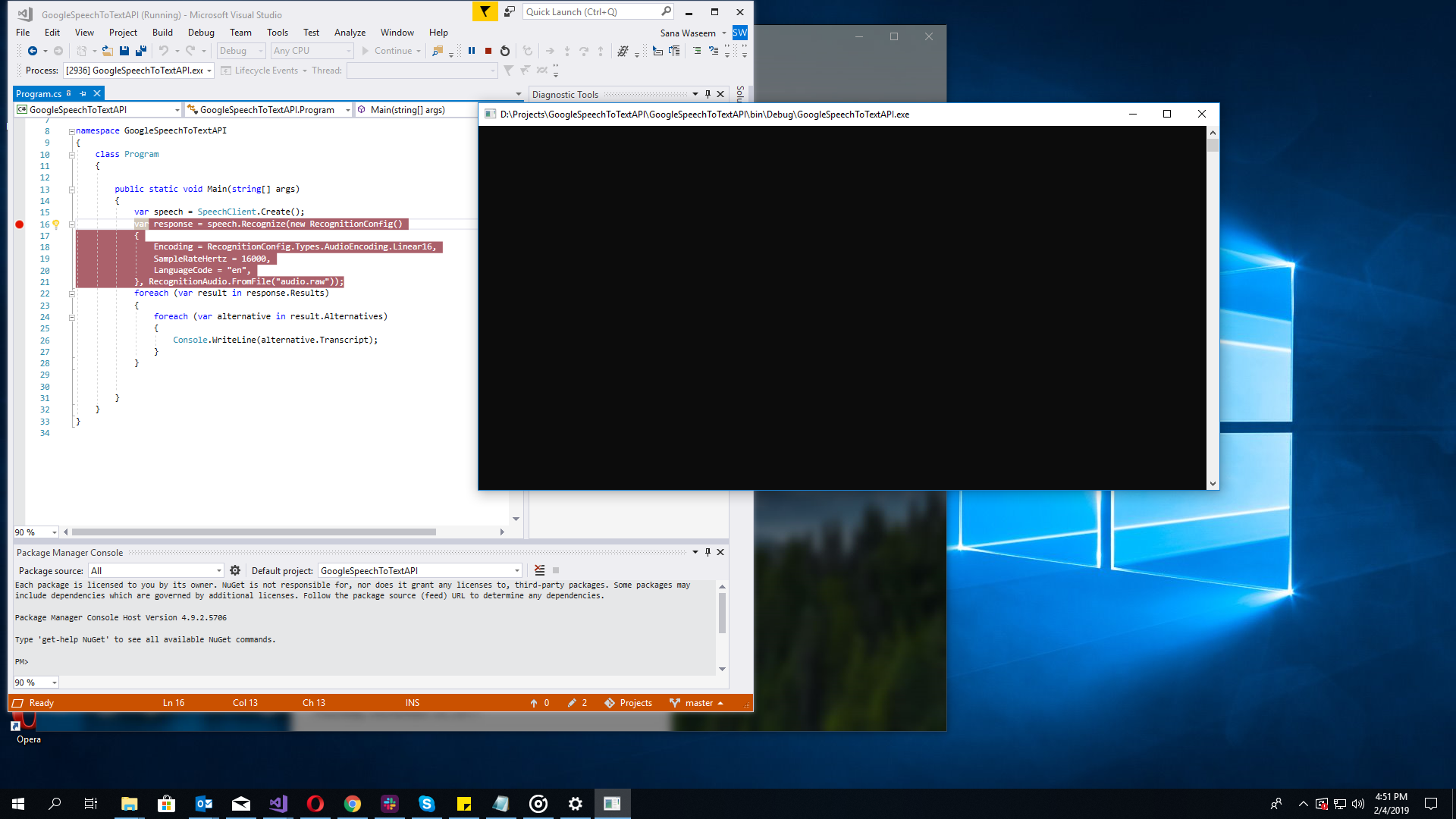
The call never gets completed. Attaching the screenshot for reference
SanaWaseem
on 4 Feb 2019
I would suggest adding some more diagnostics then - adding Console.WriteLine(response) for example would show the complete response.
My guess is that for whatever reason, no speech is being recognized. I can't really tell why without knowing what your file is like.
It's not clear what the screenshot is showing, to be honest - if you're never hitting the breakpoint, that would suggest that SpeechClient.Create is never completing. (Are you able to hit a break point in the very first line of code, and step over?)
jskeet
on 4 Feb 2019
Yes, I am able to hit the breakpoint on the first line and even on the second. But after that, breakpoint disappears and there is nothing happening.
SanaWaseem
on 4 Feb 2019
Even if i replace it with a .wav file, it doesnt do anything
SanaWaseem
on 4 Feb 2019
This is the wav file im using
SanaWaseem
on 4 Feb 2019
Okay, I've used your wav file and seen output of "what's the weather like" - having commented out the sample rate line entirely. I see this whether I'm using Google.Cloud.Speech.V1 or Google.Cloud.Speech.V1P1Beta1. (I'd suggest using Google.Cloud.Speech.V1 for the moment though, just to see if that makes a difference.)
It would be useful if you could add a line of code at the end, just Console.WriteLine(response);, and then run the code from the command line - that way we don't have anything to worry about in terms of debugger interaction. If you could do that and let me know the result, that would help.
Additionally, could you let me know anything "interesting" in terms of your network configuration? Are you behind a proxy, for example? We've seen issues where gRPC-based APIs (such as this) don't work with some older proxies that don't support HTTP 2 properly.
jskeet
on 4 Feb 2019
It never hits the Console.WriteLine(response); line.
SanaWaseem
on 4 Feb 2019
I tried turning my firewall off, still no luck
SanaWaseem
on 4 Feb 2019
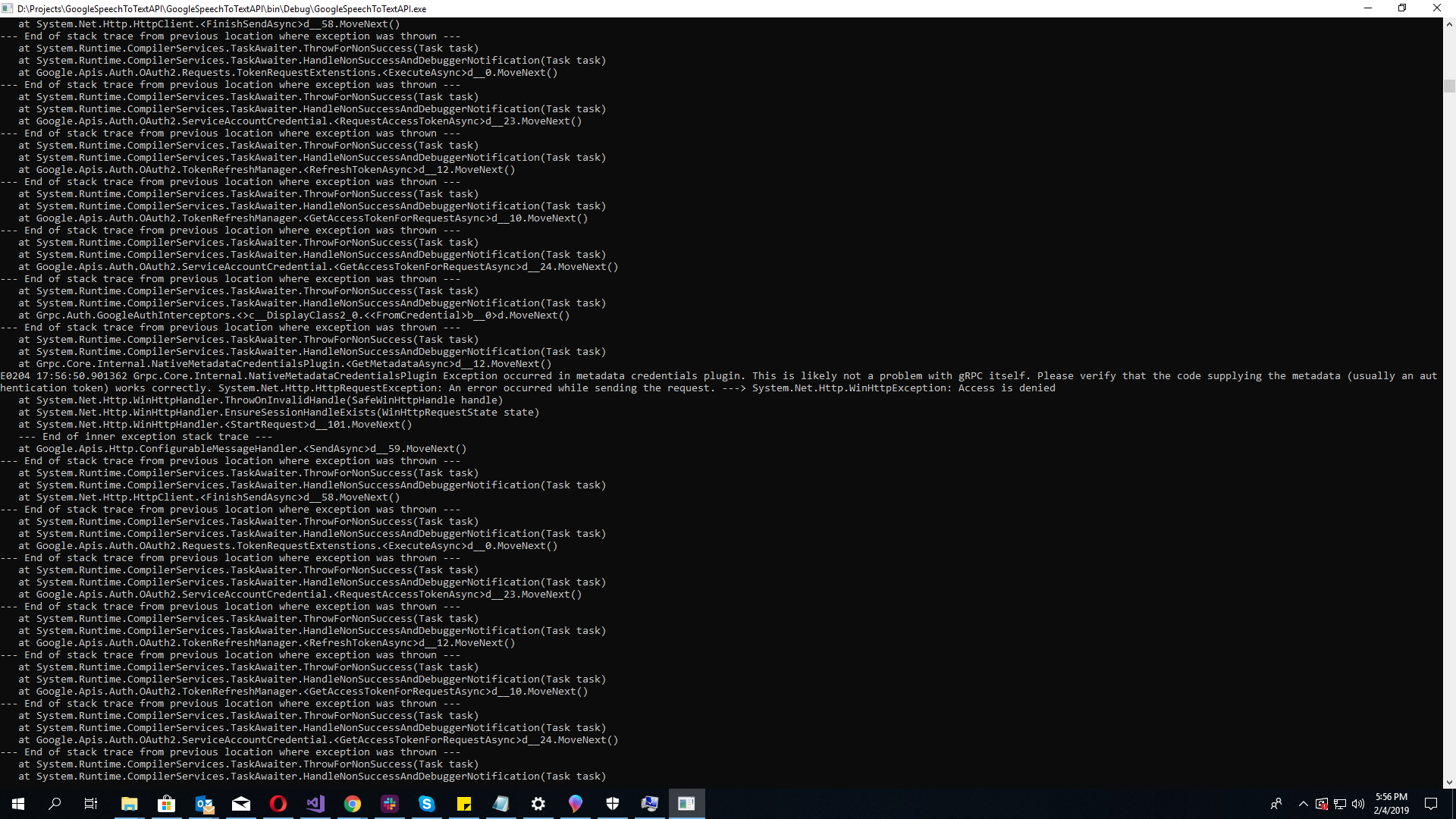
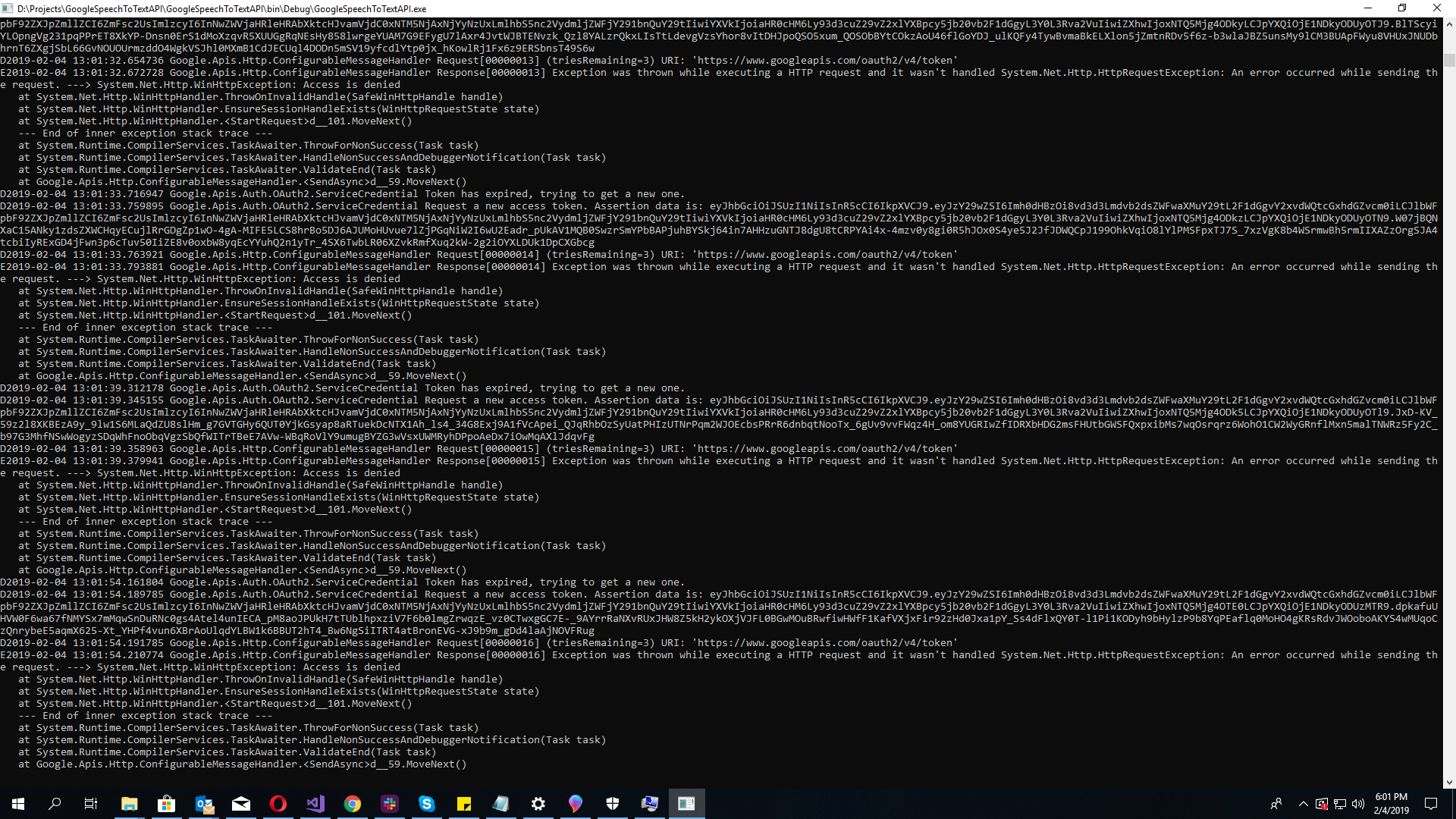
Okay, I think we're going to need to look at turning on gRPC logging. Could you follow the steps at https://googleapis.github.io/google-cloud-dotnet/docs/faq.html#how-can-i-trace-grpc-issues and see what the log looks like?
Additionally, it may be worth trying a quickstart for another API as well - my guess is that if you use (say) Language - https://googleapis.github.io/google-cloud-dotnet/docs/Google.Cloud.Language.V1/index.html - you'll see the same issue.
jskeet
on 4 Feb 2019
SanaWaseem
on 4 Feb 2019
SanaWaseem
on 4 Feb 2019
I'm surprised that didn't end up surfacing before. Hmm. That suggests you can't get a token for your credential - can I check that this is a service account credential? (I assume you've set GOOGLE_APPLICATION_CREDENTIALS to the appropriate path?)
As an aside, copying and pasting the text from the console is generally more useful in issues than showing screenshots. Just use a code block with a type of "text".
jskeet
on 4 Feb 2019
How do i show you the service account credential? (Yes, I have set the environment variable to the correct path)
SanaWaseem
on 4 Feb 2019
You should absolutely not paste the service account credential data into this issue, or send it by email. I was really just checking that it was a service account.
Let's take the Speech API out of this for now. Please try this code - it should be fine to use your existing project, or create another one with the same reference.
using Google.Apis.Auth.OAuth2;
using System;

public class AuthTest
{
    public static void Main(string[] args)
    {
        ICredential credential = GoogleCredential.GetApplicationDefault().CreateScoped("https://www.googleapis.com/auth/cloud-platform");
        // Note: not for use in production code! Should be okay in a test console app.
        string token = credential.GetAccessTokenForRequestAsync().Result;
        Console.WriteLine(token);
    }
}
Please run that and see whether it succeeds, or whether it throws an exception. Please do not paste any successful token output into here - but if there's an exception, please include that.
jskeet
on 4 Feb 2019
I am getting an inner exception of Access is denied. And the message shows , an error occurred sending your request
SanaWaseem
on 4 Feb 2019
Okay, well at least that's simpler to work with. Are you certain this service account credential hasn't been revoked? Perhaps create a new one and try with that, just to validate? (I'm going to edit the title of the issue to indicate the immediate issue, although later I may create a new issue to work out why you saw a hang rather than the failure to start with.)
jskeet
on 4 Feb 2019
I did not revoked but i did generate the key file again, can that be problem causing?
SanaWaseem
on 4 Feb 2019
I'm not sure what you mean by "generate the key file again". Once a service account credential file has been downloaded, it can't be downloaded another time.
Are you certain you've got a service account file rather than an "API key"? (That has a "regenerate key" option.)
On the Credentials part of the Google Cloud Console, I'd expect to see an entry under "Service account keys" rather than under "API keys".
jskeet
on 4 Feb 2019
You mean the account that i created using my credit card details?
SanaWaseem
on 4 Feb 2019
No, I mean a service account. At the moment I really don't know what kind of key you've got, but I'd expect you to have a service account for your project already. On the Credentials screen you can create service account credentials for your project - click on the "Create credentials" button and then select "Service account key". On the next screen, select a service account in your project (you may well only have one) and leave the format option as JSON (the default). Click on "Create" and you'll get the JSON file that contains the service account credentials.
jskeet
on 4 Feb 2019
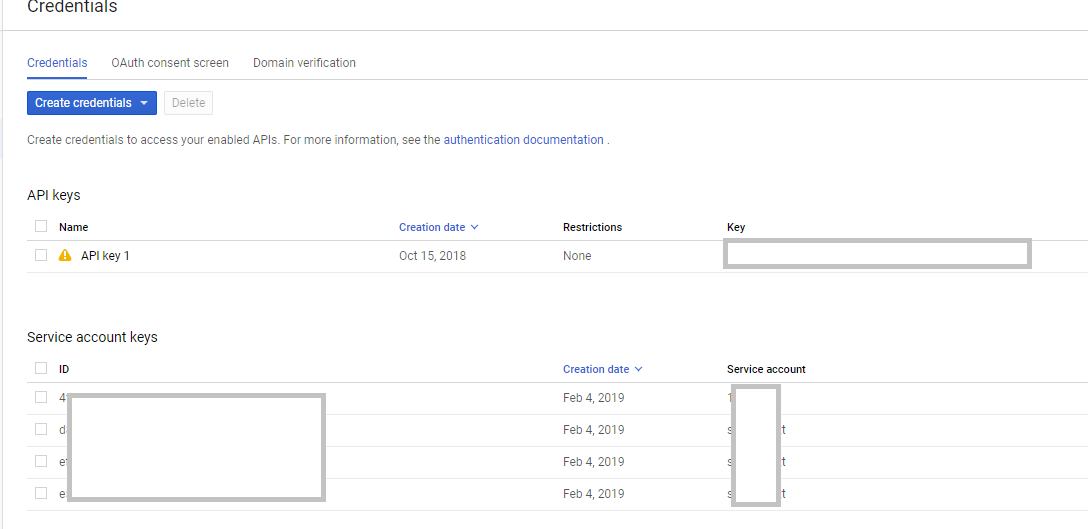
See there are four service accounts and one key.
SanaWaseem
on 4 Feb 2019
That's one API key - but four service account keys. Ignore the API key entirely - it's not what you want. You want a service account key.
It looks like you've created four service account keys today - are those the ones you were using in the earlier tests?
If you look at the JSON file your environment variable refers to, it should include "type": "service_account" - does it?
jskeet
on 4 Feb 2019
Yes it does
SanaWaseem
on 4 Feb 2019
Okay. Next up, let's remove all the defaulting mechanism (including the environment variable) and load the file directly. Could you try this code instead, with the path to your JSON file filled in at the right place in the obvious way?
using Google.Apis.Auth.OAuth2;
using System;

public class AuthTest
{
    public static void Main(string[] args)
    {
        ICredential credential = GoogleCredential
            .FromFile(@"PATH_TO_YOUR_JSON_FILE_HERE")
            .CreateScoped("https://www.googleapis.com/auth/cloud-platform");
        // Note: not for use in production code! Should be okay in a test console app.
        string token = credential.GetAccessTokenForRequestAsync().Result;
        Console.WriteLine(token);
    }
}
The same error occurs. Access Denied
SanaWaseem
on 4 Feb 2019
Okay, at this point it's very hard to know what's going on.
Could I check which country you're running this from? I can't remember whether there are geographical restrictions, but let's try to rule that out as a starting point...
jskeet
on 4 Feb 2019
Pakistan
SanaWaseem
on 4 Feb 2019
Okay, I doubt that's the problem then. Next step - let's try creating a new service account for testing purposes, in case there's something off with the one you're using at the moment:
- Go to https://console.cloud.google.com/iam-admin/serviceaccounts and select "Create service account"
- On the next screen, specify a "Service account name" like "authtest". The middle field can be left as the default. Add a description for the final field.
- On the next screen, just click "Continue" (you don't need to add any more roles)
- On the final screen, click "Create key" to create a new JSON file. (You don't need to add anything in the "Grant users access to this service account" area.)
Then try again with that service account credential. If that gives the same error, I'll need to ask internally, as I can't see why it would fail...
jskeet
on 4 Feb 2019
Any updates on this? It would be nice to understand what's going on.
jskeet
on 5 Feb 2019
I tried with a new service account but my account has been suspended after that. Can't update until my accounts unlocked. Thanks
SanaWaseem
on 5 Feb 2019
If the account was in an odd situation (e.g. there was a suspicion about it being hacked or something similar) that would probably explain everything.
jskeet
on 5 Feb 2019
They reactivated the account, i recreated the service account and now its working well. Thank you @jskeet for your constant help and availability. I truly appreciate it :) 👍
SanaWaseem
on 5 Feb 2019
Righto, will close the issue now.
jskeet
on 5 Feb 2019
I am getting this error now -> Status(StatusCode=Unavailable, Detail="Getting metadata from plugin failed with error: Exception occurred in metadata credentials plugin. System.Net.Http.HttpRequestException: An error occurred while sending the request. ---> System.Net.Http.WinHttpException: Access is denied
at System.Net.Http.WinHttpHandler.ThrowOnInvalidHandle(SafeWinHttpHandle handle)
at System.Net.Http.WinHttpHandler.EnsureSessionHandleExists(WinHttpRequestState state)
at System.Net.Http.WinHttpHandler.
--- End of inner exception stack trace ---
at Google.Apis.Http.ConfigurableMessageHandler.
--- End of stack trace from previous location where exception was thrown ---
at System.Runtime.CompilerServices.TaskAwaiter.ThrowForNonSuccess(Task task)
at System.Runtime.CompilerServices.TaskAwaiter.HandleNonSuccessAndDebuggerNotification(Task task)
at System.Net.Http.HttpClient.
--- End of stack trace from previous location where exception was thrown ---
at System.Runtime.CompilerServices.TaskAwaiter.ThrowForNonSuccess(Task task)
at System.Runtime.CompilerServices.TaskAwaiter.HandleNonSuccessAndDebuggerNotification(Task task)
at Google.Apis.Auth.OAuth2.Requests.TokenRequestExtenstions.
--- End of stack trace from previous location where exception was thrown ---
at System.Runtime.CompilerServices.TaskAwaiter.ThrowForNonSuccess(Task task)
at System.Runtime.CompilerServices.TaskAwaiter.HandleNonSuccessAndDebuggerNotification(Task task)
at Google.Apis.Auth.OAuth2.ServiceAccountCredential.
--- End of stack trace from previous location where exception was thrown ---
at System.Runtime.CompilerServices.TaskAwaiter.ThrowForNonSuccess(Task task)
at System.Runtime.CompilerServices.TaskAwaiter.HandleNonSuccessAndDebuggerNotification(Task task)
at Google.Apis.Auth.OAuth2.TokenRefreshManager.
--- End of stack trace from previous location where exception was thrown ---
at System.Runtime.CompilerServices.TaskAwaiter.ThrowForNonSuccess(Task task)
at System.Runtime.CompilerServices.TaskAwaiter.HandleNonSuccessAndDebuggerNotification(Task task)
at Google.Apis.Auth.OAuth2.TokenRefreshManager.
--- End of stack trace from previous location where exception was thrown ---
at System.Runtime.CompilerServices.TaskAwaiter.ThrowForNonSuccess(Task task)
at System.Runtime.CompilerServices.TaskAwaiter.HandleNonSuccessAndDebuggerNotification(Task task)
at Google.Apis.Auth.OAuth2.ServiceAccountCredential.
--- End of stack trace from previous location where exception was thrown ---
at System.Runtime.CompilerServices.TaskAwaiter.ThrowForNonSuccess(Task task)
at System.Runtime.CompilerServices.TaskAwaiter.HandleNonSuccessAndDebuggerNotification(Task task)
at Grpc.Auth.GoogleAuthInterceptors.<>c__DisplayClass2_0.<
--- End of stack trace from previous location where exception was thrown ---
at System.Runtime.CompilerServices.TaskAwaiter.ThrowForNonSuccess(Task task)
at System.Runtime.CompilerServices.TaskAwaiter.HandleNonSuccessAndDebuggerNotification(Task task)
at Grpc.Core.Internal.NativeMetadataCredentialsPlugin.
SanaWaseem
on 6 Feb 2019
So it sounds like you've got the same problem with your account as before - I suspect if you try the same auth check as we tried before, you'll see the same problem. I'm afraid I can't help you on that front.
jskeet
on 6 Feb 2019
Related issues
 gabrielheming
·
7Comments
gabrielheming
·
7Comments
 bbuzzi
·
3Comments
bbuzzi
·
3Comments
 fagnercarvalho
·
5Comments
fagnercarvalho
·
5Comments
 Jonathan34
·
5Comments
Jonathan34
·
5Comments
 Thaina
·
9Comments
Thaina
·
9Comments