Google-api-python-client: Error: Analytics Reporting API has not been used in project before or it is disabled
Error: Analytics Reporting API has not been used in project before or it is disabled
Environment details
- OS type and version: Ubuntu WSL - 4.19.104-microsoft-standard
- Python version: Python 3.7.6
- pip version: pip 20.0.2 from /home/jonas/anaconda3/lib/python3.7/site-packages/pip (python 3.7)
- google-api-python-client version:
Name: google-api-python-client
Version: 1.8.3
Summary: Google API Client Library for Python
Home-page: http://github.com/google/google-api-python-client/
Author: Google LLC
Author-email: [email protected]
License: Apache 2.0
Location: /home/jonas/anaconda3/lib/python3.7/site-packages
Requires: google-api-core, httplib2, google-auth-httplib2, six, google-auth, uritemplate
Steps to reproduce
- Google Analytics Reporting API (and also Google Analitycs API) is enabled at cloud console
- Service credential is created and email is added to GA account as a read/analise user
- I´m Using the "Hello Analytics Reporting API V4." python code
- Using apiclient.discovery and analytics = build('analyticsreporting', 'v4', credentials=credentials, cache_discovery=False)
- I also have tryed a workaround bypassing my python code at https://developers.google.com/analytics/devguides/reporting/core/v4/rest/v4/reports/batchGet but when I try to execute the authentication pop-up stays blank and loader keeps spinning forever and chrome dev tools shows
Failed to load resource: net::ERR_QUIC_PROTOCOL_ERROR.QUIC_PACKET_READ_ERROR
Code example
#!/usr/bin/python3.6
"""Hello Analytics Reporting API V4."""

from apiclient.discovery import build
from oauth2client.service_account import ServiceAccountCredentials

SCOPES = ['https://www.googleapis.com/auth/analytics.readonly']
KEY_FILE_LOCATION = '../../gcloud.json'
VIEW_ID = 'xxxxxxx'

def initialize_analyticsreporting():
  """Initializes an Analytics Reporting API V4 service object.

  Returns:
    An authorized Analytics Reporting API V4 service object.
  """
  credentials = ServiceAccountCredentials.from_json_keyfile_name(
      KEY_FILE_LOCATION, SCOPES)

  # Build the service object.
  analytics = build('analyticsreporting', 'v4', credentials=credentials, cache_discovery=False)
  return analytics

def get_report(analytics):
  """Queries the Analytics Reporting API V4.

  Args:
    analytics: An authorized Analytics Reporting API V4 service object.
  Returns:
    The Analytics Reporting API V4 response.
  """
  print ("test")
  return analytics.reports().batchGet(
      body={
        'reportRequests': [
        {
          'viewId': VIEW_ID,
          'dateRanges': [{'startDate': '7daysAgo', 'endDate': 'today'}],
          'metrics': [{'expression': 'ga:sessions'}],
          'dimensions': [{'name': 'ga:country'}]
        }]
      }
  ).execute()

def print_response(response):
  """Parses and prints the Analytics Reporting API V4 response.

  Args:
    response: An Analytics Reporting API V4 response.
  """
  for report in response.get('reports', []):
    columnHeader = report.get('columnHeader', {})
    dimensionHeaders = columnHeader.get('dimensions', [])
    metricHeaders = columnHeader.get('metricHeader', {}).get('metricHeaderEntries', [])

    for row in report.get('data', {}).get('rows', []):
      dimensions = row.get('dimensions', [])
      dateRangeValues = row.get('metrics', [])

      for header, dimension in zip(dimensionHeaders, dimensions):
        print(header + ': ' + dimension)

      for i, values in enumerate(dateRangeValues):
        print('Date range: ' + str(i))
        for metricHeader, value in zip(metricHeaders, values.get('values')):
          print(metricHeader.get('name') + ': ' + value)

def main():
  analytics = initialize_analyticsreporting()
  response = get_report(analytics)
  print_response(response)

if __name__ == '__main__':
  main()
Stack trace
googleapiclient.errors.HttpError: <HttpError 403 when requesting https://analyticsreporting.googleapis.com/v4/reports:batchGet?alt=json returned "Analytics Reporting API has not been used in project xxxx before or it is disabled. Enable it by visiting https://console.developers.google.com/apis/api/analyticsreporting.googleapis.com/overview?project=xxxx then retry. If you enabled this API recently, wait a few minutes for the action to propagate to our systems and retry.". Details: "[{'@type': 'type.googleapis.com/google.rpc.Help', 'links': [{'description': 'Google developers console API activation', 'url': 'https://console.developers.google.com/apis/api/analyticsreporting.googleapis.com/overview?project=xxxx'}]}]">
 jonaslsl
All 15 comments
Hi @jonaslsl,
Usually this happens when the project associated with the credentials doesn't have the API enabled. Does the project number in the stack trace match the one you are working with?
 busunkim96
on 28 May 2020
busunkim96
on 28 May 2020
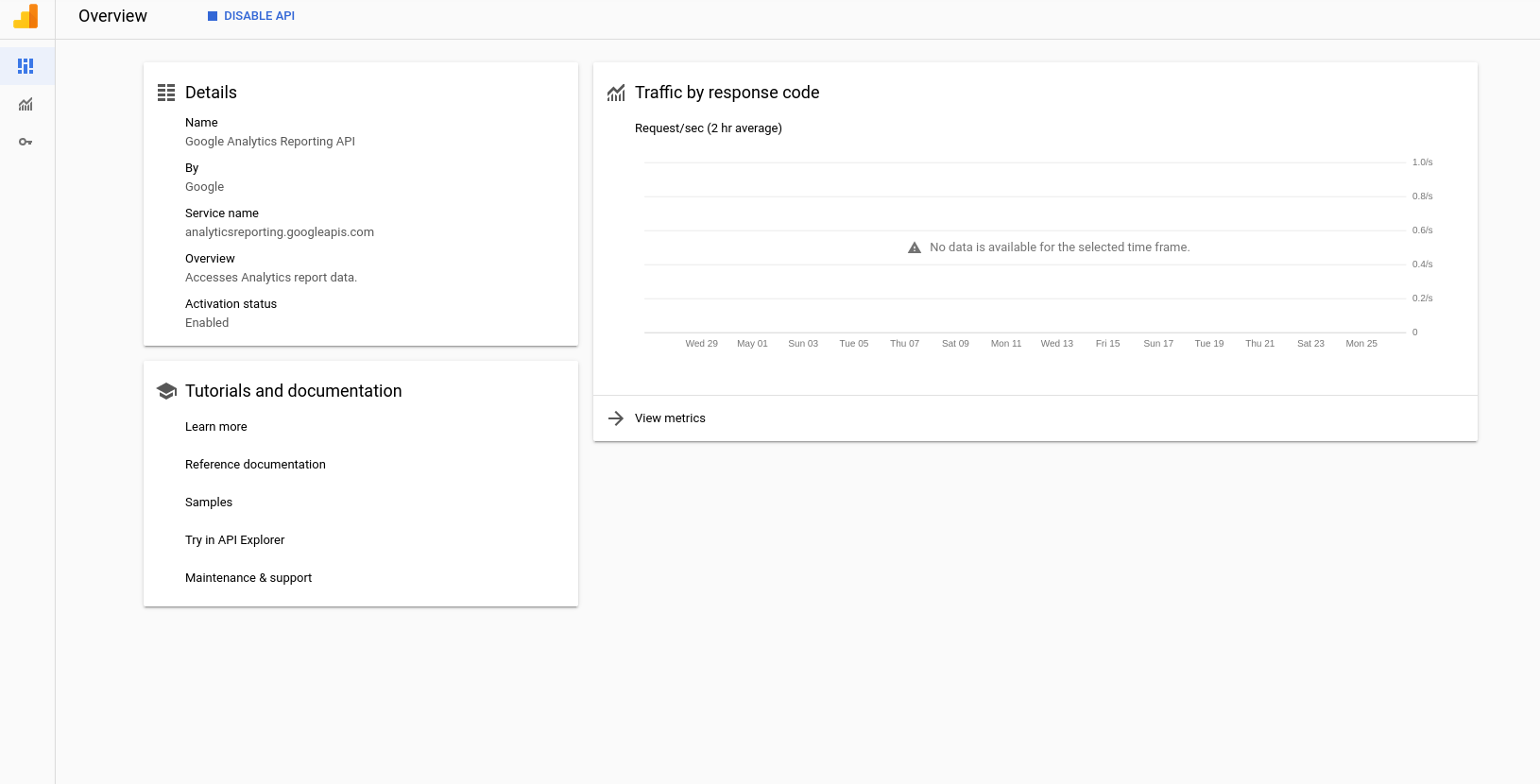
Hi @busunkim96! I checked it many times. The stack trace provides a link to project that gives me this screen:
jonaslsl
on 28 May 2020
Just to double check, would you mind going to https://console.cloud.google.com and checking that the project # in the 'Project Info' card matches the project number in the stack trace?
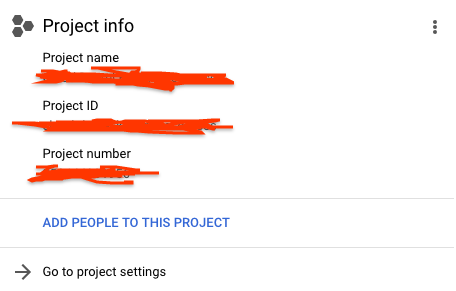
If you're able to follow the link I don't think this is the issue, but it's worth checking.
busunkim96
on 28 May 2020
Here is the api page, the url shows my project name, same name as the client_email domain and project_id from my gcloud.json credentials file that I´ve added to GA and also same name of project info.
My credentials file:
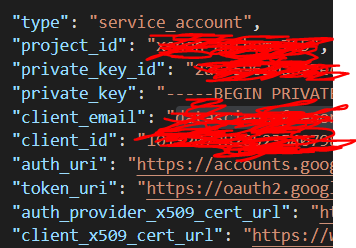
My project info matching with the credentials:
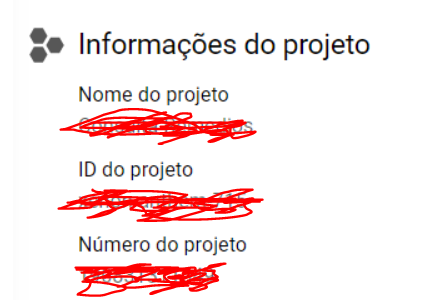
The info from Gcloud library macthing project info with all above:

I have tried with another email account (a personal one) with the same process and it worked. Is there any restriction about using a custom domain email with reporting api?
jonaslsl
on 28 May 2020
I see, so you were able to access the API using user credentials but are getting an error with service account?
If the service account email has access to the the Analytics account I can't think of anything else that could be a problem. If you haven't already, please fill out this form to get support from the Google Analytics folks.
busunkim96
on 28 May 2020
@busunkim96 I am not sure about using api with user credentials but the service account iw not working indeed. I gave oppened a request through the form, thanks!
I curious think:
I also have tryed a workaround bypassing my python code YESTERDAY at Try this API but when I tried to execute the authentication pop-up stayed blank and loader keept spinning forever and chrome dev tools shows Failed to load resource: net::ERR_QUIC_PROTOCOL_ERROR.QUIC_PACKET_READ_ERROR
Today it worked using OAuth2.0
jonaslsl
on 28 May 2020
@jonaslsl Perhaps a bug with that API Explorer UI? If you notice it again feel free to file a separate bug and we can ask someone to take a look.
busunkim96
on 28 May 2020
Sure @busunkim96 many thanks! I´ll close this issue. Let you know when it´s working for the future requests like this.
jonaslsl
on 28 May 2020
@busunkim96 I contacted the GA team and they sent me the link to v4 api documentation 👎
I can see that as a 403 permission or auth issue but the message from stacktrace says ""Analytics Reporting API has not been used in project XXXX before or it is disabled.""
Anything else to try?
jonaslsl
on 1 Jun 2020
Hmm, if you haven't already you can try with a new project or different service account.
I've pinged the Developer Relations folks for Google Analytics; hopefully they'll have more to add.
busunkim96
on 1 Jun 2020
@busunkim96 New project and new service account worked.
It might be something related with multiple service/oauth accounts or roles inside credentials.
jonaslsl
on 2 Jun 2020
Hi, I have a guess about this...
So you have two projects: A and B. You have Analytics Reporting enabled on project A but not project B. You create a service account attached to project B, and through IAM roles grant it access to Analytics Reporting on project A.
You got Error: Analytics Reporting API has not been used in project before or it is disabled when you tried to use service account from project B.
is that the case? (CMIIW)
I think I have to enable Analytics Reporting on both project A and B.
 Blackrobe
on 3 Jun 2020
Blackrobe
on 3 Jun 2020
@Blackrobe Sorry! Let me try to be clear:
Project A have reporting API enabled and also a service credential that is giving me the
Error: Analytics Reporting API has not been used in project before or it is disabledFew days AFTER I created a project B, with new credentials and reporting API enabled for project B (same process of a new user at Gcloud) and it worked.
Both cases I have followed the "API wizard proccess/flow" that is present in V4 documentation: https://console.developers.google.com/start/api?id=analyticsreporting.googleapis.com&credential=client_key&hl=pt
Also for project A that is not working I have sent all the print screens with matching project-ids, names and etc.
The email from credential A and B is added as a user at GA.
Project B solves my problem, but I am still bugged
jonaslsl
on 3 Jun 2020
The analytics reporting api should be enabled from the project from which you are using client Id and client secret
reference https://console.developers.google.com/apis/library/analyticsreporting.googleapis.com
 deepaknaikhnvrm
on 21 Jul 2020
deepaknaikhnvrm
on 21 Jul 2020
Hi @jonaslsl,
I'm going to close this issue as I can't produce the problem but if you're still having trouble please re-open it with additional information. Also see @deepaknaikhnvrm's comment as an additional check.
 parthea
on 7 Dec 2020
parthea
on 7 Dec 2020
Related issues
 jacobtabak
·
4Comments
jacobtabak
·
4Comments
 stephanepiriou
·
6Comments
stephanepiriou
·
6Comments
 alirezastack
·
7Comments
alirezastack
·
7Comments
 snijsure
·
7Comments
snijsure
·
7Comments
 OmerJog
·
4Comments
OmerJog
·
4Comments