Godot: The android's virtual keyboard & the navigation bar height isn't calculated correctly.
Godot version:
3.2 branch tip 9bf5a0b791faf8e960bdb07009b5fe8003206e4f
Issue description:
The height of the virtual keyboard OS.get_virtual_keyboard_height()
isn't calculated correctly if it is above the Android navigation bar.
This happens in the smartphone in portrait format, on the tablet in portrait and landscape format.
Fortunately it is possible to craft some workaround for the issue. You get the negative
height of the navigation bar when you close the keyboard (see the first screenshot).
There have been attempts by @pouleyKetchoupp to fix this. The related PR was reverted due
to bad side effects. https://github.com/godotengine/godot/pull/40672
Steps to reproduce:
Screenshots
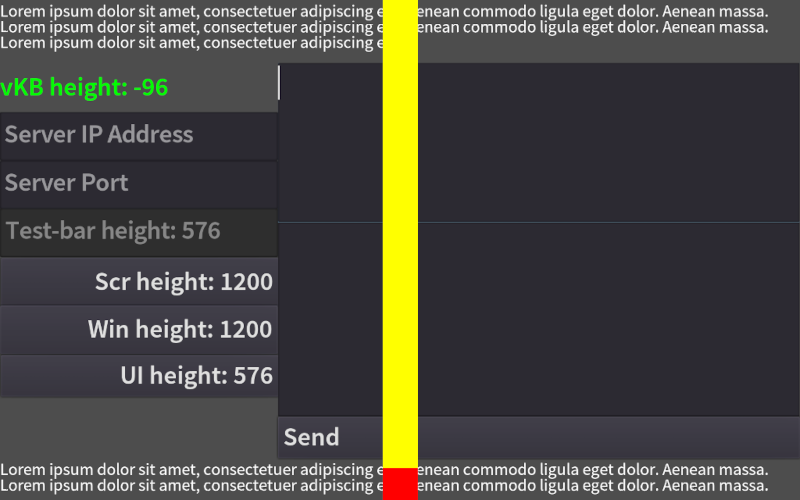
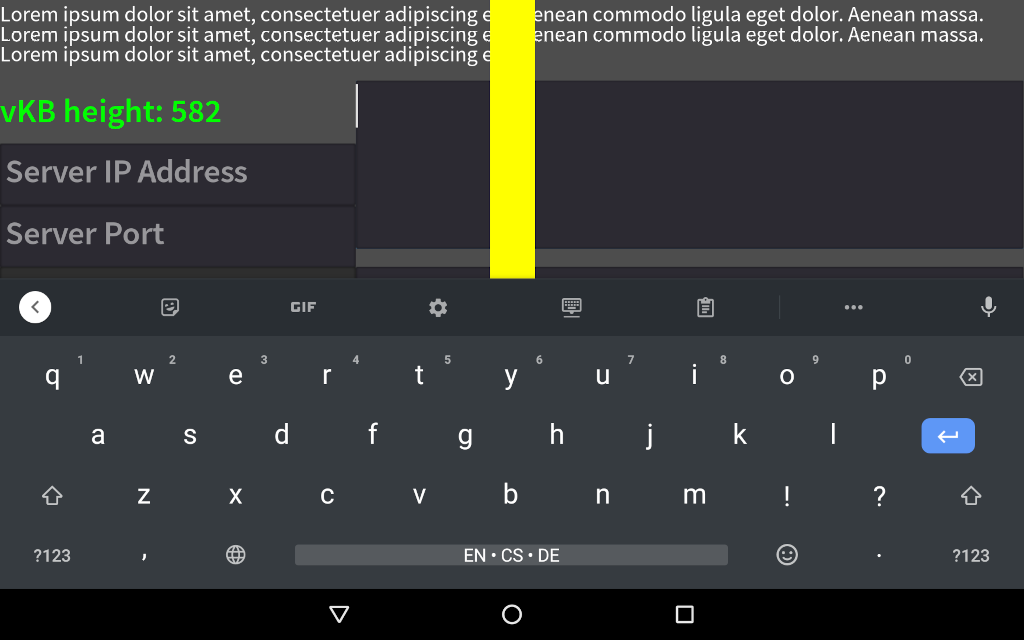
Minimal reproduction project:
 capnm
capnm
All 2 comments
It might be possible to re-use a part of #40944 to help with this issue.
In order to take the virtual navigation bar in portrait mode into account, using getRealSize instead of getSize in onGlobalLayout works:
// Adjust final height from real size to take other decorations into account
// like the navigation bar in portrait mode.
if (godotActivity.isImmersiveUsed()) {
    Point realScreenSize = new Point();
    godotActivity.getWindowManager().getDefaultDisplay().getRealSize(realScreenSize);
    keyboardHeight = realScreenSize.y - gameSize.bottom;
}
But only when immersive mode is on, otherwise the navigation bar being always on I was getting wrong results (might be different when not using a separate popup window for the text edit though).
Also, this was still not working on tablet when the virtual navigation bar shows in landscape mode for some reason.
 pouleyKetchoupp
on 20 Aug 2020
pouleyKetchoupp
on 20 Aug 2020
@capnm you seem to have good luck as the Android developer blog recently published a post about how to handle keyboard visibility and height: https://medium.com/androiddevelopers/animating-your-keyboard-fb776a8fb66d
I'll experiment with it and push a fix once I get it working.
 m4gr3d
on 26 Aug 2020
m4gr3d
on 26 Aug 2020
Related issues
 EdwardAngeles
·
3Comments
EdwardAngeles
·
3Comments
 RebelliousX
·
3Comments
RebelliousX
·
3Comments
 bojidar-bg
·
3Comments
bojidar-bg
·
3Comments
 n-pigeon
·
3Comments
n-pigeon
·
3Comments
 SleepProgger
·
3Comments
SleepProgger
·
3Comments
Most helpful comment
@capnm you seem to have good luck as the Android developer blog recently published a post about how to handle keyboard visibility and height: https://medium.com/androiddevelopers/animating-your-keyboard-fb776a8fb66d
I'll experiment with it and push a fix once I get it working.