Godot: Odd looking lighting when using a 16-bit png normal map
Godot version: 3.2.2 stable
OS/device including version: Windows 10 1909
Issue description:
When using a normal map on a simple cube/plane surface, lighting appears as if being cut in diagonal, see:
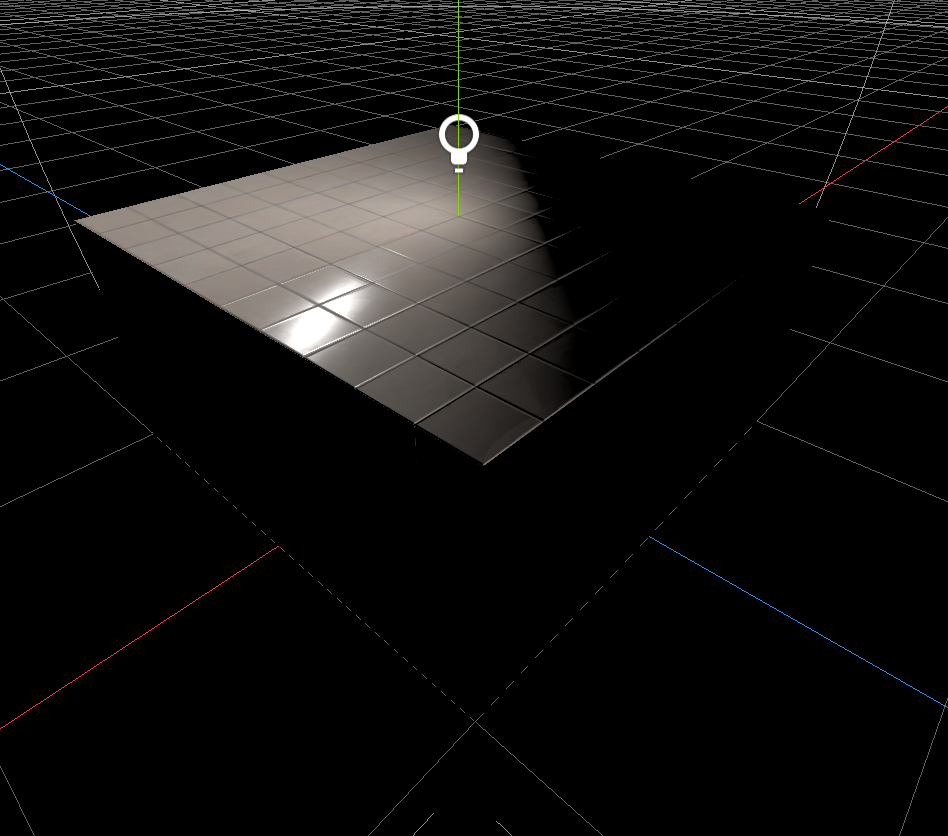
Note that I am using an omnilight. I cannot explain why it is shaded like this.
Steps to reproduce:
None?
Minimal reproduction project:
 marechal-p
All 5 comments
I can't tell if this is a bug with your normalmap or with Godot. I haven't seen this happen before on any other scenes. I was able to fix it in yours by converting the SpatialMaterial to a ShaderMaterial and then replacing the texture NORMALMAP line with :
NORMALMAP = (texture(texture_normal,base_uv).rgb) * 2.0 - 1.0;
To me, this seems like there is an issue with how you encoded your normalmap. It looks like it is encoded with values from 0.5-1.0 instead of 0.0 to 1.0. Is that possible?
 clayjohn
on 10 Aug 2020
clayjohn
on 10 Aug 2020
Found an interesting way to fix this.
From the reproduction project assets, open the "TexturesCom_Tiles_Plain_512_normal.png" normal map with Paint and save it again as PNG (same format).
Steps to reproduce:
- Right click on "TexturesCom_Tiles_Plain_512_normal.png" > Edit
- File > Save as
- Set format to PNG, and set file name to "TexturesCom_Tiles_Plain_512_normal_2.png"
- Open the reproduction project in Godot
- Select the mesh instance > click on material 0
- In the normal map section, replace the texture by the one saved with Paint
The lighting is now fixed:
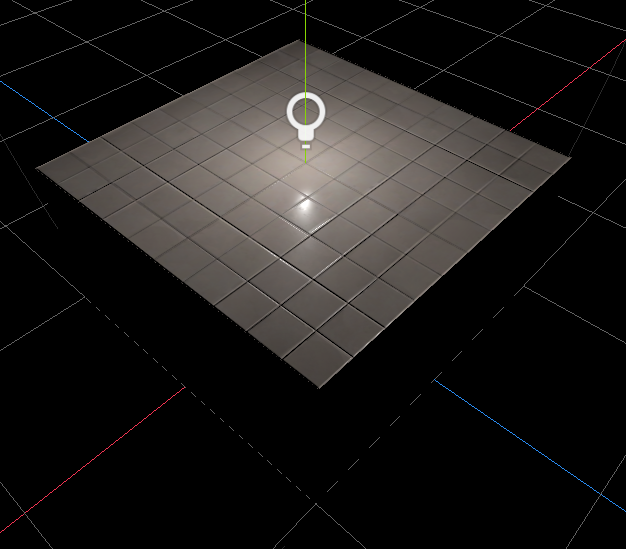
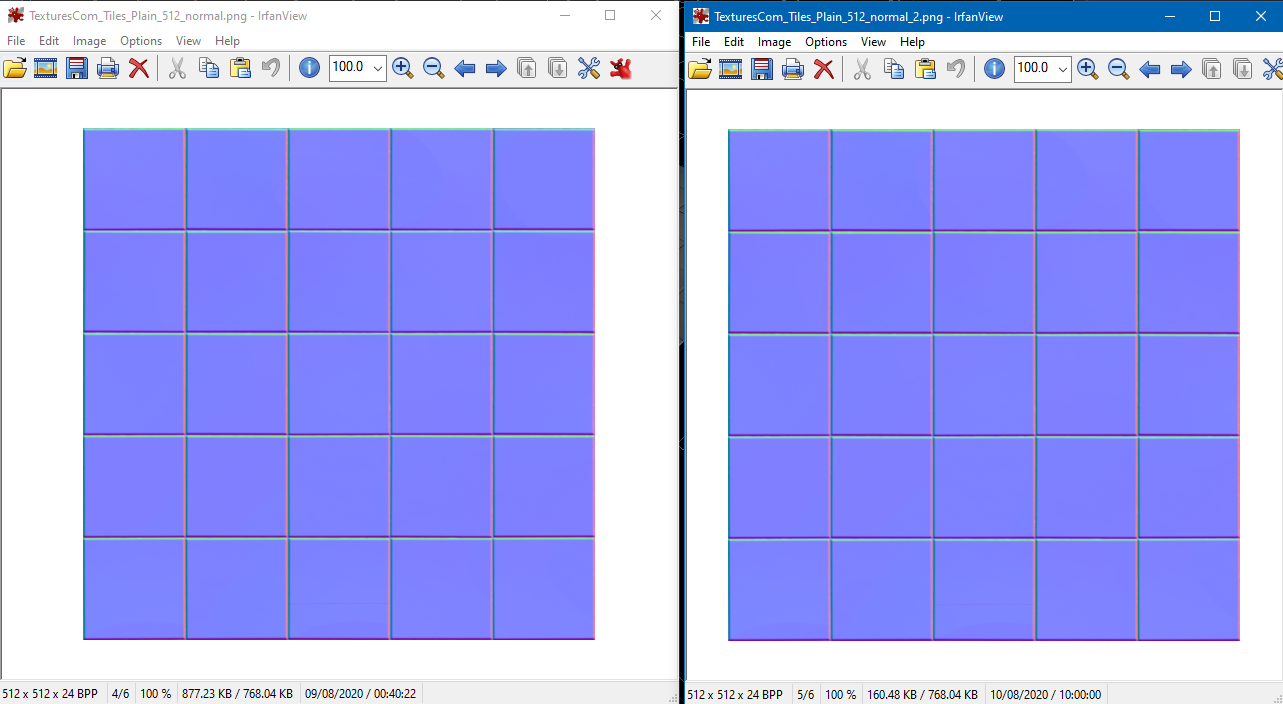
I don't really know what to conclude from that except that we have visually the same result when opening the 2 textures with IrfanView (as shown below), but not the same result once imported and used in Godot.
 steb-vs
on 10 Aug 2020
steb-vs
on 10 Aug 2020
I found something which may be a clue. I loaded it up in my build of 3.2.3 (dev) version and it worked fine straight off.
Then I loaded it in 3.2 stable and it worked fine. Then I deleted the project, unzipped again so it could reimport, and the problem occurred in 3.2 stable. Then I loaded in my 3.2.3 and it still occurred, until I reimported the texture.
There is an important difference in my 3.2.3 dev build, I had to compile it with the builtin_libpng flag (for some reason to get it working, maybe I didn't have the right png libraries on my linux). So I suspect the builtin libpng library is working with this particular flavour of png file, and the external library used for compiling most builds is not.
This ties it with it working once you re-exported the png from Paint.
 lawnjelly
on 10 Aug 2020
lawnjelly
on 10 Aug 2020
It looks like your normal map is a 16 bit PNG, so this is likely a duplicate of #37220 which is fixed by #40242
 JohanAR
on 10 Aug 2020
JohanAR
on 10 Aug 2020
Thanks @JohanAR! I can confirm the project works fine after deleting the .import folder files and opening the project in 3.2.3 rc3!
Closing as this is already fixed :)
clayjohn
on 10 Aug 2020
Related issues
 mefihl
·
3Comments
mefihl
·
3Comments
 RayKoopa
·
3Comments
RayKoopa
·
3Comments
 Zylann
·
3Comments
Zylann
·
3Comments
 testman42
·
3Comments
testman42
·
3Comments
 Spooner
·
3Comments
Spooner
·
3Comments
Most helpful comment
It looks like your normal map is a 16 bit PNG, so this is likely a duplicate of #37220 which is fixed by #40242