Godot: everything wrong with mat4 inout and varying in shaders
Godot version:
Godot 3.2.2 stable
OS/device including version:
Linux, Windows
I can confirm it only on Nvidia GPU, AMD does not have this bug
Issue description:
I do not know the reason and is this Godot bug
or maybe I miss something
GPU Nvidia 750 (tested only on Nvidia)
Bug - sometime _mat4_ can be broken and have _no value_(something broken) in the Fragment shader when in the Vertex logic everything works. (this is not my shaders bugs)
At some point, Godot build-in matrix (like WORLD_MATRIX) can be ruined.
Web version launch link with BUG
Steps to reproduce:
shader files:
minimal.shader (mesh) - minimal code
bug2.shader (mesh) - added one function that do more bugs...
and 3 files with similar code bug3.shader (particle) - I use particles to test WORLD_MARTIX is it ruined in fragment shader, on this code its not broken(in this code, my code way to large to put it there), but display more bugs.
There way too many bugs my example function in this shaders that return mat4 lookAt() return not same value for every of this returns:
    //camToWorld=mat4(vec4(0.),vec4(0.),vec4(0.),vec4(0.,0.,1.,0.)); //not same result with next line
    //return mat4(vec4(0.),vec4(0.),vec4(0.),vec4(0.,0.,1.,0.));
    return camToWorld;
Bug visual result on my Nvidia:
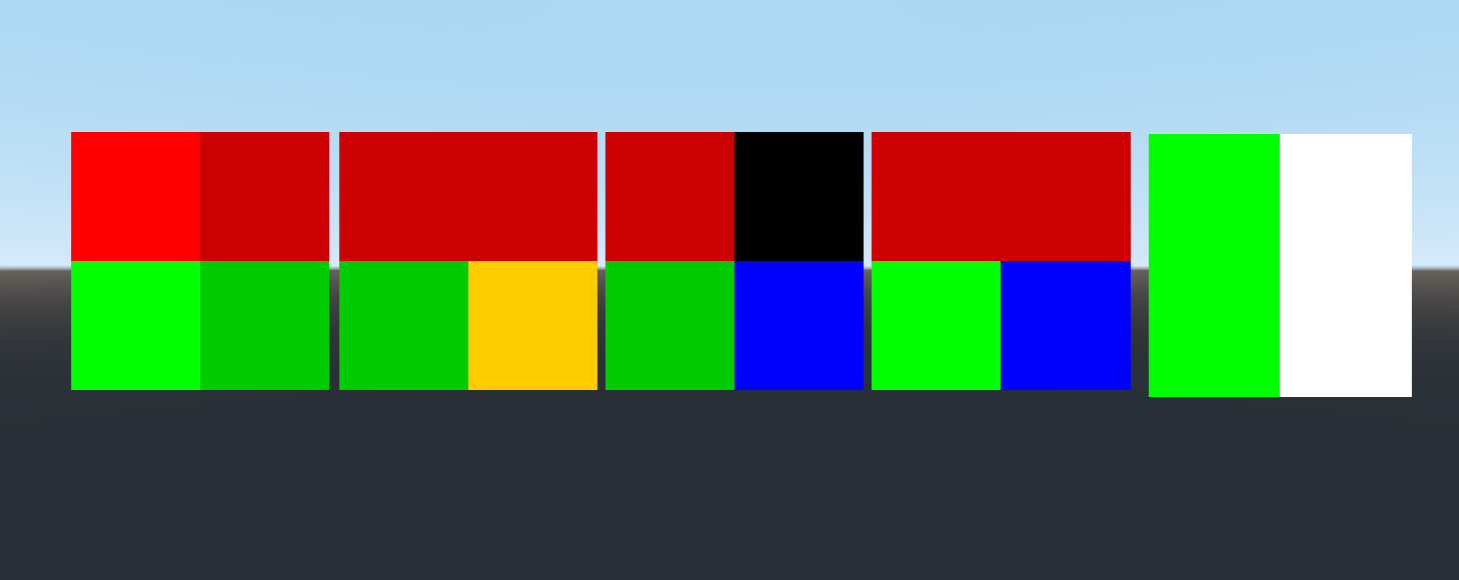
Correct visual result:

minimal shader code:
void translate(inout mat4 m, vec3 d){
    m[3][0] = d.x;
    m[3][1] = d.y;
    m[3][2] = d.z;

    m[3].xyz=d; //does not matter, both does not work
}

void vertex() {

    mtx=mat4(vec4(1.),vec4(1.),vec4(1.),vec4(1.));
    tmtx=mat4(vec4(0.),vec4(0.),vec4(0.),vec4(0.));


    tmtx=mat4(mtx[0].xyzw,mtx[1].xyzw,mtx[2].xyzw,mtx[3].xyzw); //both work same
    tmtx=mtx; //both work same
    // at some point it also may not work same, in this shader it same

    vec3 a=vec3(1.,0.,0.);
    vec3 b=vec3(0.,1.,0.);

    //bug
    translate(tmtx,a); //this do nothing, and ruin tmtx value in more complex logic when tmtx used outside of Vertex function
    //tmtx[3].xyz=a; //fix

    //mat4 tm=tmtx;translate(tm,a);tmtx=tm; //do nothing

    mtx[3].xyz=b;

    //tmtx=mtx; //does work

}
links to all bugged shaders:
minimal.shader
bug2.shader
bug3.shader
bug31.shader
bug32.shader
Lines with comments - in other shadders I display that those lines have not same result in every shader, because bug
function _translate_ almost always do nothing to varying, also mat4 tm=tmtx; translate(tm,a); tmtx=tm; does not fix it. Only in bug31.shader this function _translate_ works.
Minimal reproduction project:
mat4_bugs.zip with source code
with a correct result mat4_bugs_correct.zip with source code
 danilw
All 14 comments
Update: tested on AMD Vega8 Windows, Bug does not work there(web and native works correct)
tested on Nvidia on Windows, bug does not work in ANGLE, but works in native version and disabled ANGLE chrome.exe --use-angle=gl
Look like its only Nvidia bug, or Godot very low level problem, idk...
danilw
on 7 Aug 2020
Sounds like a driver bug if it only fails on one GPU.
 clayjohn
on 7 Aug 2020
clayjohn
on 7 Aug 2020
Will be nice if I have more test results...
Can you please launch Web bug test and tell if it looks like bug image or not.
danilw
on 7 Aug 2020
Can you please launch Web bug test and tell if it looks like bug image or not.
OS: Fedora 31
GPU: GeForce GTX 1080 (driver: NVIDIA 440.100)
Browser: Firefox 77 and Chromium 84
With the configuration above, I get output that looks like "Bug visual result" with the black square.
 Calinou
on 7 Aug 2020
Calinou
on 7 Aug 2020
Calinou thanks!
danilw
on 7 Aug 2020
https://opengl.gpuinfo.org/ can be used to see Varying limitations, I do not think Godot hit its limit. (when AMD Vega8 has the same limit as Nvidia and everything works on AMD)
I tested shader in Vulkan, no bug there. (varying as out/in)
I tested shader in GLES 3 minimal engine, (varying as out/in also) same bug there.
so its Nvidia driver bug
Nvidia bug report link
danilw
on 7 Aug 2020
On the web bug test I get the second output, the "correct visual result"
clayjohn
on 8 Aug 2020
maybe you launch with ANGLE on
you sure you launch chrome.exe --use-angle=gl
if its WIndows and Nvidia you should have bug result
danilw
on 8 Aug 2020
Hi! In my nvidia gtx 1060 6GB in windows 10 with google chrome I get the correct result.
MESSAGE EDIT:(with ANGLE on)

I hope this help you guys 👍 !
 vladimirzb
on 9 Aug 2020
vladimirzb
on 9 Aug 2020
@vladimirzb you launch Chrome with ANGLE off?
chrome.exe --use-angle=gl
danilw
on 9 Aug 2020
@danilw
I dont know how to do that :/ I just tried with this link
Will be nice if I have more test results...
Can you please launch Web bug test and tell if it looks like bug image or not.
Did I tried correctly? If not, I am open to try it the correct way ;D
vladimirzb
on 9 Aug 2020
@vladimirzb
press on keyboard Win+R
and type (or copy)
chrome.exe --use-angle=gl (close Chrome before)
this will launch Chrome in ANGLE off mode
by default Chrome on Windows launched with ANGLE on, and this bug work only in OpenGL, when ANGLE in Chrome is OpenGL to dx11 translator.
danilw
on 9 Aug 2020
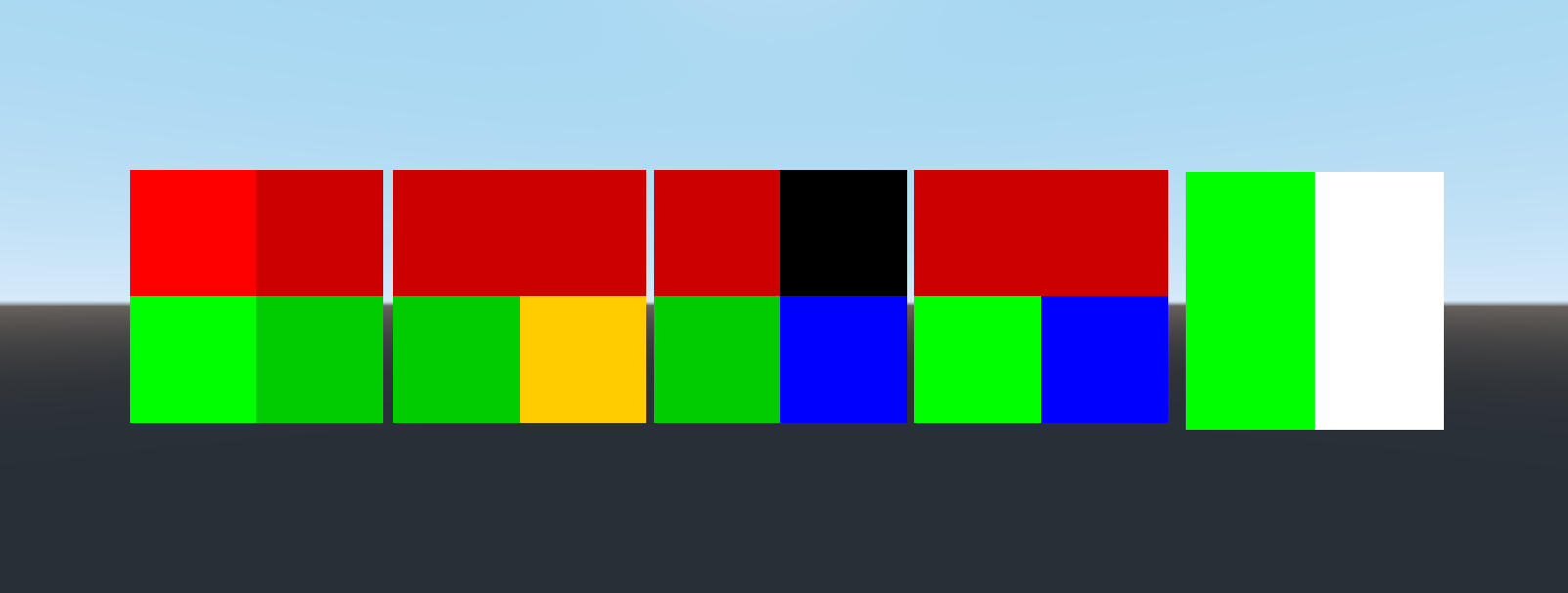
Ok! Thank you for explaining me! Yes it seems to have a bug.
GPU: GTX 1060 6GB
CPU: i5 - 4460
RAM: 8GB
OS: Windows 10
With Chrome
Here is the result:
vladimirzb
on 9 Aug 2020
same as https://github.com/godotengine/godot/issues/43055
I think it can be closed because the latest Nvidia driver brings even more "GLSL" bugs than this...
danilw
on 21 Nov 2020
Related issues
 Zylann
·
3Comments
Zylann
·
3Comments
 RayKoopa
·
3Comments
RayKoopa
·
3Comments
 gonzo191
·
3Comments
gonzo191
·
3Comments
 blurymind
·
3Comments
blurymind
·
3Comments
 n-pigeon
·
3Comments
n-pigeon
·
3Comments