Godot: CenterContainer children do not scale to parent
Godot version: 3.2
OS/device including version: Windows 10
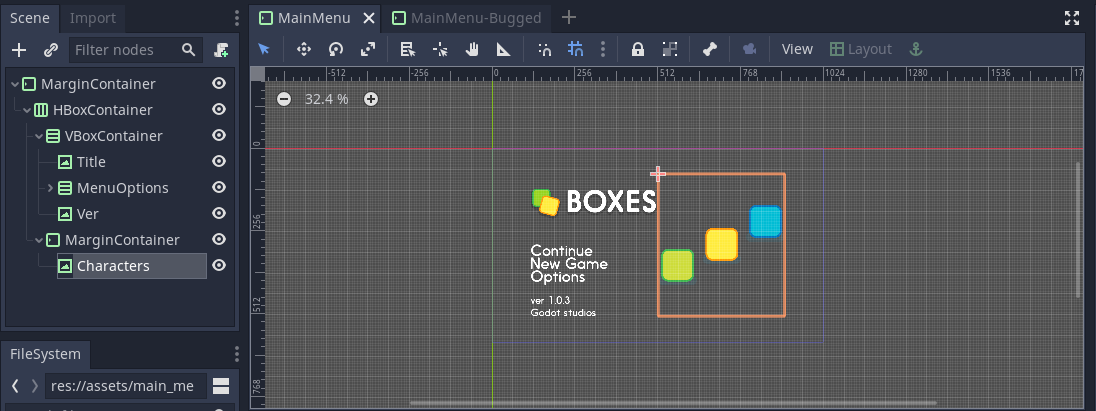
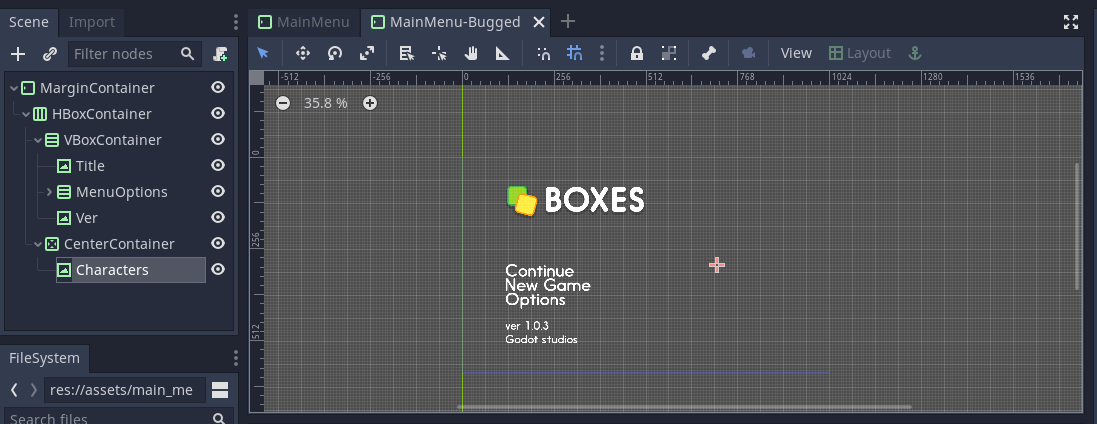
Issue description: I have a CenterContainer and a TextureRect as a child to it. When I put both 'Fill' and 'Expand' to the CenterContainer, and mark the child to 'Expand' with 'Keep Aspect', the child ends up becoming a point on the screen. The reason I want this is because the image is actually too big for the screen. The way I fixed this (dirtily) was to replace the CenterContainer with a MarginContainer and set the TextureRect to 'Keep Aspect Centered'. I have attached images below as well as the project, with 2 scenes, one with the bug, called 'MainMenu-Bugged' and the other with the dirty fix. For more context, I was following this, but with a different aspect ratio: https://docs.godotengine.org/en/3.2/getting_started/step_by_step/ui_main_menu.html.
Disclaimer: I am still a beginner at Godot, hence it might be the case that I'm misunderstanding something.
The way I want it:
What happens when I used center container instead:
The project:
ui_main_menu_design.zip
 CowKeyMan
All 2 comments
You need to set a rect_min_size in the TextureRect if not it won't know how much space it should take
 mrcdk
on 4 May 2020
mrcdk
on 4 May 2020
This is the expected behavior.
You can either untick the "extend" checkbox in the inspector, which will compute a minimum size out of the texture, making it 1:1 texture, or you can keep it this way and set a custom minimum size.
 groud
on 5 May 2020
groud
on 5 May 2020
Related issues
 rgrams
·
3Comments
rgrams
·
3Comments
 SleepProgger
·
3Comments
SleepProgger
·
3Comments
 ducdetronquito
·
3Comments
ducdetronquito
·
3Comments
 nunodonato
·
3Comments
nunodonato
·
3Comments
 bojidar-bg
·
3Comments
bojidar-bg
·
3Comments
Most helpful comment
You need to set a
rect_min_sizein the TextureRect if not it won't know how much space it should take