Godot: Image stretch when Window Resize is enabled
Godot version:
3.2.1
OS/device including version:
macOS Catalina 10.15.4 / MacBookPro11,1
Issue description:
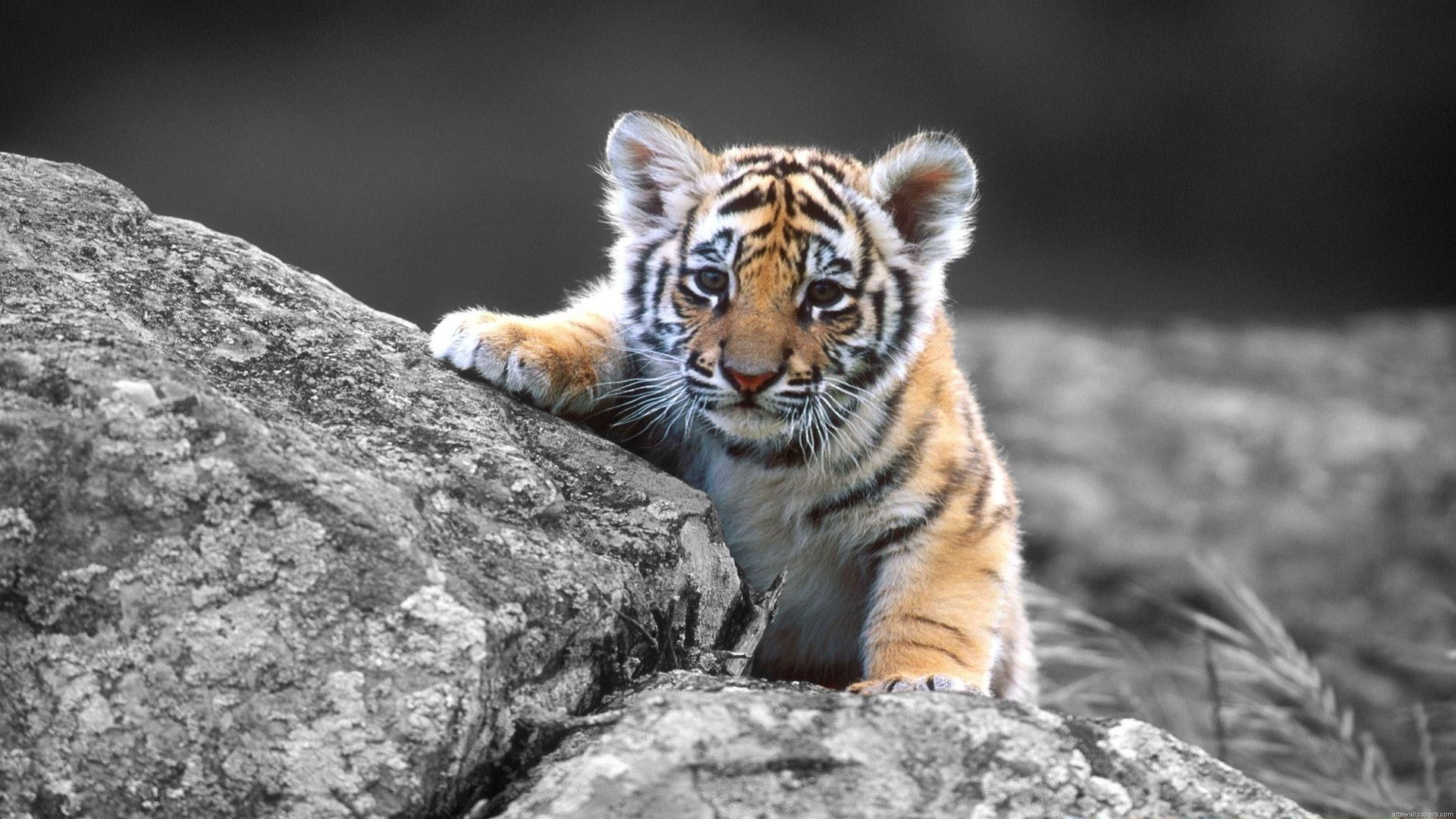
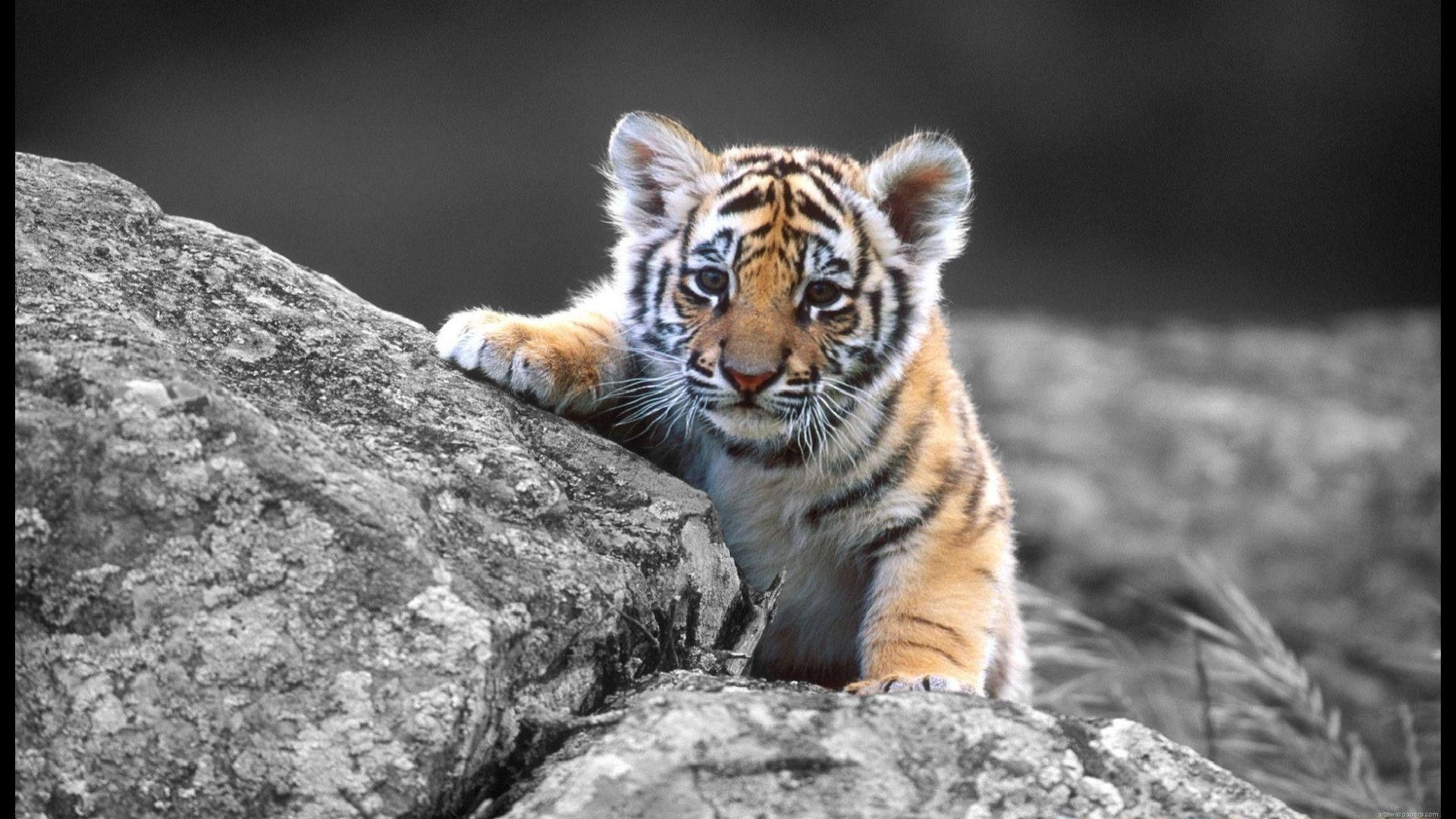
If Window Resize is enabled, the image gets stretched horizontally.
It doesn't matter is Fullscreen is enabled or not. The problem occurs in both situations.
Note:
- I set the Environment color to white, but when the image is stretched the borders are black, so it is not showing the environment color. Something else must be happening.
- I am running this on an external monitor that has 1920x1080 resolution (if this has any relevance)
- Here is a complete video that shows the problem: https://drive.google.com/open?id=1rfRweWs5Yo0MgLJRYsfnOl7Uj8REgdKI

Steps to reproduce:
Run the attached Godot project with and without Window Resize enabled.
Minimal reproduction project:
Godot_Window_Bug.zip
 drmar
drmar
All 19 comments
I can't reproduce this issue, probably because I only have a 1366x768 screen :stuck_out_tongue:
Regarding the black bars, I don't think it's an issue. The clear color refers to the viewport's clear color; what's outside of the viewport becomes black. You can see this by creating a blank scene, and seeing both the black and white stripes when you resize:
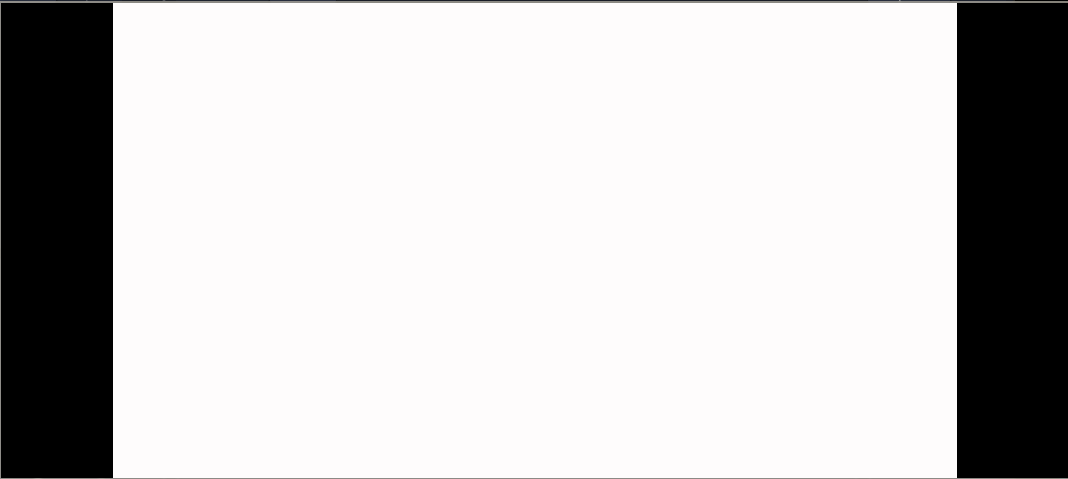
I'm not sure if you can modify the color of the area outside the viewport.
 Ev1lbl0w
on 25 Mar 2020
Ev1lbl0w
on 25 Mar 2020
@Ev1lbl0w Nevermind the color of the Environment. I only mentioned it as an observation, in case it would help with debugging. That is not the point.
The problem is that the image gets stretched horizontally when Window Resize is enabled.
Also, I think it may be related to a broader set of bugs related to rendering and windowing. I reported several bugs related to those issues.
drmar
on 25 Mar 2020
So, just to be clear; the two screenshots you posted happen when Window Resize is disabled, and enabled, respectively?
Ev1lbl0w
on 25 Mar 2020
So, just to be clear; the two screenshots you posted happen when Window Resize is disabled, and enabled, respectively?
Yes. The only difference is Window Resize enabled and disabled, respectively. No other changes were made to the project.
drmar
on 25 Mar 2020
Try printing the resolution in both cases, and comparing them:
func _ready():
    print(OS.window_size)
@Ev1lbl0w You are on to something!
Resolution output
With Resizable DISABLED: (1920, 1080)
With Resizable ENABLED: (1920, 1058)
drmar
on 26 Mar 2020
@drmar This might be due to window borders and the task bar affecting the final resolution when the window is set to be resizable.
 Calinou
on 26 Mar 2020
Calinou
on 26 Mar 2020
@Calinou
This might be due to window borders and the task bar affecting the final resolution when the window is set to be resizable.
I don't think this is the case. The same problem occurs both in fullscreen and in window mode.
drmar
on 26 Mar 2020
I don't think this is the case. The same problem occurs both in fullscreen and in window mode.
Do you mean that setting it to fullscreen and resizable also causes this issue?
Ev1lbl0w
on 26 Mar 2020
@Ev1lbl0w
Do you mean that setting it to fullscreen and resizable also causes this issue?
I mean that it is irrelevant if you run the game with the Fullscreen option enabled or disabled.
The same exact horizontal stretching problem occurs, which leads me to conclude that the boarders of the screen and the Status Bar/Menu have nothing to do with it.
I would encourage you to simply download the project yourselves and run it.
drmar
on 26 Mar 2020
I mean that it is irrelevant if you run the game with the Fullscreen option enabled or disabled.
The same exact horizontal stretching problem occurs, which leads me to conclude that the boarders of the screen and the Status Bar/Menu have nothing to do with it.I would encourage you to simply download the project yourselves and run it.
Yes, I have tried to run the project, but like I said, I can't reproduce this issue. I have tried different combinations of sizes, fullscreen and window resize, but haven't had any luck finding the problem.
So, in that case, does the resolution also change in fullscreen mode? Because that should be impossible AFAIK.
Please post the output from this code:
func _ready():
    print("Screen:   ", OS.get_screen_size())
    print("Window:   ", OS.window_size)
    print("Viewport: ", get_viewport().size)
In all situations possible (with/without fullscreen, with/without resize)
Ev1lbl0w
on 26 Mar 2020
Alright. I will even make a video for you. Please allow me a few minutes.
drmar
on 26 Mar 2020
@Ev1lbl0w Here is the download link for the screen recording, that includes with/without fullscreen, with/without resize:
https://drive.google.com/open?id=1rfRweWs5Yo0MgLJRYsfnOl7Uj8REgdKI
Let me know if the problem is not clear to you.
drmar
on 26 Mar 2020
In text form, here are the outputs for the various combinations:
WITHOUT Fullscreen / WITHOUT Resizable:
Screen: (1920, 1080)
Window: (1920, 1080)
Viewport: (1920, 1080)
WITH Fullscreen / WITH Resizable:
Screen: (1920, 1080)
Window: (1920, 1058)
Viewport: (1880, 1058)
WITH Fullscreen / WITHOUT Resizable:
Screen: (1920, 1080)
Window: (1920, 1080)
Viewport: (1920, 1080)
WITHOUT Fullscreen / WITH Resizable:
Screen: (1920, 1080)
Window: (1920, 1058)
Viewport: (1880, 1058)
drmar
on 26 Mar 2020
Thank your for the outputs and the video, it was very useful :wink:
I believe that, in window mode, this isn't a problem. The window that is (1920, 1080) (no fullscreen, no resizable) is probably bigger than the screen, and if you drag it up, you might find the rest of it that was hidden. (but if it isn't, then it's probably an issue too)
The fullscreen, however, looks like an issue. I believe it shouldn't have any other resolution other than the screen size, yet it has a lower resolution.
I'll see if I can dig anything. I might get access to a Mac machine to test this, but can't make any promises :stuck_out_tongue:
Ev1lbl0w
on 26 Mar 2020
@Ev1lbl0w No problem! I am doing my part to help Godot get better and better.
Regarding window mode, I beg to differ, honestly. The same exact problem happens in both full screen and in window mode. I honestly don't believe the having Fullscreen option enabled or disabled changes anything related to this specific problem.
However, what I do believe creates this particular problem is the TextureRect.
If you recreate the same project with Sprite instead of TextureRect, the problem doesn't occur anymore. Please note that this is just speculation, I am not an expert by any stretch.
drmar
on 26 Mar 2020
Hey, I got some news. So I was able to try this on a Mac from a friend of mine. The screen size was (2048, 1152), so not the 1080p I was expecting.
I tried running your project in all the configurations and tried to replicate the problem, but couldn't. When it was in fullscreen mode, having resized on or off didn't matter: the image wasn't being stretched.
So, I don't know what's going on :confused:
Ev1lbl0w
on 26 Mar 2020
Are you sure the image is getting stretched? It seems more like it's getting scaled. When you have resizable off, the window doesn't fit in your screen, so the bottom part of the image disappears off the bottom. With resizable on, the window is allowed to be resized to fit the screen, and due to your stretch mode settings, the left and right black bars appear to maintain the aspect ratio.
Edit: Actually that doesn't explain the full screen + resizable setting. That one does seem odd. My guess is it's resizing the window to fit in the screen, and then the viewport sizez gets changed, and _then_ it switches to full screen. Once at full screen, it then scales the adjusted viewport size to the new window size.
 nisovin
on 27 Mar 2020
nisovin
on 27 Mar 2020
@nisovin The image should fit perfectly on screen, since it is precisely 1920x1080, which is the same resolution as the monitor I'm using.
drmar
on 27 Mar 2020
Related issues
 kirilledelman
·
3Comments
kirilledelman
·
3Comments
 testman42
·
3Comments
testman42
·
3Comments
 Spooner
·
3Comments
Spooner
·
3Comments
 rgrams
·
3Comments
rgrams
·
3Comments
 RayKoopa
·
3Comments
RayKoopa
·
3Comments