Godot: Bug in the order of 3D transparency
Godot version: 3.2 RC3
OS/device including version: Windows 10
Issue description: I do not know to explain it
If I enable "Transparent", sometimes the order is weird
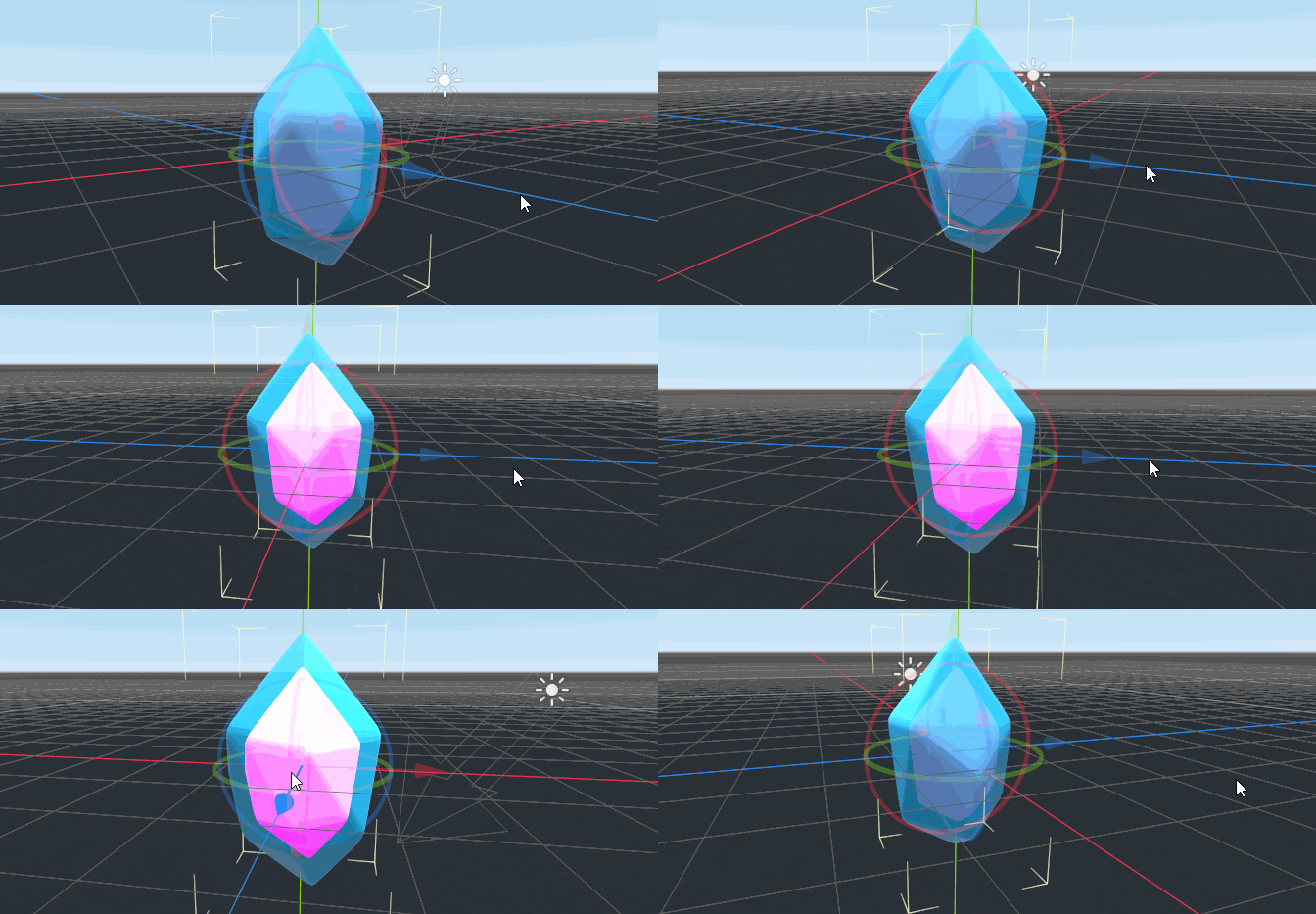
Steps to reproduce: Create 2 MeshInstance with different materials
Enable "Transparent" for each material
Change Alpha on Albedo
Minimal reproduction project: https://www.mediafire.com/file/nfj633s1vcdwxxh/tcrystal.tscn/file
 AlphinAlbukhari
>All comments
Transparent objects can be very frustrating to work with. They are sorted based on depth in order for them to properly blend. However, sometimes that fails, as you see here. From certain angles, based on object position, the inner crystal gets sorted in front of the outer crystal.
In order to avoid this problem you need to set the "render_priority" of the crystal material. Set the outer crystal to have a higher priority so that it always gets sorted to be in front of the inner crystal and you should be fine. :)
 clayjohn
on 26 Jan 2020
clayjohn
on 26 Jan 2020
Related issues
 NullNeska
·
191Comments
NullNeska
·
191Comments
 Angluca
·
100Comments
Angluca
·
100Comments
 RiverMesa
·
142Comments
RiverMesa
·
142Comments
 ghost
·
117Comments
ghost
·
161Comments
ghost
·
117Comments
ghost
·
161Comments
Most helpful comment
Transparent objects can be very frustrating to work with. They are sorted based on depth in order for them to properly blend. However, sometimes that fails, as you see here. From certain angles, based on object position, the inner crystal gets sorted in front of the outer crystal.
In order to avoid this problem you need to set the "render_priority" of the crystal material. Set the outer crystal to have a higher priority so that it always gets sorted to be in front of the inner crystal and you should be fine. :)