Godot: Bookmark list shows unknown symbol for tabs
Godot version:
3.2 beta2
Issue description:


Might happen when toggling comment, because it puts # at the beginning of the line.
 KoBeWi
All 4 comments
This could be solved by replacing \t with four spaces in the bookmarks list's labels (or nothing, maybe).
 Calinou
on 1 Dec 2019
Calinou
on 1 Dec 2019
I'm new in the Godot developers community and I'd like to help solve this issue even though I'm not a very experienced Godot user.
Before proposing a possible solution, I'd like to gather more information on how to reproduce the following behaviour, anything will be very appreciated!
 andycodesstuff
on 2 Dec 2019
andycodesstuff
on 2 Dec 2019
I'd like to reproduce the bug before proposing a possible solution, any information would be very appreciated
You can find bookmark list in Script Editor's "Go To" menu. Add a bookmark using Ctrl + B and if the line has a tab after a non-whitespace character, it will display wrongly on the list.
KoBeWi
on 2 Dec 2019
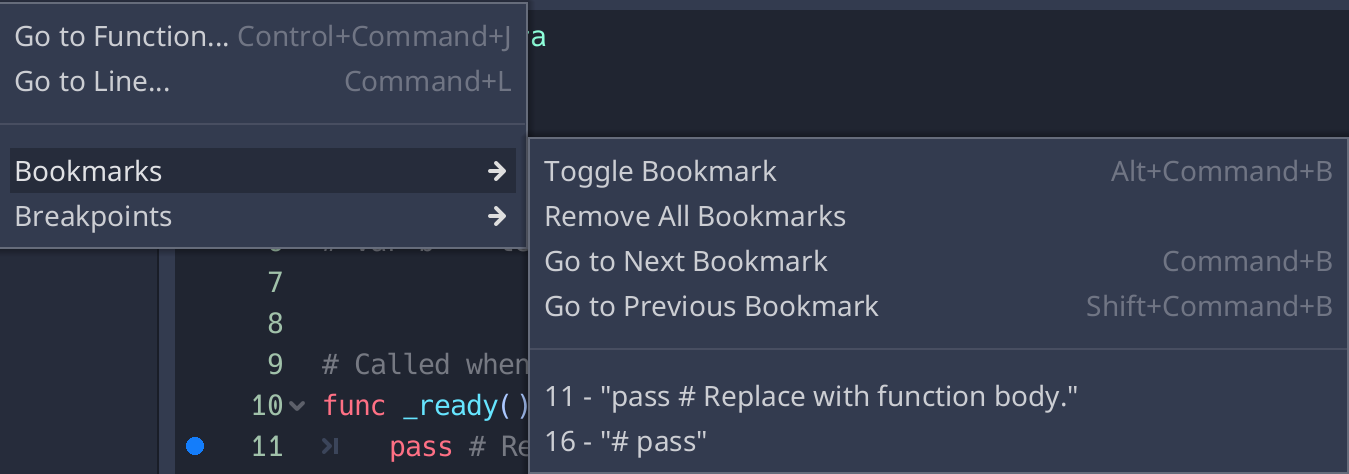
I decided to follow @Calinou advice and replace tabs with "nothing" (I used a single space)
Before:

After fixing the issue:
andycodesstuff
on 2 Dec 2019
Related issues
 RayKoopa
·
3Comments
RayKoopa
·
3Comments
 nunodonato
·
3Comments
nunodonato
·
3Comments
 blurymind
·
3Comments
blurymind
·
3Comments
 testman42
·
3Comments
testman42
·
3Comments
 Zylann
·
3Comments
Zylann
·
3Comments
Most helpful comment
I decided to follow @Calinou advice and replace tabs with "nothing" (I used a single space)
Before:

After fixing the issue:
