Godot version:
Godot 3.2 beta 1, GLES2 renderer
OS/device including version:
Motorola G4 (Android 7)
Issue description:
Serious fragment shading issues on surfaces.

Steps to reproduce:
- Create a GLES2 project
- Add a
MeshInstancewith a default sphere shape - Give the
MeshInstancea material with very low roughness (I used 0.06, any value will work but lower roughnesses have more visible issues) - Place a camera very close to the sphere (As close as you can, keeping the sphere on screen)
- Export for Android and run on your device
Minimal reproduction project:
 kaadmy
All 18 comments
There is already an open issue for this in the Godot Oculus mobile repository, but since I can reproduce it on a regular Android device the issue is more relevant here.
kaadmy
on 15 Nov 2019
CC @NeoSpark314
 clayjohn
on 15 Nov 2019
clayjohn
on 15 Nov 2019
This is related also to https://github.com/godotengine/godot/issues/32813 (and https://github.com/GodotVR/godot_oculus_mobile/issues/60)
This is a floating point precision issue due to the fact that medp is using 16bits. Some more details are in the oculus mobile issue https://github.com/GodotVR/godot_oculus_mobile/issues/68 including a small performance benchmark of enabling high precision for all computations on the oculus quest. @clayjohn suggested in a discussion on discord that the agreed solution is providing a project setting to enable high precision.
I will look into creating a PR for this.
 NeoSpark314
on 15 Nov 2019
NeoSpark314
on 15 Nov 2019
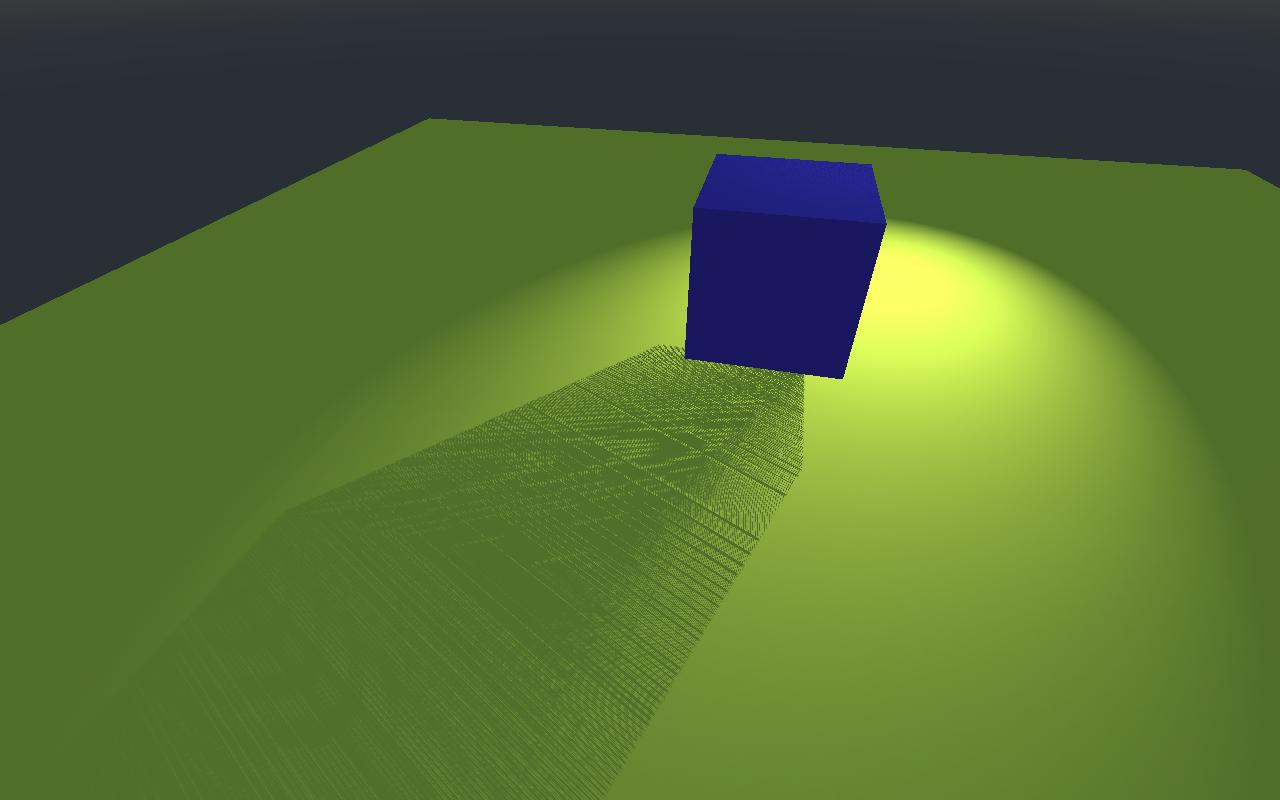
look at the spotlight shadows images in https://github.com/godotengine/godot/issues/33551
 avril-gh
on 15 Nov 2019
avril-gh
on 15 Nov 2019
I just tried forcing high precision locally (same method as the PR above), and this issue still persists, albeit in a slightly different form.

kaadmy
on 15 Nov 2019
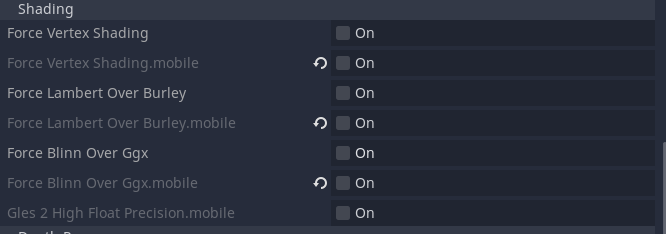
@kaadmy can you try disabling in the project quality settings the mobile approximations like shown below?:
NeoSpark314
on 15 Nov 2019
@kaadmy I was able to reproduce the issue now also on my oculus quest. Changing the settings did not help. The precision fix in the PR gets rid of the noise; but the dark reflections seem to be an additional issue not fixed by the precision increase.
NeoSpark314
on 15 Nov 2019
Same issue occurs here, I've also tried disabling all shading options to no avail. I'll try fixing it locally since I can easily reproduce the issue.
kaadmy
on 15 Nov 2019
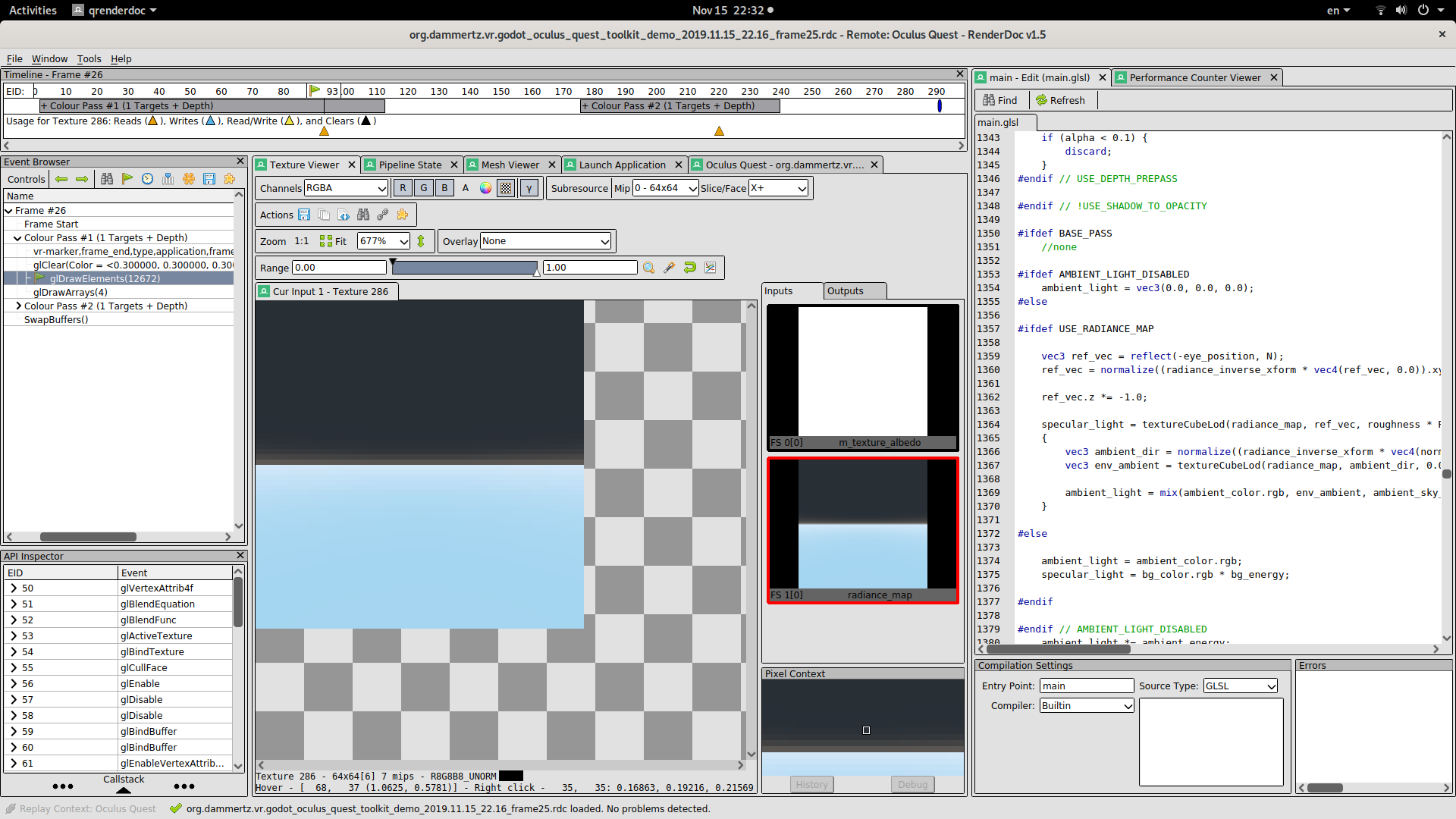
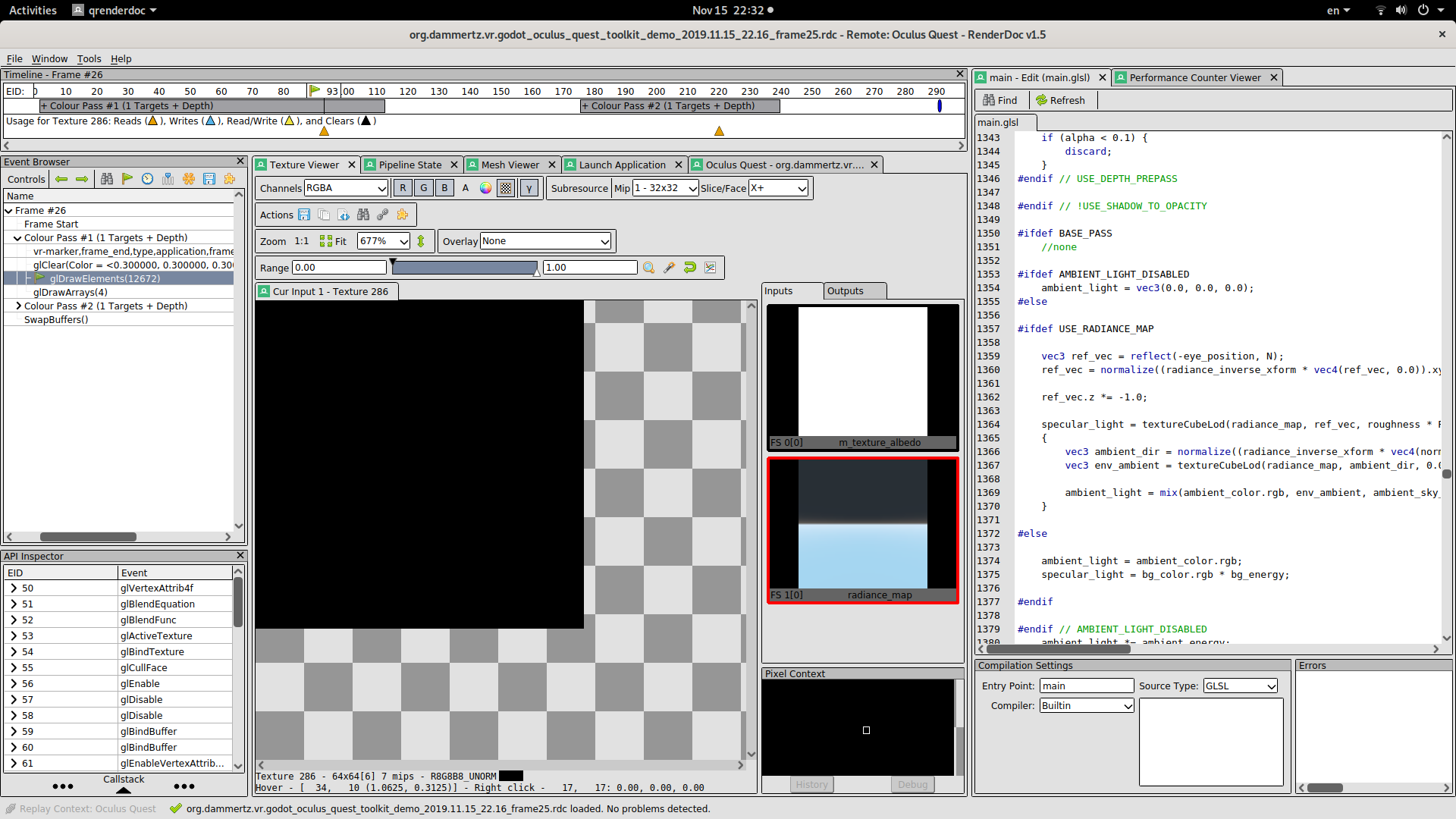
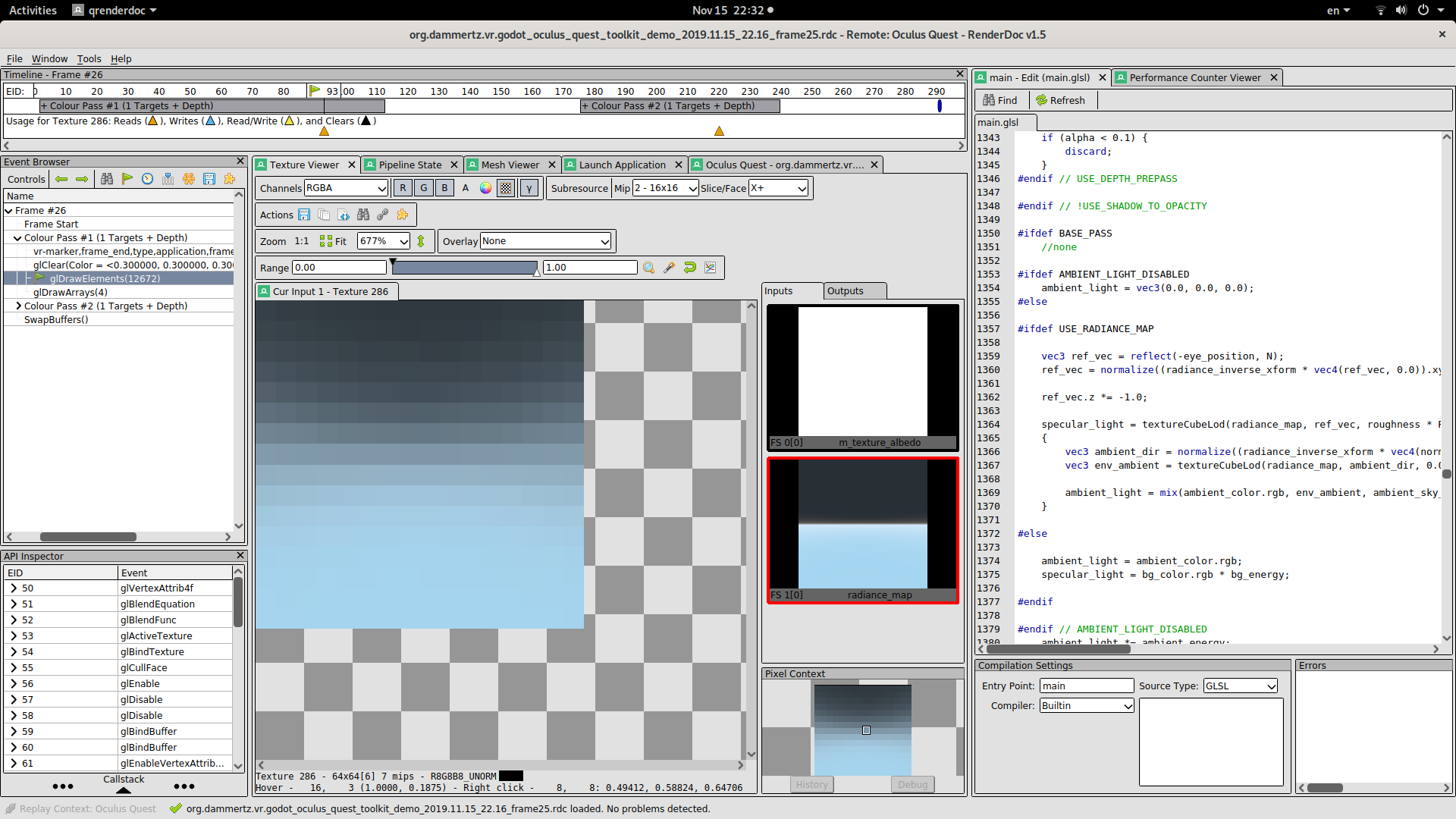
I think I found the cause of the issue: Mip Map level 1 of the prefiltered sky environment map is black!; all other mip levels look correct: here is a render doc trace from the quest with the mip levels visualized:
Mip 0, 1, 2:
NeoSpark314
on 15 Nov 2019
I tried disabling mipmap generation (always source from panorama texture and don't blur) and I seem to get much better results:

This is with the default precision (mediump), highp looks very similar but still has some shading discrepancies.
kaadmy
on 15 Nov 2019
@NeoSpark314 Sorry to interrupt, but since you seem knowledgeable about mipmapping, would you know if it's possible to fix #33519 without too much trouble?
 Calinou
on 16 Nov 2019
Calinou
on 16 Nov 2019
Fixed by #33646.
 akien-mga
on 30 Jul 2020
akien-mga
on 30 Jul 2020
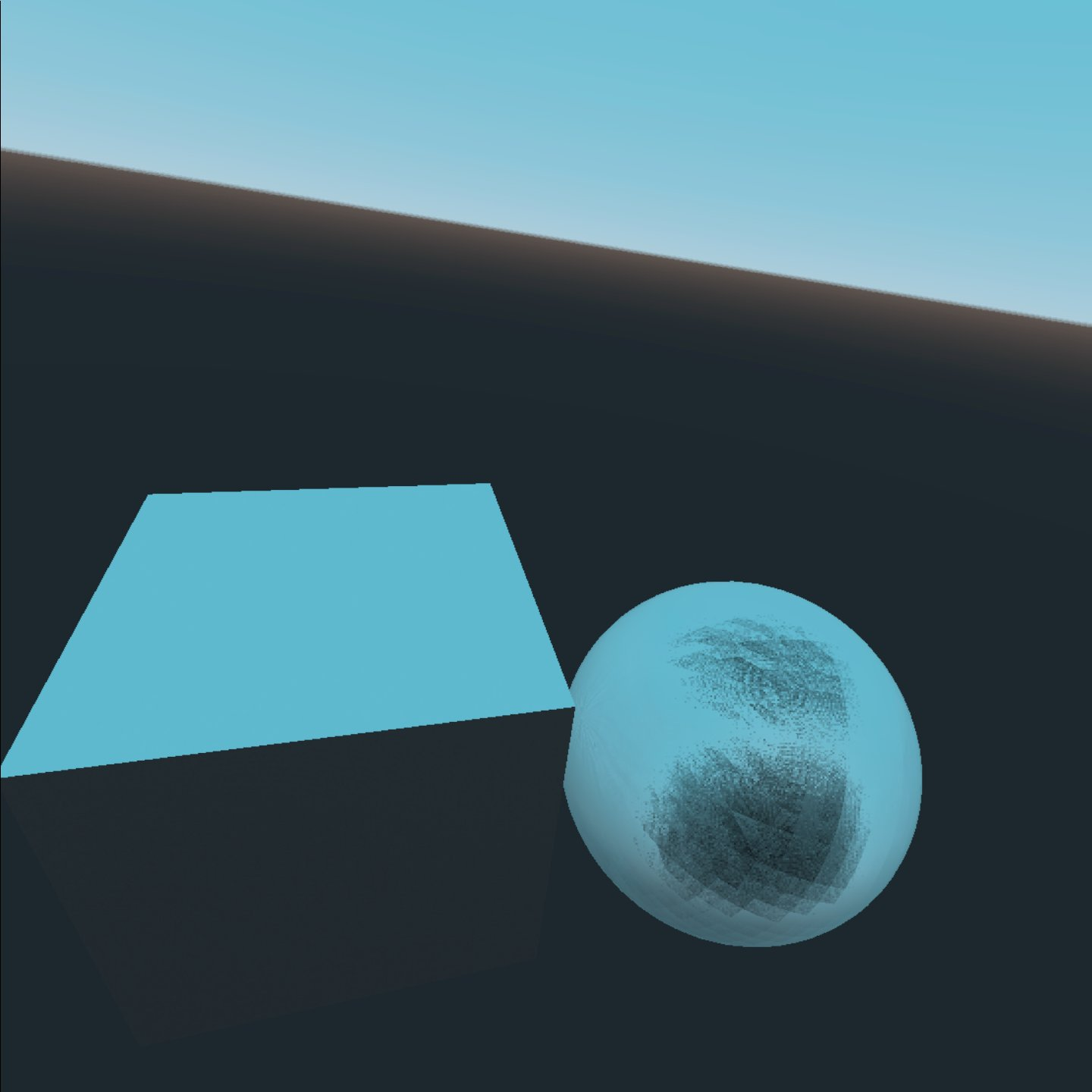
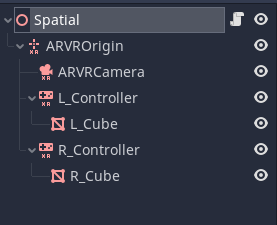
Hi, this issue still seems to persist under both 3.2.2 and 3.3.3, tested on Oculus Quest 2.
 eastrd
on 19 Oct 2020
eastrd
on 19 Oct 2020
Please open a new issue, as it's likely something in the VR code.
 Zireael07
on 19 Oct 2020
Zireael07
on 19 Oct 2020
@eastrd It's fixed in 3.2.3 (3.2.2 was released long before this issue was closed).
You have to enable a setting to use it, see #33646.
akien-mga
on 19 Oct 2020
The issue still remains in 3.2.3, even when setting the high precision float flag. It goes away if I change the WorldEnvironment to be Color. But if it is set to Sky or Sky+Color, the issue is still present. Our project is not VR related. Just a regular Android GLES2 app.
 Filippopotamus
on 17 Nov 2020
Filippopotamus
on 17 Nov 2020
Please open a new issue with a reproduction project.
akien-mga
on 17 Nov 2020
@akien-mga issue created: https://github.com/godotengine/godot/issues/43667
Filippopotamus
on 19 Nov 2020
Related issues
 testman42
·
3Comments
testman42
·
3Comments
 ducdetronquito
·
3Comments
ducdetronquito
·
3Comments
 SleepProgger
·
3Comments
SleepProgger
·
3Comments
 rgrams
·
3Comments
rgrams
·
3Comments
 mefihl
·
3Comments
mefihl
·
3Comments
Most helpful comment
I think I found the cause of the issue: Mip Map level 1 of the prefiltered sky environment map is black!; all other mip levels look correct: here is a render doc trace from the quest with the mip levels visualized:
Mip 0, 1, 2: