Godot version:
750f8d4
Issue description:
After #31844 was merged, this spams in the console on editor startup and when running scene:
ERROR: Timer was not added to the SceneTree!
   At: scene\main\timer.cpp:111
Look like editor used Timers that were started outside tree.
 KoBeWi
All 8 comments
Hello!
It's a meh! The author of the PR that causes this!
No idea why though 🤔
I'll look into it
 2shady4u
on 3 Sep 2019
2shady4u
on 3 Sep 2019

Tried to add these wayward Timers to the tree, but this crashes the editor... Seems that the tree doesn't exist yet unfortunately (or something equally problematic)
2shady4u
on 4 Sep 2019
@2shady4u If the node is not inside tree, you obviously can't use get_tree(). This method doesn't access some global SceneTree singleton.
btw, you can use print_line instead of cout.
KoBeWi
on 4 Sep 2019
Tried to add these wayward Timers to the tree, but this crashes the editor... Seems that the tree doesn't exist yet unfortunately (or something equally problematic)
Easiest thing to do is set a breakpoint at Timer::start() and run the editor in debug mode. Then trace the call stack to see what called it. Your cout is the same as the error message so it doesn't necessarily reveal any extra info.
Don't forget, you will have to manually attach the editor because it opens the project manager, which opens another process for the actual editor.
 codecustard
on 4 Sep 2019
codecustard
on 4 Sep 2019
This happens only in function cursor_set_blink_enabled
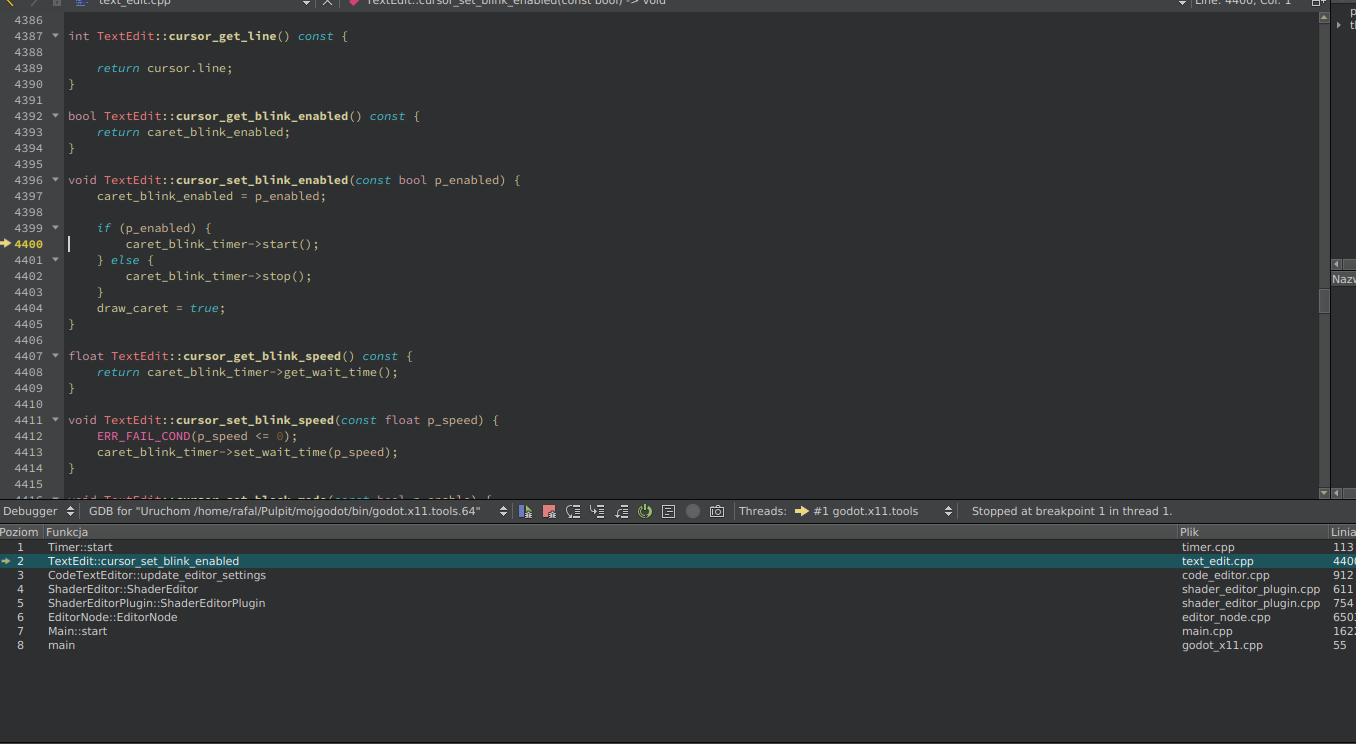
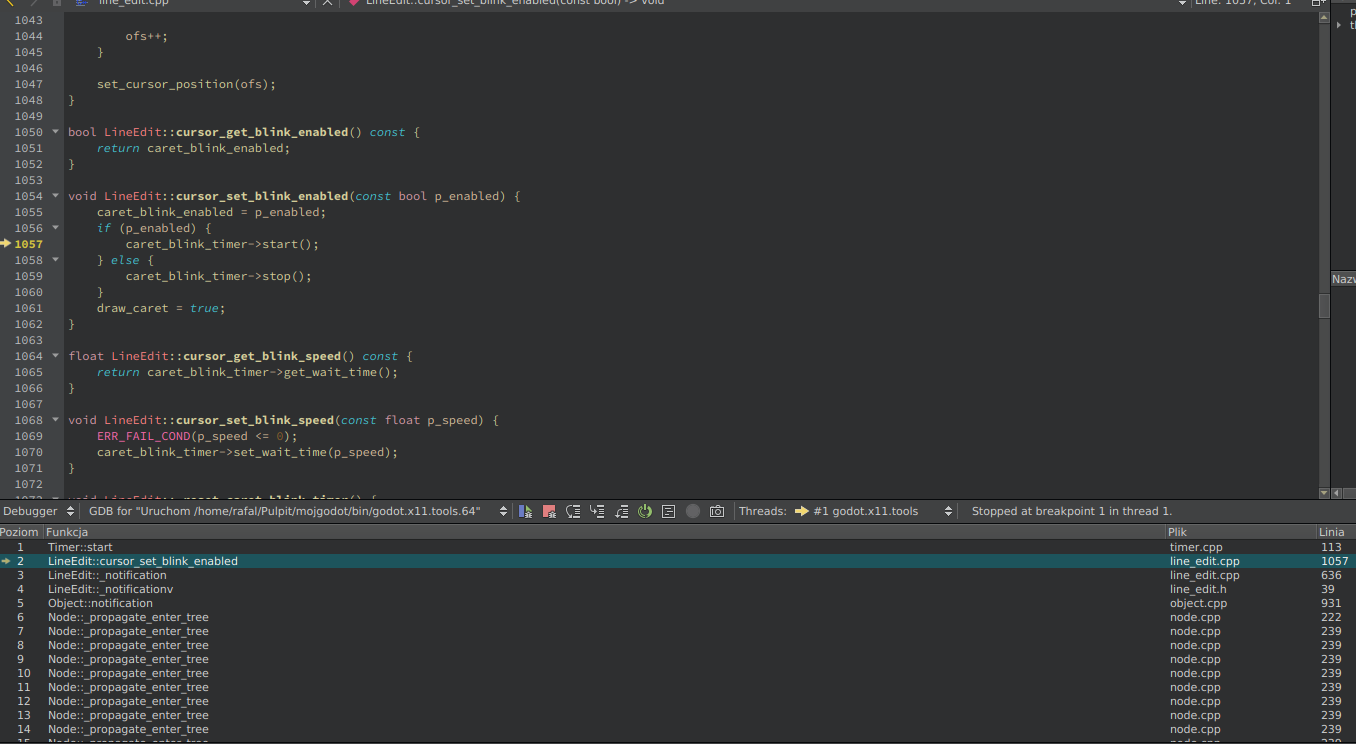
 qarmin
on 4 Sep 2019
qarmin
on 4 Sep 2019
@qarmin but both these caret_blink_timers are added to the tree? So how can they be the cause of this?
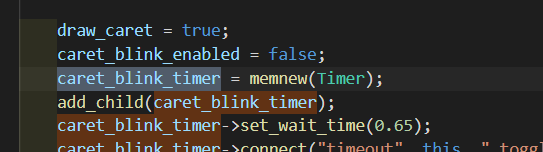
2shady4u
on 4 Sep 2019
actually add_child() does not mean added to scene tree, it just adds it to a another node.
maybe, its parent is not added to tree yet.
 volzhs
on 4 Sep 2019
volzhs
on 4 Sep 2019
TextEdit and LineEdit start the blinking timer before entering the scene tree. Also, these timers are running even when the controls are not in focus, which is hundreds of them in the editor.
I'm working on a fix to make them run only when needed.
 pouleyKetchoupp
on 4 Sep 2019
pouleyKetchoupp
on 4 Sep 2019
Related issues
 EdwardAngeles
·
3Comments
EdwardAngeles
·
3Comments
 Zylann
·
3Comments
Zylann
·
3Comments
 mooseyfaith
·
3Comments
mooseyfaith
·
3Comments
 RebelliousX
·
3Comments
RebelliousX
·
3Comments
 gonzo191
·
3Comments
gonzo191
·
3Comments
Most helpful comment
TextEditandLineEditstart the blinking timer before entering the scene tree. Also, these timers are running even when the controls are not in focus, which is hundreds of them in the editor.I'm working on a fix to make them run only when needed.