Godot: gltf file import bug with skinned mesh
Godot version:
3.1.1
OS/device including version:
Mint 19
Issue description:
This is a followup discussion based on this : https://github.com/KhronosGroup/glTF-Blender-IO/issues/566
2 different cases:
Non animated skin mesh with non default transform on joints
Seems Godot does not apply the transform of joints.
- https://gltf-viewer.donmccurdy.com/ (tree.js) : Seems OK
- https://sandbox.babylonjs.com/ : Seems OK
- godot 3.1.1 : Not OK
- Blender importer : Not OK

Animated skin mesh
- https://gltf-viewer.donmccurdy.com/ (tree.js) : Seems OK
- https://sandbox.babylonjs.com/ : Seems OK
- godot 3.1.1 : Not OK
- Blender importer : Seems OK


Steps to reproduce:
Import gltf file
Minimal reproduction project:
Here are files:
- non animated skin mesh:
test_skin.zip
- animated skin mesh:
animated.zip
Note: As said in glTF-Blender-IO issue, this are test files generated by a WIP branch.
 julienduroure
All 13 comments
@julienduroure Ive been working to rewrite most of the importer for skins/animation and I am very close to being complete. Could you provide me with the animated glb's as gltf+glb's also? It is very helpful for me to manually debug some cases.
Id like to note the changes I am working on will fix this issue also.
 marstaik
on 8 Sep 2019
marstaik
on 8 Sep 2019
Success:

marstaik
on 8 Sep 2019
Want me to test your branch?
 fire
on 8 Sep 2019
fire
on 8 Sep 2019
I'll push it up tomorrow, I want to clean up the code a bit. I would love some more testers. I've fixed a whole lot of issues though, not just this one.
marstaik
on 8 Sep 2019
@marstaik Here are the files!
gltf.zip
julienduroure
on 8 Sep 2019
@marstaik Hello Marios,
I know there is lots of discussion about skin glTF specification , but can I have a status about this ticket and files I sent you. Do you have any issue? Does it fit with what you expected?
julienduroure
on 11 Sep 2019
@julienduroure Woops, sorry I never replied. I have managed to fix this issue on my test branch, but it is in an imperfect way, as it currently does not take the entire bindpose into account.
I do however understand exactly why this is happening with the current importer, and how to fix it once necessary changes are made.
I am waiting on a change from @reduz that will allow us to support multiple skins per skeleton. I would like to wait for the importer to use that change before I commit this incomplete bindpose fix, as it breaks currently when there is more than one skin with different bindposes. I feel like it will leave some people currently in an unhappy state if it was brought in like this.
marstaik
on 11 Sep 2019
@marstaik Ok, so issue is on your side. If you don't detect problems on glb file I provided, I can merge the PR changes on blender exporter.
julienduroure
on 11 Sep 2019
@julienduroure Would you mind holding off for one more day? There is something I would like to test, and I should know the result by the end of tomorrow. Alas, today I am too busy, but I will try to find time.
marstaik
on 11 Sep 2019
@marstaik Yes, no problem. Let me know when ready.
julienduroure
on 11 Sep 2019
Results of my test:
Ive managed to import it and re-compute the Inverse Bind Matrices (IBM's) to a new skeleton root (check the gif for reference).
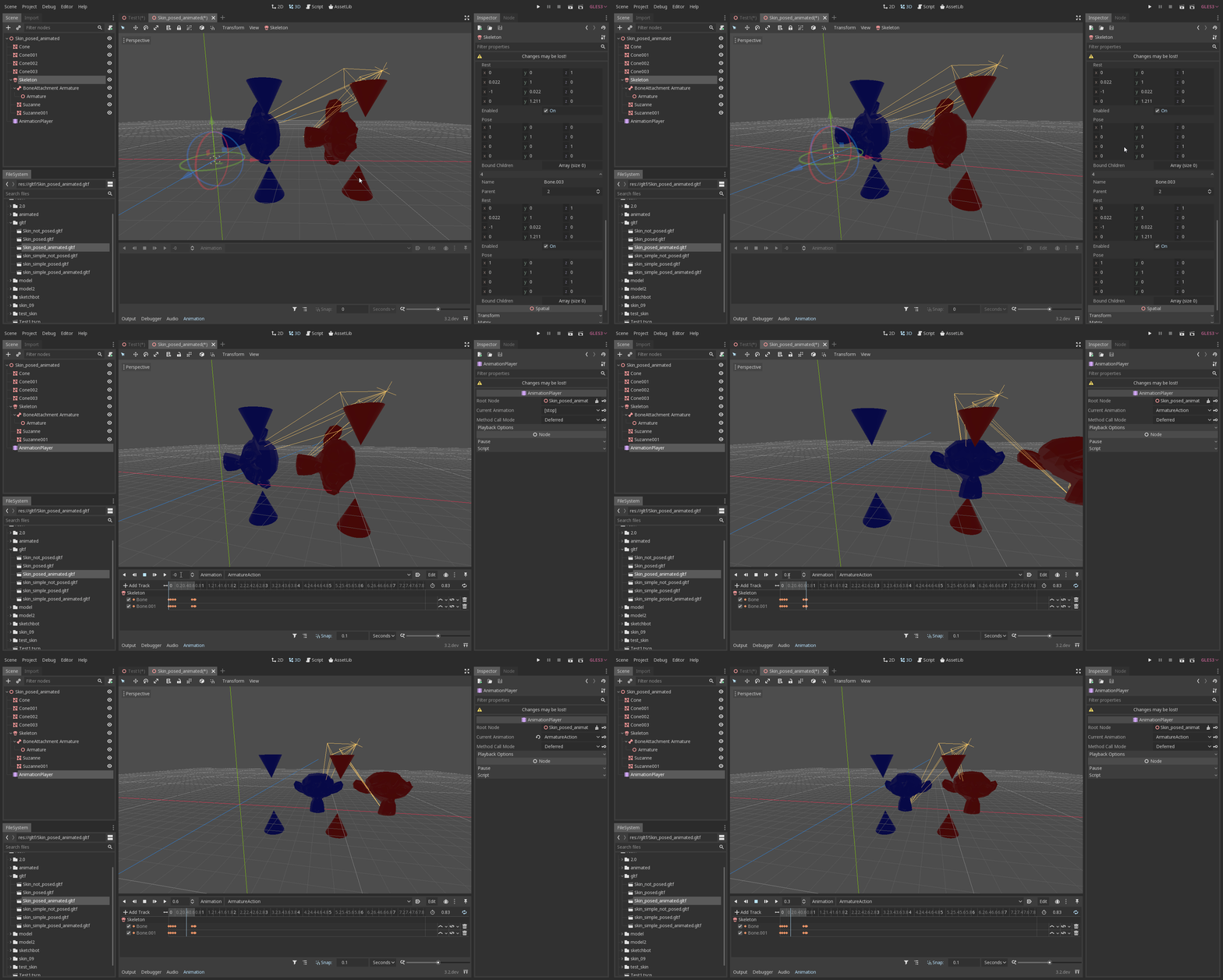
After debugging and cross-checking with your provided gltf files, I can confirm that your files export perfectly fine!
Godot seems to not save the pose set on the skeleton in the scene (the actual nodes transform), only the bind poses. I confirmed this manually with the debugger, and it showed the pose being applied on my end, but reset to the identity when I loaded the scene.
That is why the monkeys appear turned to the side at the start of the gif, as at scene startup they go to the bind pose dictated by the IBM's.
After the animation plays, you can see they go to the correct position as the animation takes control of the active pose.
marstaik
on 13 Sep 2019
Thanks for your feedback.
I will merge my blender exporter PR soon, probably tonight (european time)
julienduroure
on 13 Sep 2019
Hey @julienduroure , this has been fixed earlier today by https://github.com/godotengine/godot/pull/32213
marstaik
on 24 Sep 2019
Related issues
 timoschwarzer
·
3Comments
timoschwarzer
·
3Comments
 EdwardAngeles
·
3Comments
EdwardAngeles
·
3Comments
 nunodonato
·
3Comments
nunodonato
·
3Comments
 Zylann
·
3Comments
Zylann
·
3Comments
 RayKoopa
·
3Comments
RayKoopa
·
3Comments
Most helpful comment
Success:
