Godot: AnimationPlayer: Unable to animate outline modulate and cannot insert a key for CustomFonts
Godot version: v3.1.stable.official
OS/device including version: Arch x64 - 5.1.7
Issue description:
I am trying to create a AnimationPlayer that smoothly changes the custom font's _outline color_ between given colors for a Label.
But it gives me this error if i try to add a _key_ for font_outline_modulate:
core/undo_redo.cpp:291 - Error calling method from signal 'track_insert_key': 'Animation::track_insert_key': Method expected 3 arguments, but called with 2.
Add Track Key
Steps to reproduce:
1.) Create a AnimationPlayer
2.) Create a Label and add Custom Dynamic Font
3.1) In the AnimationPlayer, add Property Track that called custom_colors/font_outline_modulate and try to insert a key.
3.2) In the AnimationPlayer, add Property Track that called custom_fonts/font and try to insert a key. After that, for each of the key, modulate values is still the same. (The value in a key is applied to all keys.)
Result:
Unable to animate Font's outline color between given color values via AnimationPlayer
 Dentrax
All 7 comments
 TheDuriel
on 13 Jun 2019
TheDuriel
on 13 Jun 2019
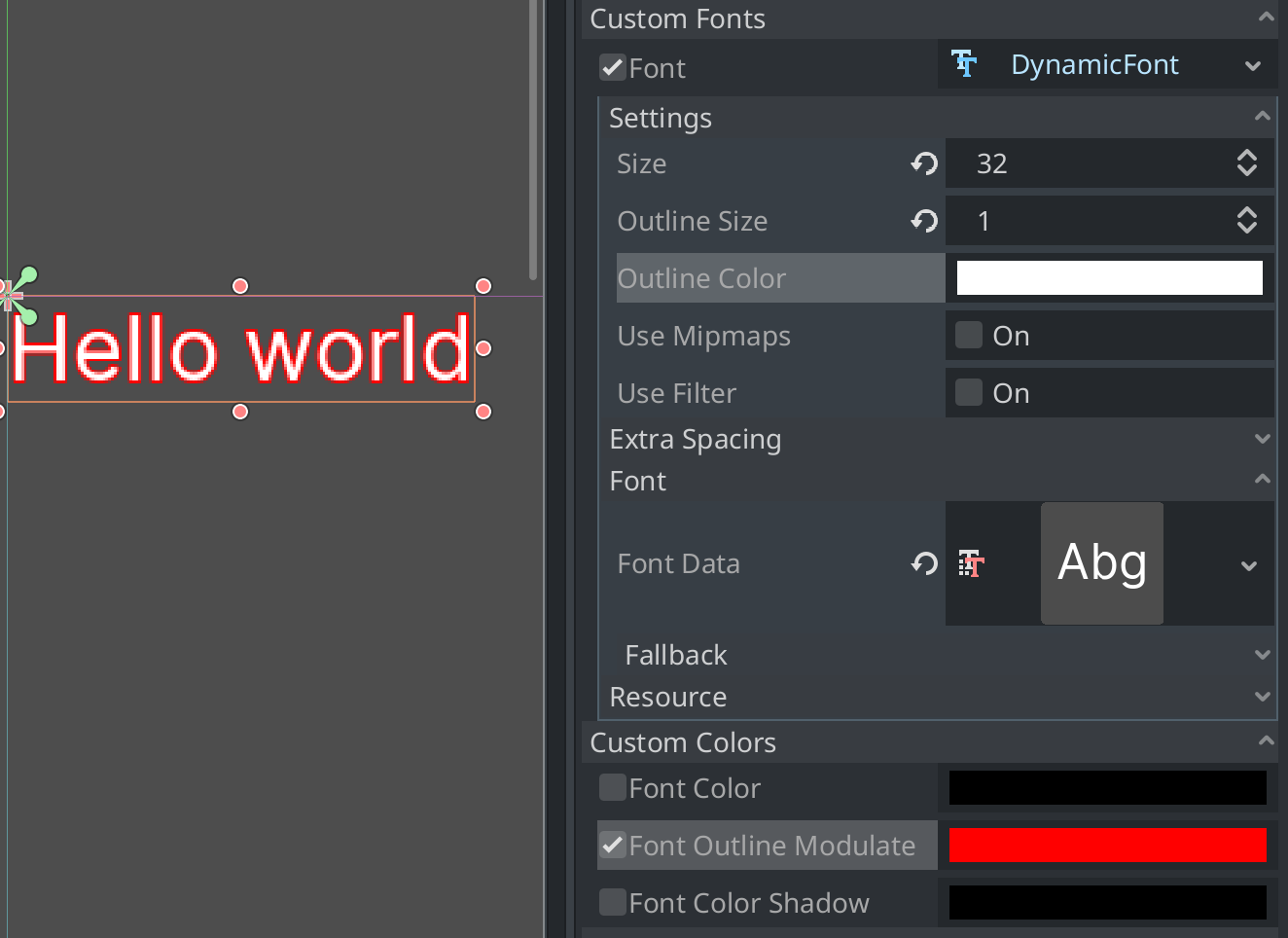
There are two ways to set a font outline color:
- Set the font outline color in the DynamicFont, but don't touch the label's Font Outline Modulate constant.
- Keep the white outline color in the DynamicFont and set the label's Font Outline Modulate constant to the desired color.
I'm not sure if the former implies a need to re-render the font (which makes it a no-go in real-world projects, as that will cause visible slowdowns).
On https://github.com/godotengine/godot/commit/9af94d650f806bb87ba7e5cd0f4cb091837b7810, I've been able to animate a font outline using both ways in a demo project here: test_font_outline.zip
 Calinou
on 13 Jun 2019
Calinou
on 13 Jun 2019
@Calinou Thank you for your well-explanation. I found the custom_colors/font_outline_modulate, but I couldn't find the Label:custom_fonts/font:outline_color property in the _Select Property_ window. How do I add this property?
Dentrax
on 14 Jun 2019
@Dentrax Custom control constants are different from script properties. They're a special kind of variable designed for theming. I can see two ways to adjust them from an animation player:
- Export a property with a Color hint in a script. The property has a
setgetmethod that will set the custom constant. You can then animate it using a property track:
export(Color, RGBA) var outline_color = Color() setget set_outline_color

func set_outline_color(p_outline_color):
    outline_color = p_outline_color
    add_constant_override("font_outline_modulate", outline_color)
- Use a Call Method Track to call the
add_constant_override()method with the correct arguments specified. However, interpolation won't be possible this way.
Calinou
on 24 Aug 2019
It would be helpful if this were documented.
 frojo
on 27 Aug 2019
frojo
on 27 Aug 2019
@Calinou Thank you so much for well-explain. ;)
Dentrax
on 27 Aug 2019
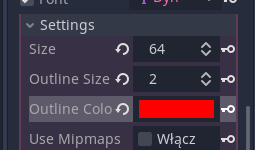
The problem here is that you can't add tracks for properties of resources via the "Add Track" menu. You can do this perfectly fine with the key button next to the property
Closing this in favor of #33807, which has more relevant discussion on the subject.
 KoBeWi
on 15 Dec 2019
KoBeWi
on 15 Dec 2019
Related issues
 RayKoopa
·
3Comments
RayKoopa
·
3Comments
 blurymind
·
3Comments
blurymind
·
3Comments
 kirilledelman
·
3Comments
kirilledelman
·
3Comments
 EdwardAngeles
·
3Comments
EdwardAngeles
·
3Comments
 mooseyfaith
·
3Comments
mooseyfaith
·
3Comments
Most helpful comment
There are two ways to set a font outline color:
I'm not sure if the former implies a need to re-render the font (which makes it a no-go in real-world projects, as that will cause visible slowdowns).
On https://github.com/godotengine/godot/commit/9af94d650f806bb87ba7e5cd0f4cb091837b7810, I've been able to animate a font outline using both ways in a demo project here: test_font_outline.zip