Godot: The default thumbnail size should be bigger
Godot version:
3.2.dev
OS/device including version:
Ubuntu 19.04
Issue description:
The default thumbnail size right now is 64 pixels.
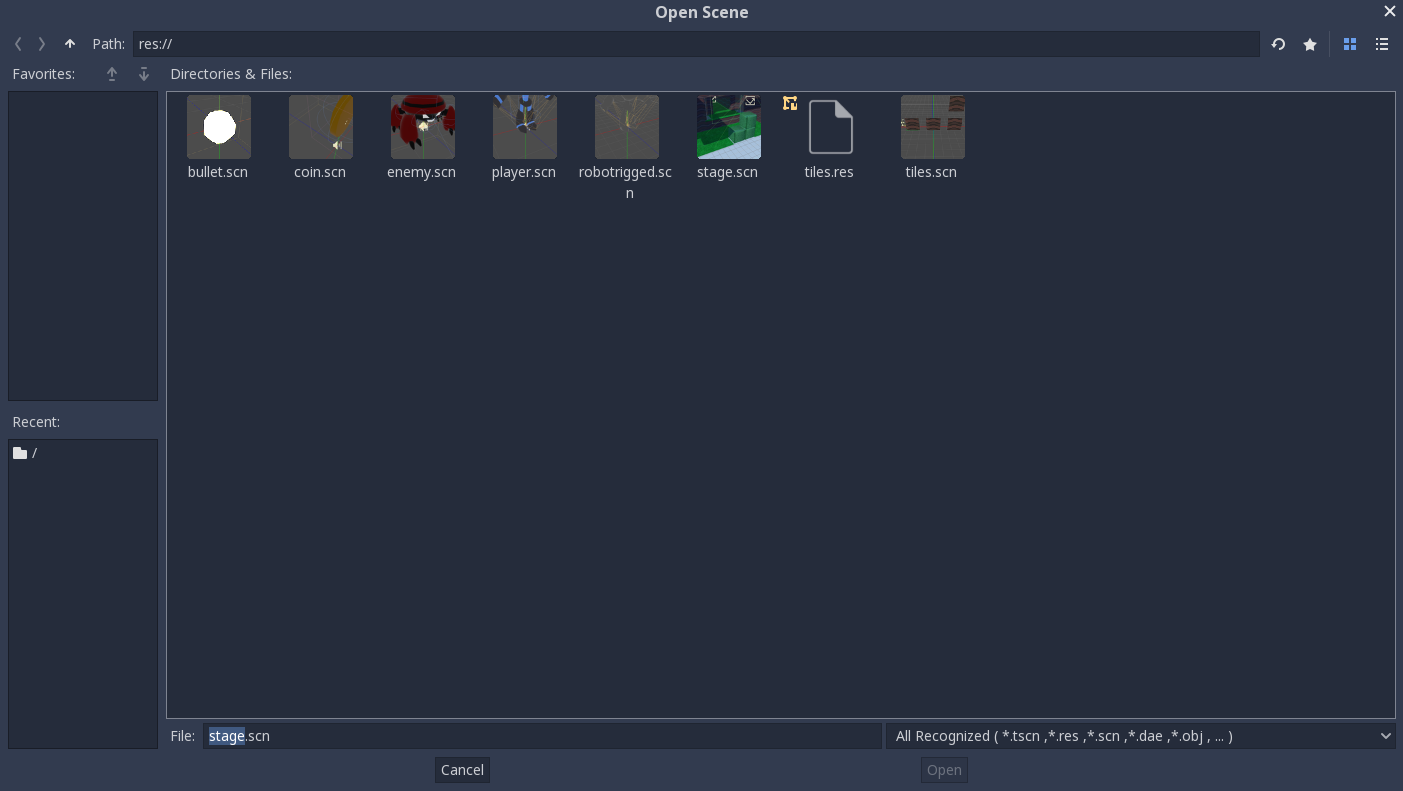
I think that it's a little too small, especially if you have a large monitor.
96 pixels seems to be a good compromise, it doesn't waste too much space and the images are more readable.
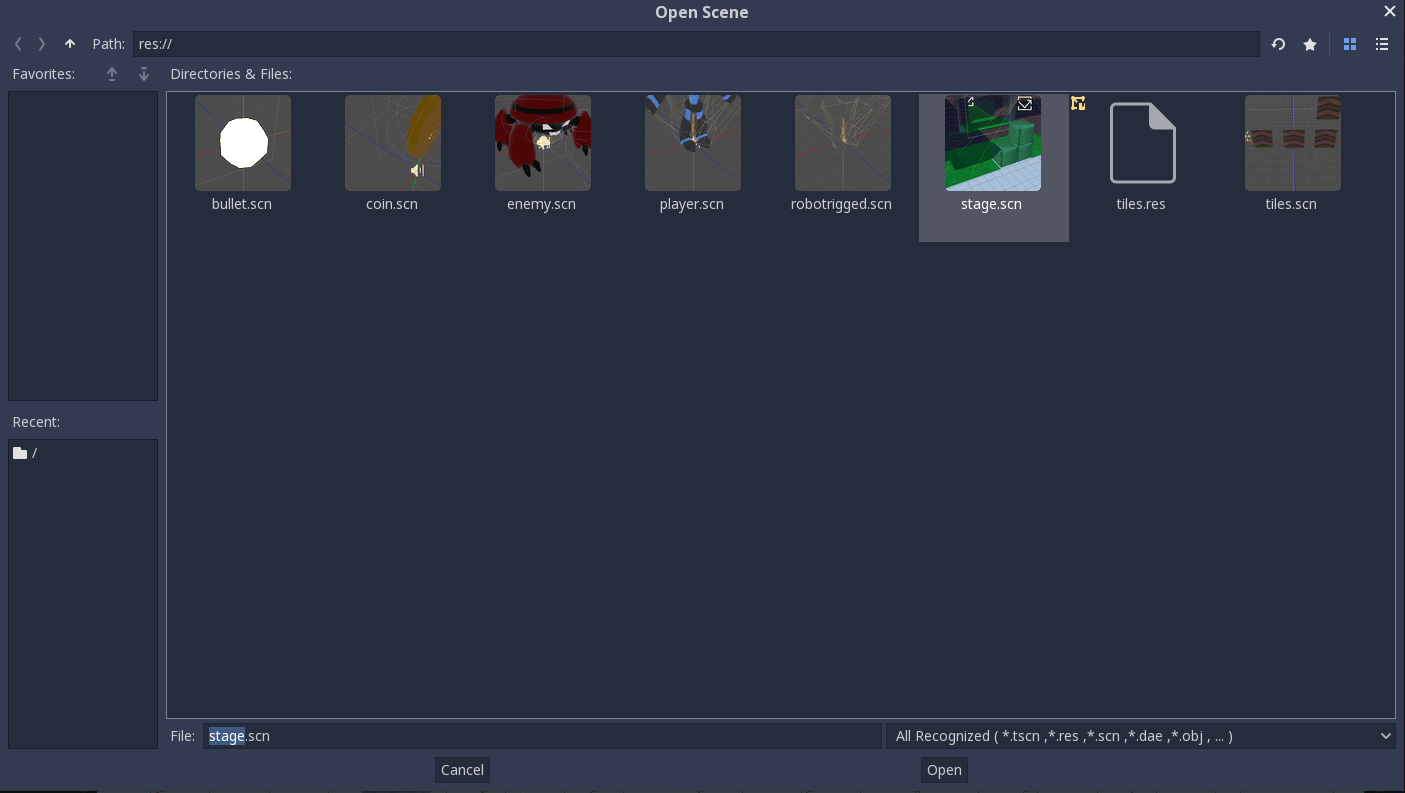
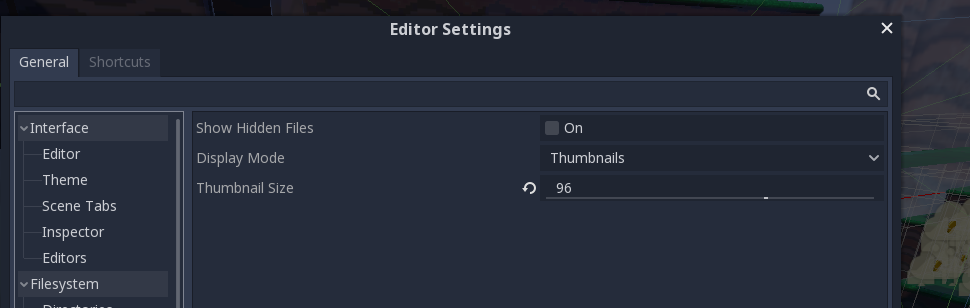
It's already possible to change this value within the editor, my proposal is just to make the default a bit larger.
 Daw11
Daw11
All 3 comments
Is there a significant performance difference with larger values? This should be tested on a slow PC (such as an ultrabook with no dedicated graphics card).
Also, I'm not sure if increasing thumbnail sizes really improves usability. Thumbnails usually don't need to be large to provide efficient visual grepping; just being able to see the shapes and colors is often enough.
 Calinou
on 31 May 2019
Calinou
on 31 May 2019
One of the strength of the Godot editor is to look nice directly on both small screen and big screens too. IMHO, increasing the default size would significantly worsen the UX on small screens, so it is not a good idea.
Small screens are still really important for godot use, as people often work on laptops, which happens a lot in game jams, for example.
 groud
on 31 May 2019
groud
on 31 May 2019
What about adding a slider directly in the filesystem dock (probably in the top/right, just under the set of icons/button)?
Something like this : https://s3.amazonaws.com/ssi-article-images/adobe/pse/pse10/media-browser-5.jpg
The slider scale could be applied on top of the specified thumbnail size, and give additional x0.5, x1, x2, x4 scaling modes for the duration of the operation ; or alternatively, it could simply map directly to the 'Thumbnail Size' value saved in the editor allowing the user to change this setting in two different places.
 Althar93
on 26 Jun 2020
Althar93
on 26 Jun 2020
Related issues
 gonzo191
·
3Comments
gonzo191
·
3Comments
 Zylann
·
3Comments
Zylann
·
3Comments
 rgrams
·
3Comments
rgrams
·
3Comments
 EdwardAngeles
·
3Comments
EdwardAngeles
·
3Comments
 bojidar-bg
·
3Comments
bojidar-bg
·
3Comments
Most helpful comment
One of the strength of the Godot editor is to look nice directly on both small screen and big screens too. IMHO, increasing the default size would significantly worsen the UX on small screens, so it is not a good idea.
Small screens are still really important for godot use, as people often work on laptops, which happens a lot in game jams, for example.