Godot: Confusing workflow for new custom Android builds / source template
Godot version:
Godot 3.2.dev commit id:0239d8bd9fa03965439aac2482d18746f807bd00
OS/device including version:
Linux Manjaro
Issue description:
I don't know if this is an issue or not, simply I don't know how to test the new android export. I follow the documentation instruction, but Godot doesn't create the android project template. I attach some screenshot to better understand.


Tell me the template is missing but I have installed all templates.
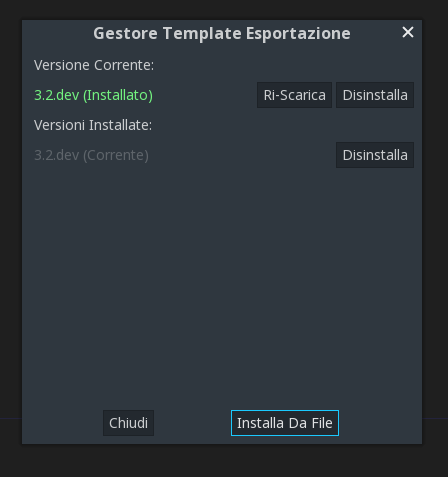
It's a bug or is intended to do this for now? How can I test the new android export for some feedback?
Steps to reproduce:
Look the screenshot
Minimal reproduction project:
 grevius5
All 11 comments
The templates have to be exactly match for your version of Godot, so if you compiled from master yourself, you also need to compile the templates. And I think there might be something wrong with creation of android templates right now. I was not able to compile it myself few days ago. Everything looked like it's going all right, but there was no templates in the folder after all. Looks like #28498 has something to do with this.
 freemanfromgodotengine
on 7 May 2019
freemanfromgodotengine
on 7 May 2019
@freemanfromgodotengine They are now in another folder (not copied to /bin anymore).
 LinuxUserGD
on 14 May 2019
LinuxUserGD
on 14 May 2019
You can find the generated apk in godot/platform/android/java/build/outputs/apk
 erammos
on 15 May 2019
erammos
on 15 May 2019
I can't find the .apk there on /android/java although the folder should be correct. Don't know what I'm doing wrong. Edit: Sorry, I forgot to run ./gradlew
LinuxUserGD
on 15 May 2019
Btw, i can't export the gradle project from "Install Android Build Template", I get the same error "Android build template is missing", although i have installed the template
erammos
on 15 May 2019
Well I have managed to solve that issue. You have to take everything in godot/platform/android/java/ (except the Build folder), zip them in a file named as "android_source.zip" and last copy-paste it in your templates folder 3.2.dev
erammos
on 15 May 2019
There is no android_source.zip on godot server so it won't work. Apk files won't going to work. Zipping java folder works but it does not work on android phone, i.e crashes( might be some other bug).
 gamergamesz
on 18 May 2019
gamergamesz
on 18 May 2019
There is no android_source.zip on godot server so it won't work. Apk files won't going to work. Zipping java folder works but it does not work on android phone, i.e crashes( might be some other bug).
Maybe the engine libs are missing in java folder... you have to compile the engine first (scons platform = android )
erammos
on 18 May 2019
I did copy paste lib folder in android_source.
gamergamesz
on 18 May 2019
If it crashes, your best option is to run adb logcat and open an issue with the log.
 neikeq
on 4 Jul 2019
neikeq
on 4 Jul 2019
I do not have the android_source.zip file in my templates folder and I can still build for android perfectly fine, for oculus quest and a normal android device @erammos
 creikey
on 20 Jul 2019
creikey
on 20 Jul 2019
Related issues
 nunodonato
·
143Comments
nunodonato
·
143Comments
 akien-mga
·
366Comments
akien-mga
·
366Comments
 ghost
·
105Comments
ghost
·
105Comments
 reduz
·
111Comments
reduz
·
111Comments
 nicklunt
·
107Comments
nicklunt
·
107Comments
Most helpful comment
Well I have managed to solve that issue. You have to take everything in godot/platform/android/java/ (except the Build folder), zip them in a file named as "android_source.zip" and last copy-paste it in your templates folder 3.2.dev