Godot: Press close button after modifying editor setting font main size messed up the display
Godot version 3.1
OS/device including version:
MacOs Mojave 10.14.3
McBook Air 13 (2015)
Issue description:
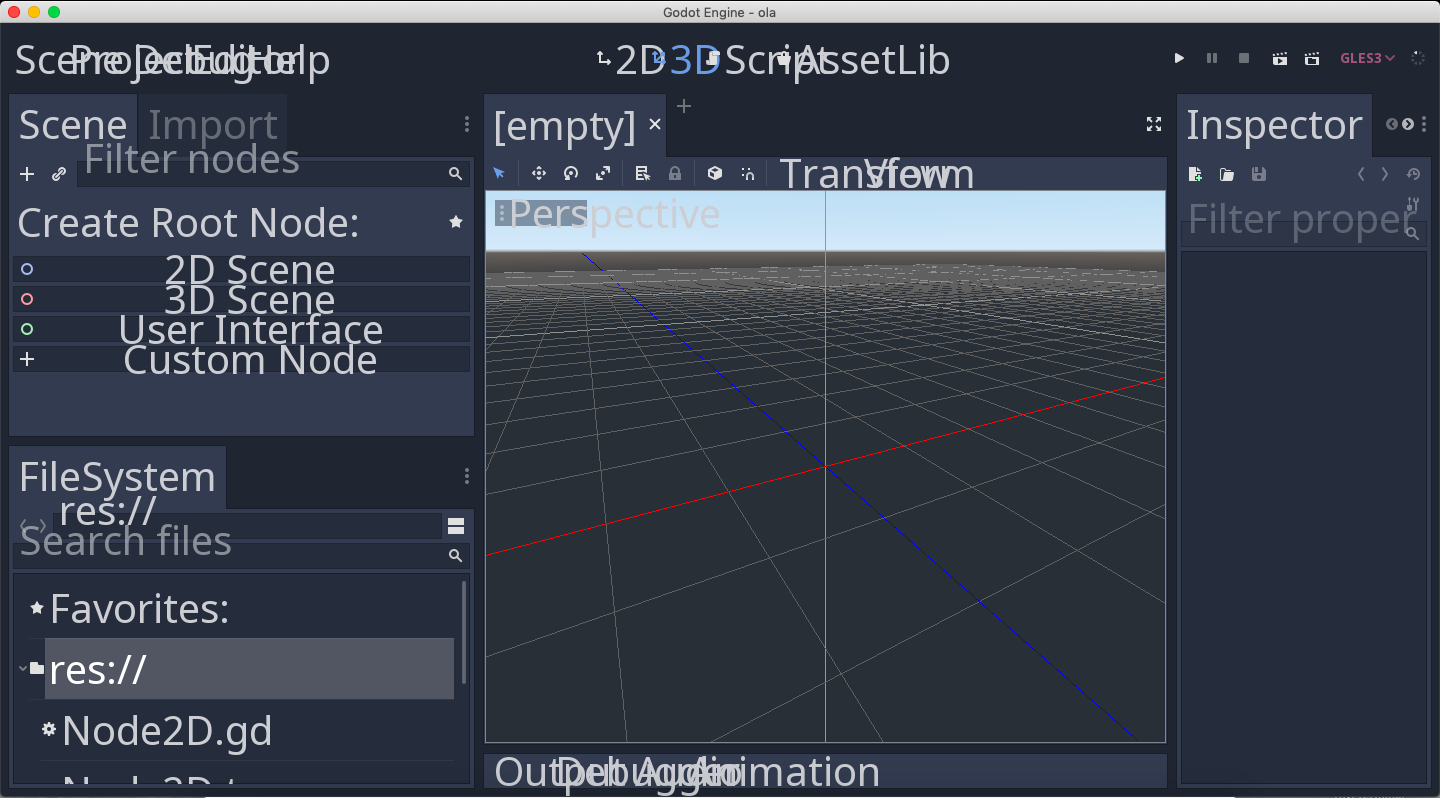
I tried to modify the main font size in the editor settings and when I increase it and close the settings the display is messed up.
Steps to reproduce:
Editor -> Editor Settings -> Interface -> Editor -> Main Font Size -> Set to 40 -> Press close
 gsegovia2018
All 6 comments
The editor font size should be capped to a reasonable value to avoid this. The default size is 14; I think 20 is a reasonable maximum value. (The editor scale can still be customized freely, in case the default value isn't suitable for a specific display.)
As a workaround, you can edit the ~/Library/Application Support/godot/editor_settings-3.tres file to set the font size to a lower value.
 Calinou
on 4 Apr 2019
Calinou
on 4 Apr 2019
Got it. Working on it!
gsegovia2018
on 4 Apr 2019
It should depend on editor scale, maybe (25 / EDSCALE)?
50% - max 50
100% - max 25
200% - max 12
 qarmin
on 4 Apr 2019
qarmin
on 4 Apr 2019
@qarmin The font size is scaled with the editor scale, and this would still make it possible to set high values by switching to a lower editor scale, setting the font size to 50, then increasing the editor scale again.
If you need to use a font size higher than 20, you should probably increase the editor scale instead.
Calinou
on 4 Apr 2019
IMO this should be supported. 40 on 100% scale is likely a bit extreme, but all those widgets should recalculate their size to handle a change in font size.
 akien-mga
on 28 May 2019
akien-mga
on 28 May 2019
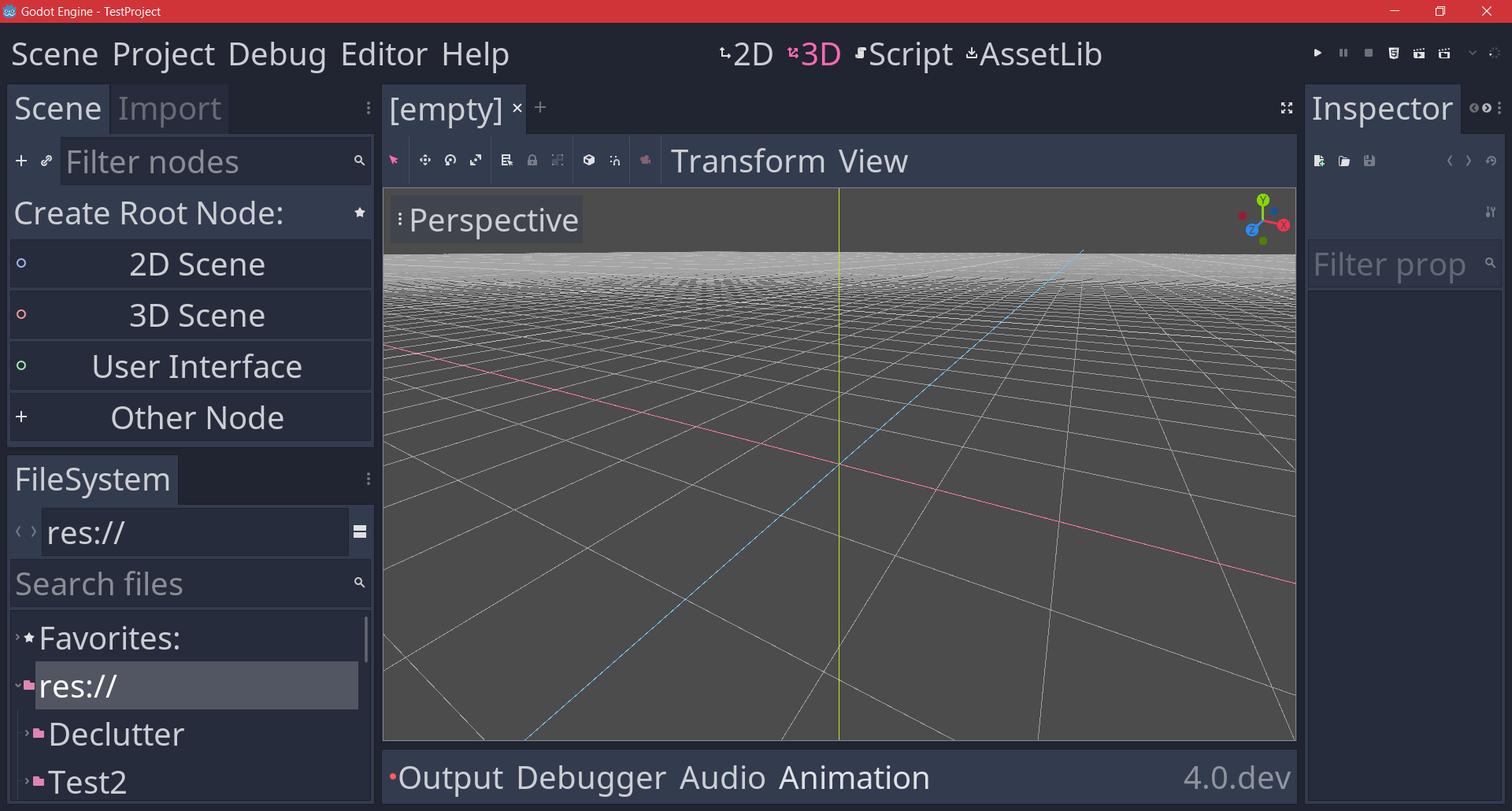
Looks fixed in 4.0
 KoBeWi
on 21 Aug 2020
KoBeWi
on 21 Aug 2020
Related issues
 gonzo191
·
3Comments
gonzo191
·
3Comments
 ducdetronquito
·
3Comments
ducdetronquito
·
3Comments
 blurymind
·
3Comments
blurymind
·
3Comments
 nunodonato
·
3Comments
nunodonato
·
3Comments
 RebelliousX
·
3Comments
RebelliousX
·
3Comments
Most helpful comment
The editor font size should be capped to a reasonable value to avoid this. The default size is 14; I think 20 is a reasonable maximum value. (The editor scale can still be customized freely, in case the default value isn't suitable for a specific display.)
As a workaround, you can edit the
~/Library/Application Support/godot/editor_settings-3.tresfile to set the font size to a lower value.