Godot: Tilemap shows seams when zoomed in
Godot version: 3.0.6
OS/device including version: Windows 8.1
Issue description:
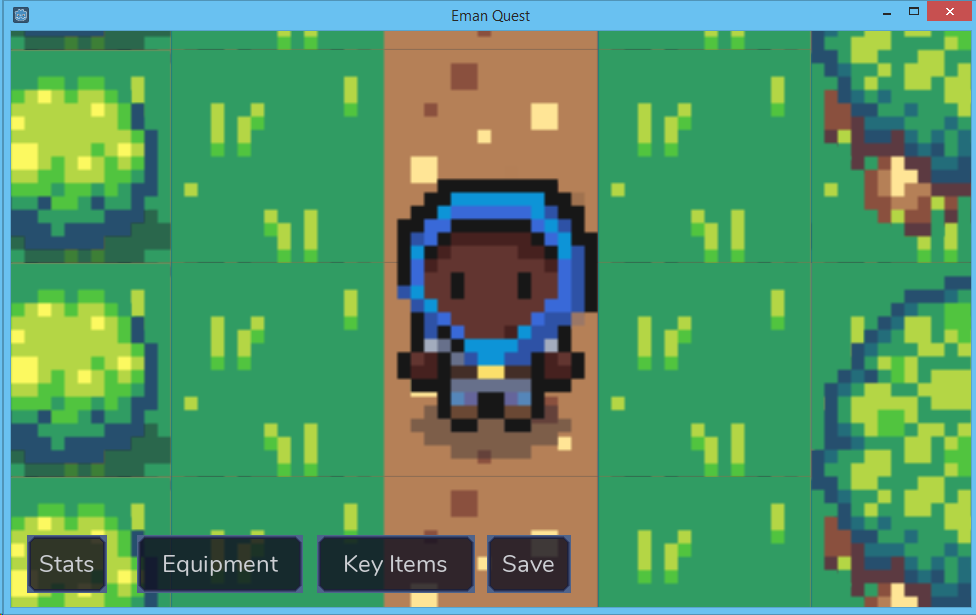
When I set camera zoom to anything less than 1, my tilemaps have hard seams between them:
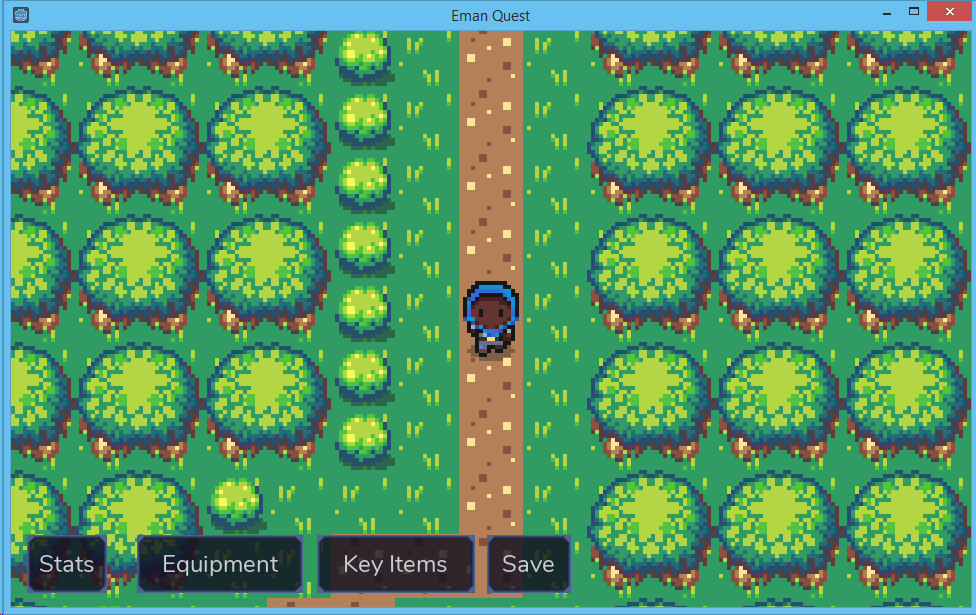
Everything looks fine if it's zoomed to 1x though:
Steps to reproduce:
- Create a project, set Pixel Snap on
- Import an image, create a tileset, create a tilemap and draw tiles
- Add a Camera2D, set zoom to something like
(0.3, 0.3) - Run the scene. Note the seams.
NB: I also tried with various combinations of pixel-snap on and off, and my texture with no flags, mipmapping only, filter only, mipmapping and filter both. Same behaviour.
Minimal reproduction project: available upon request
 nightblade9
All 8 comments
Related to #26730 by the sound of it? Possibly same root cause, i.e. #26567.
 Sslaxx
on 7 Mar 2019
Sslaxx
on 7 Mar 2019
Your zoomed tilemap looks blurry. To me, it means you have tiles in an atlas which you upscaled in a image editor to look "pixel-arty", and then imported to Godot with default settings. However, default settings have filter enabled, and that would be where the blur and the seams come from. Do you have an example project to verify this?
 Zylann
on 7 Mar 2019
Zylann
on 7 Mar 2019
I don't have an MVP project. I have a large project. I will try to cut it down to a reasonable size and deliver it to you as an MVP.
You are correct about my sprites: they're originally 16x16, and scaled up to 64x64 without aliasing.
As I mentioned, I already tried disabling filter (and mipmaps, and pixel snap) in various combinations, all to no avail.
@Sslaxx I don't think they're the same: in #26730, the seams appear at 1x zoom, and when you move. Mine appear only when zoomed in, and all the time - not just when moving.
nightblade9
on 7 Mar 2019
To me this clearly is the behavior happening with filtered atlas textures. Filtered pixels on the edges blend a little with their neighboring tile, because of the way filtering works. My game has zoomed in tilemap with an atlas, but I use pixel art, so filter is disabled, and I don't have any of these seams.
As I mentioned, I already tried disabling filter (and mipmaps, and pixel snap) in various combinations, all to no avail.
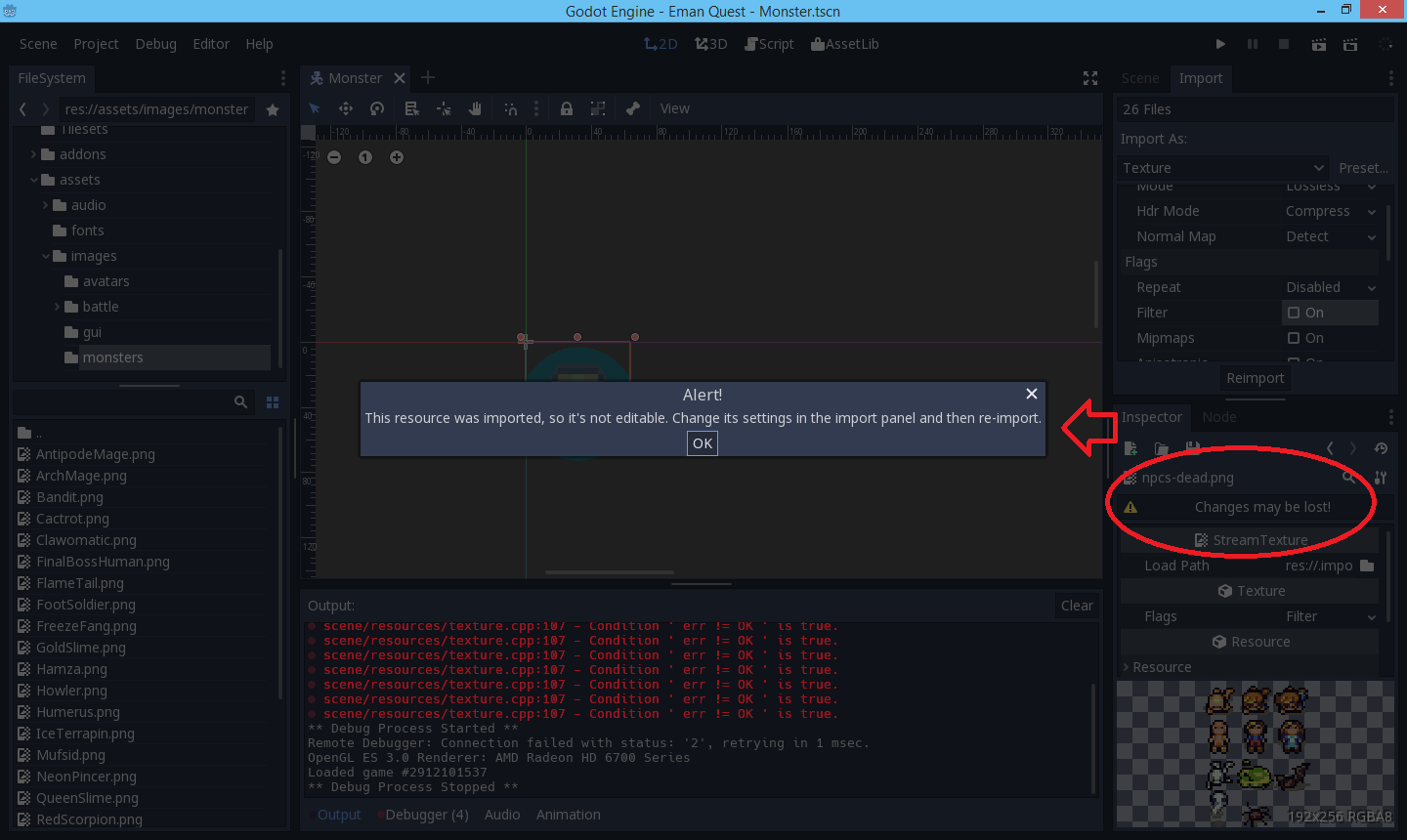
Your screenshot is blurry, still. Are you sure you disabled that filter in import settings and clicked "Reimport"? (Modifying the texture directly won't have any effect).
Zylann
on 7 Mar 2019
@nightblade9 another option is to try this out in 3.1 and see if you can reproduce it. A lot has changed between 3.0.6 and now, so your issue may very well have been fixed. Hence why its so hard to reproduce.
@Sslaxx This bug report relates to version 3.0.6 so I dont think a PR from last week is going to be the problem. 😄
 clayjohn
on 7 Mar 2019
clayjohn
on 7 Mar 2019
@Zylann I didn't reimport the textures. I didn't know that's necessary. I'll try that.
I'm not clear on what blurry textures has to do with the seams. Could you explain that a bit further?
nightblade9
on 7 Mar 2019
@nightblade9 I was just able to reproduce your issue. But I fixed it by turning filter off and using pixel snap.
Filter reads the color from four pixels with each lookup and blends them together. When using a single sprite the neighbouring pixel on the edge of the sprite gets clamped to the edge so you dont get borders, but on a spritesheet you read from an empty pixel on the sheet. This pixel gets blended with the one you want to read from resulting in a slightly darker pixel on all the borders.
clayjohn
on 7 Mar 2019
Thanks @clayjohn @Zylann, reimporting the PNGs with "Filter" off fixed the issue for me. For reference, I didn't even notice the warning in the Godot UI.
nightblade9
on 8 Mar 2019
Related issues
 nunodonato
·
3Comments
nunodonato
·
3Comments
 rgrams
·
3Comments
rgrams
·
3Comments
 mefihl
·
3Comments
mefihl
·
3Comments
 bojidar-bg
·
3Comments
bojidar-bg
·
3Comments
 RayKoopa
·
3Comments
RayKoopa
·
3Comments