Godot: Placing a rotated tile in GridMap deletes the adjacent tile
Godot version:
3.1 beta 8
OS/device including version:
MacOS
Issue description:
Placing a _rotated_ tile next to an already-placed tile on a GridMap causes the already-placed tile to disappear.
Steps to reproduce:
Open the project and the TestLandscapeGrid scene...
Given this setup:
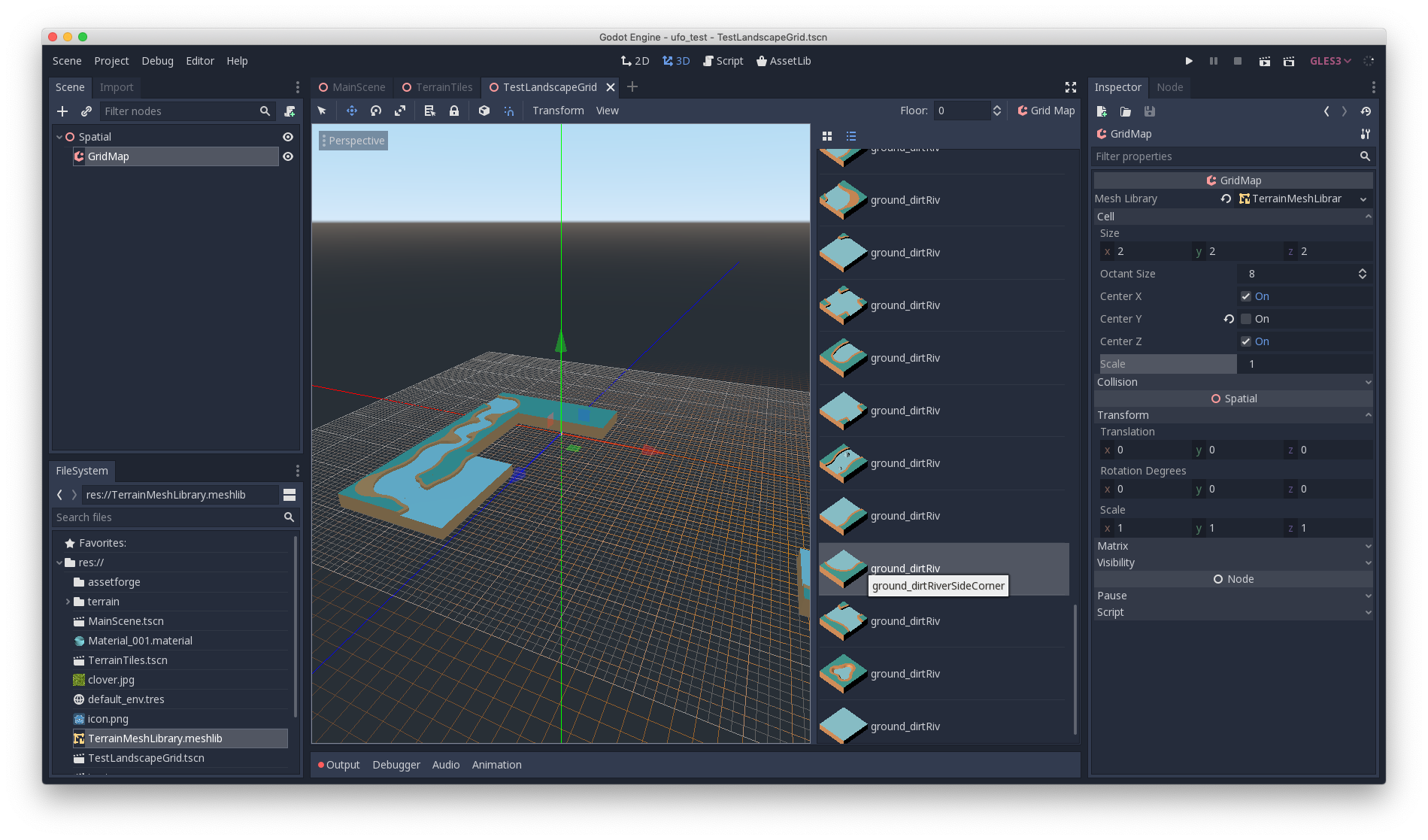
Try taking the selected tile and placing it here:
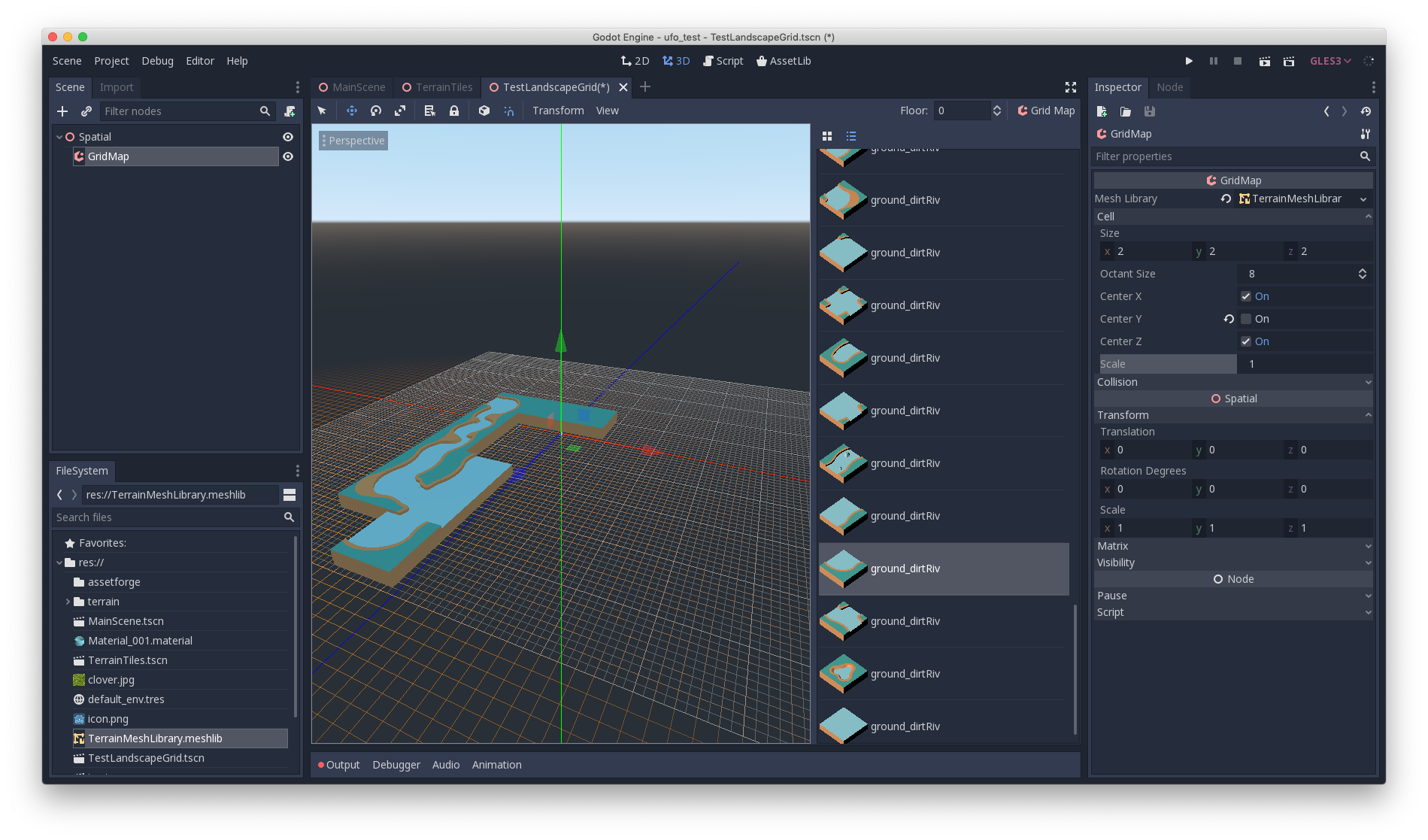
Everything works fine. Undo that placement. Press s once to rotate the tile and then try placing it as shown here:
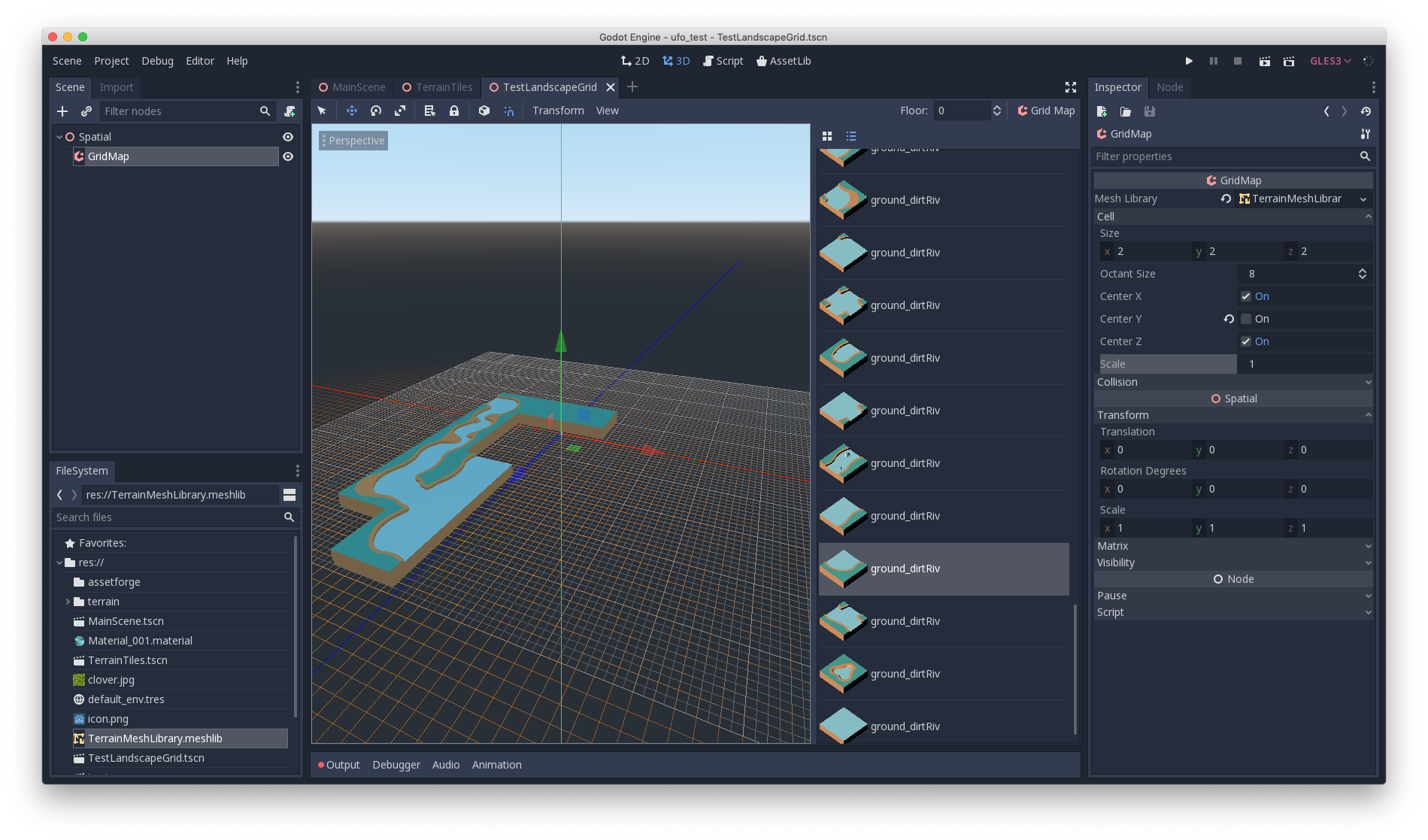
When you click to place it, the adjacent tile disappears, as shown here:
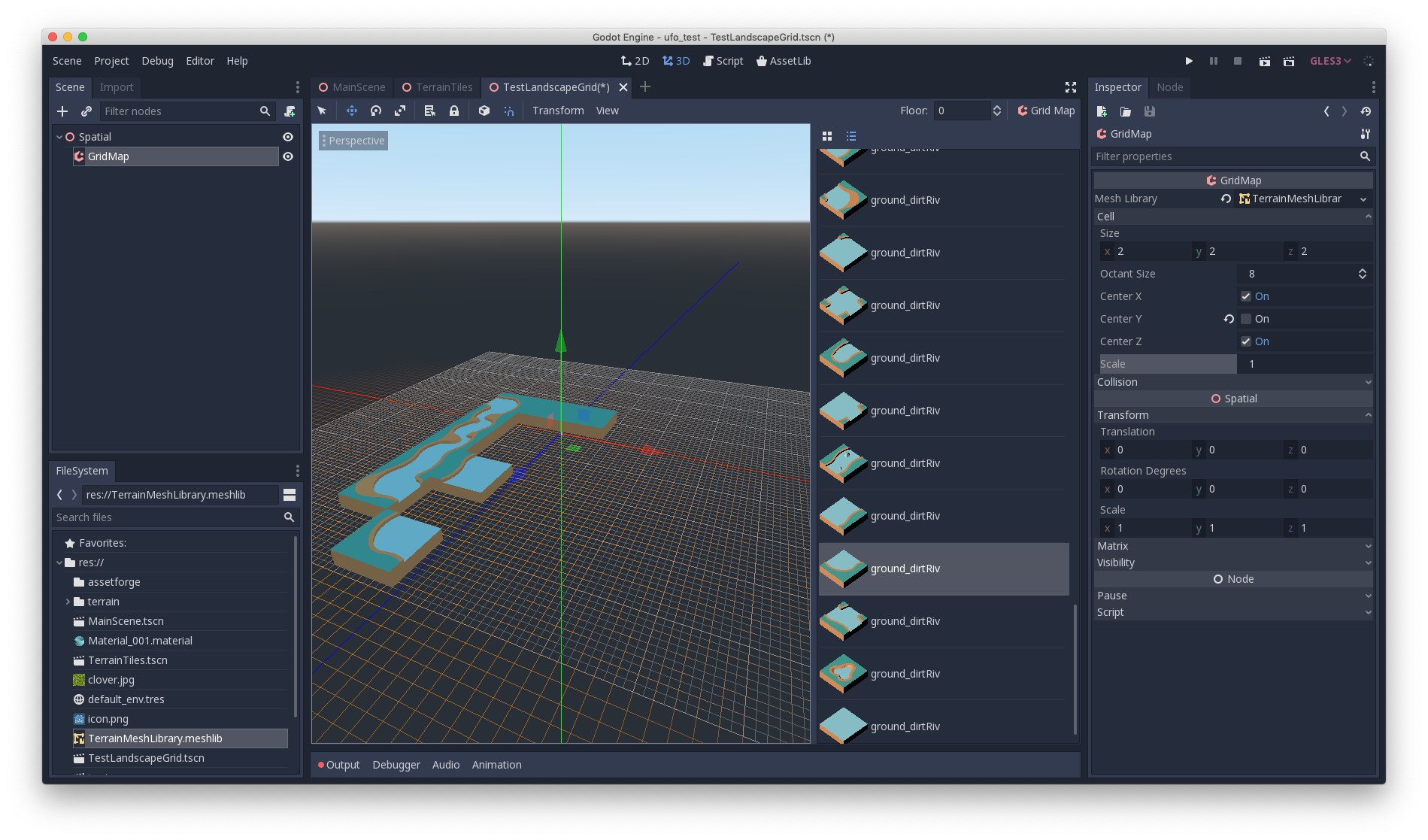
Minimal reproduction project:
 clayheaton
All 5 comments
This is not a bug. Your tiles have their pivot set in the corner (as is the case for all Kenney tiles by default). Thus, when you're rotating the tile, it appears as if its moving to neighbouring tiles since you're rotating around its pivot (its corner) and not the actual center. So even though it visually looks as if you're placing it in the same spot in both cases, you're actually overwriting the other tile's data when you're trying to place the rotated tile. This is basically the same problem as people are having in #24602
 zedutchgandalf
on 13 Mar 2019
zedutchgandalf
on 13 Mar 2019
Interesting... that makes sense, but then suggests that it would require a lot of pre-Godot work with the Kenney tiles to make them usable in Godot. That's not the fault of Godot, of course, but makes me wonder if Godot can or should support a way to work with those tiles (or other assets with a similar problem) short of having to open all of them in Blender and re-export them. Or is there another way to quickly change a set of tiles in Godot?
clayheaton
on 13 Mar 2019
if Godot can or should support a way to work with those tiles
That's pretty much what #24602 is asking for. If we could change the mesh's pivot in the engine itself, this would be pretty easy to do (e.g. using an import script). Right now, I don't think there's anything you can do in Godot itself to fix it...
zedutchgandalf
on 13 Mar 2019
@clayheaton you can write blender scripts to do what you're asking
 Xenoamor
on 12 Aug 2019
Xenoamor
on 12 Aug 2019
Closing then as it's not a bug. 3.2 has support for applying an offset to OBJ files on import, particularly relevant for Kenney's notoriously offset meshes.
 akien-mga
on 14 Jan 2020
akien-mga
on 14 Jan 2020
Related issues
 zatherz
·
121Comments
zatherz
·
121Comments
 NullNeska
·
191Comments
NullNeska
·
191Comments
 nunodonato
·
143Comments
nunodonato
·
143Comments
 karroffel
·
144Comments
akien-mga
·
366Comments
karroffel
·
144Comments
akien-mga
·
366Comments
Most helpful comment
That's pretty much what #24602 is asking for. If we could change the mesh's pivot in the engine itself, this would be pretty easy to do (e.g. using an import script). Right now, I don't think there's anything you can do in Godot itself to fix it...