Godot: Godot-built Windows executables crash on resize with NVIDIA graphics cards
Godot version:
v3.0.6 (About page lists Godot Engine v3.0.6.stable.official.8314054)
OS/device including version:
Windows 10 Pro, NVIDIA Display Driver v417.35
Godot executable console prints 'OpenGL ES 3.0 Renderer: GeForce GTX 1080/PCIe/SSE2'
Issue description:
This happens to me with all Godot-built applications I've tried and/or built myself so far. Upon every resize along a corner, the application runs the risk of crashing. This will give no error, but silently exit the application. While it does give a 'server disconnected' error, I presume this is the debugging socket.
- The crash can be triggered by (rapidly) resizing the window by clicking and dragging along the corners only. If you resize it slower, it will still crash, but take a longer time.
- This happens with any project I've tested so far. To test, I have started a new project, added a single Panel, and built the executable. This will also crash with the step described above.
- It will not occur when resizing along only one axis, not along any single edge.
- It will not occur when maximizing or restoring the window, no matter how often.
- Moving the whole application window off the screen to force repainting will not crash it either.
Steps to reproduce:
- Build a Godot application on Windows, or run the project from within the editor. Make sure the project is windowed, and the settings allow for resizing the window.
- Resize the application along any corner point. It has to be a corner. Dragging the corner around fast will make the crash occur earlier. If the mouse is jerked around fast enough, it will always crash within a second.
- The application will lock up for a second, then silently crash.
Minimal reproduction project:
Any, as far as I can tell. Create a new project, add a panel and build/test it.
 kgensou
All 23 comments
I cannot reproduce the issue with a Linux-built executable. However, the Linux executable also blanks the window while it's being resized. I suspect this is related.
kgensou
on 1 Jan 2019
similar setup here, but gtx 950. can't replicate on build 9ba6849cf4191e1c037e7416d21f28b19e0e5f43
tried with debug enabled and disabled. i'm jerking the mouse very hard as well. can't trigger it
 girng
on 2 Jan 2019
girng
on 2 Jan 2019
I'll try again on a development build later tonight to see if that resolves the issue.
kgensou
on 2 Jan 2019
@kgensou i actually just tried it on 3.0.6
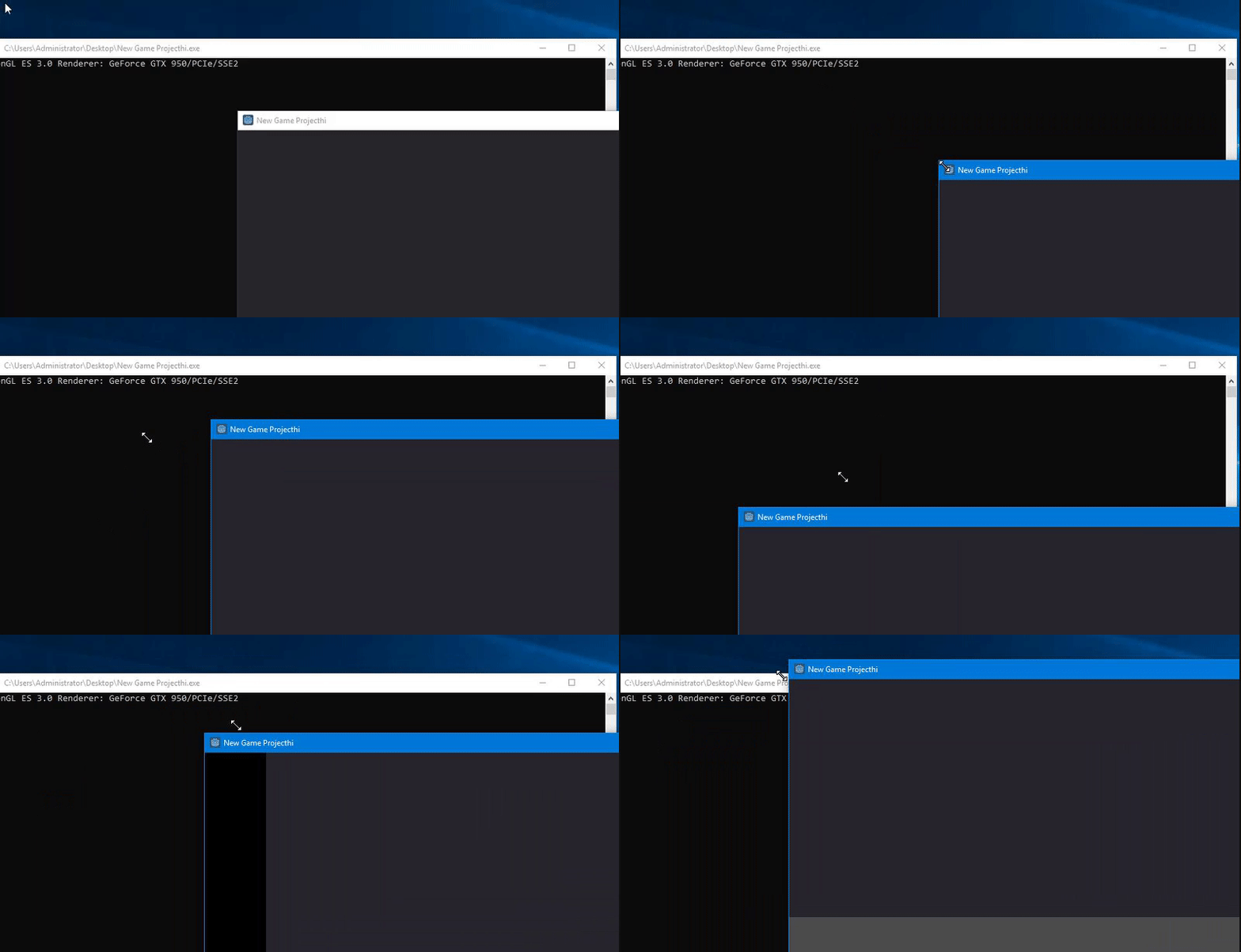
i can't get it to crash. i tried all 4 corners
girng
on 2 Jan 2019
Maybe it has something to do with #19628.
 Xrayez
on 2 Jan 2019
Xrayez
on 2 Jan 2019
i'll bet my left kidney this is prob a rare edge case bug with nvidia drivers (windows only). makes me want to test this on my AMD card, but can't find it
girng
on 2 Jan 2019
Thank you for the fast responses and your time!
@Xrayez I think that's a different issue, since it shows an error and the crash happens a lot earlier in my case. What @girng shows in their recording is exactly what will crash it for me, as described. If I'd do it on my system it would exit without displaying an error. If run from a command prompt, the variable %ERRORLEVEL% contains -1073741819 afterwards.
I've managed to build version 1ff502c5f4 but still experience the same issue. (Huge props to the team for making building an easy and painless effort!) Since this looks like a very localized issue, is there anything I can do to help debug it?
I'm using Visual Studio Community 2017. The debugger quits as soon as the project view is closed, and I'm not sure how to debug the editor itself (or ultimately the resulting project). I realize that's more of a C++ general question, but I'd like to add useful information to this issue if possible. If I can provide any other information that would help, let me know.
I've added a short recording to show what it looks like for me.

kgensou
on 2 Jan 2019
wow, even since 2014 or so, i've never experienced or heard of this issue.. wtf lol
girng
on 2 Jan 2019
I couldn't reproduce this bug on commit https://github.com/godotengine/godot/commit/cd22551d2 using the llvmpipe software driver from mesa-dist-win. I tested both GLES3 and GLES2 renderers.
@kgensou Can you still reproduce this issue on 3.1.1 stable or a daily build? If so, you could also try reproducing the bug with the GLES2 renderer, so that we can determine whether the bug is renderer-specific.
 Calinou
on 17 Jun 2019
Calinou
on 17 Jun 2019
Having the same problem, it's happening in all the available versions of godot on the website and the daily build. Changing the renderer to GLES2 doesn't make any difference either. I attempted to try and debug using visual studio and got an access violation exception.
 MrDiamondGold
on 14 Jul 2019
MrDiamondGold
on 14 Jul 2019
Still happens on 3.1.1 (RTX 2070, Windows 64)
 noozo
on 2 Sep 2019
noozo
on 2 Sep 2019
I'm using Visual Studio Community 2017. The debugger quits as soon as the project view is closed, and I'm not sure how to debug the editor itself (or ultimately the resulting project).
If you have the VS Project from building with scons, the debugger has to be attached to it, but it will disconnect when opening a project from the Project Manager window. The quickest way around it is to directly launch the debugger into a project using the -e command argument.
In the Godot project properties, there is a place for arguments. As seen in the screenshot below. Put a path to a project file there.
As far as debugging a built project, I haven't yet experimented with that, so couldn't give any specific instructions.

 avencherus
on 2 Sep 2019
avencherus
on 2 Sep 2019
I have been suffering from this problem too.
I just noticed that the debugger was spewing out hundreds of warnings about font oversampling not working and it was annoying me. I am not actually using font oversampling at the moment so I had a poke around and found where to disable it ... (Project Settings, Rendering, Quality, Use Oversampling). I turned it off, which stopped the warnings and suddenly the resizing crashes stopped too!
I have been trying for several minutes to get another crash and can't - it only used to last a few seconds before.
I hope that helps and gives somebody smarter than me an idea about what is going on!
 ColinJTod
on 23 Sep 2019
ColinJTod
on 23 Sep 2019
And of course, about 10 seconds after I posted that ... it crashed!
Still, it is much more robust than it was before and I can live with it while somebody fixes it.
PS 6 days on and I haven't managed to crash it again, so it is MUCH more reliable.
ColinJTod
on 23 Sep 2019
Turning off the oversampling setting didn't make it any more robust for me. If I move the window around ( just a single UI object with a black colorrect ) no problems. But as soon as I start resizing, within seconds, it crashes.
Running: C:\Program Files\godot\Godot_v3.1.1-stable_win64.exe\Godot_v3.1.1-stable_win64.exe --path D:/data/SpiderOak/projects/ParentChildClub/godot/godot-getaway/godot-getaway/sol-02-02-preparing-the-multiplayer-lobby --remote-debug 127.0.0.1:6007 --allow_focus_steal_pid 7712 --position 1408,780 res://Lobby/Lobby.tscn
OpenGL ES 3.0 Renderer: GeForce GTX 1080/PCIe/SSE2
ERROR: _get_socket_error: Socket error: 10054
At: drivers/unix/net_socket_posix.cpp:190
 hedrickbt
on 12 Oct 2019
hedrickbt
on 12 Oct 2019
Any reliable way to reproduce this on 3.2.1? I couldn't reproduce this on Windows 10 though I don't using any GPU. Is this confirmed to be Nvidia related?
 Anutrix
on 8 Apr 2020
Anutrix
on 8 Apr 2020
I can only confirm that it still happens in 3.2.1 :

 TheMoye
on 8 Apr 2020
TheMoye
on 8 Apr 2020
I got exactly same crash and I found when it happens.
I'm using laptop with two graphic cards:
- Intel HD Graphics 4600
- NVIDIA Geforce GTX 960M
When I switch to Intel, everything is ok, I can resize the window.
When I switch to NVIDIA, godot crashes.
I hope this helps someone who tries to solve this problem.
 Supaplex77
on 19 May 2020
Supaplex77
on 19 May 2020
I have an old GeForce 9600 GT and a GeForce GTX 1660 SUPER, and two other types of GeForce in other non-work machines. I haven't had this kind crashing, and cannot reproduce it.
Is it the GTX 960M to 1080 models? If it is these and the drivers, are there any versions of the drivers that don't have the problem?
avencherus
on 21 May 2020
I'm also betting on it being an NVIDIA exclusive issue, but I have no reliable way to confirm this. I've retested it with the most recent version on my Windows installation (Godot Engine v3.2.1.stable.official at the time of writing) and still experience this issue. The NVIDIA driver version is now 432.00.
There doesn't seem to be a difference in the time it takes to crash since my original post. I am still using the same GTX 1080. I've not yet found a driver version without this problem. There is still no error on crashing. On exit, it still only prints 'Debugging process stopped' with no additional information.
kgensou
on 30 May 2020
It also seems to be OpenGL specific. The crash happens with both OpenGL ES 2.0 and 3.0. I've tried building the latest commit on master ( 20a6fcd3ea72b3c26eeb3479709e5b2d2701fbd) and running a sample project with --path, and it will not crash - but it seems to be using the Vulkan renderer instead of OpenGL. Vulkan is also the only selectable renderer when building the editor locally.
Am I missing a build flag to be able to select OpenGL? I may be able to further debug this issue if I can reproduce it. If the idea is to phase out OpenGL ES 3.0 in favour of Vulkan, then this issue may no longer be relevant in the future.
kgensou
on 30 May 2020
@kgensou: Close, master uses Vulkan only now, there are plans to use OpenGL 2 as a lower-end option, but it's not done yet. OpenGL 3 is going to be phased out, but 2 is going to stay - and you said the crash is present in OpenGL2, too, that is bad news and even more proof that this is likely on the drivers, not Godot.
 Zireael07
on 30 May 2020
Zireael07
on 30 May 2020
OpenGL 3 is going to be phased out
Actually, probably not: https://github.com/godotengine/godot-proposals/issues/877
Still, if your GPU supports Vulkan (which all Kepler+ NVIDIA GPUs do), this shouldn't be a problem.
Calinou
on 30 May 2020
Related issues
 Angluca
·
100Comments
Angluca
·
100Comments
 zatherz
·
121Comments
zatherz
·
121Comments
 crystalnoir
·
145Comments
crystalnoir
·
145Comments
 karroffel
·
144Comments
Calinou
·
219Comments
karroffel
·
144Comments
Calinou
·
219Comments
Most helpful comment
Thank you for the fast responses and your time!
@Xrayez I think that's a different issue, since it shows an error and the crash happens a lot earlier in my case. What @girng shows in their recording is exactly what will crash it for me, as described. If I'd do it on my system it would exit without displaying an error. If run from a command prompt, the variable %ERRORLEVEL% contains -1073741819 afterwards.
I've managed to build version 1ff502c5f4 but still experience the same issue. (Huge props to the team for making building an easy and painless effort!) Since this looks like a very localized issue, is there anything I can do to help debug it?
I'm using Visual Studio Community 2017. The debugger quits as soon as the project view is closed, and I'm not sure how to debug the editor itself (or ultimately the resulting project). I realize that's more of a C++ general question, but I'd like to add useful information to this issue if possible. If I can provide any other information that would help, let me know.
I've added a short recording to show what it looks like for me.
