Godot: Unpredictable behaviour of aligning UI controls
Godot version:
3.0.2
OS/device including version:
Linux, Ubuntu 17.10 64 bit
Issue description:
First of all I must say that this might be a lack of knowledge from my side rather than a real issue.
It seems that sometimes when changing one UI related parameter of a control, the editor would change some other parameters in random and unpredictable way, with undo not able to reverse these changes.
Steps to reproduce:
These things looks arbitrary to me, so I cant specify the exact steps. All I can say is that I had a HBpxContainer and two Labels inside it. I was trying to make it to fill the screen horizontally and put the labels on opposite sides of it. I was playing with Align, Anchor, Margin, Rect and the Layout option at the top of the editor.
Minimal reproduction project:
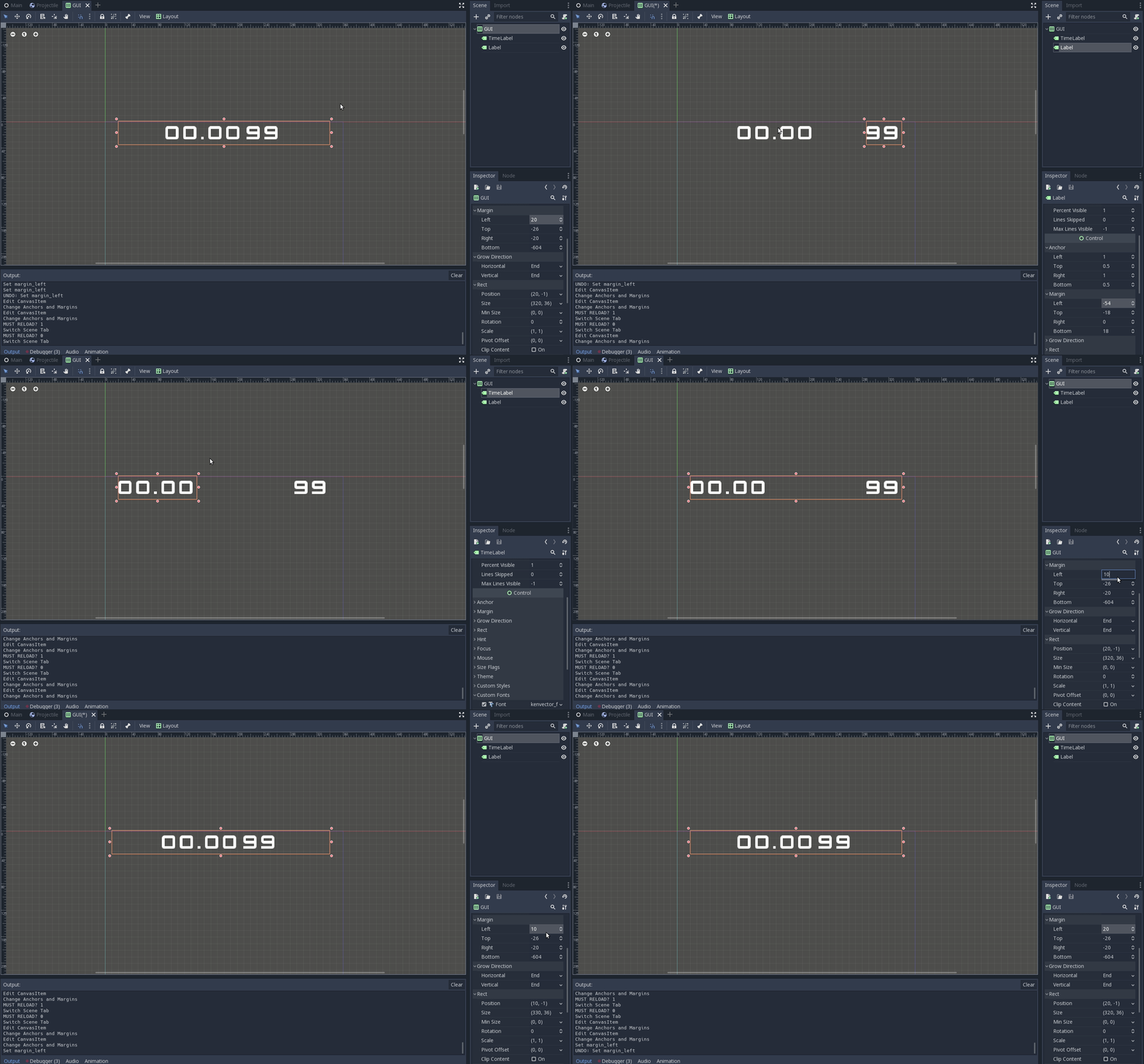
This might help. In this scene, try to change the Margin of the HBoxContainer named GUI to something else. What I experienced is that the content is centered and Ctrl+Z will not reverse this.
 alkhimey
All 11 comments
Your project doesn't have a scene, can you post a new project?
 guilhermefelipecgs
on 10 Jun 2018
guilhermefelipecgs
on 10 Jun 2018
@guilhermefelipecgs Sorry accidentally uploaded a script, here is the scene as well as a GIF. This is only one example that I was able to consistently reproduce.
alkhimey
on 10 Jun 2018
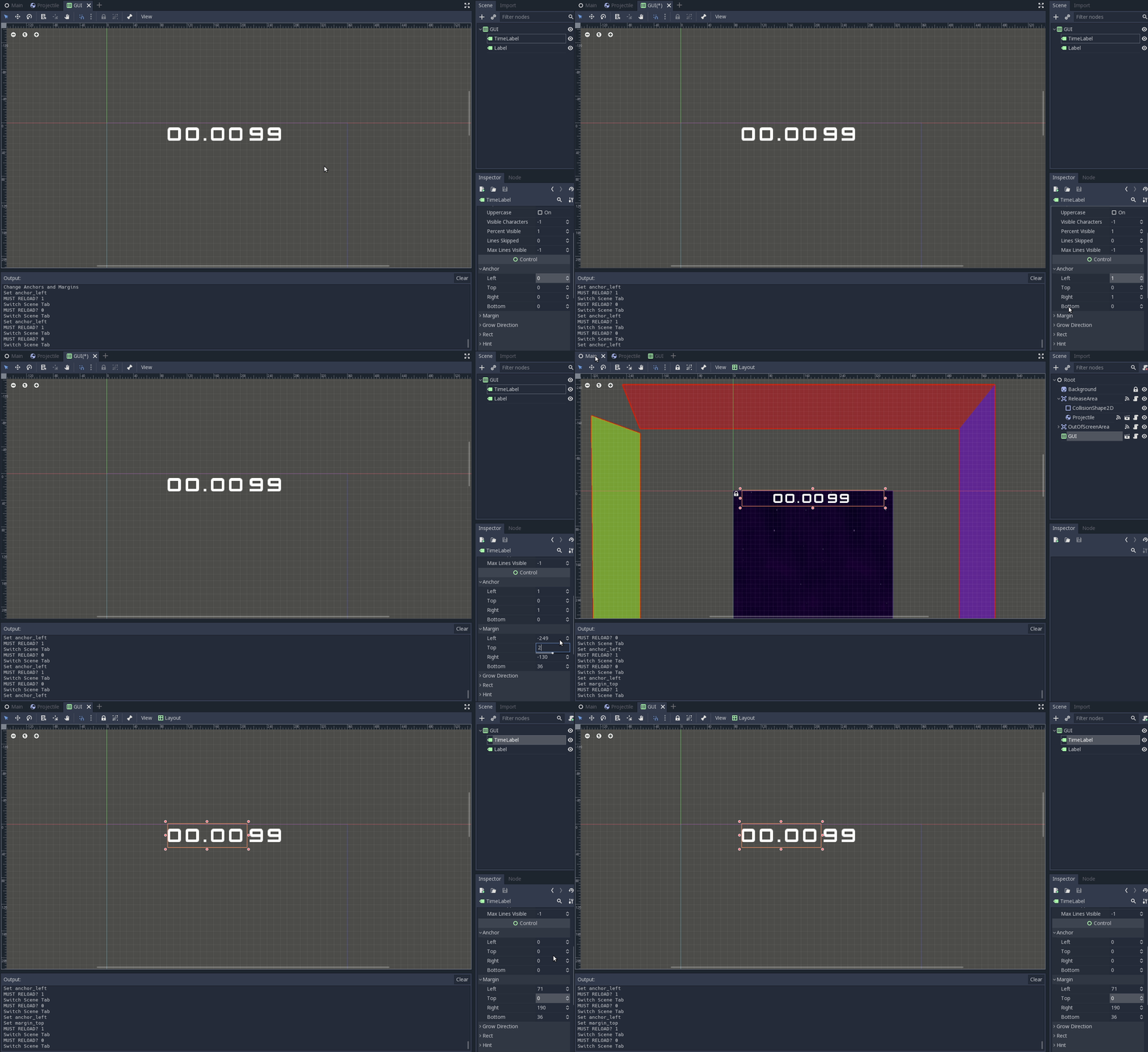
Another mystery:
alkhimey
on 10 Jun 2018
Containers arrange their contents automatically when they update. Any child inside a container will automatically update its anchors and margins from the container.
Manually changing these parameters in a child of a container won't work and whenever the container updates itself it will be overwritten. The editor letting you modify these parameters is a known issue and will be addressed sooner or later.
 mrcdk
on 10 Jun 2018
mrcdk
on 10 Jun 2018
@mrcdk Oh, I understand now. Does it include the Layout menu at the top of the editor?
In my particular example, how can I make each label "float" to the right/left sides of the container?
alkhimey
on 10 Jun 2018
Yes, it includes the Layout menu because that's just some shortcuts to different layouts.
It really depends on your design and what you want to achieve. Some times you don't even need a container. But if you need one a mix of rect min size and different size flags applied to its children will get the job done.
For your particular example you don't need a container. Set the layout of your labels just like you did in the first gif but change the parent to a Control.
mrcdk
on 10 Jun 2018
In my particular example, how can I make each label "float" to the right/left sides of the container?
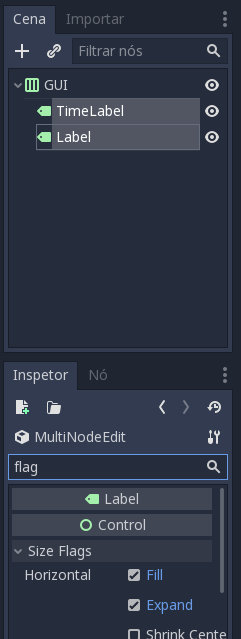
Set horizontal flag "Expand" for the two labels will do what you want:
guilhermefelipecgs
on 10 Jun 2018
Alternatively, you can add a Control node with Expand on between the labels, to push them away.
 bojidar-bg
on 11 Jun 2018
bojidar-bg
on 11 Jun 2018
I'll disable the layout menu when the control is a child of a container, that will be simpler.
 groud
on 27 Jan 2019
groud
on 27 Jan 2019
you mean greyed out instead of hiding?
 volzhs
on 27 Jan 2019
volzhs
on 27 Jan 2019
you mean greyed out instead of hiding?
Yes, with a warning message as a tooltip.
groud
on 27 Jan 2019
Related issues
bojidar-bg
·
3Comments
 n-pigeon
·
3Comments
n-pigeon
·
3Comments
 ducdetronquito
·
3Comments
ducdetronquito
·
3Comments
 mooseyfaith
·
3Comments
mooseyfaith
·
3Comments
 blurymind
·
3Comments
blurymind
·
3Comments