Godot: Make orthogonal side views behave like 2D view
Godot version:
3.0.2, but is present in 3.1 dev
OS/device including version:
Elementary OS Loki
Issue description:
In 2D view middle mouse pans and mouse wheel zooms, left mouse selects. This makes sense.
In 3D view, when the user switches to orthogonal left view (which is what it is - a 2d view for a 3d scene), the controls stay the same as they were for 3d - which is, middle mouse orbits the scene (leaving left view). That's a major break of continuity in the interface, which forces the user to memorize two different behaviors for two different 2D views, and on the mistake, rips them out of the zone.
Steps to reproduce:
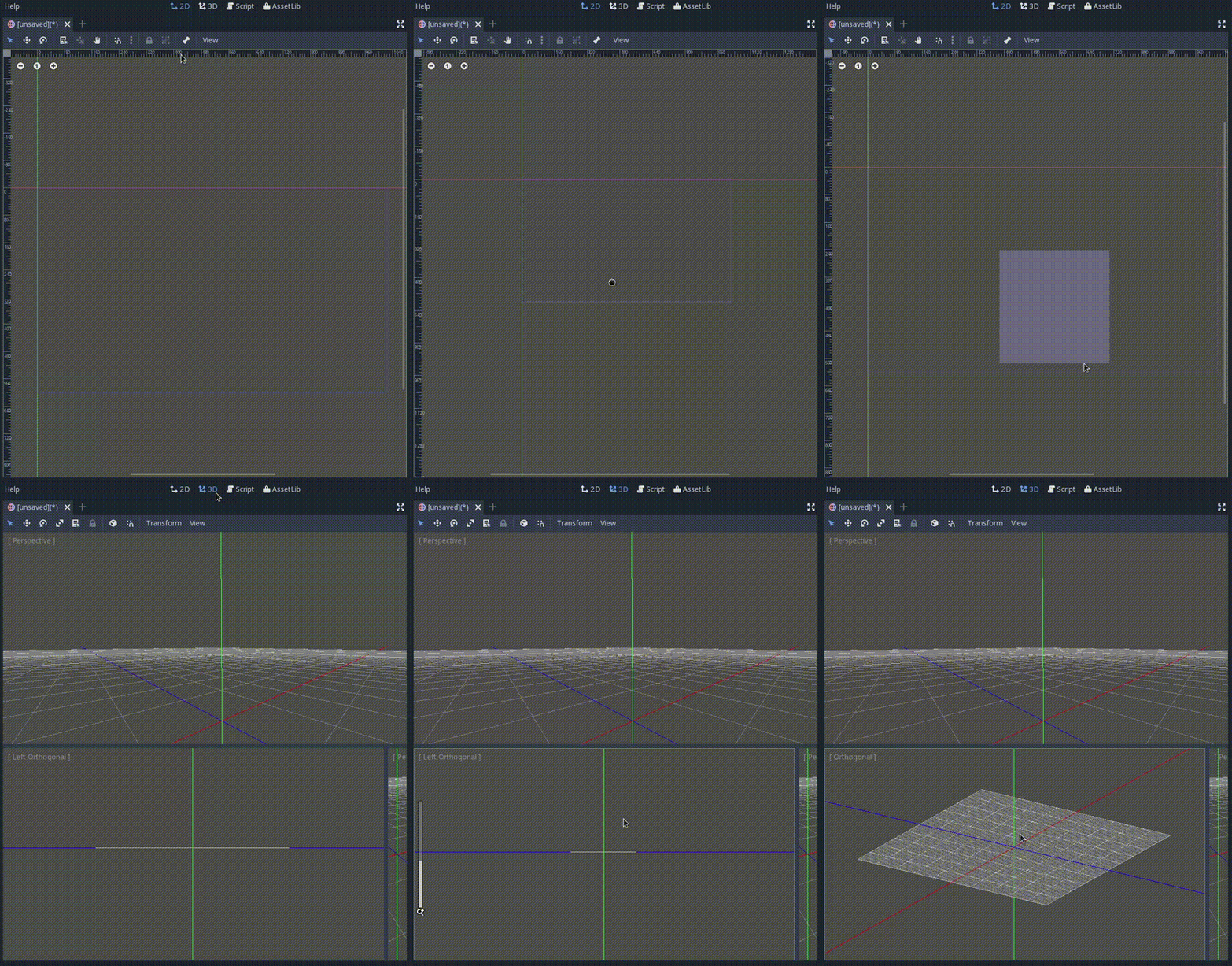
Switch to 2D view. Use mouse wheel to zoom, and middle mouse to pan.
Switch to 3D view. Switch to left orthogonal view. Use mouse wheel to zoom, and middle mouse to orbit and leave left view.
 drequivalent
All 7 comments
This does not seem like a good idea. An orthogonal left view is not really any more a 2D view for a 3D scene then any other orthogonal camera angle in the 3D view. I think that there would be an even greater, and very unintuitive, continuity break if the "middle click to rotate" action was altered purely due to the angle of your camera. I believe making hot-keys function differently given a 2D or 3D context is perfectly acceptable, for example I would not want the mouse wheel to zoom while using the text editor.
 AsherGlick
on 10 Jun 2018
AsherGlick
on 10 Jun 2018
All game level editors I know of have 2D viewports for 3D scenes. Unreal, Radiant, Trenchbroom, Quark, you name it - they all have an option of switching into 2D projection and manipulating 3D objects as if they were 2D. It speeds up the design process greatly, and some things just can't be done without it. Leaving what is perceived as 2D view by trying to pan and rotating the camera instead is an extremely annoying experience.
At the very least least we should have an option.
drequivalent
on 11 Jun 2018
I wonder if just changing the hotkeys would solve your problem.
If you go into Editor -> Editor Settings then Editors -> 3d and swap the values for Orbit Modifier to "Shift" and Pan Modifier to "None" does that fix your issue?
This would mean that middle click would always pan in the 3D view and in order to rotate you will need to hold shift.
AsherGlick
on 11 Jun 2018
I wonder if just changing the hotkeys would solve your problem.
If you go intoEditor->Editor SettingsthenEditors->3dand swap the values forOrbit Modifierto "Shift" andPan Modifierto "None" does that fix your issue?
This would mean that middle click would always pan in the 3D view and in order to rotate you will need to hold shift.
Yeah, but then it breaks the 3d view, where I should hold shift to orbit.
The 3d editor needs fixed 2d views.
drequivalent
on 14 May 2020
You can check Lock View Rotation on each viewport's Perspective menu. This will pan when you use the middle mouse button instead of orbiting.
 Calinou
on 14 May 2020
Calinou
on 14 May 2020
Thanks, Calinou.
drequivalent
on 14 May 2020
I'll close this issue, as the base feature is already present as of Godot 3.2 (it may have been present in 3.1 too). If it needs to be further improved, please create a proposal on the Godot proposals repository.
Calinou
on 15 May 2020
Related issues
 RayKoopa
·
3Comments
RayKoopa
·
3Comments
 SleepProgger
·
3Comments
SleepProgger
·
3Comments
 RebelliousX
·
3Comments
RebelliousX
·
3Comments
 blurymind
·
3Comments
blurymind
·
3Comments
 nunodonato
·
3Comments
nunodonato
·
3Comments
Most helpful comment
All game level editors I know of have 2D viewports for 3D scenes. Unreal, Radiant, Trenchbroom, Quark, you name it - they all have an option of switching into 2D projection and manipulating 3D objects as if they were 2D. It speeds up the design process greatly, and some things just can't be done without it. Leaving what is perceived as 2D view by trying to pan and rotating the camera instead is an extremely annoying experience.
At the very least least we should have an option.