Same problem as #12028 but gonna post this since that thread(?) seems to be quite dead.
Godot version:
3.0 stable
OS/device including version:
Windows 7 x64 Professional with 16GB of RAM
Intel HD 4000 with newest drivers (Version: 15.33.46.4885 Date: 1/3/2018)
Issue description:
- Any spotlight with shadows enabled causes stripes to appear on the lighting.
Both spotlights in the image above are at default settings, except for the one with shadows on.
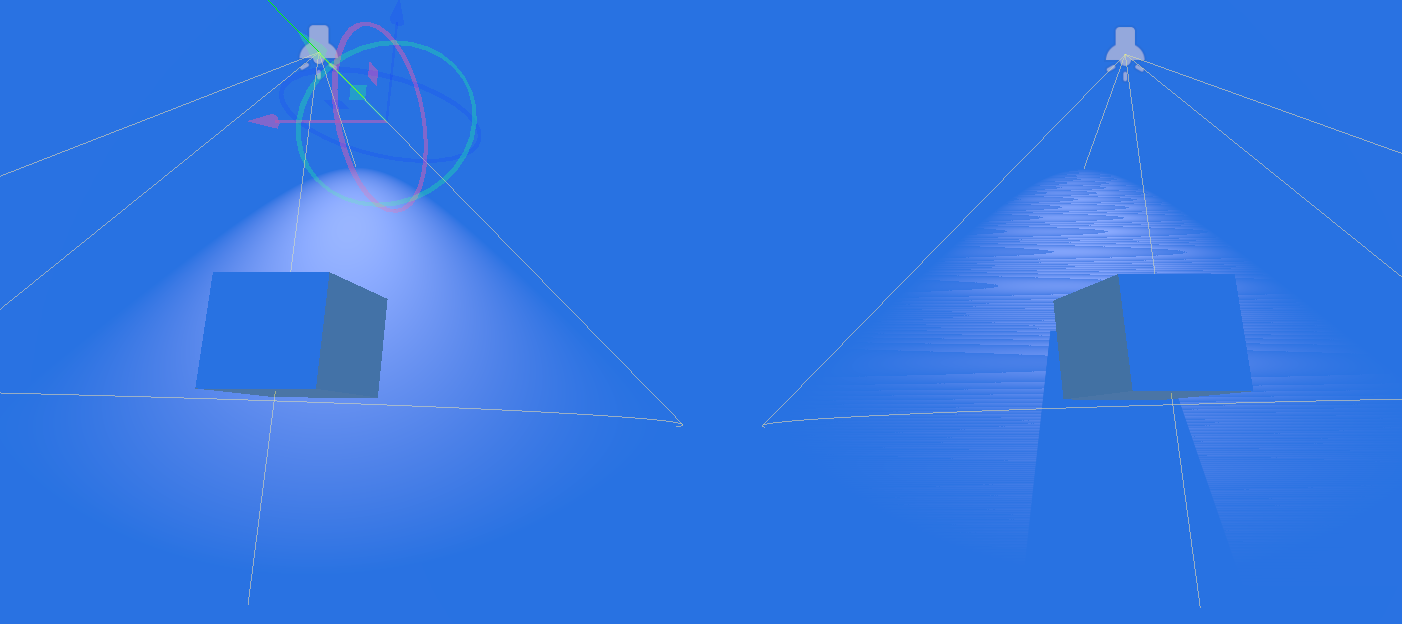
Zoomed up:
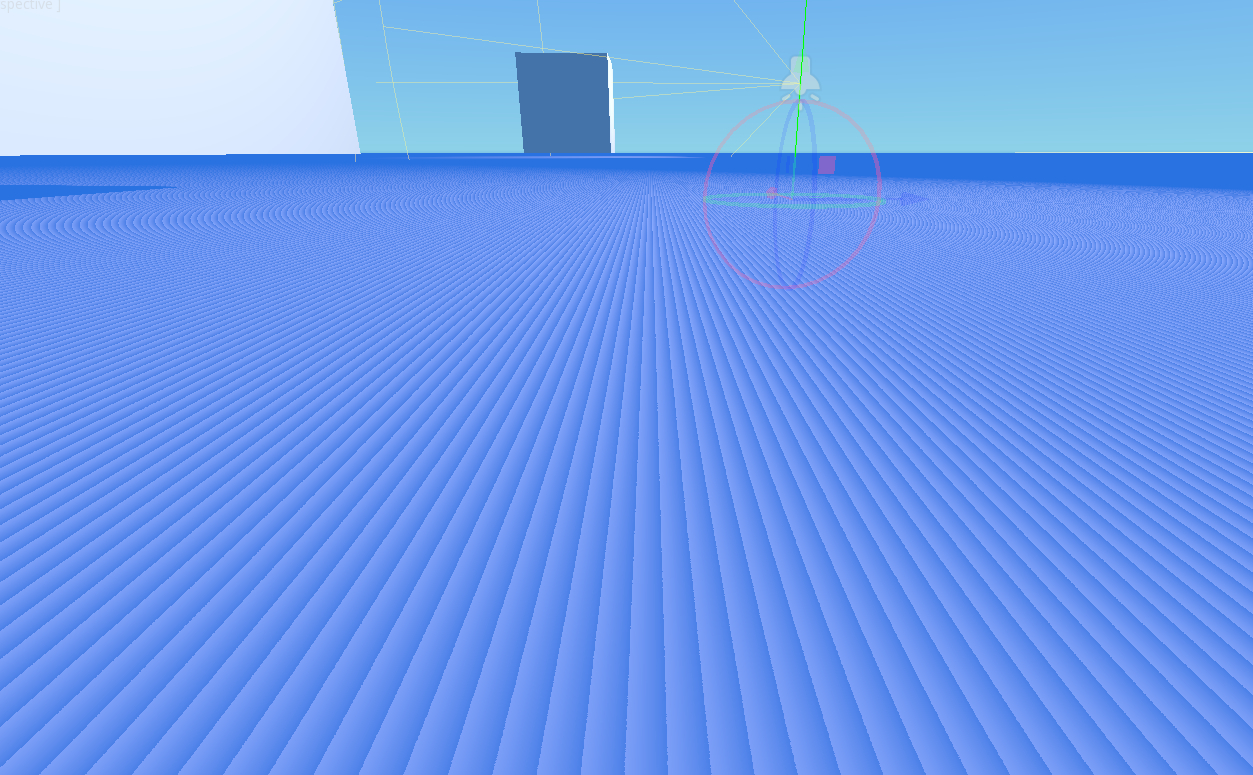
- Directional light with "Max Distance" of over 500 starts to show same issues as spotlights
Max Distance set at 500. Stripes are barely visible but are there.
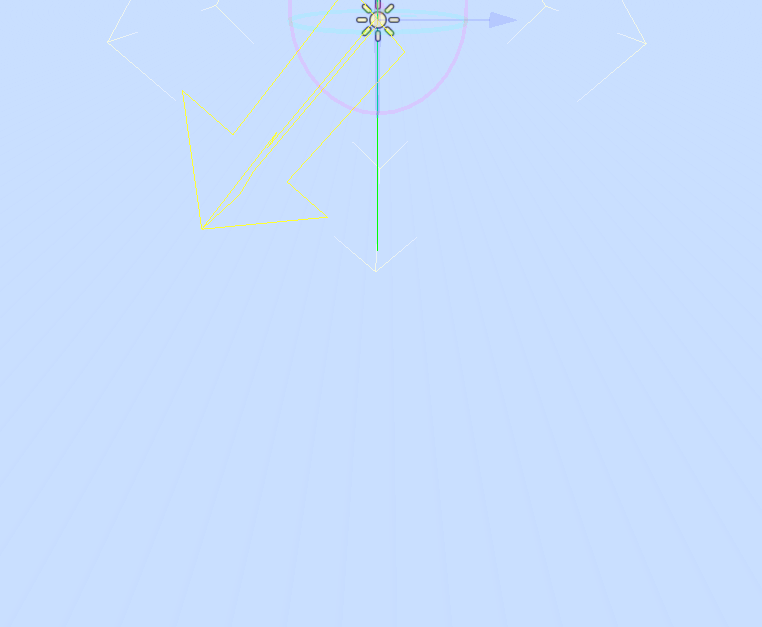
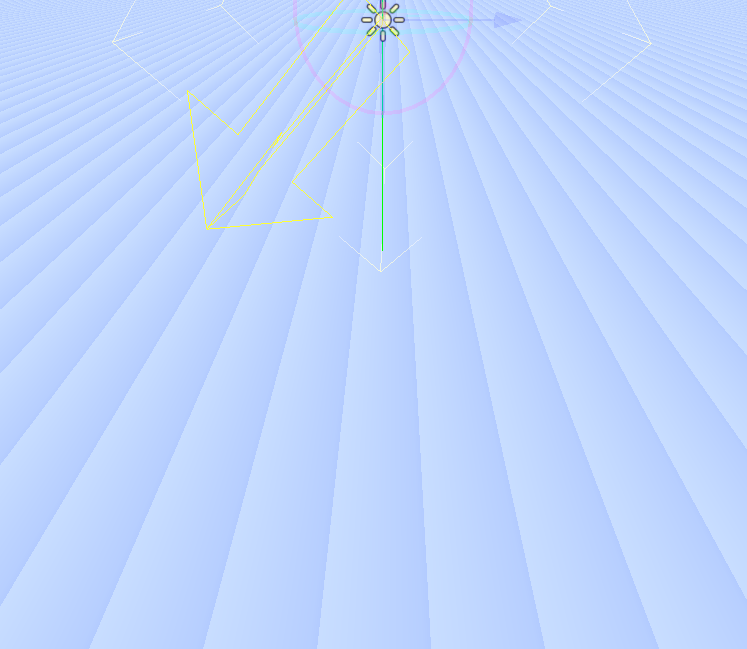
This effect maxes out at around 1000 which doesn't change no matter high you set the Max Distance at.
Minimal reproduction project:
Two scenes are included; one with spotlights and one with a directional light.
shadowbug.zip
 ghost
ghost
All 9 comments
Young's double slit experiment
 Anutrix
on 18 Feb 2018
Anutrix
on 18 Feb 2018
In spotlight, this is the limit of shadow bias, if light is parallel to the surface there is no way to get rid of the strips (increase the bias to 1 and rotate it -0.5 degree on X and stripes start to disappear), not sure if is a bias bug, need a hack to work in this setup or what.
The directional light issue may be a different one, related to intel gpu because I do not see it with nvidia proprietary on linux (search issues mentioning intel graphics).
 eon-s
on 19 Feb 2018
eon-s
on 19 Feb 2018
I still think someone with a bit more experience should take a look at the
shadow code.. I have the feeling I am missing something else to avoid these
On Feb 18, 2018 21:58, "eon-s" notifications@github.com wrote:
In spotlight, this is the limit of shadow bias, if light is parallel to
the surface there is no way to get rid of the strips (increase the bias to
1 and rotate it -0.5 degree on X and stripes start to disappear), not sure
if is a bias bug, need a hack to work in this setup or what.The directional light issue may be a different one, related to intel gpu
because I do not see it with nvidia proprietary on linux (search issues
mentioning intel graphics).—
You are receiving this because you are subscribed to this thread.
Reply to this email directly, view it on GitHub
https://github.com/godotengine/godot/issues/16787#issuecomment-366565122,
or mute the thread
https://github.com/notifications/unsubscribe-auth/AF-Z2_onsKviN-3_oMRT6pYjYfgDsD_Gks5tWMcagaJpZM4SJgCB
.
 reduz
on 19 Feb 2018
reduz
on 19 Feb 2018
This is a normal part of shadowmapping called "shadow acne", it's caused the same way as z-fighting. This is what the bias values are for: so devs can tweak individual lights in their projects to minimize it. Reduce your shadow distance to the absolute lowest possible value you can get away with in your scene, and tweak the bias/contact values. Another tip is to enable reverse culling, which shadows using backfaces instead of front-faces.
The tricky part is making sure your shadows are properly casting (as well as one can manage) from objects/surfaces that are extremely close to shadowed surfaces - because increasing bias to differentiate between a surface and its own shadow also causes objects near that surface to lose their shadow if they're closer than the bias value (aka 'peter-panning').
 DEF7
on 14 Apr 2018
DEF7
on 14 Apr 2018
I don't think this is a bug, but will see how it remains in 3.2
reduz
on 6 Sep 2018
In just released Godot 3.1 stable version I noticed that too, strange thing is that I didn't notice that in the first alphas. Has some default value changed?
Worth to mention, I was able to fix that by playing around with parameters such as normal bias, split ranges and also switching to optimized depth range.
 Toshiwoz
on 14 Mar 2019
Toshiwoz
on 14 Mar 2019
I could reproduce the issue with spotlights in the MRP in the current master branch, but not with directional lights. (Linux, Intel HD 630)
 akien-mga
on 14 Dec 2019
akien-mga
on 14 Dec 2019
With directional lights, I can see the strips when the camera is far from the surface (almost max zoom out on the editor).
With the spotlights, the strips disappear when I enable the "reverse cull face" option on shadow section (I have no idea of what it does because there is no description).
Using Godot 3.2b, AMD R5.
eon-s
on 15 Dec 2019
With directional lights, I can see the strips when the camera is far from the surface (almost max zoom out on the editor).
This is due to the DirectionalLight shadow bias being too low, which causes shadow acne. To solve this, you can increase Normal Bias or Bias Split Scale. The latter will only impact far-away splits, not the closest split.
 Calinou
on 15 Dec 2019
Calinou
on 15 Dec 2019
Related issues
 mefihl
·
3Comments
mefihl
·
3Comments
 RayKoopa
·
3Comments
RayKoopa
·
3Comments
 testman42
·
3Comments
testman42
·
3Comments
 ndee85
·
3Comments
ndee85
·
3Comments
 RebelliousX
·
3Comments
RebelliousX
·
3Comments
Most helpful comment
I don't think this is a bug, but will see how it remains in 3.2