Godot: Line thickness of CollisionPolygon2D is too thick compared to Polygon2D
Godot version:
Godot_v3.0-rc1
OS/device including version:
Windows 7
Issue description:
The line thickness of CollisionPolygon2D is too thick compared to Polygon2D.
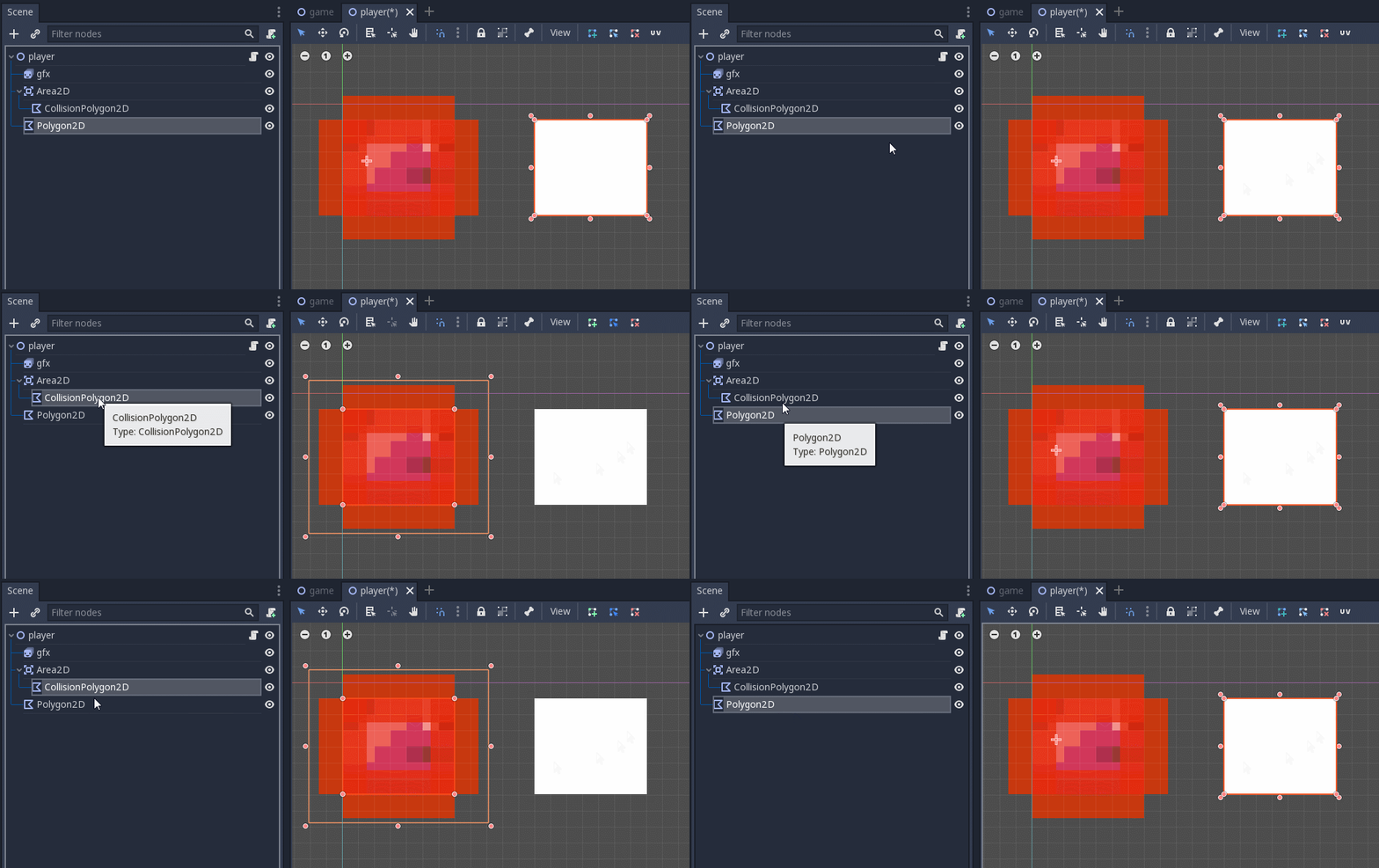
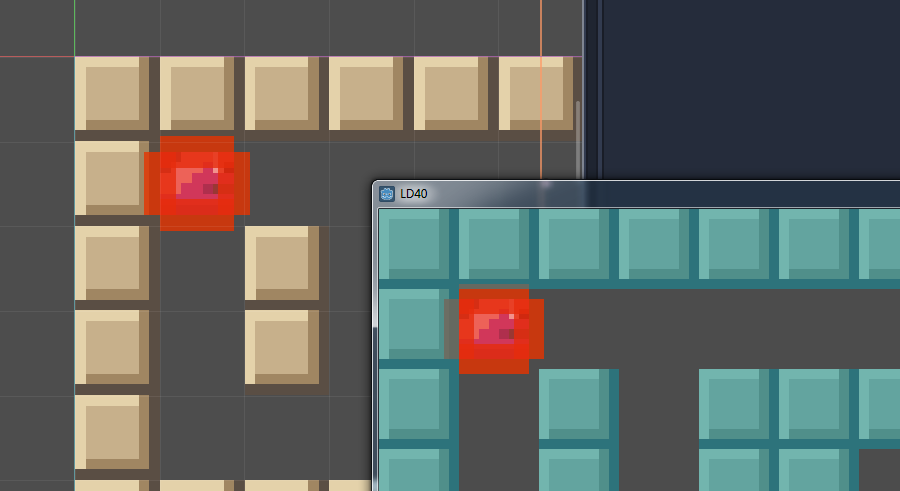
I love to create my projects in low resolution and with these thick lines I can't see anything and the accuracy is not readable anymore.
 puppetmaster-
All 5 comments
Is this about the thickness of the lines while editing the polygons?
Then we'd need to change/make configurable the 2 * EDSCALE inside AbstractPolygon2DEditor::forward_draw_over_viewport.
 poke1024
on 19 Jan 2018
poke1024
on 19 Jan 2018
If you start drawing the polygon everything seams OK, but when the polygon is closed the line is drawn much too wide.
puppetmaster-
on 19 Jan 2018
OK, I see, you're working in zoomed mode.
We're talking about this guy in CollisionPolygon2D::_notification:
draw_line(p, n, Color(0.9, 0.2, 0.0, 0.8), 3);
which should be
draw_line(p, n, Color(0.9, 0.2, 0.0, 0.8), 1);
for your use case.
The problem happens because line width 3 actually draws a polygon that gets scaled when in zoom in the editor, while line width 1 draws a line that is independent of editor zoom. I'm not sure what's a good general solution for this; probably we should change 3 to 1.
poke1024
on 19 Jan 2018
I also have the same problem in 3.0.
But It seems the actual collision shape becomes thick by the line.
 Nao-fox
on 31 Jan 2018
Nao-fox
on 31 Jan 2018
This should be closed as it was fixed by #17114.
 NilsIrl
on 28 Jul 2019
NilsIrl
on 28 Jul 2019
Related issues
 ivanskodje
·
3Comments
ivanskodje
·
3Comments
 Spooner
·
3Comments
Spooner
·
3Comments
 ducdetronquito
·
3Comments
ducdetronquito
·
3Comments
 mefihl
·
3Comments
mefihl
·
3Comments
 SleepProgger
·
3Comments
SleepProgger
·
3Comments
Most helpful comment
OK, I see, you're working in zoomed mode.
We're talking about this guy in
CollisionPolygon2D::_notification:draw_line(p, n, Color(0.9, 0.2, 0.0, 0.8), 3);which should be
draw_line(p, n, Color(0.9, 0.2, 0.0, 0.8), 1);for your use case.
The problem happens because line width 3 actually draws a polygon that gets scaled when in zoom in the editor, while line width 1 draws a line that is independent of editor zoom. I'm not sure what's a good general solution for this; probably we should change 3 to 1.