Godot: Signal connection editor: add a script icon next to nodes that have a script attached to them
signal connection editor- add a tiny script icon next to nodes that have a script attached to them
Here is a mockup:
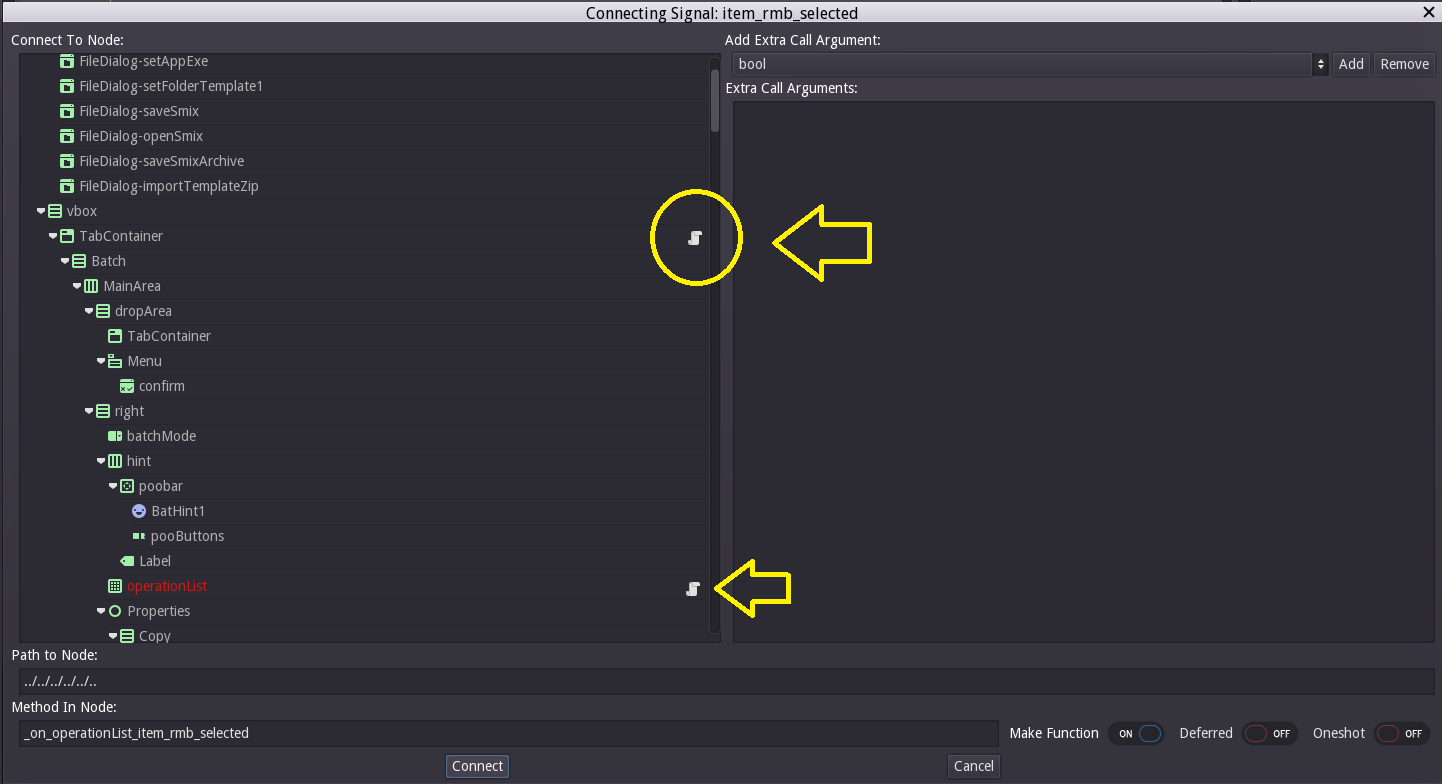
It should make it much easier to find the intended node to connect signals to..
If you want to get even fancier- you could also add a connection icon on nodes that have connections already from the current node.
You can also set the script icon's tooltip to the name of the script file attached to it
 blurymind
All 7 comments
The common SceneTreeEditor control used in the connection dialog already has some logic to put icon buttons on tree items when a script is attached. It's close to what we would need but cant be used directly because it would make other undesired changes. Does it make sense to organize and break up SceneTreeEditor::_add_nodes(), where the logic is, to facilitate an extension of SceneTreeEditor just for the connection dialog? This would us to override _add_nodes() to get the behaviour we need.
 kareed44
on 15 Dec 2018
kareed44
on 15 Dec 2018
Making changes directly to SceneTreeEditor would lead to an inconsistent UI. If I am not wrong, the icons on the right side of the Nodes are intended as buttons.
What about colour coding each of the Node names that have Scripts attached to them? It would be like #24435, but in the other direction. Instead of hiding nodes with no scripts attached, we can highlight the ones that do have them.
 nipunG314
on 4 Feb 2019
nipunG314
on 4 Feb 2019
Any indication would be useful to have - icon or color coding or bolder text, whichever you believe is most consistent. The request is to only indicate the items of the list that have logic attached on them.
Indicator, NOT a button
blurymind
on 5 Feb 2019
This is what I have managed to do. The highlighter is completely optional and the user can select a custom color.
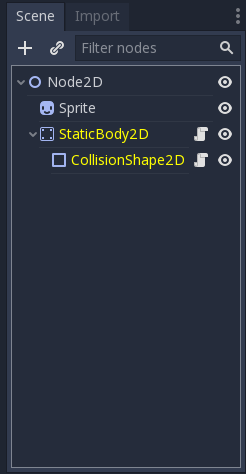
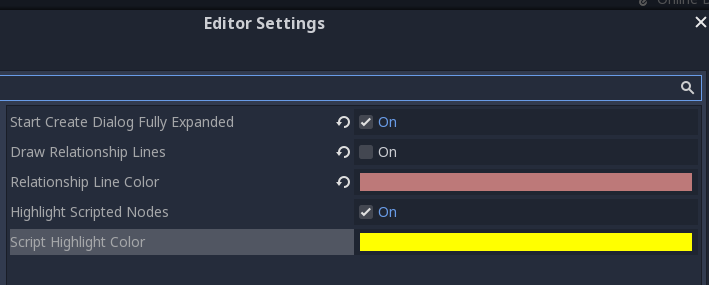
I'm filing a pull request to get it reviewed.
nipunG314
on 8 Feb 2019
I don't think this is a great solution. If anything, this is exactly what you aimed to avoid, an inconsistent UI. Highlighting does not immediately suggest that the node has a script attached, an icon does. It also add complexity and extra settings that don't seem necessary. Again, I think organizing and reusing the code in SceneTreeEditor that adds icon buttons to nodes makes sense. To be clear, I'm not suggesting adding the icons _as buttons_, just the icons would suffice. I'm just suggesting to reuse code that does almost the exact same thing as what we want with slight variation in this particular use case of SceneTreeEditor.
kareed44
on 1 Mar 2019
You can use a different design for the indication icons than the one used for the button. Or make the icon slightly greyer/transparent so as to indicate that it is not clickable there
blurymind
on 1 Mar 2019
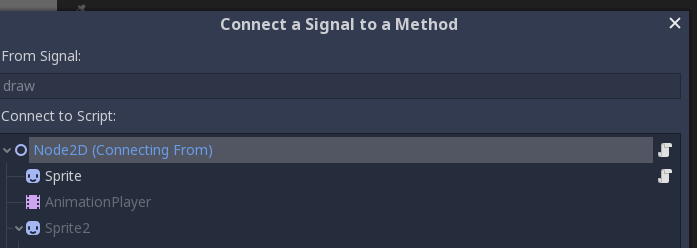
Fixed in new connection dialog for 3.2
 KoBeWi
on 4 May 2019
KoBeWi
on 4 May 2019
Related issues
 testman42
·
3Comments
testman42
·
3Comments
 RayKoopa
·
3Comments
RayKoopa
·
3Comments
 kirilledelman
·
3Comments
kirilledelman
·
3Comments
 gonzo191
·
3Comments
gonzo191
·
3Comments
 EdwardAngeles
·
3Comments
EdwardAngeles
·
3Comments
Most helpful comment
Fixed in new connection dialog for 3.2
