Godot: Using the color picker gives wildly incorrect values
Godot version:
Godot 3.0 32d8b99
OS/device including version:
Linux Mint 18.3 Cinnamon x64. NVIDIA GTX 980 Ti, NVIDIA binary driver 384.90
Issue description:

Steps to reproduce:
- Open any Color popup (for example, from the
modulateproperty) - Activate the color picker
- Hover over anything and monitor results
- [x] I searched the existing GitHub issues
for potential duplicates.
 ghost
ghost
All 16 comments
Can confirm that this is an issue on Windows 10 OS Build 15063.726 and Godot Beta 2.
 RabbitB
on 23 Dec 2017
RabbitB
on 23 Dec 2017
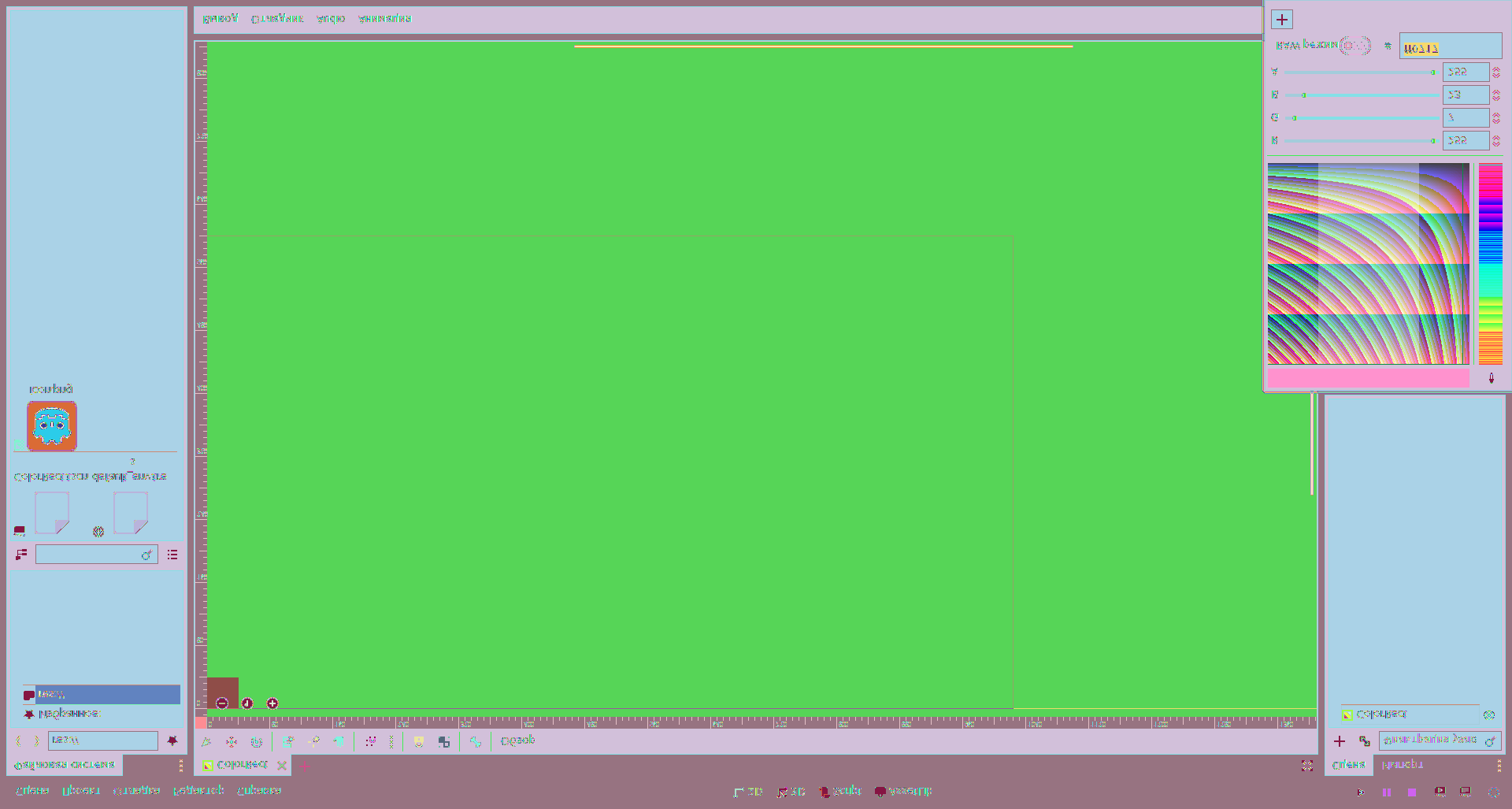
This is how get_tree()->get_root()->get_texture()->get_data() looks like, so the picker itself works correctly, problem is in getting the texture.
 staddy
on 25 Dec 2017
staddy
on 25 Dec 2017
glGetTexImage is called with type GL_INT_2_10_10_10_REV, when the rest of the code expects GL_BYTE/GL_UNSIGNED_BYTE. Think it has to do with the format being set to GL_RGB10_A2, but when it's unsupported the driver will choose another format (likely GL_RGBA). This might be the root of many other issues aswell.
 binbitten
on 25 Dec 2017
binbitten
on 25 Dec 2017
The problem is here (rasterizer_storage_gles3.cpp):
        if (rt->flags[RENDER_TARGET_NO_3D_EFFECTS] && !rt->flags[RENDER_TARGET_TRANSPARENT]) {
            //if this is not used, linear colorspace looks pretty bad
            //this is the default mode used for mobile
            color_internal_format = GL_RGB10_A2;
            color_format = GL_RGBA;
            color_type = GL_UNSIGNED_INT_2_10_10_10_REV;
            image_format = Image::FORMAT_RGBA8;  // WRONG
        }
Not sure, but seems like Image doesn't have a Format to handle 2 10 10 10.
Easy fix is just to remove this case, though linear colorspace will look pretty bad.
staddy
on 25 Dec 2017
@staddy That's right :smiley:
I can implement FORMAT_RGB10A2. Just need the go ahead.
binbitten
on 25 Dec 2017
Solution is not implementing RGBA10A2 but converting to RGBA8 when obtaining the image. I reverted the PR.
 reduz
on 3 Jan 2018
reduz
on 3 Jan 2018
@reduz Thank you
So we just add a special case for GL_RGB10_A2 in texture_get_data() and convert it there?
EDIT:
It will be quite slow though as the color picker obtains the whole viewport for every mouse motion. Could use a method for obtaining sub-images, but that's probably an issue for another day..
binbitten
on 3 Jan 2018
Reopening as #15051 was reverted (see #15304 for details).
 akien-mga
on 3 Jan 2018
akien-mga
on 3 Jan 2018
@binbitten Faster color conversion for texture_get_data() might come in 3.1, see https://github.com/godotengine/godot/pull/14387
 poke1024
on 4 Jan 2018
poke1024
on 4 Jan 2018
Related to #12570.
akien-mga
on 5 Jan 2018
@binbitten yeah, manually converting RGB10A2 to RGBA8888 should be easy
reduz
on 6 Jan 2018
Is there any way to test at color_pick function that the rasterizer is using RGB10A2?
Due to the 32bits of both format, the conversion can be done only for the selected pixel directly at that function. I tested it and it works, but it is assuming all rasters using color pick are RGB10A2, and I suppose it's not the case.
diff --git a/scene/gui/color_picker.cpp b/scene/gui/color_picker.cpp
index 08a39e9e7..874887242 100644
--- a/scene/gui/color_picker.cpp
+++ b/scene/gui/color_picker.cpp
@@ -439,7 +439,17 @@ void ColorPicker::_screen_input(const Ref<InputEvent> &p_event) {
                        Vector2 ofs = mev->get_global_position() - r->get_visible_rect().get_position();
                        Color c = img->get_pixel(ofs.x, r->get_visible_rect().size.height - ofs.y);
                        img->unlock();
-                       set_pick_color(c);
+                       uint8_t raw[4];
+                       for (int i=0; i<4; i++) {
+                               raw[i] = (uint8_t) (c.components[i] * 255);
+                       }
+                       uint32_t u = raw[0] | (raw[1] << 8) | (raw[2] << 16) | (raw[3] << 24);
+                       Color new_c = Color(
+                                       (u & 0x3FF) / 1023.0,
+                                       ((u >> 10) & 0x3FF) / 1023.0,
+                                       ((u >> 20) & 0x3FF) / 1023.0,
+                                       ((u >> 30) & 0x3) / 3.0);
+                       set_pick_color(new_c);
                }
        }
 }
 robfram
on 8 Jan 2018
robfram
on 8 Jan 2018
anyone volunteers to add the special conversion case in texture_get_data? otherwise might kick to 3.1.
Atlernatively, you can use geteximage in a different format if GL_RGB10_A2 and GL shuold theoretically convert, so technically this may be doable with 1 or 2 lines of code.
reduz
on 16 Jan 2018
Had a go at letting GL do the converting, but testing showed various results for some vendors. So if we want consistent behavior, we might need to do the conversion ourselves.
Some pros/cons alternatives:
- Let GL do it. Easy, but some ambiguous behavior between vendors need to be expected.
- Manual conversion using only bitwise operations. Some tiny "inaccuracies", but _extremely_ fast.
- Manual conversion using floating points. More accurate, but painfully slow.
Just throwing some thoughts out. Can do any of the alternatives if desired.
binbitten
on 17 Jan 2018
i would do conversion using bitwise operations, this is a really corner case and accuracy is probably not needed.
reduz
on 18 Jan 2018
Agreed.
binbitten
on 18 Jan 2018
Related issues
 RebelliousX
·
3Comments
RebelliousX
·
3Comments
 testman42
·
3Comments
testman42
·
3Comments
 rgrams
·
3Comments
rgrams
·
3Comments
 EdwardAngeles
·
3Comments
EdwardAngeles
·
3Comments
 kirilledelman
·
3Comments
kirilledelman
·
3Comments