Godot: Image resource preview incorrect with Lossy or Video RAM compression
Operating system or device, Godot version, GPU Model and driver (if graphics related):
Linux mint 18.2 64 bits / godot master
Issue description:
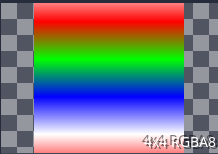
An image resource is not well displayed in the resource property after I add it as diffuse texture in ma spatial material. And then after it is used as a resource, it not even well displayed in the resource explorer.
Also it seems the image is really not well sampled (in the spatial material, but even in particles material).
Steps to reproduce:
Link to minimal example project:
Here the image is well displayed in the resource explorer, but not in the right panel :
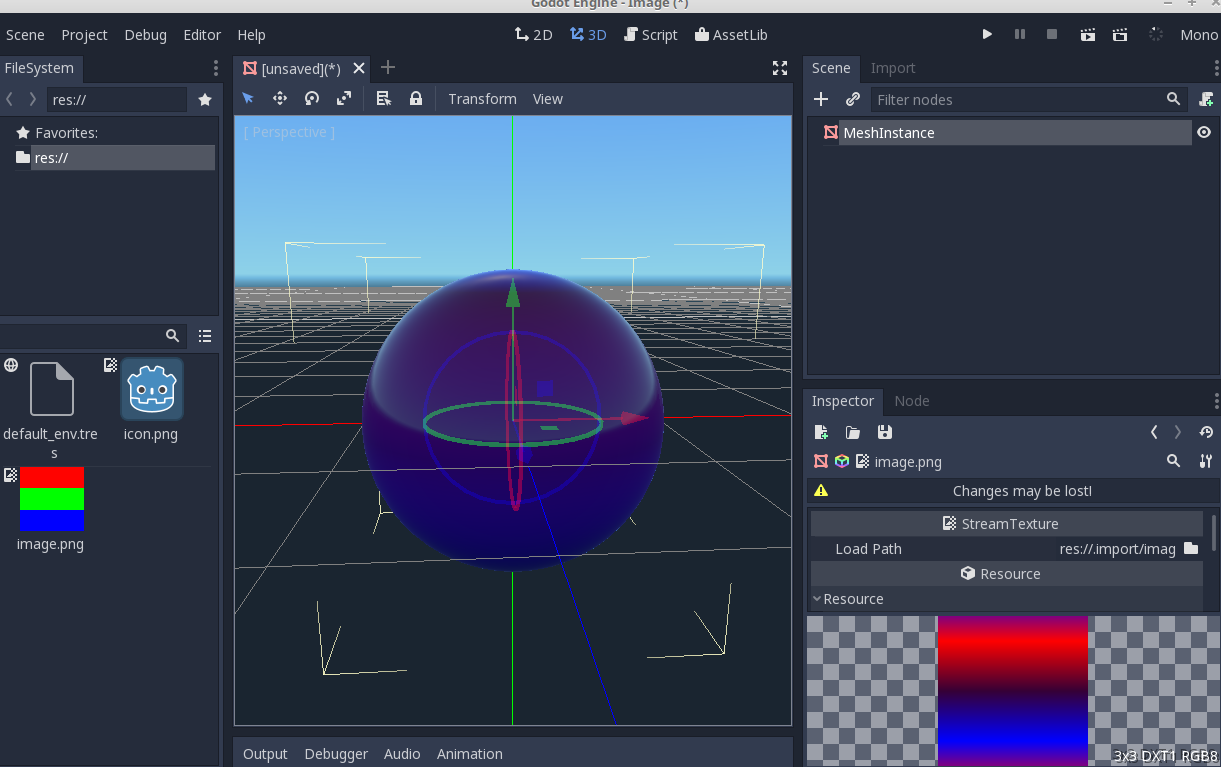
Then i change it from gimp and come back to godot, all preview are bad :

minimal project :
Image.zip
 matrem
All 10 comments
It seems to be linked with compression.
As soon as compression mode is 2 (when use by a the material), preview is wrong : https://github.com/godotengine/godot/blob/6527f2e68465b06113b3960ad4e366f1373699c9/editor/import/resource_importer_texture.cpp#L412
matrem
on 7 Dec 2017
I have been looking around this bug. The problem also occurs with Lossy compression, not only with Video RAM.
And it only happens with small image sizes (8x8 pixels). If you scale your image up to a 16x16 PNG, all works fine.
I think the important part of your bug report is the debug message that appears: modules/etc/image_etc.cpp:120 - Condition [...]. I am not able to get that message, but the image get crappy when compressed to ETC2. I got this info messages instead the warning/error ones:
begin encoding, format: ETC2_RGB8
time encoding: 1
If you delete all .import files and directory and set a breakpoint just before the ETC2 compression (i.e. modules/etc/image_etc.cpp:176) and run godot in editor mode (run -e image.tscn), you will see the texture correctly applied until you continue the execution, then it will change to the corrupted one.
I think the problem is related to the implementation of the ETC2 compression algorithm. Acording to the compression algorithm (Ericsson slides), it divides the image in blocks of 4x4 pixels (or 2x4 pixels), and according to the member of Google who coded the library Godot is using, this specific implementation is blazing fast thank to some tricks commented in this article.
I also tested to update the full ETC2Comp, but it still fails.
I would like to test another tool to generate ETC2 files and visualize them, but I can't use the Mali Texture Compression Tool or the PVRTexTool due to OS support.
Anyone can check something of this?
 robfram
on 9 Mar 2018
robfram
on 9 Mar 2018
Previews are generated here:
https://github.com/godotengine/godot/blob/master/editor/editor_resource_preview.cpp
 reduz
on 6 Sep 2018
reduz
on 6 Sep 2018
Tested use ETCComp to compress the texture and generated a wrong image, and there is someone has commit an issue here https://github.com/google/etc2comp/issues/40 .Maybe we should just don't compress it when image is small, or try to fix the code error?
 raphael10241024
on 6 May 2019
raphael10241024
on 6 May 2019
Tested use ETCComp to compress the texture and generated a wrong image, and there is someone has commit an issue here google/etc2comp#40 .Maybe we should just don't compress it when image is small, or try to fix the code error?
Looks like etc2comp already has a few PRs waiting that are 2 years old. Last merge/commit was 3 years ago, so I'm not sure if they are actively accepting changes right now. Would it be preferred to just disallow compression of small images like you suggested?
I'll test some of some stuff in the meantime and report back with what I find. I'll see if I can poke around and find a setting that might fix this.
Edit:
As people expected, it's because etc2comp uses 4x4 pixel blocks. The issue here is that it's not always a problem with the maximum image size (unless 4x4 or below), but the size of details within the image. The maximum image size to exclude from compression could be up for debate (I think it should be decided by someone like @akien-mga ).
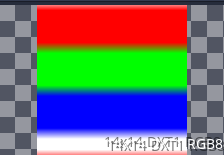
I tried with a few more images. Each of these images are horizontal red, green, and blue stripes like the one @matrem used. The ones below are both 14x14 (so comparatively large), but one has 3 pixel wide bands, and one has 4.
14x14 with 3-pixel wide RGB bands (no changes to source)
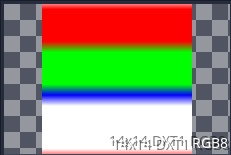
14x14 with 4-pixel wide RGB bands (no changes to source)
8x8 image (2-pixel-wide bands) with green missing (no changes to source)
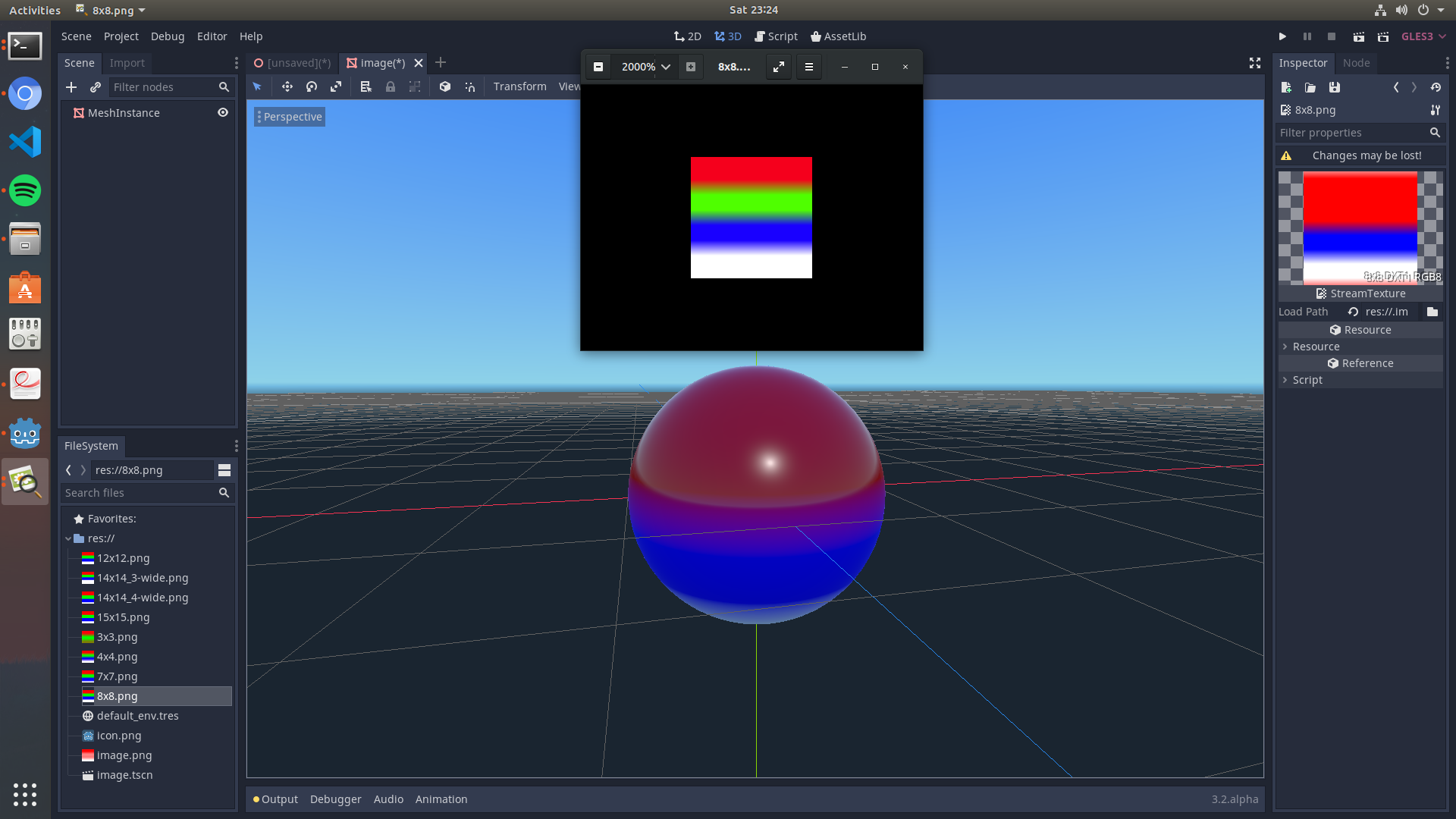
This doesn't happen with an RGBA 4x4 image, so I looked into this block.
https://github.com/godotengine/godot/blob/1d9233c3882afe888b9396f7f2aac917d4dcac4d/editor/import/resource_importer_texture.cpp#L259-L261
I tried putting the following code right underneath that block to test a fix, but it had no effect. Even when I removed the if statement.
    if (p_image->get_width() < 16 || p_image->get_height() < 16) {
        p_compress_mode = COMPRESS_UNCOMPRESSED; //ETC2 doesn't do well with small images
    }
Here is the example project with more image sizes:
 KurtYilmaz
on 6 Oct 2019
KurtYilmaz
on 6 Oct 2019
I managed to narrow down the issue to mostly images below 16x16 and only on HDR mode too.
From what I understand, the issue would be gone once Vulcan comes about, so perhaps mark this as a 4.0 milestone?
 sas41
on 10 Feb 2020
sas41
on 10 Feb 2020
@sas41 Could you reproduce this issue with images of size 16×16 exactly, or only with sizes 15×15 and lower?
We should probably disallow lossy compression on such small images and fall back to lossless compression instead. It may be worth testing this on the vulkan branch too.
 Calinou
on 10 Feb 2020
Calinou
on 10 Feb 2020
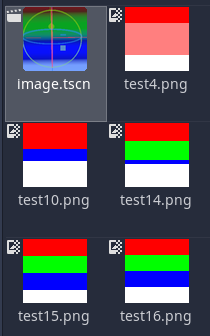
@Calinou, okay, so further testing with the master branch and then the vulkan branch lead me to these following results:
Sample images used (10x zoom):

16x16, 15x15, 14x14, 10x10, 4x4.
Funny things happen when HDR is ENABLED with non HDR images under VRAM
master, image structure just gets all messed up:
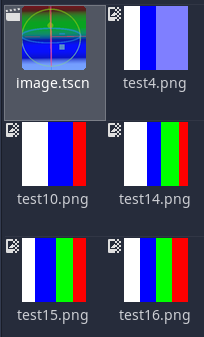
Enabling Normal Map in VRAM mode while HDR is on, will preserve structure but mess up color.
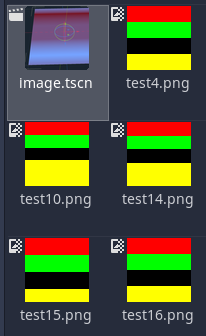
Without HDR, VRAM seems fine?:
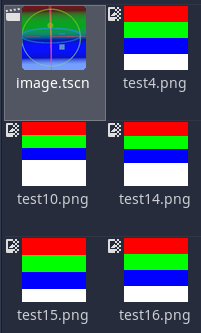
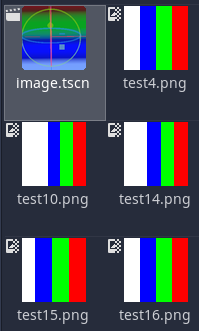
Lossy Compressions simply doesn't work as well for image sizes less than 16x16, there is just not enough pixels to work with by the looks of it. Results for both Normal Map on and off were the same.
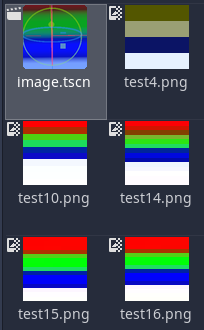
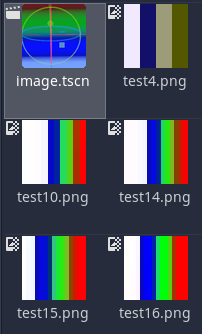
I then checked out vulkan, to see what the differences were compared to current master:
Vulkan in Lossy mode:
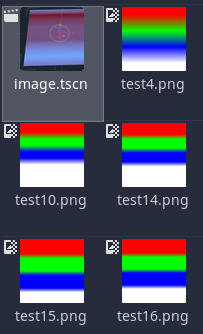
Vulkan in VRAM Compressed, with HDR enabled but Normal Map disabled:
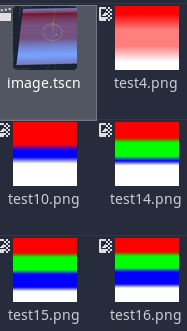
Vulkan in VRAM Compressed, with HDR enabled but Normal Map enabled:
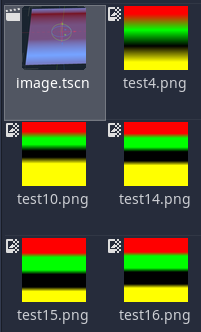
Vulkan in VRAM Uncompressed, with HDR enabled:
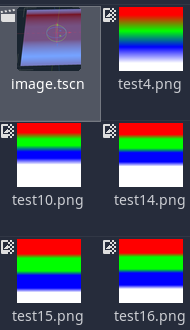
Vulkan in VRAM Uncompressed, with HDR disabled:
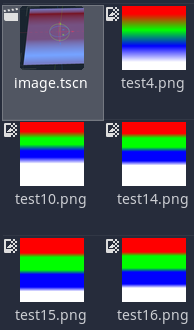
My conclusion is that the issue comes down to HDR mode and how it interacts with standard 8 bit per channel images, along with how HDR interacts with those 8bpc images when Normal Map is enabled.
Both of those cases result in unexpected behaviour, and from what I understand HDR mode won't be included when 4.0/vulkan is merged in to master.
sas41
on 11 Feb 2020
@sas41 Thanks for doing this extensive testing work :slightly_smiling_face:
Calinou
on 11 Feb 2020
@Calinou No problem, my pleasure.
Can we count this as a 4.0 milestone?
I hear vulkan will be merged to master later today (2020-02-11).
Also it is important to note, that the preview images are actual representations of what these textures look like when applied as a material (albedo/rgb) to a surface or mesh, hence, Image resource previews are fine, it's the way the texture data is interpreted/imported that is the problem.
sas41
on 11 Feb 2020
Related issues
 mooseyfaith
·
3Comments
mooseyfaith
·
3Comments
 ducdetronquito
·
3Comments
ducdetronquito
·
3Comments
 bojidar-bg
·
3Comments
bojidar-bg
·
3Comments
 RebelliousX
·
3Comments
RebelliousX
·
3Comments
 blurymind
·
3Comments
blurymind
·
3Comments