Godot: No easy way to restore default editor settings
Operating system or device - Godot version:
Arch Linux, Godot 3 master
Issue description:
I noticed there is currently no easy way to restore the default settings (per setting or globally) within the editor and project settings other than deleting config files and reloading the editor. I think this might become especially problematic for new users, because it's easy to mess things up and get confused or lost when playing around with certain values without any way of telling what the original sane settings were.
 novemberist
All 14 comments
Isn't there supposed to be "reload" arrows next to modified settings?
 Zylann
on 20 Aug 2017
Zylann
on 20 Aug 2017
I don't know. I've only seen those "reload" arrows when changing properties of instanced scenes in the inspector so far, but they don't appear when changing project or editor settings, nor does there seem to be any other obvious way to reset those settings.
novemberist
on 20 Aug 2017
Am I the only one who thinks this is a major issue in terms of usability or am I just too stupid to find the restore button(s) somewhere?
novemberist
on 21 Aug 2017
@novemberist In 3.0, besides the settings being a lot better organized, you can revert individual settings with a special button:

 reduz
on 21 Aug 2017
reduz
on 21 Aug 2017
@reduz
Problem is, this button is only there for project settings (despite me claiming otherwise, sorry about that) but not for editor settings. those can apparently not be reset to default values...
I also think it would be a good idea to be able to restore all settings at once (in case one has changed many settings and just wants to reset everything to vanilla)
novemberist
on 21 Aug 2017
@novemberist Good point, it should be relatively easy to do the same for editor settings
reduz
on 21 Aug 2017
I also think it would be a good idea to be able to restore all settings at once (in case one has changed many settings and just wants to reset everything to vanilla)
I don't know for that, I mean at a given point you rarely have all editor settings changed. And if you do, you probably know what you are doing. For me, having the possibility to revert values one by one is enough, as if you want a "fresh copy" you can just delete the .godot folder. :)
That being said, reverting settings one by one is definitely needed ! ;)
 groud
on 21 Aug 2017
groud
on 21 Aug 2017
if you want to restore all settings at once, just edit project.godot and
delete all lines :)
On Mon, Aug 21, 2017 at 1:09 PM, Gilles Roudiere notifications@github.com
wrote:
I also think it would be a good idea to be able to restore all settings at
once (in case one has changed many settings and just wants to reset
everything to vanilla)
I don't know for that, I mean at a given point you rarely have all editor
settings changed. And if you do, you probably know what you are doing. For
me, having the possibility to revert values one by one is enough, as if you
want a "fresh copy" you can just delete the .godot folder. :)That being said, reverting settings one by one definitely is needed ! ;)
—
You are receiving this because you were mentioned.
Reply to this email directly, view it on GitHub
https://github.com/godotengine/godot/issues/10470#issuecomment-323786896,
or mute the thread
https://github.com/notifications/unsubscribe-auth/AF-Z28Z3ZCW6or34IixwFh8lS6OL2881ks5saautgaJpZM4O8jeH
.
reduz
on 21 Aug 2017
I may have played around with many settings but realized that I want to restore the "factory settings", maybe because for example something is messed up and I don't exactly know which setting may have caused this. It is then a little tedious to have to go through each category and click on each setting seperately to restore its default value.
Yeah, sure I can mess around with or delete hidden config files/folders, but can the average user (or the completely new user) do that? I'm not only considering my own use case here.
By the way, almost every software in existence (blender, unity, ue4 etc,) has some way to restore default factory settings easily without having to delete or change config files. And we want new users to feel right at home, don't we? ;)
novemberist
on 21 Aug 2017
Hum, I don't know... For me the settings are pretty well organised, and it is not like if a little change could prevent the editor from working fine.
In fact it is just that I can't find a reason why you would need to mess around with the editor configuration. usually when you change an option, you do it on purpose because you understand what it does.
Nonetheless, I think a reset button would be very useful for the keyboard shortcuts configuration.
Edit: Anyway, if this is implemented it will have to be kinda hidden to avoid missclicking. :)
groud
on 21 Aug 2017
Yeah, maybe I'm overselling the issue a bit here, but I still felt like it would be something I would instinctively expect to be there and it wasn't. Also something that doesn't sound like it requires a massive amount of work to implement and would be nice to have (especially for newbies, not only for edge cases)
That being said, I could live without it, though. If we get the ability to revert editor settings (and keyboard shortcuts) individually.
As for the reason, why newbies might mess with the editor settings:
Once Godot 3 takes off, many people will (hopefully) be migrating from other engines or be following video tutorials and try to make Godot feel and behave more the way they are used to (or whatever their tutor uses) and customize settings. So it's not necessarily just long-time users that know what they are doing.
novemberist
on 21 Aug 2017
Also something that doesn't sound like it requires a massive amount of work to implement and would be nice to have (especially for newbies, not only for edge cases)
I totally agree on that.
That being said, I could live without it, though.
And if it gets implemented, I wont complain either ^^. Provided we take care to add at least a confirmation dialog. I guess that if a developper also
instinctively expect it to be there
he could make a PR about that :)
groud
on 21 Aug 2017
Fixed by @djrm in the master branch.
 akien-mga
on 1 Nov 2017
akien-mga
on 1 Nov 2017
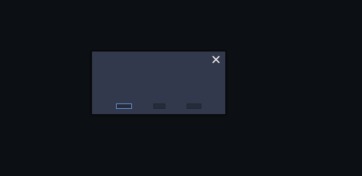
Problem i'm facing is that fonts in the editor were too small, so i edited fonts, which then became even smaller and now i can't reset settings. Every time i open editor i can't even see menu items and popup windows are also unreadable.
 hoskope
on 5 Apr 2018
hoskope
on 5 Apr 2018
Related issues
 n-pigeon
·
3Comments
n-pigeon
·
3Comments
 bojidar-bg
·
3Comments
bojidar-bg
·
3Comments
 timoschwarzer
·
3Comments
timoschwarzer
·
3Comments
 ndee85
·
3Comments
ndee85
·
3Comments
 ducdetronquito
·
3Comments
ducdetronquito
·
3Comments
Most helpful comment
@novemberist Good point, it should be relatively easy to do the same for editor settings