Godot: Button text ignores breakline (\n)
If I set a text with a breakline like "Hello\nthere" and set this text to the Button text and tooltip, the breakline works on the tooltip but is ignored on the text.
 purpleorangegames
All 29 comments
I confirm this if the texts are set by GDScript.
But when setting tooltip's text "Hello\nthere" directly in the editor, no breakline appears in the tooltip.
 StraToN
on 4 Dec 2015
StraToN
on 4 Dec 2015
@StraToN I really just tested this on GDScript.
Are saying that when using the Editor neither the text button nor the tooltip breaks the line?
purpleorangegames
on 4 Dec 2015
@purpleorangegames Exactly.
StraToN
on 4 Dec 2015
tooltip should have line break, but button does not. The code in Label should be somehow abstracted to work in other controls.
 reduz
on 12 Dec 2015
reduz
on 12 Dec 2015
@reduz ok then we should only focus on having line breaks working for tooltips (using both editor setting or GDscript)
StraToN
on 12 Dec 2015
I agree that buttons should not have line breaks unless it's a button for a game.
I have seen plenty of game buttons specially in smartphone games that use linebreaks but it's not something major, would be nice to have but I can live without it and use a custom solution.
purpleorangegames
on 12 Dec 2015
How should line breaks be managed if they were working in Buttons? I guess the button's height should be updated according to the text, right?
StraToN
on 12 Dec 2015
I guess it should, to match the behavior of automatically adjusting the width with the text length.
Although I don't like it very much, I prefer the button to have a fixed size no matter the text, so I can manually adjust it if needed. It is a nice feature if set as optional.
The text is already set as centered and shouldn't change.
What we wouldn't need here is word wrap, as it could cause a lot of confusion and also it should be used in places where you have a lot text being displayed which isn't the case of a button.
Actually, for me the only change necessary would be to the break line code to work.
purpleorangegames
on 12 Dec 2015
If nobody resolves this until Tuesday, I'll have a look for fixing this.
StraToN
on 13 Dec 2015
Some precisions after further investigations.
As @reduz said, line breaks in Buttons' captions won't work for the moment. I will leave this apart.
Concerning tooltips, there are 2 ways to set them: in the editor, and by GDScript.
- in the editor, line breaks work, but you actually need to effectively break the line in the text editor of the tooltip (see image 1).

Inserting "\n" will thus print "\n" (image 2)

- By GDScript, the only way is to set the tooltip with:
extends Button

func _ready():
    set_tooltip("Hello\nthere")
    pass
So this actually works correctly already, I see nothing more to do.
StraToN
on 15 Dec 2015
As #4327 shows, there's also a related issue with \t not working in Labels (and presumably also in Buttons and Tooltips as debugged here).
 akien-mga
on 15 Apr 2016
akien-mga
on 15 Apr 2016
So is there _still_ no way to have two lines of text on a button?
 q00u
on 30 Aug 2018
q00u
on 30 Aug 2018
I have looked into the issue (Very Recently) and have a solution to it (Unless someone states otherwise/comes up with a better one). I will be uploading it later tonight/tomorrow (Forking + Pull Request)/(Need to read Documentation). It will do as requested, and can handle both \n and (Potentially \t, more like 4 spaces currently since \t is Designed to create spaces until the next predefined column, in which, it's going to stay 4 spaces unless someone wants a more modular solution). Furthermore, the formatting regarding the pre-runtime in the tool-tip box, and the run-time correct formatting will remain separate. I can upload a gif to demonstrate. If you want more escape characters added please comment them here. Thanks.
 Undid-Iridium
on 28 Nov 2018
Undid-Iridium
on 28 Nov 2018
Proposed solution: https://github.com/godotengine/godot/pull/24048
 asheraryam
on 29 Nov 2018
asheraryam
on 29 Nov 2018
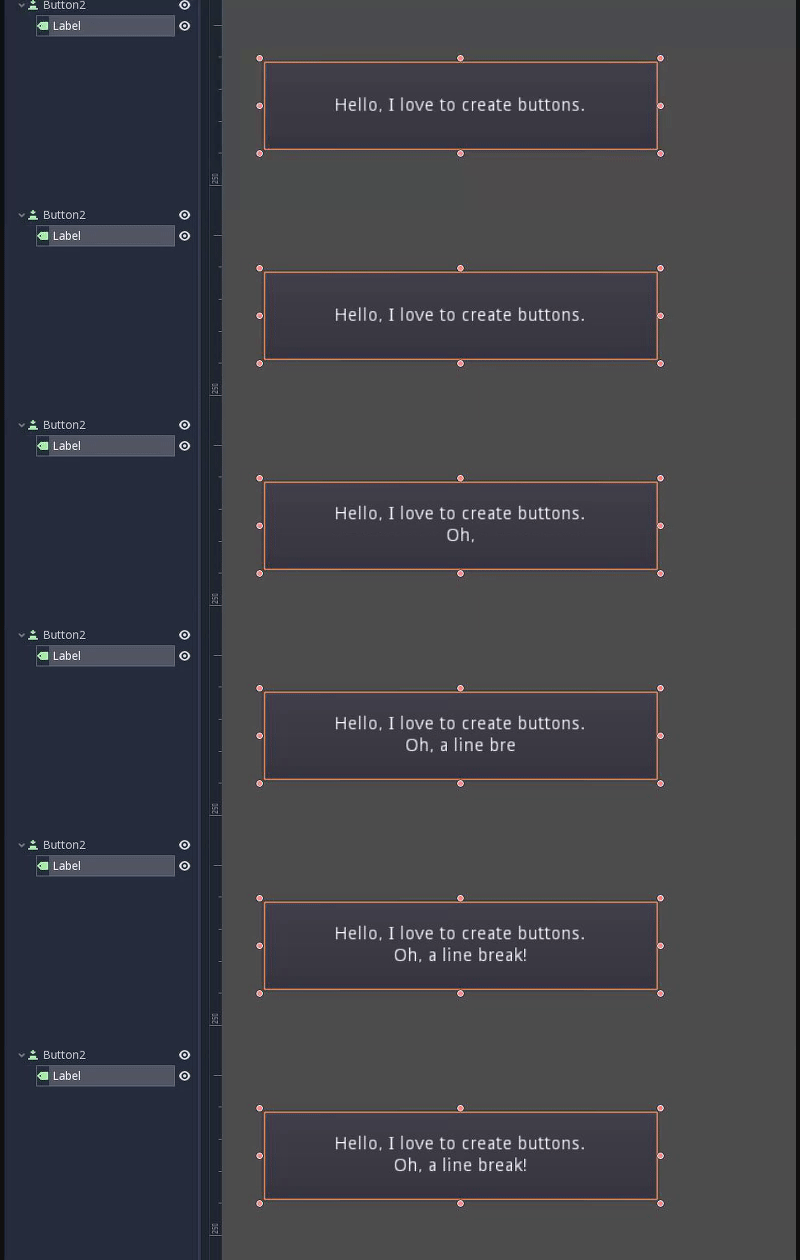
This can be done with a Button->Label hierarchy (make sure to set Label's layout to Full Rect)
 Aaron-Fleisher
on 29 Nov 2018
Aaron-Fleisher
on 29 Nov 2018
That seems to put text over a button, but doesn't inherit the buttons enabled/disabled behavior. Unless I'm missing something.
It's NOT the same thing as having a line-break on the button itself.
q00u
on 29 Nov 2018
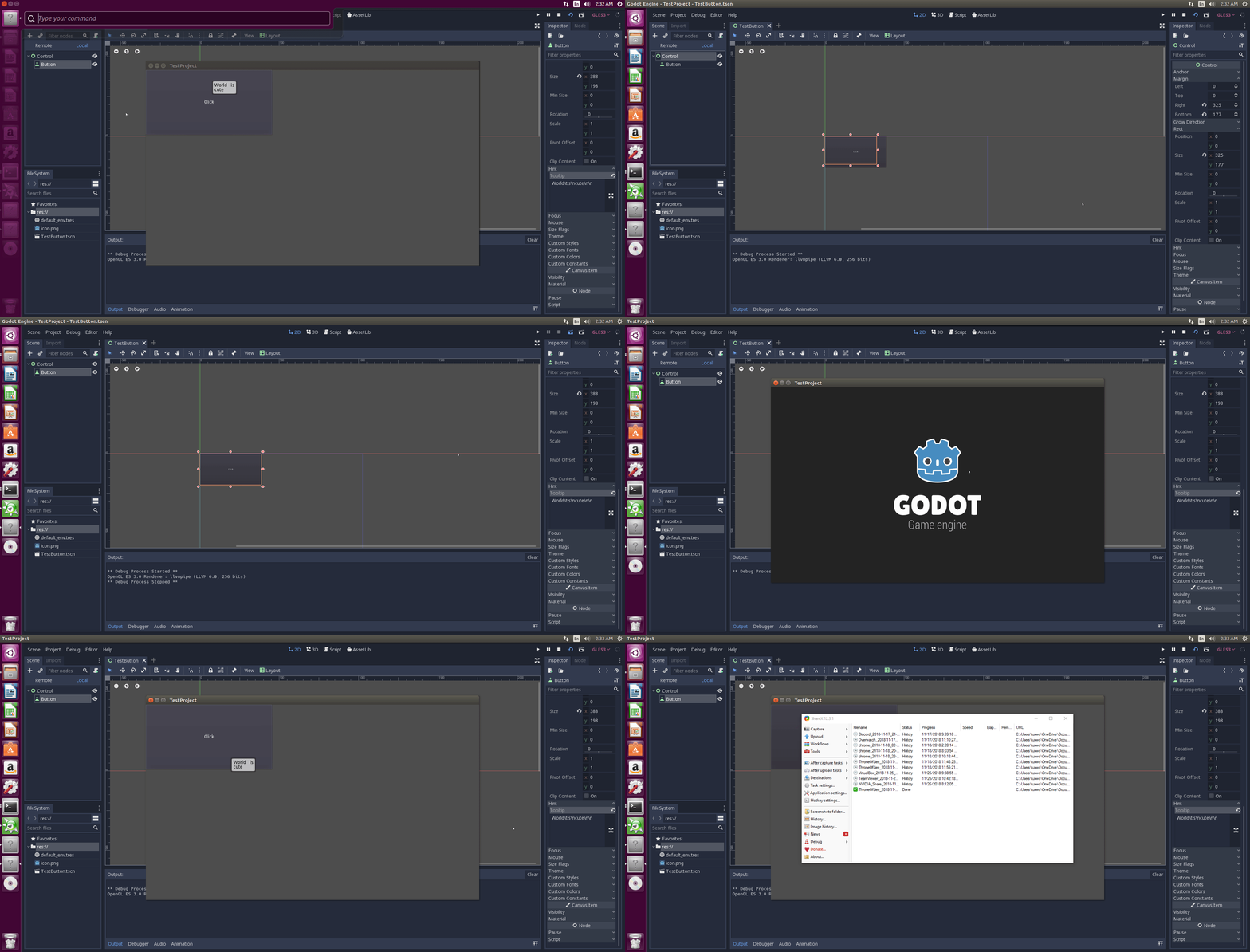
So.. Was it more like this? I was not sure if I understood the problem correctly. (I only started looking into issues a week ago, and started this one a day or two ago. So I followed the gif posted earlier and tried to understand the problem through that.)
From what I understood the point was that there would be pre-runtime formatting such as \n and \t that could be written in tooltip to reduce amount of spacing required. Thereafter the tooltip text would be formatted correctly during run-time. If I am wrong then yeah label would suffice.
Undid-Iridium
on 29 Nov 2018
That seems to put text over a button, but doesn't inherit the buttons enabled/disabled behavior. Unless I'm missing something.
It's NOT the same thing as having a line-break on the button itself.
Yeah, that's true. Was just showing the power of the UI System (extremely underrated) in Godot. To achieve the same effect visually
Aaron-Fleisher
on 29 Nov 2018
This thread makes it look like this issue got fixed, but I'm still experiencing it.
 MEBonham
on 18 Sep 2019
MEBonham
on 18 Sep 2019
@MEBonham PR #24374 could help but is not merged yet (conflicts).
StraToN
on 19 Sep 2019
Bump. Is this still an issue, can anyone reproduce this with 3.2.2?
 Sslaxx
on 26 Jun 2020
Sslaxx
on 26 Jun 2020
@Sslaxx I can still reproduce this in 3.2.2, even when setting the button's text by code.
 Calinou
on 15 Jul 2020
Calinou
on 15 Jul 2020
Is anyone working on this? It looks like #24374 had the right idea but just never got merged. I am happy to pick this up
 rmasp98
on 6 Aug 2020
rmasp98
on 6 Aug 2020
@rmasp98 Thanks for your interest in contributing! Since there's no open pull request for it, feel free to work on a fix for this :slightly_smiling_face:
Calinou
on 7 Aug 2020
I was wrong. That pull request doesn't fix buttons, which I think is the only thing that is still broken. I guess the solution, is probably in how the button text is rendered. I may need a little help in finding where in the code this happens
rmasp98
on 8 Aug 2020
I just got this working with \n, just need to make sure I'm not missing any corner cases, and will probably try to make sure it works with \r\n and other line break character combinations as well before submitting a PR.
 Waridley
on 16 Aug 2020
Waridley
on 16 Aug 2020
Umm ok... I guess I will chuck the stuff I have been working on away then
rmasp98
on 16 Aug 2020
@rmasp98 Sorry, didn't mean to step on your toes. I actually just did it for my own use before even checking this thread. And I've only implemented it for buttons, no other controls, so if you're still trying to clean up that stale PR for the others, go for it.
Waridley
on 16 Aug 2020
Also it's entirely possible your method is better than mine. Wouldn't hurt to see another solution.
Waridley
on 17 Aug 2020
Related issues
 ndee85
·
3Comments
ndee85
·
3Comments
 bojidar-bg
·
3Comments
bojidar-bg
·
3Comments
 mefihl
·
3Comments
mefihl
·
3Comments
 rgrams
·
3Comments
rgrams
·
3Comments
 mooseyfaith
·
3Comments
mooseyfaith
·
3Comments
Most helpful comment
This can be done with a Button->Label hierarchy (make sure to set Label's layout to Full Rect)
