Godot-proposals: Rework tilemaps and tilesets
Describe the project you are working on:
Godot
Describe the problem or limitation you are having in your project:
Tilemap/Tileset UX is bad
Draft proposal
This proposals aims at improving the tilset/tilemap UX with a big refactor. This proposal thus lists a lot of changes.
Global changes
- Merging the tilemap and the tilset inside the same place, at the bottom.
Tilemap node update
Move those properties to tilesets/tileset layers:
- Mode (tile shape), then add new options ("offset square" and "hexagon")
- Cell size
- Y sort and tile origin
- Collision and occluder related properties (moved to their respective tilset layers, see below)
- Cell clip UV (while it does not seem doing something, it is apparently useful for tilsets with filtered textures)
Remove:
- Compatibility mode
- Centered texture (not sure for what it is useful for)
- Custom transform (Replaced by a skew parameter for all modes)
- Half offset = replaced by new "offset square" and "hexagon" tile modes.
The rotation, translation, etc... of individual tiles is now handled inside the tileset, with the possibility to create "alternative versions" of each tile
I plan to add dragable handles to increase/decrease the size of the working area, similar to what LEd implements. It should make it easier to work with the bucket fill for example.
Tilemap editor


With this proposal, the two editors get merged at the bottom. Consequently a switch allows switching between the tilemap and the tileset editor.
In the tilemap editor, the common tools to edit tilemaps are present (paint, rectangle, bucket fill, etc...) in a toolbar.
With possibly some tool-specific options in the toolbar too.
Proposals:
- Add the possibility to select multiple tiles at the same time in the bottom panel, to paint a pattern,
- With the "use random tiles" option, instead of painting the pattern, the tool used randomly choose tiles out of the selected ones,
- When selecting a tile, a panel on the right appears where you can select alternative tiles,
- You can either paint "tiles", "terrains" or "scenes". Once configured correctly, terrains are basically acting like autotiles.
The scenes tabs is missing on the picture, but the idea would be to have a list of scenes to paint as if they were tiles.
The tileset editor
With a button on the top right of the tileset editor, you can open the tileset resouce in the inspector.
This allow modifying properties global to the tileset (tile mode, cell size, etc...).
The source panel

The source tab in the bottom tilset editor simply allows to use textures in the tilset. For each source, you have two properties:
- Offset: offset at the origin of the texture,
- Separation: space between each tile in the texture.
No need to choose a tile size, this is defined by the tileset's size property.
Possibly, this panel might be also used to:
- remove some unused tiles from each source,
- create some alternative tiles for each tile, by potentially rotating or flipping them.
The tileset layers
The new tileset editor introduces the concept of Tileset Layers. A tileset layer is simply a way to add a set of properties assigned to each tile.
All tileset layers are optionally added to a tileset, each added layer provides a single feature to the tileset. For example, adding a "Tilset collision layer" to a tileset allows it to handle collisions.
Occlusion or navigation have also their dedicated tileset layers.
Tileset layers are global to the whole tileset resource, whatever the source image you use, the tileset layers are the same.
Tileset layer properties are edited in a dedicated tab in the Tileset tileset editor. There, you can edit a set of properties global to the whole layer, and add or remove layers. This is an example where the Terrain layer would be edited:

Here follows the list of possible tileset layers.
Collision layer

Info:
Handle collisions for one type of physic objects
Limited to 1 layer for now, but possibly we could add more, for each type of phisycal material to handle (like "water" only slowing down the player while "wall" would block them)
Layer properties:
- is area (?)
- collision mask
- collision layer
- friction
- bounce
- use kinematic
etc...
Tile properties for this layer:
- A shape
Occlusion layer
Info:
Handle occlusion for one light layer.
Limited to 1 layer for now, but possibly we could add more if it is uselful ?
Layer properties:
- layer
Tile properties for this layer:
- A shape
Navigation layer
Info:
Handles navigation.
Limited to 1 layer for now, but possibly we could add more if it is uselful ?
Layer properties:
None
Tile properties for this layer:
- A shape
Probability layer
Info:
Allow assigning probabilities to tiles when they are picked randomly to be placed.
This is used either when using the "select random tiles" options or when tiles are automatically picked by the terrain painting tools.
When several tiles are possible to be placed, the higher the probability value, the higher the chances for this tile to be picked.
Limited to 1 layer.
Layer properties:
None
Tile properties for this layer:
- A float value
Z-Index layer
Info:
Allow assigning a z-index to tiles.
Limited to 1 layer.
Layer properties:
None
Tile properties for this layer:
- An integer value
Terrain layers (several types of layers: 2-edges, 2-corners, 3x3, or even special patterns for half-offset and hexagons)

Info:
This layer allows to create autotiles. A set of terrain types (water, sand and grass for example) are needed, then applied to part of tiles.
This would work like what Tiled does, and is very similar to bitmaps we have now.
All tiles marked of a given terrain then might be picked by the corresponding painted terrain in the tilemap painting mode.
While the previous system handled autotiles separately, now all tiles can take part in autotiling. Also, the terrain thing allows mixing different autotiles.
Limited to 1 layer per type of autotiling (usually you don't have to mix them but it might happen).
Layer properties:
A set of terrain types, needing each:
- A name
- An icon (this likely shoud be picked automatically by selecting the tile with the highest amount of corresponding terrains)
- A color -> this is needed to identify the terrain on the tileset
Tile properties for this layer:
- A pattern identifying which part of the tile are of which terrain.
Metadata layers

Info:
Allow assigning custom metadata to tiles.
Unlimited amount of layers.
Layer properties:
- Type of the metadata
Tile properties for this layer:
- Value of the metadata
The scene tabs
In the tileset editor, you can also define a set of scenes to be used as tiles. For consistency, those scenes act as normal tiles, so both a scene and a normal tile can't be present on the same place at the same time. You need two tilemaps for stacking a scene on a normal tile. There, you can also provide an offset to position your scene correctly.

Even if the mockup does not display it, I hope to be able to have a preview for each scene.
Editing tile's properties
As you can see from the pictures above, each layer has its own dedicated way of editing the tiles properties.
The common approach is to have a value selection on a left panel (with the possibility to save favorite values), then paint this value on the tileset.
Only the terrain editor will likely add the possibility to paint directly with autotiles sub-tiles, it would be annoying to have to choose a shape for the whole tile everytime.
Personal notes on eventual use cases to support:
- godotengine/godot#31003
- #310
 groud
groud
All 110 comments
One of the most common requests I've seen for TileMaps is an ability to have "scene tiles", to allow instancing game objects by painting tiles. Sure, this is possible with the Custom int layer and a script that will instance the nodes based on the value, but a built-in support could allow for object previews, i.e. when you paint a scene-tile, the scene could be instanced in the editor as a preview (similar to what drag and dropping on viewport does). This makes it easier to place objects and it's something difficult to achieve with a script.
I mentioned it in my old proposal.
 KoBeWi
on 3 Nov 2020
KoBeWi
on 3 Nov 2020
One of the most common requests I've seen for TileMaps is an ability to have "scene tiles", to allow instancing game objects by painting tiles. Sure, this is possible with the Custom int layer and a script that will instance the nodes based on the value, but a built-in support could allow for object previews, i.e. when you paint a scene-tile, the scene could be instanced in the editor as a preview (similar to what drag and dropping on viewport does). This makes it easier to place objects and it's something difficult to achieve with a script.
Ah yes, this likely could be simply achieved by adding a new tab in the tilemap editor mode. user could simply drag & drop scenes in this tabs to paint scenes with it. I'll add it to the proposal.
groud
on 3 Nov 2020
Here's my input for the proposal:
There needs to be a better way to add collision (or occlusion/navigation) polygons. At the minute if you have 50 tiles you have to create 50 polygons by hand.
Collisions on a tilemap are just on the tilemap, so your entire map is just 1. If you want a per tile mask this cannot be done. You create collision polygons per tileset tile so it must be possible (with the caveat of a performance hit obviously) to provide a collision mask for any tiles, e.g. keep the 'tilemap' but make each tile inherit it with the ability to override.
Creating multiple layers with multiple tilemaps is really a hack, there should be layers (which is how almost all external tilemap editors work) then there will be a shared tileset, shared tile sizes and data, shared positions and more importantly a much simpler means of integrating the layers in code.
 chucklepie
on 4 Nov 2020
chucklepie
on 4 Nov 2020
There needs to be a better way to add collision (or occlusion/navigation) polygons. At the minute if you have 50 tiles you have to create 50 polygons by hand.
The proposal addresses this. You define the polygon on the left of the tileset, then you paint this collision shape over the tiles directly in the tileset. It is similar to what RPGmaker does, but you have more control on the shapes you might use.
Collisions on a tilemap are just on the tilemap, so your entire map is just 1. If you want a per tile mask this cannot be done. You create collision polygons per tileset tile so it must be possible (with the caveat of a performance hit obviously) to provide a collision mask for any tiles, e.g. keep the 'tilemap' but make each tile inherit it with the ability to override.
The proposal suggests that it might be possible, maybe not in a first version (let's see), to add several collision layers to a tileset. Each layer would then allow you to have different collision properties (including masks, friction value, etc...).
Creating multiple layers with multiple tilemaps is really a hack, there should be layers (which is how almost all external tilemap editors work) then there will be a shared tileset, shared tile sizes and data, shared positions and more importantly a much simpler means of integrating the layers in code.
Most of the properties tilemaps handle are being moved to the tileset resouce, which is easily shared between tilemap nodes. Consequently, this will be a lot easier to manage.
I kind of disagree on the needs for tilemap layers. Multiple tilemap nodes are ok IMHO. With the proposal, they will simply need almost no setup (only setting the tileset resource), so they don't need much more feature than Node2Ds do.
groud
on 4 Nov 2020
Great proposal, it seems to address every key issue from the existing setup. You seem to have thought about a lot of details.
I don't see anything that would be off. Can't comment on the UX's details either without actually using the tool directly. But what matters is that the overall idea is coherent and addresses the users' problems.
 NathanLovato
on 4 Nov 2020
NathanLovato
on 4 Nov 2020
If settings are being made simpler and you don't want to go down the layer route, maybe what is needed is an ability to copy settings from one tilemap to another so they are always in sync, as how multiple layers would automatically be?
I guess this won't hold much sway, but in a tile editor I use it supports multiple 'layer' images per tile (e.g. background, foreground1, foreground2, etc) and that made it really easy on a per tile basis to layer foreground/background/etc tiles on top of each other without need for multiple layers/maps/tiles or resorting to static bodies. The use cases for this is if you want to merge multiple images together in any order, e.g. you have a tile and want to have dirt, snow, status effects, damage, etc. You then simply call a method to enable/disable a tile layer, e.g. set_cellv(5,Cell.FG2, true) to enable the second image associated with the tile.
I think maybe the problem with the tilemap currently and stops it being enhanced is it's a very basic format with a long value per cell holding it's position and id. This means there's a direct correlation between bytes and tiles/locations. In other tilemaps I've used, each long value can be a pointer to another struct so things like tile extensions can easily be made.
chucklepie
on 4 Nov 2020
If settings are being made simpler and you don't want to go down the layer route, maybe what is needed is an ability to copy settings from one tilemap to another so they are always in sync, as how multiple layers would automatically be?
Well, as they can share the same tileset resource, modifying one tileset resource will modify it for all the tilemap nodes sharing this resource.
I guess this won't hold much sway, but in a tile editor I use it supports multiple 'layer' images per tile (e.g. background, foreground1, foreground2, etc) and that made it really easy on a per tile basis to layer foreground/background/etc tiles on top of each other without need for multiple layers/maps/tiles or resorting to static bodies.
I think stacking a tilemap node on top of another one will work with this use case. By simply changing the tile displayed on top will (or removing it), you can achieve such result.
But in any case, with custom metadata layers, you will be able to do almost anything you want in a procedural way.
groud
on 4 Nov 2020
Will they be any removed property or method in the new Tilemap relative to the current Tilemap?
-If yes, would you please name all of them, or at least confirm that get_used_cells() andget_cell_size() won't be removed?
Thanks.
-TechnoArt Studio Team.
 TechnoArtStudio
on 4 Nov 2020
TechnoArtStudio
on 4 Nov 2020
Will they be any removed property or method in the new Tilemap relative to the current Tilemap?
I don't know yet, but I'll try to keep compatibility as much as possible.
groud
on 4 Nov 2020
Overall this looks really great! Especially the Scenes as tiles, that will go a long way to making this usable as a level editor!
Being able to have tiles with different collision masks would be (_from my experience_) an extremely important feature to have. Without that we'll have to resort to stacking tile maps on top of each other again, which so many of these features are working to get away from it seems.
Everyone can tell me I'm wrong if they think so, but I think that stacking tile maps should be for pretty special cases. We should be able to do most things within a single tile map.
The last thing I can think of is what @chucklepie was talking about, having multiple layers would cover another case that would otherwise force us to stack maps. The use case that comes to mind is:
layer1 -> painting ground tiles (z index 0)
layer2 -> painting tree tiles (z index 2)
If you want your characters (z index 1) to be able to walk under the trees, you can't just have a combined ground/tree tile.
Anyway, this proposal is looking really great!
 Wavesonics
on 4 Nov 2020
Wavesonics
on 4 Nov 2020
Hello again. If you're also making api changes not just cosmetic I think how people interact with tiles should be thought about. For example, if you want to get the tile a collision occurs on (pretty much what everyone wants), there is no simple means, you have to use this code, which seems overly complex and long-winded for your average user (I had to do a lot of searching/asking to figure this out):
var tile_pos = collision.collider.world_to_map(position)
tile_pos -= collision.normal
var tile_id = collision.collider.get_cellv(tile_pos)
It should really be a case of the tilemap having a good api, e.g.
var tile_id=map.get_tile_from_collision(collision)
etc.
chucklepie
on 4 Nov 2020
The last thing I can think of is what @chucklepie was talking about, having multiple layers would cover another case that would otherwise force us to stack maps. The use case that comes to mind is:
layer1 -> painting ground tiles (z index 0)
layer2 -> painting tree tiles (z index 2)
Using stacked tilemaps is the way to go for that. But with this proposal it should not be cumbersome anymore, as tilemaps sharing a same tileset will share most of their properties (they will likely 99% be like layers in fact).
If you're also making api changes not just cosmetic I think how people interact with tiles should be thought about
I have not checked the API yet, I'll see while implementing everything if I can improve some areas of the API.
But yes, for now I'd like to focus this first proposal on the editor interface first.
groud
on 4 Nov 2020
How would your restructuring of the tile size away from the tilemap and into individual tilesets interact with oversize tiles (e.g., If I have a 64x64 tree tile that needs to be part of a 32x32 tileset)? This is especially important for isometric/military perspective tilesets in my experience, so how would that functionality be replicated?
 MrDudeIII
on 4 Nov 2020
MrDudeIII
on 4 Nov 2020
How would your restructuring of the tile size away from the tilemap and into individual tilesets interact with oversize tiles (e.g., If I have a 64x64 tree tile that needs to be part of a 32x32 tileset)?
I would say that, for square-shaped tiles, such tree would be split into several ones. But this is not a problem as, in the tilemap editor, you would be able to select multiple tiles at once.
Regarding the case for isometric tile, that can not be used. So the solution would be here to move the oversized tiles to another texture (either a single texture for each element, or an atlas with all other items with the same size). I am not sure if it is clear in the proposal (maybe the source panel has to be reworked), but each texture source can have a different tile size, which would allow for tiles bigger than the configured tile shape.
groud
on 4 Nov 2020
Great start, here are some suggestions:
In the tileset editor, you can also define a set of scenes to be used as tiles. For consistency, those scenes act as normal tiles, so both a scene and a normal tile can't be present on the same place at the same time. You need two tilemaps for stacking a scene on a normal tile. There, you can also provide an offset to position your scene correctly.
Snapping to tiles is good, but how about non-snapping scenes? Like if I wanted 5 scenes in one tile at once, would I have to use slow drag & drop workflow again?
I mean, if those scenes are e.g. trees or creatures (for grid-based ground but not grid-based gameplay), and not just passive walls.
This layer allows to create autotiles. A set of terrain types (water, sand and grass for example) are needed, then applied to part of tiles.
Does auto-tiling also apply to scenes, which might be, for example, high 2.5D walls in isometric view? Or are those walls going to be supported as regular tiles?
Also not sure if it's supported already, but it would be useful to have access to the auto-tiling functionality from scripts - if I wanted to set up tilesets in editor, but create tilemaps at runtime from procgen or from player, or apply some changes from gameplay.
A set of terrain types, needing each:
A name
An icon (this likely shoud be picked automatically by selecting the tile with the highest amount of corresponding terrains)
A color -> this is needed to identify the terrain on the tileset
Multi-coloring sounds like an eye-killer to me. How about just printing the name + bounding box (+ maybe the icon) over tileset (IIRC it's already like this), and where it doesn't fit, using just the icon?
 starry-abyss
on 4 Nov 2020
starry-abyss
on 4 Nov 2020
Snapping to tiles is good, but how about non-snapping scenes? Like if I wanted 5 scenes in one tile at once, would I have to use slow drag & drop workflow again?
Yes, drawing scenes randomly positioned on top of a tilemap is out of the scope of the tilemap editor, and thus of this proposal.
That being said, we had an idea about the possibillity to implement something to "paint" scenes at custom positions, but that's not what tilemaps are for.
Does auto-tiling also apply to scenes, which might be, for example, high 2.5D walls in isometric view? Or are those walls going to be supported as regular tiles?
No, not in this proposal. But I think this is so corner case that it could be handled via scripts.
Also not sure if it's supported already, but it would be useful to have access to the auto-tiling functionality from scripts - if I wanted to set up tilesets in editor, but create tilemaps at runtime from procgen or from player, or apply some changes from gameplay.
Yes, that would be a good idea. I'll probably have to implement a few function to paint autotiles on tilemaps, I suppose I could easily expose this to users.
Multi-coloring sounds like an eye-killer to me. How about just printing the name + bounding box (+ maybe the icon) over tileset (IIRC it's already like this), and where it doesn't fit, using just the icon?
I think you misunderstood what this is for. Basically terrains would work like the bitmasks we have now, but with several bitmasks at the same time. Right now, bitmask are drawn in the autotile editor in red, but when settings terrains, we will need different color for each terrain. Thus, you can configure this color there. Off course this color wont be displayed on the tilemap, it's only used in the tileset configuration.
groud
on 4 Nov 2020
Snapping to tiles is good, but how about non-snapping scenes? Like if I wanted 5 scenes in one tile at once, would I have to use slow drag & drop workflow again?
You could create a scene containing instances of these 5 scenes and make it a tile.
KoBeWi
on 4 Nov 2020
@KoBeWi Thanks, but I didn't mean Civilization-like squads. I meant free placement of any amount of any scene type anywhere. 5 locked inside a tile was just an example.
starry-abyss
on 4 Nov 2020
Hello, one thing I didn't realise you could not do as I've just tried inside a 'tool' script and failed is persist your changes to set_cell() and other tilemap editing features. What I mean is, when you create a 'tool' I was expecting setting cells to just persist the data back to the tilemap.
The reason for this is if you want to procedurally create tilemaps or simply use a tool to help you manage tilemaps, the only way currently is to kind of hack an external application and write a raw tscn file.
Given the Godot editor does all this, why not expose some of this functionality?
chucklepie
on 5 Nov 2020
Would it be possible to have a way to automatically create collisions for slopes divided into several tiles?
Maybe the editor could have some standard predefined slope angles, like 10, 20, 30, 45 and 60 degrees.
For example, creating two tiles of 16x16 with a slope of 30 degrees angle automatically divided between the two tiles. Or four tiles of 32x32 with a 10 degrees slope angle, starting at the first/last tile on the left/right and ending at the fourth/first one.
 AttackButton
on 5 Nov 2020
AttackButton
on 5 Nov 2020
Please also look at #648 especially its last comment about keyboard hotkeys to add square collision boxes
 nikhilCad
on 5 Nov 2020
nikhilCad
on 5 Nov 2020
Hello, one thing I didn't realise you could not do as I've just tried inside a 'tool' script and failed is persist your changes to set_cell() and other tilemap editing features. What I mean is, when you create a 'tool' I was expecting setting cells to just persist the data back to the tilemap.
I am surprised this does not work. I will have a look.
Would it be possible to have a way to automatically create collisions for slopes divided into several tiles?
I think this use case is a little bit too specific to bother implementing a way to define a collision on several tiles at the same time. It should not be that complex to draw slopes if you have snapping on the shape drawing.
However, I agree it could become annoying when you have an object spread on multiple tiles (like the stomp on the tilsets in the proposal). I'll give it some thinking but this is not a priority to be honest.
Please also look at #648 especially its last comment about keyboard hotkeys to add square collision boxes
There will be no need for such short with this proposal. You will basically click on the "square shape button" then paint, with the left click, this square all over your tileset.
groud
on 5 Nov 2020
Fanastic work! I can't wait to try it. I have some feedback about all what I've read here.
Tilemap Layers
Regarding using "drawing layers" or delegate that to multiple tilemap nodes I have mixed feelings.
From one side, I want to have the freedom to have a layered tilemap with the control that nodes offer (scripting, etc.)
and from the other side when you have 100+ scenes maintaining all tilemap layers can become a nightmare.
Having a "drawing layer" feature in the tilemap editor is not a bad thing IMHO and yet we will have the option to use multiple tilemap nodes as layers. So it will be the developer's choice what to use.
The ability to combine different tiles and create a "composite tile" (e.g. solid ground + dirt, ground + snow, and other effects...) would be very helpful in terms of maintainability and reusability.
I don't know how complicated is to do that, but if you have the chance why not.
Brushes?
It's not clear for me, but can we select a group of tiles and create a brush out of it? e.g. a house, a tree that has 3 tiles, etc.
so we can easily paint them. AFAIR. GameMaker and Unity have this feature. It helps drawing repetitive groups of tiles.
Extensibility
This refactoring, does it pave the way to be able to write plugins for the tilemap editor? Will the API be available programatically?
Metadata Layers
Can you explain a bit more about the metadata layers? Will that be available programatically? For example, If player collides with a tile, to know the metadata of that tile.
Documentation
Finally, better documentation about how to use the Collision and Bitmask layers would be very helpful. It was very hard to learn how to make it work, I had to dig in google and lots of tutorials. I think Godot docs should explain this (and all layers) a bit better with more examples.
Thank you!
 itsjavi
on 5 Nov 2020
itsjavi
on 5 Nov 2020
I see two advantages of having layers:
1) they are easier to optimize than multiple TileMaps, because you have everything in one node (although maybe it's irrelevant)
2) we could have a shortcut to switch between layers, while you have to click the TileMaps
I think that having TileMap layers (instead of needing to stack TileMaps) allows for better integration between them and more seamless/convenient editing. When creating a level you almost always have to overlap some tiles (at least if you want it to look good), which means that single TileMap would not be enough in 90% cases.
KoBeWi
on 5 Nov 2020
Regarding last comment on layers. This is why I and a message above have
suggested composite tiles. If you have 7 or 8 states for a tile or simply
want to merge tile images (eg snow, etc) you would have to create about 20
tile maps.
BTW, I've been asking many times to add metadata to tiles so you can do
stuff like per tile score, astar heuristic for terrain. Etc and it got
rejected, so good too see its in now, well I hope its in from what I read 😁
On Thu, 5 Nov 2020, 10:26 Tomek, notifications@github.com wrote:
I see two advantages of having layers:
- they are easier to optimize than multiple TileMaps, because you
have everything in one node (although maybe it's irrelevant)- we could have a shortcut to switch between layers, while you have
to click the TileMapsI think that having TileMap layers (instead of needing to stack TileMaps)
allows for better integration between them and more seamless/convenient
editing. When creating a level you almost always have to overlap some tiles
(at least if you want it to look good), which means that single TileMap
would not be enough in 90% cases.—
You are receiving this because you were mentioned.
Reply to this email directly, view it on GitHub
https://github.com/godotengine/godot-proposals/issues/1769#issuecomment-722287423,
or unsubscribe
https://github.com/notifications/unsubscribe-auth/ADCERRPU3NQK2BRIUX6TNQ3SOJ4WJANCNFSM4TJC3AFA
.
chucklepie
on 5 Nov 2020
Here is a video of me creating what's called "brushes" in Construct3. It's their UI for creating autotiles.
I really like how it shows a minimalistic preview of the expected tiles. The tile selection is also nice and easy with the split view.
In Godot 3 there is only a drop down telling you some kind of name of the used autotile algorithm where the user has no clue what tiles are needed.
One more general thing about this proposal, I thought this update was about user experience ( UX ) and a big part of that is a good UI, but there is not much discussion about the UI at all. I'm not an expert at all but the UI right now is just new tabs for every feature, which doesn't sound like a good user experience to me. Is there someone helping with UX/UI who's experienced in that field? If not maybe it would be good to actively ask for help in that area on Twitter and reddit, or is it too early to get a UI/UX designer on board?! Like I said, I'm not an expert either.
 TackerTacker
on 5 Nov 2020
TackerTacker
on 5 Nov 2020
The ability to combine different tiles and create a "composite tile" (e.g. solid ground + dirt, ground + snow, and other effects...) would be very helpful in terms of maintainability and reusability.
I don't know how complicated is to do that, but if you have the chance why not.
The problem is that it makes setting up things a lot harder (needing to set picture for each tile), while stacking two tilemaps is quite easy to do. So IMHO, it's not worth implementing a "graphic tilset layer".
Brushes?
It's not clear for me, but can we select a group of tiles and create a brush out of it? e.g. a house, a tree that has 3 tiles, etc.
so we can easily paint them. AFAIR. GameMaker and Unity have this feature. It helps drawing repetitive groups of tiles.
Yes, this is planned to be supported.
This refactoring, does it pave the way to be able to write plugins for the tilemap editor? Will the API be available programatically?
We will see depending on what people need, but yes, it should be possible to create advanced tools for that I suppose.
Can you explain a bit more about the metadata layers? Will that be available programatically? For example, If player collides with a tile, to know the metadata of that tile.
For example, you have tiles that would inflict damages to the player. So you could have a "damage" metadata tileset layer that you can paint over tiles (the value would be 0 or 1 depending on whether or not the tile inflicts damage). And then, when getting a tile from the tilemap, you could get this value (from collisions, or any other way), and thus deal some damage to the user.
Finally, better documentation about how to use the Collision and Bitmask layers would be very helpful. It was very hard to learn how to make it work, I had to dig in google and lots of tutorials. I think Godot docs should explain this (and all layers) a bit better with more examples.
This will come when the refactor is done.
I see two advantages of having layers:
they are easier to optimize than multiple TileMaps, because you have everything in one node (although maybe it's irrelevant)
we could have a shortcut to switch between layers, while you have to click the TileMaps
I don't think the optimization is relevant, splitting a tilemap into 3 or 4 nodes is not that computationally expensive.
The shortcut to switch between tilemaps be implemented anyway (likely by switching between the tilemaps that are all children of the same node or something like that, basically switching between siblings). I think I will even implement a way to lower to opacity of not selected tilemaps too, that would help for that.
If you have 7 or 8 states for a tile or simply
want to merge tile images (eg snow, etc) you would have to create about 20
tile maps.
There's really little use cases where you would have to stack up to 7 or 8 images on top of each other. You could simply change the tile on the top tilemap to change the state, you don't need 20 tilemaps to do that.
groud
on 5 Nov 2020
This is why I and a message above have suggested composite tiles. If you have 7 or 8 states for a tile or simply want to merge tile images (eg snow, etc) you would have to create about 20 tile maps.
Would it be possible to do this with a kind of compositing texture instead? I've thought about this before too, but it seems like something that would be better handled in a plugin or an aseprite script rather than something in the engine proper though.
MrDudeIII
on 5 Nov 2020
I have quite a few comments based on other proposals, issues, posts and my thoughts. I apologize in advance if you feel some them are unwarranted. I hope that at least for the sake of discussion it will be useful:
Merging the tilemap and the tilset inside the same place, at the bottom.
Why bottom though? Maybe it's better to make it appear as dock, when user works with TIleMap? For example it's rarely necessary to access TileMap node properties in inspector after basic setup. Why not put TileMap Editor as a tab there?
Centered texture (not sure for what it is useful for)
It's basically the same as Sprite's "Centered" checkbox. Useful if you want some of your tiles to overlap neighbors in all directions by using more texture space then cell size.
With this proposal, the two editors get merged at the bottom. Consequently a switch allows switching between the tilemap and the tileset editor.
But is separation really needed?
First of all, do we need 3 tabs for tiles/terrains/scenes in TileMap Editor? If I want to draw my map and have everything ready I don't want to switch around tabs, it's all the same for me - tiles to fill my map, and I want to be able to see it all in one place. Though of course at the same time I also want some arranging and grouping tools:
- to group objects from different textures together,
- collapse some groups I'm not working with right now,
- navigate through groups by names, instead of looking through mountains of colorful tiles
- hide/remove some tiles (if I downloaded some asset pack but is not interested in some of them)
- add new tiles by just drag-and-dropping texture (scene) without switching editors
- move tiles between groups, etc.
So tiles/terrains/scenes - 1 tile palette tab.
Add right-click context-menu to perform specific tile-(group/selection)-bound operations, navigation becomes much easier and intuitive. When you right-click specific tile(s) you should be able to modify its unique properties without searching for it again in another tab.
Now tileset editor tabs: - sources tab - do we need it? can't we show user some dialog box where he can specify tile-size/offset/separation - right after he drag-drops texture from filesystem dock to tile palette? And if user wants to change these settings - put them in menu for tiles generated from the texture. If he wants to reuse it (maybe with different tile-size, who knows) - just drag-and-drop it again (or maybe restore hidden/removed tiles).
- assigning/changing already created layers/props should also be possible from context menu (or switching to appropriate tab if user clicks "Create new...", so it would be easier to understand these tabs purpose).
It is also very important to improve basic tools in tilemap tab and scene editor itself:
- tiles selection (with ctrl/shift, and its modification)
- copy/paste/duplicate/move
- customizible paint brushes (for example right now it doesn't make sense to have to draw autotiles having 2x2 bitmask with 1x1 brush, it's part of the reason why autotiles suck).
I also have a suggestion for more transparent creation of autotiles.
Right now we first assign bitmasks to specific tiles. It requires knowledge about bitmasks and understanding how they work. Even in cases we don't need bitmasks in other tile editors - our textures should be specifically designed to match pattern.
Then we can start drawing with autotiles. But what if designer changes his mind about required diversity of his tiles in the process of creating his levels or before that, is still thinking about best composition and trying (each time he has to stop placing layout, go to configuration, change it, then continue)?
Either way there are two main steps - configuring autotile and using it to draw.
But 2x2 bitmask is subset of 3x3 minimal which in turn is subset of 3x3, so why not just let designer place level layout and engine - fill gaps in autotile by itself? How I imagine it to work:
- User selects first tile of future autotile on palette and presses some button like "New autotile", thus entering "autotile modification mode". Each tile placed on a map in this mode is counted towards autotile. After each placed tile Engine calculates bitmask for it and fills new tiles with same bitmask with this tile basically dynamically autotiling.
- Since we selected 1 tile from the palette at first every new tile will be autotiled to it. Lets say we draw some starting layout (which we don't have to do for it to works, its only our convenience):
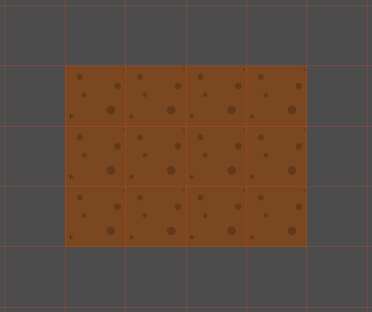
- Then we select appropriate tile in and place it top-left (Engine makes connection with tile and bitmask and at the same time tries to substitute to other instances of same bitmask, but transformed, which is optional and overridable behaviour, but very useful for faster tilemap prototyping https://github.com/godotengine/godot-proposals/issues/893):
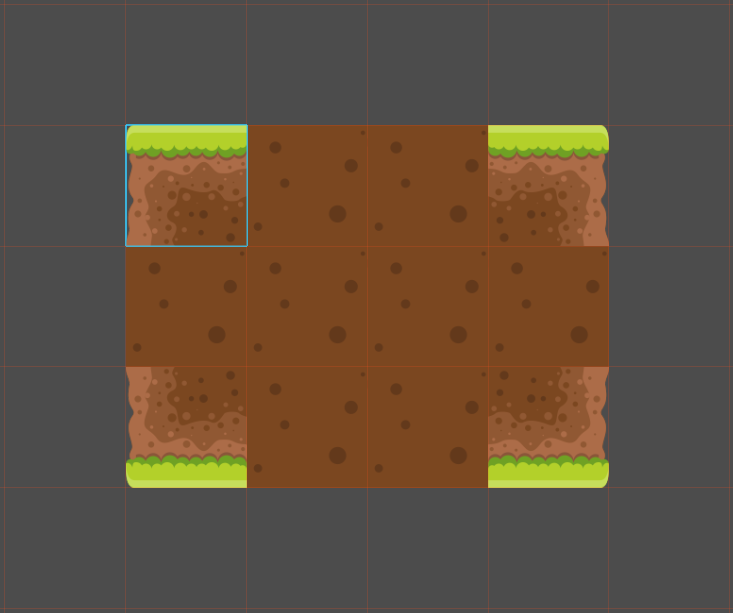
- Then we place another tile in bottom-left, thus overriding Engine's substitution for this specific bitmask. Now Engine gives another substitution for bottom-right, since it requires lesser bitmask transformation steps then top-left. Top-right stays the same for same reason.
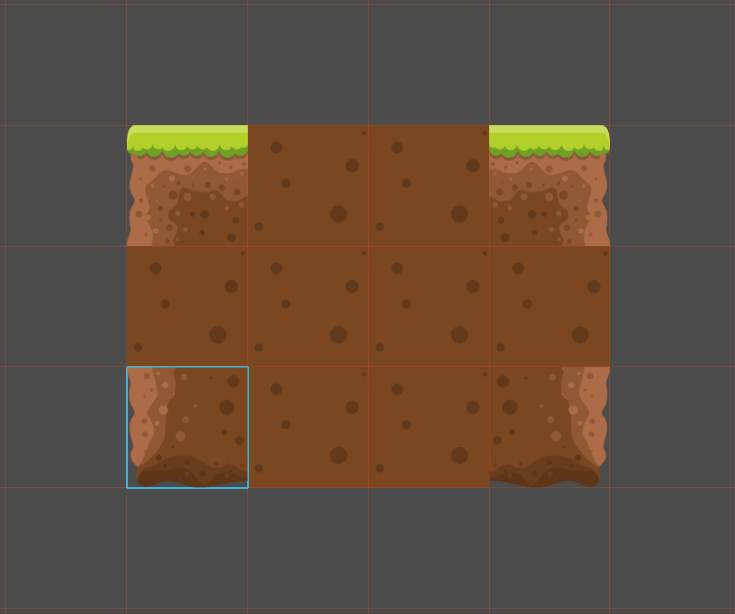
- We continue adding tiles or remove some we think we don't need, add new parts of layout which already assumes learned autotiles, etc. If while we close gaps we see that there's no corresponding tile in our texture then we think if we want to design new tiles or change layout to fit current one.
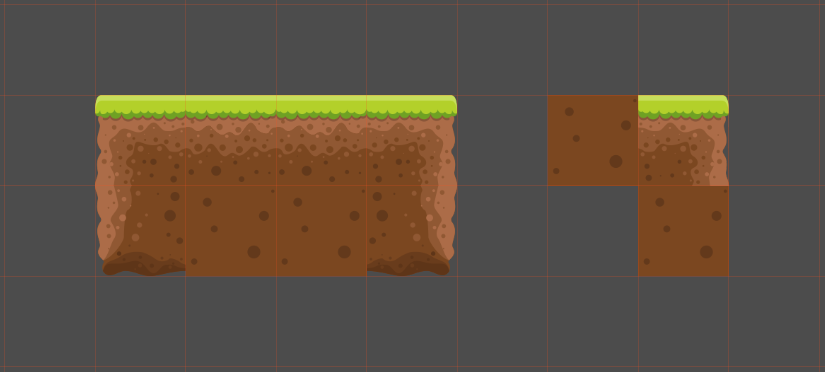
- If we place several different tiles which fit same bitmask (without transformations) then Engine automatically assumes they are to be randomized. If we want specific pattern instead (wall pattern or bridges with dynamical length) we select tiles with pattern inside existing autotile we learned so far, click "add pattern". Done.
- Also to support full 3x3 bitmask creation it would be nice if tiles placement direction also have been taken into account and/or tool to add/remove bits of bitmasks of one or more selected tiles with mouse or numpad, so we can easily build complex maps like this:
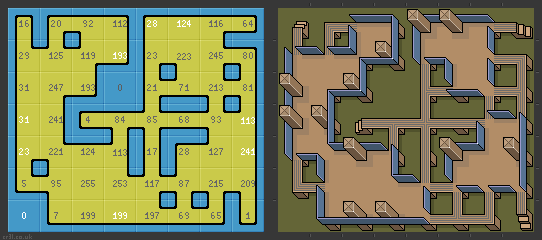
or fix this https://github.com/godotengine/godot-proposals/issues/310 - When we think we're done we exit this mode (and possibly Engine goes anew through all tiles to confirm learned autotile), but can always quickly return and change something.
- If instead we placed tiles by hand, but then decided to create autotile from some of them - easy - select (with shift/control) and press "New autotile", done.
- If we want to connect 2 autotiles (for example grass and water) we create two of them separately (including border tiles so that borders are next to each other). Select our 2 autotiles in palette, click "Bind autotiles" - done . Engine goes through both of them and corrects boundaries to be exclusive (or we can possibly specify one directional binding if only one autotile has unique bounding tiles).
- Lastly if we want to do some specific changes (like changing default tile or icon) or do things in more orderly fashion - right-click autotile ("Change...") or go straight to appropriate tab of TileMap Editor.
Thanks for reading!
 Calamander
on 5 Nov 2020
Calamander
on 5 Nov 2020
Why bottom though? Maybe it's better to make it appear as dock, when user works with TIleMap? For example it's rarely necessary to access TileMap node properties in inspector after basic setup. Why not put TileMap Editor as a tab there?
Because this is the most convenient place for now and it is consistent with the current state of the editor. If we make the editor more flexible someday, this might be changed.
It's basically the same as Sprite's "Centered" checkbox. Useful if you want some of your tiles to overlap neighbors in all directions by using more texture space then cell size.
No, this is a property for the whole TileMap, making all cells centered. So it is basically moving all pieces by half a tile. Maybe it can be helpful in some situations, but I believe that it is a confusing parameters (maybe it should be replaced by a "tile origin" per-tile property? Or at import, I don't know.
First of all, do we need 3 tabs for tiles/terrains/scenes in TileMap Editor? If I want to draw my map and have everything ready I don't want to switch around tabs, it's all the same for me - tiles to fill my map, and I want to be able to see it all in one place.
I though about the possibility of having all on the same screen, but if you have no autotiles or scenes, this would have to take space on the screen (even to say none of them are set up), which is already quite limited.
This is the case because the three of them work very differently. The tarrain are in fact kind of a brush painting normal tiles, but in a "smart" way (by considering the terrain data). Scenes may be very different in size, and their name is significantly more important than having names for normal tiles. That's why I think each of the painting mode deserves a separate tab, or at least separated areas.
All you mention regarding grouping tools is pointless IMHO. The grouping can, and should, be done at the tileset texture creation step. Because it makes things a lot more complex on our side I would rather avoid allowing creating complex ways to organize your tiles individually.
To be honest, I also think that in 99% of cases, project will be limited to a handful of terrains, a small set of tileset textures and possibly a few more scenes. So there is no need, IMO, to make the system more complex unless someone, someday, expresses a need for it.
sources tab - do we need it? can't we show user some dialog box where he can specify tile-size/offset/separation - right after he drag-drops texture from filesystem dock to tile palette?
I believe it is important to for discoverability to show the steps you have to do to setup something. Drag & drop is not very discoverable, so a dedicated tab is needed. Even if it's more tabs, it clearly shows the steps needed to setup a tileset.
It is also very important to improve basic tools in tilemap tab and scene editor itself:
I agree on this point, this will be implemented.
I also have a suggestion for more transparent creation of autotiles.
I like the idea. I thing we could maybe simply have a way highlight the tiles on the tilemap which have missing tileset tiles, then let you pick their missing pattern to be added to the tileset. But in any case, I don't think this is a priority, as, IMHO, terrains are more common and easier to understand.
groud
on 5 Nov 2020
No, this is a property for the whole TileMap, making all cells centered. So it is basically moving all pieces by half a tile. Maybe it can be helpful in some situations, but I believe that it is a confusing parameters (maybe it should be replaced by a "tile origin" per-tile property? Or at import, I don't know.
Well, yes. It's global. I just explained how I used this property. I couldn't achieve the same with other properties, but overall they are certainly confusing.
I though about the possibility of having all on the same screen, but if you have no autotiles or scenes, this would have to take space on the screen (even to say none of them are set up), which is already quite limited.
How about splitcontainer? When tiles are ready having everything on the screen does save time when all you need is just create levels one by one.
All you mention regarding grouping tools is pointless IMHO. The grouping can, and should, be done at the tileset texture creation step. Because it makes things a lot more complex on our side I would rather avoid allowing creating complex ways to organize your tiles individually.
To be honest, I also think that in 99% of cases, project will be limited to a handful of terrains, a small set of tileset textures and possibly a few more scenes. So there is no need, IMO, to make the system more complex unless someone, someday, expresses a need for it.
Well, there is this guy with 1000 tiles:
https://www.reddit.com/r/godot/comments/j7zcv0/godots_tilemapfeature_is_almost_useless_and_there/
Even if you say grouping should be done at the beginning - what can I do if I'm this 1% guy, I grouped my textures, but from what I can see on your TileMap Editor draft all of them are stacked upon each other so it's still hard to search for specific tiles if I don't see names of my textures. And how do I order them? Naming files in alphabetical order? Or in order of addition?
I believe it is important to for discoverability to show the steps you have to do to setup something. Drag & drop is not very discoverable, so a dedicated tab is needed. Even if it's more tabs, it clearly shows the steps needed to setup a tileset.
That's certainly true. Every invisible function should be duplicated with visible analogue, but is it that much different to drag-and-drop in tile palette tab or sources tab from programming overhead point of view? Speaking of UX being able to drop texture on palette would save 2 clicks, the same way you can instance scene by clicking button or dragging it into scene or scene tree, or dragging nodes to get their paths or images into texture property, etc.
Calamander
on 5 Nov 2020
Regarding the 1000 tile guy i do hope long standing issues will be fixed
and not just an update of the ui skin and new features.
I have 300 tiles on my tileset and it crashes godot unless I change the
message queue size from 1000 to a stupidly large100000.
The reason is the tileset editor creates about 50 ui elements per tile, all
at the same time, regardless of whether you actually expand the tile drop
down or not. So you end up with 20,000 ui parts created!
I'm not saying fix this bug, but the previous post reminded me that
sometimes the presumed use case is not how it actually pans out and the ui
should be flexible enough to cope.
On Thu, 5 Nov 2020, 17:09 Calamander, notifications@github.com wrote:
No, this is a property for the whole TileMap, making all cells centered.
So it is basically moving all pieces by half a tile. Maybe it can be
helpful in some situations, but I believe that it is a confusing parameters
(maybe it should be replaced by a "tile origin" per-tile property? Or at
import, I don't know.Well, yes. It's global. I just explained how I used this property. I
couldn't achieve the same with other properties, but overall they are
certainly confusing.I though about the possibility of having all on the same screen, but if
you have no autotiles or scenes, this would have to take space on the
screen (even to say none of them are set up), which is already quite
limited.How about splitcontainer? When tiles are ready having everything on the
screen does save time when all you need is just create levels one by one.All you mention regarding grouping tools is pointless IMHO. The grouping
can, and should, be done at the tileset texture creation step. Because it
makes things a lot more complex on our side I would rather avoid allowing
creating complex ways to organize your tiles individually.
To be honest, I also think that in 99% of cases, project will be limited
to a handful of terrains, a small set of tileset textures and possibly a
few more scenes. So there is no need, IMO, to make the system more complex
unless someone, someday, expresses a need for it.Well, there is this guy with 1000 tiles:
https://www.reddit.com/r/godot/comments/j7zcv0/godots_tilemapfeature_is_almost_useless_and_there/
Even if you say grouping should be done at the beginning - what can I do
if I'm this 1% guy, I grouped my textures, but from what I can see on your
TileMap Editor draft all of them are stacked upon each other so it's still
hard to search for specific tiles if I don't see names of my textures. And
how do I order them? Naming files in alphabetical order? Or in order of
addition?I believe it is important to for discoverability to show the steps you
have to do to setup something. Drag & drop is not very discoverable, so a
dedicated tab is needed. Even if it's more tabs, it clearly shows the steps
needed to setup a tileset.That's certainly true. Every invisible function should be duplicated with
visible analogue, but is it that much different to drag-and-drop in tile
palette tab or sources tab from programming overhead point of view?
Speaking of UX being able to drop texture on palette would save 2 clicks,
the same way you can instance scene by clicking button or dragging it into
scene or scene tree, or dragging nodes to get their paths or images into
texture property, etc.—
You are receiving this because you were mentioned.
Reply to this email directly, view it on GitHub
https://github.com/godotengine/godot-proposals/issues/1769#issuecomment-722511531,
or unsubscribe
https://github.com/notifications/unsubscribe-auth/ADCERRL25JGEZPUSPLDSWX3SOLL2ZANCNFSM4TJC3AFA
.
chucklepie
on 5 Nov 2020
Well, there is this guy with 1000 tiles
Maybe I forgot to mention it but the tileset area will be scrollable and zoomable. Which would make things a lot easier to navigate and spot. And, in fact, the texture I show in the mockup is around 1000 tiles already, I don't find it hard to navigate at all, as it's already well organized.
I think, that, for most cases, user should use tileatlases as texture. It's more or less mandatory to be honest, for performance reasons.
I can see on your TileMap Editor draft all of them are stacked upon each other so it's still hard to search for specific tiles if I don't see names of my textures. And how do I order them? Naming files in alphabetical order? Or in order of addition?
On my draft there is a single tile atlas, which is thus a single texture. Unless you use one texture for each element (I don't think people do that often), I think its pretty visual an obvious to find the tiles you are interested in in the texture.
That's certainly true. Every invisible function should be duplicated with visible analogue, but is it that much different to drag-and-drop in tile palette tab or sources tab from programming overhead point of view?
The most complex thing to understand, in my opinion, is how to find where discoverability is more important than ease of use. Adding a source to a tileset is not something you do often, so here, drag and drop for efficiency is not that important.
It's not complex to do technically, but the question is that is it something users would expect. In my opinion, I don't think it's needed to allow user to modify an underlying tileset resources when painting on a tilemap. I think these actions, setting up the tilset, and using it, are completely different. They thus should be completely separated.
I have 300 tiles on my tileset and it crashes godot unless I change the
message queue size from 1000 to a stupidly large100000.
This should not happen anymore unless you use one texture per tile. There won't be one GUI element per tile anymore.
But this is a common problem, we have to implement a variable size queue to fix it.
groud
on 5 Nov 2020
What about animated tiles, are they going to be supported out of the box without having to put the frames in separated files like in animated textures?
itsjavi
on 5 Nov 2020
On my draft there is a single tile atlas, which is thus a single texture. Unless you use one texture for each element (I don't think people do that often), I think its pretty visual an obvious to find the tiles you are interested in in the texture.
For me its hard to even understand which is tile size (unit tile?), but that maybe due to my poor eyesight, and I guess it gets easier to navigate after some time.
Though it requires quite the dedication from designer to develop texture consisting of every game object before even creating anything. Otherwise I guess there may be some problems if you want to add or modify something. In a densely packed texture to prevent breaking existing levels new tiles should be added to empty spaces which may not be ideal. And I don't think many people put everything in 1 file since current Godot TileMap Atlas representation is a mess, so there is also difficulties of project migration thing to consider.
Also it's not clear for me where would tile instances go? I mean tiles with layers/properties, objects instances (like houses with different meta) are they in separate tab? Together? What about same tile with different presets, how would you find which is which?
It's not complex to do technically, but the question is that is it something users would expect. In my opinion, I don't think it's needed to allow user to modify an underlying tileset resources when painting on a tilemap. I think these actions, setting up the tilset, and using it, are completely different. They thus should be completely separated.
If you first set up everything once and for all and then use it - then you're absolutely right. Your design appeals to certain character of a user, which I personally don't have. I don't use other's textures or draw mine for hours, but prefer to draw my tiles one by one (not 1 file for each tile though), configure, test, play around, so for me configuration and drawing aren't that far apart.
That being said there are many far more important problems to address, so thank you for your time and good luck!
Calamander
on 5 Nov 2020
What about animated tiles, are they going to be supported out of the box without having to put the frames in separated files like in animated textures?
Not sure, I don't know how it is usually done. But it should not be hard to add later on anyway I believe. In any case it will still be possible to change tiles at runtime (though we have to make sure it does not cause any performance issues).
Also it's not clear for me where would tile instances go? I mean tiles with layers/properties, objects instances (like houses with different meta) are they in separate tab? Together? What about same tile with different presets, how would you find which is which?
I am not sure what you mean, but yes, all basic tiles (not scenes) are going to be on the same screen. I think for alternative tiles (alternate tiles having the same graphics, potentially rotated, but different properties), I will maybe add a new panel with alternative tiles when you select a tile. Somethings that popups up on the right of the tiles area I guess.
I have to think about it a little bit more though.
I don't use other's textures or draw mine for hours, but prefer to draw my tiles one by one (not 1 file for each tile though
Maybe I was not clear, but you won't have to import the resource every time you modify it. So you can easily add new tiles to existing resources without needing to go through the tileset mode.
groud
on 5 Nov 2020
After reading through the proposal and all the comments it’s clear that most of the demands are being taken into consideration and then selectively implemented. The problem here though is that Tilemap inherently is very project and workflow specific. So instead of trying to address all additional issues it makes sense to have the framework extendable.
I suggest the following to make it possible.
The layers should be extendable. While it makes sense to have some default layers for specific functionality (like collisions and occlusion) I would like to have the ability to create my own layers from code (not from UI so as to not overwhelm the regular user. )
Each layer should be possible to have a script attached. This would be how you can change what all properties are modified/managed by that layer. It should also make possible to do stuff like animated tiles, procedural tiles (using noise, curve and other already present resources).
Make the layer properties animatable. Almost all properties of the engine have the ability to be key framed and it makes sense fir this too. Also some changes might be very cumbersome otherwise. Eg. I have an animated layer and collision layer but would like to animate the collision as well.
Separate the concerns for grid properties and editor painting properties. Please read this proposal #1453. While some things may not be relevant (I suggest to make the Grid type common to both TileMap and GridMap, and about using a brush library I would like to direct your attention to using a grid type and brush type that can be changed programmatically) the basic idea is still applicable. This would allow for users to make any changes to how the grid is interpreted by the engine as per their requirements. (Essentially any grid type that has mathematical conversion between Cartesian, what is used internally, and the custom grid system is valid). The internal square, square offset and hexagon will be implemented using this. This article has more information about coordinate conversion.
Adding to the above, a brush type would allow for having custom editor tooling that users can create that better match their requirements. The internal approach of selecting multiple tiles to paint can be an implementation of this. Eg. take the proposed multi tile itself. How are you going to determine which is a central tile and which other tile positions get replaced/created. Making this non configurable is going to bring in new issues with people requesting this. But if this is done in editor per use case, the UI becomes bloated. Hence have a brush type that keeps this a separate concern. This will also allow for sharing of this brushes for asset creators with unique tile sets. Another eg. Let’s say I want to create a tile map that will be used as a texture for a 3d model (by way of viewport texture) the custom grid shape will help to better fit the tile map to the model (essentially working as a UV) while getting all the advantages of TileMap. One more eg. together with the custom layer properties and custom grid type it could be possible to create a custom projection of tiles which mixes the isometric and oblique tiles seamlessly.
I understand that the last 2 points maybe too much flexibility which can cause issues down the line, but scripted layers is definitely useful and maybe a better alternative than having each tile scriptable (performance wise and usability wise).
 PranavSK
on 6 Nov 2020
PranavSK
on 6 Nov 2020
@Calamander I think for autotiles we should just copy Tilesetter. That program is just perfect
nikhilCad
on 6 Nov 2020
@PranavSK most of your proposal has not proven use case yet. I won't implement complex customization features unless there is a real life use case for it.
That being said, by design, most of what you propose should be possible.
groud
on 6 Nov 2020
@nikhilCad there is another one called Autotiler. It also automatically generates the collision/bitmask for Godot maybe we can have it also as example.
But I think that generating tilemaps is a bit out of the scope of this proposal. Indeed it would be nice to have features like that.
BTW, how can we test your changes? @groud
itsjavi
on 6 Nov 2020
BTW, how can we test your changes?
When I'll have a PR ready, I will link it.
groud
on 6 Nov 2020
Layers in general would allow for (probably easier) implementations of sloped tiles, as seen in the classic isometric games like Rollercoaster Tycoon, Populous or Transport Tycoon. I have a crude proof of concept over at https://github.com/PetePete1984/SuperTilemap but it's relatively clunky to handle, and likely entirely unfit for manual painting because it uses multiple stacked and offset TileMap nodes.
 PetePete1984
on 6 Nov 2020
PetePete1984
on 6 Nov 2020
The proposal looks amazing!
Like Nathan said, I would love to see it in action to feel how it is to use it and if there are improvements that can be done on the UX front.
I believe that the most requested feature after this releases would be the animated tiles. I'm not sure if it is worth the effort to implement it having the option to use scenes, but I feel like many people will be looking for that since it is a feature that Tiled already has. I found a video that covers how animated tiles work there as a reference: https://www.youtube.com/watch?v=ZNEH-rFQ7Ys
The other part I don't really see very clear is how autotiles (terrains) UI would work, I remember this being one of the hardest part to get right for beginners in the current Godot version and I can't really tell how they would work in this new editor.
And sorry for the ignorance, but how does a feature like this gets implemented in Godot? Do you build the UI using the regular Godot editor, or do you code it all by hand in C++? If there is a way to build the UI first in Godot I would love to try it (if possible) to test where things are and if there are some hard paths that can be improved.
Thanks for all your work, really looking forward to it 🙌
 coppolaemilio
on 6 Nov 2020
coppolaemilio
on 6 Nov 2020
@coppolaemilio The editor UI is all written in C++, no GDScript is used. Groud only used GDScript to create a prototype (which it why it uses the old Godot 2.1-ish default project theme).
 Calinou
on 6 Nov 2020
Calinou
on 6 Nov 2020
If there is a way to build the UI first in Godot I would love to try it (if possible) to test where things are and if there are some hard paths that can be improved.
I second that. Having a basic interactive mockup without much functionality, just to test the UI flow would be really great (if not necessary) to get a better understanding and to make better informed comments/suggestions. Unnecessarily complicated UI flow and missing feedback to the user about what is going on are for me by far the biggest issues with the current system.
 golddotasksquestions
on 6 Nov 2020
golddotasksquestions
on 6 Nov 2020
@coppolaemilio The editor UI is all written in C++, no GDScript is used. Groud only used GDScript to create a prototype (which it why it uses the old Godot 2.1-ish default project theme).
Yes, this. The editor is great to prototype the editor itself, dogfooding to the maximum. 😄
If there is a way to build the UI first in Godot I would love to try it (if possible) to test where things are and if there are some hard paths that can be improved.
It's hard to build such a new UI without the data structure behind it, and even filling it with dummy data would be a lot of work.
So yeah, I will have to code almost everything at the same time.
But in any case, I am pretty confident the base of the proposal is solid, so it should not be a big problem if I end up with some UI rework at the end. I'll share the PR for testing as soon as it is ready to be tested.
groud
on 6 Nov 2020
Remove:
* Centered texture (not sure for what it is useful for)This is explained in the tooltip. Your tiles may not be the same size as the grid, especially in some modes like isometric, this puts the texture in the middle of the tile rather than using the top-left
* Custom transform (I believe it's useless, but if anyone used it please let me know)I worked prototyping gameplay for this game and needed to use custom transforms. It's not a rotation but a skew
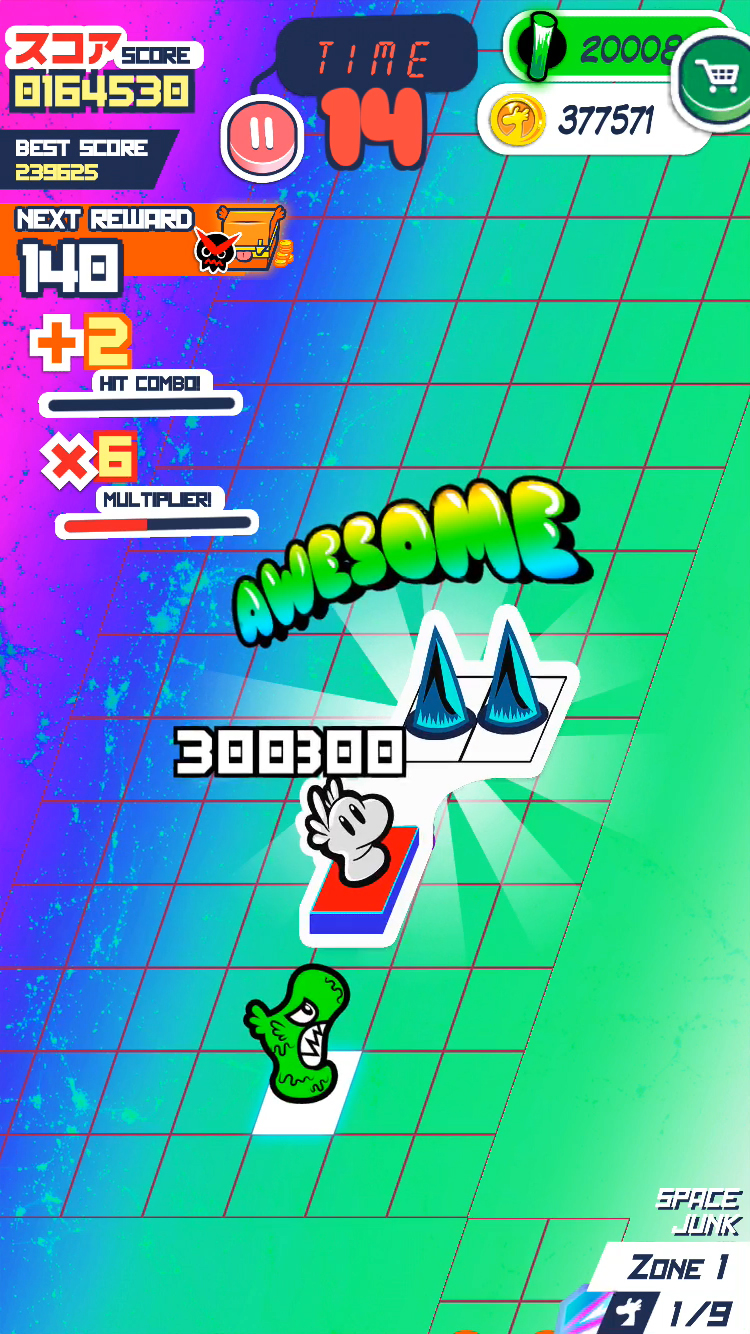
* Half offset = replaced by new "offset square" and "hexagon" tile modes.Hex and offset square are functionally the same afaik(maybe the grid is rendered differently). On the other hand, which axis is offset and how, while it looks the same is functionally different and might prevent importing from tools like Tiled
Cell clip UV (while it does not seem doing something, it is apparently useful for tilsets with filtered textures)
The tooltip isn't very helpful here but yes.
I know this is just a draft but it worries me a bit seeing decisions to remove functionality based on "I believe", "apparently", "not sure". On the one hand, I think you need to have good knowledge about what a feature does to be able to judge whether it can/should be removed or not. On the other hand I think that improving UX and adding/removing functionality are two different discussions.
Taking the previous example about the custom transforms, I would've loved to have a more visual way to set the tilemap the way I needed without having to understand how transform works and having to type in the values, but at least I had the functionality. With the current proposal I would've had to create my own tilemap.
Same thing for staggered tilemaps. Having it as a mode together with iso and standard would be great for usability, but you don't need to remove the half offset functionalist. You can just set it to the most common use case like Tiled does.
After that there are a lot of cool features like tile layers but then again, I think adding functionality is a different discussion.
As an example of workflow vs features, many people complain that they there aren't templates for repetitive stuff. For example if you want a simple 3d character you have to create the physics node, add the collision node, create the collision, add the meshinstance, create the mesh, and set the size for everything. It is not that the physics nodes needs more features, but rather than a common use case shouldn't have a complicated and repetitive workflow.
In the case of tilemaps, I think a very common use case is where you have a texture with square tiles, all the same size and you want to easily create a tileset using that and setting some tiles as traversable and some as solid. There is no simple or intuitive way to do this right now.
Overall, what I see is a really good proposal on how to improve Tilemaps as a feature rather than how to improve the current wokflow. I'd like to see a description of a common use case and how the new UI will make it more intuitive and/or efficient.
I think Emilio made a great video on the topic explaining how someone might go about trying to create a tileset and how counter-intuitive it can be https://www.youtube.com/watch?v=Vijp4n5t2tM&t=513s
 noidexe
on 7 Nov 2020
noidexe
on 7 Nov 2020
This is explained in the tooltip. Your tiles may not be the same size as the grid, especially in some modes like isometric, this puts the texture in the middle of the tile rather than using the top-left
This can be handled with custom tile origin. "Centered" should not be the only possibility, and it should be handled per tile. So this use case will be covered.
I worked prototyping gameplay for this game and needed to use custom transforms. It's not a rotation but a skew
Oh, that's quite a good use case. Maybe that all modes should be handle a skewed version. I'll add to the proposal.
Hex and offset square are functionally the same afaik(maybe the grid is rendered differently).
Not really, even if their positioning is similar, I think fitting an hexagon into a square is far from ideal. So I think a dedicated mode is better.
I know this is just a draft but it worries me a bit seeing decisions to remove functionality based on "I believe", "apparently", "not sure". On the one hand, I think you need to have good knowledge about what a feature does to be able to judge whether it can/should be removed or not. On the other hand I think that improving UX and adding/removing functionality are two different discussions.
A lot of features were added by small steps to the engine, to be able to make things work for very specific situations. I had the confirmation that, for example, "use the parent collisions" or "compatibility" mode were workarounds and "bad" short-termed design decisions, while a cleaner API to solve the use case they target could have been implemented (maybe with more work though, I don't know).
If people find a feature confusing and it is almost not used, it should be removed. Still the use case it covers should be still covered afterward. In your example, you wanted to skew your tileset, then let's add a "skew" property instead. It's a lot more understandable for everyone, thus providing a better UX.
Overall, what I see is a really good proposal on how to improve Tilemaps as a feature rather than how to improve the current wokflow. I'd like to see a description of a common use case and how the new UI will make it more intuitive and/or efficient.µ
This update will lead to a lot better and faster workflow for simple use cases. But I guess it's hard to see without having the tools in your hands.
I think Emilio made a great video on the topic explaining how someone might go about trying to create a tileset and how counter-intuitive it can be https://www.youtube.com/watch?v=Vijp4n5t2tM&t=513s
For the next reader in this thread, please stop linking me this video, people have been sending it to me countless times. See the first pinned comment under the video, that's me. :p
groud
on 7 Nov 2020
What about normal maps? I believe there are at least the following issues in current implementation:
- Have to set normal map for each tile individually. Tedious.
- No way at all to assign normal maps to autotile subtiles.
 djrain
on 7 Nov 2020
djrain
on 7 Nov 2020
What about normal maps?
In 4.0, normal maps are part of any texture. So any texture you use as a source for a tileset can have its own normal map without problem. See this tweet from reduz: https://twitter.com/reduzio/status/1319695452120416257
groud
on 7 Nov 2020
For the next reader in this thread, please stop linking me this video, people have been sending it to me countless times. See the first pinned comment under the video, that's me. :p
Thanks for all the answers and sorry about that. I know you've seen the video. What I meant is that it talks about user workflows and that it'd be important to describe in the proposal how the new workflow would work. i.e a user flow diagram describing a common use case of the new tilemap editor. Especially to find repetitive loops that could be improved before you commit to implementing everything.
noidexe
on 7 Nov 2020
I have to say... a few key missing points will be:
- rectangular tiles
- materials (shaders)
and probably, folks will ask for animated tiles but perhaps that would be for animated texture
 securas
on 8 Nov 2020
securas
on 8 Nov 2020
I wrote square but I indeed meant rectangular.
For materials I think we can implement a dedicated TileSet layer, it should not be a problem.
groud
on 8 Nov 2020
What about animated tiles, are they going to be supported out of the box without having to put the frames in separated files like in animated textures?
Not sure, I don't know how it is usually done. But it should not be hard to add later on anyway I believe. In any case it will still be possible to change tiles at runtime (though we have to make sure it does not cause any performance issues).
@groud Animated tiles would work similar to animated textures, excepting that you will select a tile instead of an image resource for every frame.
Right now it is a bit cumbersome and requires a lot of "boilerplate" as you can see:
We have to separate the tiles into individual images
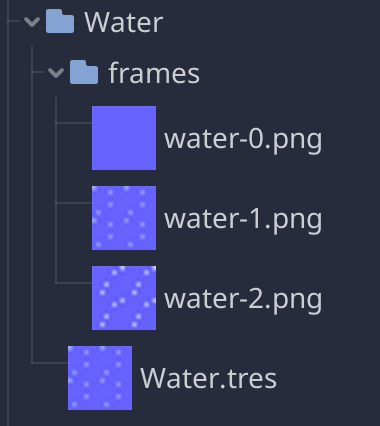
Create an Animated texture with them

Drag and drop the AnimatedTexture resource to your tileset

If we could avoid step 1 and select the tiles directly it would be already awesome.
itsjavi
on 9 Nov 2020
@coppolaemilio what I described is the current situation. I would indeed prefer to have all the tiles of the animations in the same texture.
What I propose is to reduce the number of steps to achieve this. As I said in the last sentence, being able to select tiles instead of textures would be already an improvement
itsjavi
on 9 Nov 2020
@coppolaemilio what I described is the current situation. I would indeed prefer to have all the tiles of the animations in the same texture.
What I propose is to reduce the number of steps to achieve this.
Sorry I was too sleepy when I read your message and got completely confused, I removed the comment but it was already too late 😅
Indeed, picking the tiles from the existing tileset is a much better way to make the animated tiles
coppolaemilio
on 9 Nov 2020
Well, GridMap also needs a lot of rework. I mean, it doesn't have a lot of features TileMaps has right now. And the api is quite different. I recommend making the api bit more easier. In my case, I came from GridMap, and I found that there's no orientation instead there is flip_x, flip_y and transpose, and well, I'm still confused how it is working.
Hope you work on GridMaps as well.
GridMaps really needs Autotiles.
Remove this if you feel it's not be posted here.
 sairam4123
on 9 Nov 2020
sairam4123
on 9 Nov 2020
@itsjavi however please let's not make the same mistake we have with the current Tileset when adding collisions. Having to "collect" each tile_frame individually would make the feature completely unuseable with even slightly bigger animated tilemaps, let alone animated Autotiles. I want almost all my Tiles to have animation of some kind. Think of tilesheets like this:
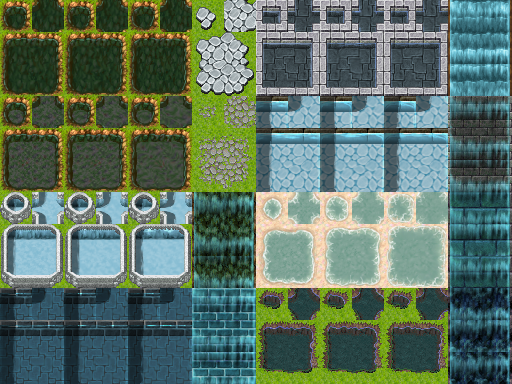
You would want to be able to click and drag over an area, and when you do display the frame number. Like when adding a frame in the AnimationPlayer right now, it should auto advance to the next frame on release.
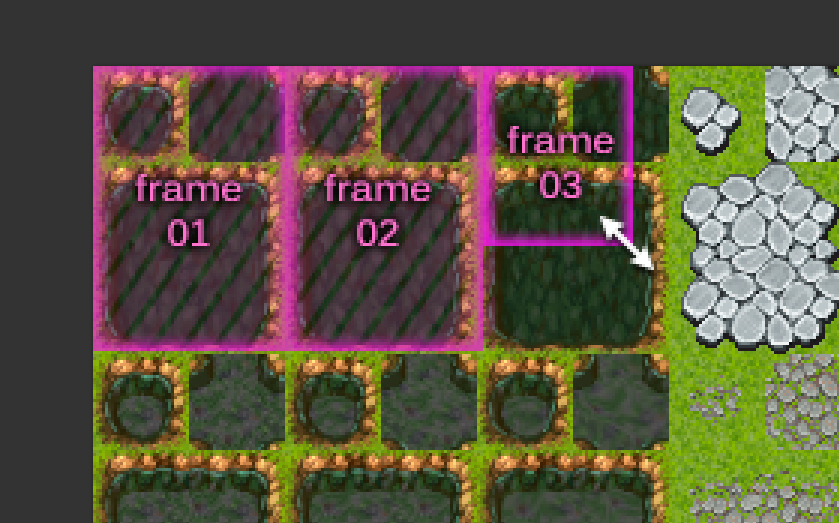
golddotasksquestions
on 9 Nov 2020
@sairam4123 The current focus is only on TileMaps. GridMaps are entirely separate and will be worked on later. I can't guarantee they'll be reworked for 4.0.
As for GridMap autotiling, see https://github.com/godotengine/godot-proposals/issues/114.
Calinou
on 9 Nov 2020
This is explained in the tooltip. Your tiles may not be the same size as the grid, especially in some modes like isometric, this puts the texture in the middle of the tile rather than using the top-left
This can be handled with custom tile origin. "Centered" should not be the only possibility, and it should be handled per tile. So this use case will be covered.
This property was added by my time ago, sorry if I make any inaccuracies but I write from pure memory, and sorry for the long writing:
I only comment to mark that tile origin and texture position should be two different things. Tilemap turned a mess because this confusion in the past. The file (tilemap.cpp) was growing because multiple pull request acepted and a lot of disagreement about what is "tile origin", the consecuence was lossing original behaviors, leaving variables unused, etc...
I´m happy that someone want refactor all the tilemap-tileset mess, but please separate texture-polygons position (centered texture is about texture and polygons position) and tile origin (that is about Z-order and Y-sort). If tile origin displaces textures and polygons... well, there is difficult to do top-down, isometric, lateral-view... but centered textures was added because I use that in a project, I found useful, I made a pull request and was accepted, is a shortcut to manually add offset one by one to every tile in a project that uses textures with different sizes to match a perfect "centered texture" (including the polygons), godot 4 can reject this property if is not needed, but difference between offset texture-polygons and tile origin should be maintained or improved because is necessary. I remember an issue where someone talks about moving this properties to the tile-set... I feel that can be a good way to decide the texture and polygon offset and the tile origin per tile, but in the practice it will make "crazy" some level dessigners trying to find why some tiles are overlapping others and some character dissapears in the middle of a tile... so maybe tile-origin should remain in the tilemap... I don´t know. I feel that is important to test all the changes with real usages, to not make mistakes.
Other thing that was never completed is the "multi-polygon" thing: In theory, one tile can have some collision polygons, but it was never implemented correctly, every polygon should have a "collision layer", "light mask" etc etc etc... and should be editable in the tile editor.
Thanks for ingesting the trunk of text, and good luck with the hard work.
Edit 1:
Reading the entire post I see that "_multiple collision polygon_" and "_properties moved to tileset_" is planed, but I don´t read anything about the integrated function in godot editor to export a scene to a tile-set, I was using that allways because I could never use the tile editor well... if the format of tileset will change, this changes should be reflected in the tileset exporter? Not sure about that, but I comment on it just in case.
Edit 2:
Other thing that comes to my memory: I remember that I started to use the godot scene to tileset exporter because that was the only way that I found to export individual Z-order per tile. I write that to note that actually is implemented the Z-order per tile functionality, but I think that this was never exposed to the editor, nor the tile editor or the tilemap inspector.
The same way, exporting from the "exporter" allow to you to use several collision polygons, but they uses the same layer, no matters if you change that in the original scene, because tile_map.cpp (from memory, sorry if i´m wrong) never had the code to read different collision layers from the same tile-set.
 Ranoller
on 10 Nov 2020
Ranoller
on 10 Nov 2020
Here is some feedback on the proposal from me.
First of all I would change the layout and make it like this:
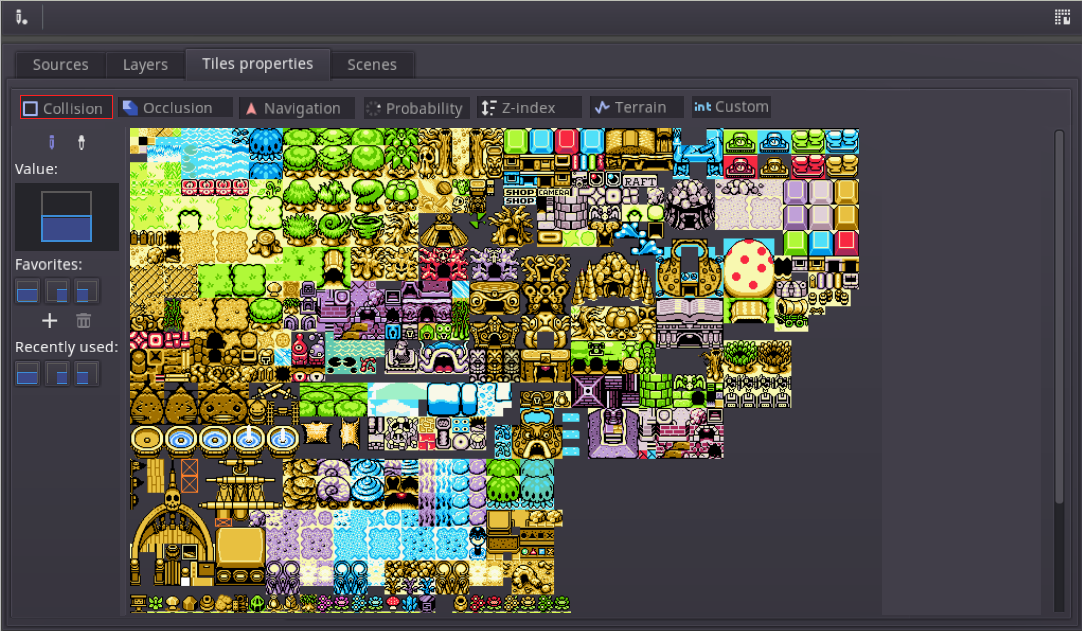
The rationale for this change is:
- You must focus in your primary use case which is editing tiles, and for this you need the most screen real estate. On small monitors, the current proposal will make editing tiles a hassle, so the more you can give to the screen the better.
- The layers concept in my opinion is not a necessary abstraction. It sounds nice from the theoretical standpoint, but just makes things more complex for no reason and it's not very useful in practice. You know what is needed for editing tiles and what is not at this point. Community gave great feedback already. Hiding unused layers also makes no sense, there is no harm in seeing everything available and it also serves as a secondary purpose of teaching you the tool if you are not familiar with it.
- Editing collisions and data at the small left pane like in this proposal I think is a good idea, it's less confusing and does not take the inspector away that you may want to edit general tile settings.
- Still, collision layers can be a combo on the left pane for Collision, no need to create multiple layers.
- Metadata layers can be a single Metadata layer. Inside, you can create sub-layers. that you can choose with a combobox, as an example:
- Damage taken
- Slipperiness
you select and you paint with this.
this way, everything is explicit and to the point, no extra stuff the user needs to ponder about such as layers, and when you go to the TileMap and TileSet API, everything is 1:1 with what you see on the screen.
 reduz
on 12 Nov 2020
reduz
on 12 Nov 2020
So, to make it clear, I think the " Layers" concept has no reason to exist. It adds one more level of abstraction without any need that users have to learn, and it does not map to API because internally they don't exist, they are just an editor thing.
reduz
on 12 Nov 2020
I am very glad someone is dedicated to redesigning the tilemap/tileset system which has considerable interface and usability problems, but also concerned on some aspects of the proposal which, if I am reading correctly, seem to be making some very useful and flexible functionality of the current system be either deprecated or taken out of focus/made harder to achieve, mostly regarding the possibility of having all your tiles being larger/ differently sized from the actual tilemap grid for 2.5d level making.
From all game engines I have worked with, Godot's current tilemap/tilset system is by far the most complete and comprehensive without needing any fiddling, and pretty much the single one apart from dedicated tile-editing software like TilEd, that can handle 2.5D oversized/overlapped tiling + auto-tiling out of the box, for either rectangular or isometric tiling (or even any dimetric or trimetric, views, oblique, cabinet or military projections, whatever might better fit the desired visual or gameplay, that's how powerful it is).
Game Maker used to support this out of the box as well, and it was used in a lot of projects, until the redesign of their tilemap system ditched this in favor of enforcing tiles of the same size of the tile grid (for performance reasons), which was met with wide dissatisfaction and lots of forum drama from anyone not working with simpler side-view platformers or very basic looking square grid JRPG like top-down games with no 2.5d overlapping/y sorted tiles whatsoever. In fact, it was this change which made me discover Godot and shift to it at the time, and I learned to love it ever since for its farsighted robust design up front that made it capable of adapting to every need.
For example, that means that in Godot I can currently just set the tilemap grid size in the inspector to be 32x16 (making for a nice top-down view with 2:1 looking floor tiles), but make the tileset size to be 32x32 for each visual tile unit with overlap, or 32x64 for taller wall tiles, and coupled with the auto-tiling system and correct offset I can just paint perfectly autotiled and y sorted 3d looking walls in a few minutes of setup. This is in fact the basic flow for level making in all my topdown projects, with some variations on size, view angle, oblique distortions like the ones used in classic videogames etc.
If I am reading correctly would this not be a straightforward option anymore according to the proposal? If not, would it get hidden or require more steps to achieve? Would I need scripts to do this? I believe 2.5d style level design is big chunk of an use case for tilemaps (since it the proper node for it), and would be best for it to remain easy to achieve in the new system, since it is already implemented functionality at this point.
 viniciuscsg
on 14 Nov 2020
viniciuscsg
on 14 Nov 2020
the possibility of having all your tiles being larger/ differently sized from the actual tilemap grid for 2.5d level making.
No, you will have the possibility to have tile differently sized. The only requirement is that any atlas you use will have to be in a fixed-size grid for now (but the grid might be larger than your tiles).
We had idea to allow grouping some tiles in the texture, so that they make one big tile instead, but this needs a little bit more thinking about how this could work. I'll probably have a look to it after a first proptotype is up.
that can handle 2.5D oversized/overlapped tiling + auto-tiling out of the box, for either rectangular or isometric tiling (or even any dimetric or trimetric, views, oblique, cabinet or military projections, whatever might better fit the desired visual or gameplay, that's how powerful it is).
That won't change. The goal being to keep most existing use cases we cover right now.
groud
on 14 Nov 2020
No, you will have the possibility to have tile differently sized. The only requirement is that any atlas you use will have to be in a fixed-size grid for now (but the grid might be larger than your tiles).
Nice to hear that, and thanks for the clarification, somehow I understood that differently from the answer given to @MrDudeIII . I don't see any problem in having each group of objects of a certain size put together into their own texture atlas matching that "grid size" if the flow is not convoluted, it might even help with organization as long as all avaliable tiles can be reached easily while painting levels.
Btw, if depth sorted overlapping tiles which are larger than the tilemap grid will remain supported AND you are planning to have a new shear transform on the grid as mentioned (to make cavalier/cabinet maps more convenient to setup?) then some form of x-sort for depth order will also be necessary, along with the current y-sort already in place, because sheared maps can tilt either to right or to the left, and if there is overlap in this kind of mapping the system must decide whether the tiles are drawn in order from right to left (default?) or left to right.
For instance, TilEd requires this choice when creating a new map, under the setting "Tile Render Order", the options being "Right Down", "Right Up", "Left Down" and "Left Up". Its just that x-sort usually isn't relevant with tiles with no horizontal overlapping.
viniciuscsg
on 14 Nov 2020
Hello,
In my game(s) I have a large number of tilesets, some with many tiles and multiple layers/tilemaps making my game, other just animated tiles, etc. Just depends on what I'm doing.
What I usually want to do is dynamically tweak my tileset (e.g. change z-order, collision box, etc) by matching what I see on screen tilemap with a tile in the tileset. In the screenshot below I want to modify the 6 or so tiles associated with my blue tunnel you can see. But when you go into tileset mode you cannot now view any information on the tilemap. I have to go out of tileset, find my tile, remember the ID then go back into tileset then find the tile by toggling the 'i' then updating. In this case repeat it 6 times because I don't really know as I have 250 tiles in this one tileset and it take a very long time.
Will the new system allow me to do this or something less cumbersome? i.e.
- See from the tileset mode what tiles are on screen
- Allow me to automatically find and select the tileset tile selected
Obviously it's difficult because you don't know which tilemap I have (hello @reduz , layers are useful after all ;-) ) as in the current setup you are in tileset not tilemap mode.
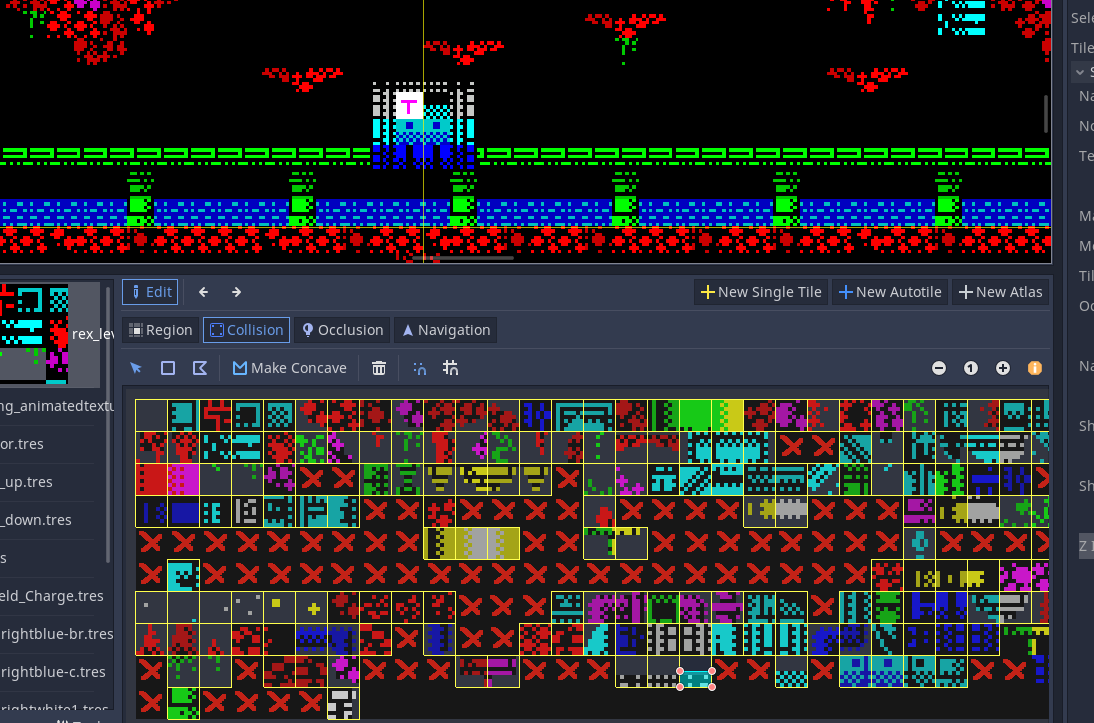
Given the new system is moving everything out of tilemap into tileset, this will only be exaggerated if not addressed.
thanks.
chucklepie
on 14 Nov 2020
That could be an enhancement to be implemented. I may implement it if I have the time and if it's not too difficult to do.
groud
on 14 Nov 2020
Humble feature suggestion that would be best to be considered or discarded early on: some sort of "tile data" resource that can be saved and loaded, representing only the layout of the tiles Ids positioned on the map, decoupled from the actual texture information or the rest of the settings of a tilemap, so you can have multiple tilemaps sharing the same layout, a single tilemap changing layout dynamically, or share basic layouts across different projects. Useful for reskinning or exchanging map chunks on the fly, or for things like toggling between tilemaps representing different views of the same scene, among other uses.
viniciuscsg
on 14 Nov 2020
Humble feature suggestion that would be best to be considered or discarded early on: some sort of "tile data" resource that can be saved and loaded, representing only the layout of the tiles Ids positioned on the map, decoupled from the actual texture information or the rest of the settings of a tilemap, so you can have multiple tilemaps sharing the same layout, a single tilemap changing layout dynamically, or share basic layouts across different projects. Useful for reskinning or exchanging map chunks on the fly, or for things like toggling between tilemaps representing different views of the same scene, among other uses.
Technically, this is what TileMap are. I will provide ways on a tilemap to switch from one source tileset to another, or simply replace the source texture by another one. So the use case will be handled.
groud
on 14 Nov 2020
So the use case will be handled.
Edit: I stand corrected, branching a tilemap node as a scene and instancing a copy of it already covers the two use cases I proposed.
The "_same tileset, load new layout_" scenario is covered by instancing a new tilemap node and removing the old one, both of them using the same settings/textures. The "_multiple tilemaps sharing the same tile data but different tilesets_" scenario is already handled by instancing a tilemap scene multiple times, as it allows to exchange only the tileset resource, while keeping the same layout. So my suggestion is of little use indeed.
viniciuscsg
on 14 Nov 2020
Can an option to view collision polygons like all other nodes in the editor be made an option please, currently you have to run the game to see them?
chucklepie
on 14 Nov 2020
Can an option to view collision polygons like all other nodes in the editor be made an option please, currently you have to run the game to see them?
I believe this would be out of topic for this proposal, since that would be a wide IDE change, affecting all nodes with collision polygons in the editor, not just TileMap. Feel free to check for existing proposals or make a new one, but in the main time the best work around would be to leave the game running in windowed mode +always above option and a smaller custom size so as to leave enough screen space to work.
viniciuscsg
on 15 Nov 2020
An enhancement 😮
Viewing tile map while looking at the tileset is just about the fundamental
thing I can think of with regard tilemap systems. You can't say my use
case is out of the ordinary...
On Sat, 14 Nov 2020, 16:14 Gilles Roudière, notifications@github.com
wrote:
That could be an enhancement to be implemented. I may implement it if I
have the time and if it's not too difficult to do.—
You are receiving this because you were mentioned.
Reply to this email directly, view it on GitHub
https://github.com/godotengine/godot-proposals/issues/1769#issuecomment-727229224,
or unsubscribe
https://github.com/notifications/unsubscribe-auth/ADCERRNB5CUKZI6NNPNVSBTSP2UHNANCNFSM4TJC3AFA
.
chucklepie
on 15 Nov 2020
I meant that a way to highlight the tiles used in a tilemap while editing the tile set will likely not be implemented, if that's what you meant.
Otherwise, I think the proposal is quite clear on the fact that you can see your tile set as the same time as your tile map, so maybe I misunderstood what you wanted...
What could be done eventually is to be able to click on a tilemap and select the corresponding tile on the tile set. This should not be hard to do.
groud
on 15 Nov 2020
Feature proposal: billboarded mode for tiles, which would be a generic extension of what Isometric mode currently do for that specific 45 deg rotation case, but accommodating any other arbitrary view rotation, possibly rendering isometric mode unnecessary. With billboarded option ticked, each tile would be rendered unrotated, regardless of and ignoring the rotation transform set to the grid in the TileMap node.
Currently one can set up a rotation transform in the whole tile map to simulate an angle of view, but that causes both the grid AND the tile textures to get rotated, while typical use case for most games tilting the grid requires the tiles to remain upright (only their position is changed to fit the rotated grid). One would have to rotate each tile manually in the tileset texture, requiring extra padding space and making tileset organization and bitmask painting a nightmare. Also that is problematic/not an option for low res pixel art, where rotations immediately degrade quality.
Isometric mode solves that for the specific case of a 45 deg rotation (its square mode +45 deg but with compensated -45 deg rotation of individual tile textures), but for any other angled view, one has to either do manual counter rotations of each specific tile in the texture, or relay on the Custom Mode, where the custom transforms used to setup the desired angled view are more like shear and offset options (with no labels in the inspector btw), making it hard to work with.
While one can achieve the desired result of a rotated square/rectangle grid by combining shears, that messes up the grid cell size, which becomes unrelated to the original square size of the tileset, demanding math, guesswork or trial and error. Shear values should be for shearing, rotation to rotate. Applying a rotation transform in Isometric mode also wont do the trick, because as mentioned, it does compensate the rotation of the textures of individual tiles by a fixed 45 deg amount, and textures will rotate with the grid ant any other angled tilting of the view.
So the proposal would be to either allow for a billboarded tickbox option in custom mode, or to provide sliders for a custom texture rotation (complementing the current texture offset and scale options), both of which would apply to how the individual tiles are rendered, distinct from the transforms applied to the Tilemap's grid. Isometric could remain a mode in itself, since it is such a popular classic game view and for legacy reasons, but in this setup it could very well be only a 45 deg of the square mode + billboarded tiles + vertical scaling of the grid for the typical 2:1 pixel foreshortening.
viniciuscsg
on 15 Nov 2020
In your proposal to 'move the collision' to the tileset, will this allow us to get actual tile collisions on Area2D. What I mean is from a body entered event get the tile being collided with, not the entire tilemap. At the minute all you get back is the entire tilemap and the area_id/shape_id are completely meaningless. If shape_id or something included the tile id, then you could actually determine with accuracy the tile being collided. As it stands, it's pretty much impossible to find a tile an Area2D (e.g. a bullet) collides with.
chucklepie
on 15 Nov 2020
Feature proposal: billboarded mode for tiles, which would be a generic extension of what Isometric mode currently do for that specific 45 deg rotation case, but accommodating any other arbitrary view rotation, possibly rendering isometric mode unnecessary.
This is too corner case to be worth implementing, it's not worth making the system too generic only to support this use case. To solve such issue, you could use the tilemap as a base to instantiate scenes, or implement a custom drawing system. So a workaround exists anyway.
In your proposal to 'move the collision' to the tileset, will this allow us to get actual tile collisions on Area2D. What I mean is from a body entered event get the tile being collided with, not the entire tilemap. At the minute all you get back is the entire tilemap and the area_id/shape_id are completely meaningless. If shape_id or something included the tile id, then you could actually determine with accuracy the tile being collided. As it stands, it's pretty much impossible to find a tile an Area2D (e.g. a bullet) collides with.
Yes, this should be solved.
groud
on 15 Nov 2020
So the use case will be handled.
Edit: I stand corrected, branching a tilemap node as a scene and instancing a copy of it already covers the two use cases I proposed.
The "_same tileset, load new layout_" scenario is covered by instancing a new tilemap node and removing the old one, both of them using the same settings/textures. The "_multiple tilemaps sharing the same tile data but different tilesets_" scenario is already handled by instancing a tilemap scene multiple times, as it allows to exchange only the tileset resource, while keeping the same layout. So my suggestion is of little use indeed.
You can also use TileMap.tile_data or whatever it is (it doesn't show up as something you can set, but it lets you overwrite the whole tile_data at once). When I was doing experiments with setting all the tiles in a TileMap every frame, I needed to use something faster than .set_cell() or .set_cellv(). So I filled a PoolIntArray with the data in the format of tile_data and dumped it in. It wasn't fast enough for what I wanted, but it should solve your use case to get tile_data from one TileMap and dump it into another TileMap's tile_data.
MrDudeIII
on 16 Nov 2020
It would be great if 'wang' tilesets are supported.
For example, if I paint a grass tile in the middle of a bunch of water tiles, the grass tile is replaced with an island tile instead.
Of course, I would have to manually assign those replacement tiles using something like bitmasks for autotiling.
See around the 10-second mark for an example in this Tilesetter 2.0 video
https://youtu.be/aLfXAYSHTKo
 Error7Studios
on 21 Nov 2020
Error7Studios
on 21 Nov 2020
Wang tiles support is imho out of scope for this proposal - please open a separate proposal.
 Zireael07
on 21 Nov 2020
Zireael07
on 21 Nov 2020
I thought Wang tiles are just the Tilesetter name for Godots Autotiles, no?
golddotasksquestions
on 21 Nov 2020
It would be great if 'wang' tilesets are supported. For example, if I paint a grass tile in the middle of a bunch of water tiles, the grass tile is replaced with an island tile instead.
That's what terrains/autotiles are for. So yes, it will be supported.
groud
on 21 Nov 2020
I thought Wang tiles are just the Tilesetter name for Godots Autotiles, no?
No, they're called 'Blob' sets in Tilesetter.
Blob sets are composed of 47 different tile variations to account for all the different ways they can be connected.
Wang sets only have tile 16 variations, 2 of those being the 2 'base' tiles you want to create a transition between.
(water & grass, for example).
The difference is that while I may have a blob set for water and a blob set for grass, if I draw a grass tile in the middle of some water tiles, the blob set is always going to use the same grass tile.
That grass tile will just be a square of grass, and will probably look out of place.
However, if I'm using a water/grass wang set, now if I draw grass in the middle of some water, it'll use an island tile, which smoothly blends between water and grass.
(Not a hard transition like with blob sets)
If I draw the grass next to the water, it'll use a different transition tile between water and grass (like the edge of a lake).
I can put a water tile in the middle of grass tiles and it'll use a lake tile in that case.
Basically blob sets (Godot's autotiles) don't "blend" between two different terrain types, while wang sets do.
You can see them both in use here: https://www.youtube.com/watch?v=HWM12oSmx8I
That's what terrains/autotiles are for. So yes, it will be supported.
Awesome! Thank you!
Error7Studios
on 22 Nov 2020
I had posted this in the API renaming issue tracker, but someone suggested I post it here, so I'll copy/paste it below:
I've been working with Tilemaps/Tilesets recently, and I kept seeing tile_* in the API, for example tile_get_texture() and get_tiles_ids().
At first, I thought this was talking about the region of the texture/image that was painted in a particular cell.
However tile is referring to the Image being used to _create_ the "tiles" (sub-regions, sub-textures).
This was confusing, because I was thinking of "tile" in the physical sense of the word, like putting down a ceramic tile when tiling the floor in your house. The "tiles" are the square pieces that you put together to create the floor.
I typed "define: tile" in Google and these definitions come up:
noun:
    a thin square slab of glazed ceramic, cork, linoleum, or other material for covering floors, walls, or other surfaces.
verb:
    cover (something) with tiles.
In my opinion:
tile should be changed to something like tilesheet. (or atlas, spritesheet, source_texture, source_image, etc.)
cell should be changed to tile
Error7Studios
on 24 Nov 2020
@Error7Studios in TileSet, when you see tile_, it's because the function refers to a specific "tile definition". It really is one object inside the TileSet, since TileSET is a collection of tiles. It's a C-style naming convention where the object you modify is a prefix, and the ID of that object is the first argument. If the API exposed actual objects, this is what you'd see:
tileset.get_tile(tile_id).get_texture()
In TileMap on the other hand, a cell is a slot on the grid, which can contain an instance of a tile, since TileMAP is a grid where we place tiles onto. IMO cell should not identify a "tile definition", that would actually be confusing. We often short-circuit that naming when talking about tilemaps but there really is a difference between a placed tile, and a tile definition found in TileSet.
And tilesheet should also not represent a single tile, since tileSHEET refers to an atlas with multiple tiles in it. It also seems redundant to prefix a function in TileSet with tilesheet, because TileSet already is a collection of tiles.
Now when I say "tile" here, or "tile definition", it can be either a single tile or autotile, it doesn't matter too much in the reasoning I'm doing here. The point is, this is how I understood the system so far:
cellis a place to put tile instances (in TileMap), because you paint tiles on a grid. Grids have cells.tile instancesare just tile IDs. The same tile can be placed multiple times.tile_setis a collection of tilestileis either autotile, single tile, whatever you choose to define a tile (atlas, sheets, etc). A tile is like a prefab you stamp one or multiple times in a tilemap.
 Zylann
on 24 Nov 2020
Zylann
on 24 Nov 2020
@Zylann well, @Error7Studios is kind of right here. The naming is confusing especially for atlas tiles, as Atlases / Single tiles and Autotiles were both grouped under the name "tile", which, IMHO, is confusing.
That being said, this confusion will be removed in the reworked API, so there wont be this confusion anymore.
groud
on 24 Nov 2020
Well I'm confused too then (see my edit above). The fact tile is being used for different kinds of tiles made sense to me, since in the current API, a "tile" is like a base type anyways. If we don't use "tile" to name those "things we stamp on the tilemap", then I wonder how they would be named.
But renaming cell confuses me a lot, since cell is here because TileMap are grids. Grids have cells, and cells can be empty (i.e no tile inside).
Zylann
on 24 Nov 2020
Sorry, yes, cell is actually fine as it is.
(Referring to a position on the grid)
I just meant when referring to the "texture stamp" in a particular cell, I would refer to that as a 'tile'.
Error7Studios
on 24 Nov 2020
Are you planning to leave YSort tile origin as a per-tileset thing, or do you think that it could be made a per-tile property instead?
I have some use-cases for this, but won't share more detail here unless you think it's in scope.
 Pennycook
on 29 Nov 2020
Pennycook
on 29 Nov 2020
Would it be possible to split the "Mode" field into two fields, like "View" and "Shape"?
View: Top-Down, Isometric
Shape Options: Square, Hexagon, Triangle
 alexporth
on 29 Nov 2020
alexporth
on 29 Nov 2020
Are you planning to leave YSort tile origin as a per-tileset thing, or do you think that it could be made a per-tile property instead?
I'll probably make it per-tile.
groud
on 29 Nov 2020
Would it be possible to split the "Mode" field into two fields, like "View" and "Shape"?
Sorry but that does not make a lot of sense. I don't see why the view would have any impact on the produced tiles.
For example, you can have an hexagonal shape. You may choose a different view, but that will have no impact at all. The shape will stay the same.
So no, I don't think they will be splitted.
groud
on 29 Nov 2020
Sorry but that does not make a lot of sense. I don't see why the view would have any impact on the produced tiles.
For example, you can have an hexagonal shape. You may choose a different view, but that will have no impact at all. The shape will stay the same.
Sorry, I should have made it clear in my question. I was asking in the context of allowing for Isometric Hexagon and Triangle tile sets. The current implementations I have seen only ever seem to consider Isometric Square tile sets.
alexporth
on 29 Nov 2020
Not really, you can make hexagonal isometric with this implementation. I mean, that does not change anything, what is important is the base pattern shape, which is not different whatever the view you want to have.
Regarding triangles, I am not sure it is worth implementing. This is a rare use case, and makes things more complex as the same triangle shape cannot be made a pattern without rotation or mirrors (unlike other shapes here). So unless there's a really strong need for it, I'd rather not implement it.
groud
on 29 Nov 2020
Do you think there'll ever be a time when the isometric engine supports
height /stackable items (ie a z axis) , without the need for using 3d
engine?
On Sun, 29 Nov 2020, 10:00 Gilles Roudière, notifications@github.com
wrote:
Not really, you can make hexagonal isometric with this implementation. I
mean, that does not change anything, what is important is the base pattern
shape, which is not different whatever the view you want to have.Regarding triangles, I am not sure it is worth implementing. This is a
rare use case, and makes things more complex as the same triangle shape
cannot be made a pattern without rotation or mirrors (unlike other shapes
here). So unless there's a really strong need for it, I'd rather not
implement it.—
You are receiving this because you were mentioned.
Reply to this email directly, view it on GitHub
https://github.com/godotengine/godot-proposals/issues/1769#issuecomment-735369185,
or unsubscribe
https://github.com/notifications/unsubscribe-auth/ADCERRIUXHBFP5OJAAXT74DSSILULANCNFSM4TJC3AFA
.
chucklepie
on 29 Nov 2020
@chucklepie I think that Z index + several tilemaps stacked on each other should allow you to achieve such a goal.
But in any case, you will likely need a 3D physics engine to interact with it I suppose.
groud
on 29 Nov 2020
Are you planning to leave YSort tile origin as a per-tileset thing, or do you think that it could be made a per-tile property instead?
I'll probably make it per-tile.
Awesome. I'd really like to see the origin described by a coordinate/offset inside the tile (instead of selecting which corner to use), which should be much easier to do once this is a per-tile property. The fact that existing spritesheets have to be reformatted for use in Godot is one of my main issues with the UX today.
Thanks for doing all this work. I'm looking forward to seeing these changes and trying things out!
Pennycook
on 29 Nov 2020
Fantastic to see work being done on this.
There's a particular performance-related issue I have with tilemaps - each placed tile has its own collision shape. In Unity, there's such a thing as a "composite collider" that can merge all of the shapes within a tilemap into a minimal number of larger polygons. Such a feature would be immensely useful not only for tile collision shapes, but also for occlusion and navigation shapes. Is this anywhere within the scope of the changes you're looking to make?
 vpellen
on 30 Nov 2020
vpellen
on 30 Nov 2020
I support this proposal to merge collision, if only to finally rid us of
the jittery movement caused by bodies moving between multiple tiles and the
number of is on floor failures caused by the same reason. I've had to dump
this and use rays to get my games to work.
On Sun, 29 Nov 2020, 23:19 Victor Pellen, notifications@github.com wrote:
Fantastic to see work being done on this.
There's a particular performance-related issue I have with tilemaps - each
placed tile has its own collision shape. In Unity, there's such a thing as
a "composite collider" that can merge all of the shapes within a tilemap
into a minimal number of larger polygons. Such a feature would be immensely
useful not only for tile collision shapes, but also for occlusion and
navigation shapes. That said, it may be outside the scope of the changes
you're looking to make.—
You are receiving this because you were mentioned.
Reply to this email directly, view it on GitHub
https://github.com/godotengine/godot-proposals/issues/1769#issuecomment-735474051,
or unsubscribe
https://github.com/notifications/unsubscribe-auth/ADCERRM4VCVMQZYENK23PTLSSLJJ5ANCNFSM4TJC3AFA
.
chucklepie
on 30 Nov 2020
What I think also would be very nice to have is, alot of exposed properties from an individual tile when accessed at runtime from code. like (name, cellPosition, whatkindoftile is it,if its a ruletile, give me all of its ruletiles and which kind is at which cellPosition)
and also pls allow it so one can inherit from your Tile baseclass or whatever u have called this and extend it with custom properties but then also ur tileeditor should be able to fully understand this extended tile and allow every operation on it to work as with default tiles.
Edit:
for Ingame visual help purposes, I would really love to see a small cell coordinate, when hoverd over a tile-cell, so for instance u hover over one and in a small but viewable rectangle u see a (-2, 5) coordinate box, i needed this so badly in ujnity, u can do it with cooridnate-tiles but then u must do ectra work when wanting to combine with ruletiles or the like, so this would be huge if u can see for every cell on Hover obviously (else it would bloat the grid) each individual cell coordinate :)
and super cool and great work u have put in here my man, very nice , wish you all the best and keep it going 👍 👍
 Shpendicus
on 1 Dec 2020
Shpendicus
on 1 Dec 2020
Since the TileSet and TileMap editors were merged, now there's a lot happening in that panel.
Can we move the Tiles UI to a dock so it can be undocked to its own window and moved to a second screen?
The Tiled editor also has the tileset/tilemap as docks on the side so we have good precedent.
 asheraryam
on 2 Dec 2020
asheraryam
on 2 Dec 2020
Can we move the Tiles UI to a dock so it can be undocked to its own window and moved to a second screen?
No, I need to keep things consistent for now.
But I plan to rework the editor interface someday, so that kind of behavior is possible for all bottom editors.
groud
on 2 Dec 2020
Hi, I am currently developing a hex based, turn-based wargame and I am using the existing tilemap heavily. I will give some tipps based on my current experience, I hope its not offtopic:
1) Some sort of TileMetaData is essential, so I need to be able to assign some _int_ like defenseValue to my tiles.
2) I always use several tilemaps, so lets say 2;
- BASE (Water/Land),
- TERRAIN (Clear/Forrest/Mountain),
Important thing is: they are always exactly the same dimensions MxN and they basically overlapp/sit on top of each other. I think this happens often in 4X games as well, so civilization map is generated at start of game and is always the same dimensions. When one builds a road in Civilization game the road lays on top of an existing BASE and TERRAIN tileMap.
It would be of help if one could have a structure which is basically a MetaTileMap consisting of several tilemaps (having same MxN dimensions).
Then we would have something like metaTileMap.getTile(2,3).GetProperties() and we would fetch the properties of all tileMaps for that position, so if the position (2,3) is only a water tile (meaning only the BASE tileMap has a value for position 2,3) we would only get that info.
3) Some sort of built-in quick and cheap tileMap serialization to json would be beneficial as well. Right now I am exporting tilemaps to Array and serializing/deserializing that. Here advantages of some MetaTileMap Object would also come into play as its not necessary to store 3 separate tilemaps but only 1 (dimensions MxN are the same remember) with some extra properties.
4) In case of MetaTileMap one could envision some sort of _navigation_ tileMapLayer as well, this way we could use all the information from the other tileMaps to get some quickest path from X to Y.
I would also like to say that the existing (Godot 3.2.3 Stable, C#) TileMap is not that bad at all and one can work around its limitations.
 LordBrkica
on 2 Dec 2020
LordBrkica
on 2 Dec 2020
@LordBrkica I think 1 and 3 are being done. But 2 comes under 'layers' and
while many including myself have tried to extol the benefits of layers,
they're not being done because tilemaps serve the same purpose even though
they're separate nodes with their own properties.
On Wed, 2 Dec 2020, 08:43 LordBrkica, notifications@github.com wrote:
Hi, I am currently developing a hex based turn based wargame and I am
using the existing tilemap heavily. I will give some tipps based on my
current experience, I hope its not offtopic:
- Some sort of tileMetaData is essential, so I need to be able to
assign some int like defenseValue to my tiles.I always use several tilemaps, so lets say 3;
BASE (Water/Land),
- TERRAIN (Clear/Forrest/Mountain),
INFRASTRUCTURE (Roads).
Important thing is: they are always exactly the same dimensions MxN
and they basically overlapp/sit on top of each other. I think this happens
often in 4X games as well, so civilization map is generated at start of
game and is always the same dimensions. When one builds a road in
Civilization game the road lays on top of an existing BASE and TERRAIN
tileMaps.
It would be of help if one could have a structure which is basically a
MetaTileMap consisting of several tilemaps (having same MxN
dimensions).
Then we would have something like metaTileMap.getTile(2,3).GetProperties()
and we would fetch the properties of all tileMaps for that position,
so if the position (2,3) is only a water tile (meaning only the BASE
tileMap has a value for position 2,3) we would only get that info.Some sort of built-in quick and cheap tileMap serialization to json
would be beneficial as well. Right now I am exporting tilemaps to Array and
serializing/deserializing that. Here advantages of some MetaTileMap Object
would also come into play as its not necessary to store 3 separate tilemaps
but only 1 (dimensions MxN are the same remember) with some extra
properties.—
You are receiving this because you were mentioned.
Reply to this email directly, view it on GitHub
https://github.com/godotengine/godot-proposals/issues/1769#issuecomment-737082322,
or unsubscribe
https://github.com/notifications/unsubscribe-auth/ADCERROTPNBJRKLWJZVYRB3SSX447ANCNFSM4TJC3AFA
.
chucklepie
on 2 Dec 2020
Please look at godotengine/godot#28697
nikhilCad
on 3 Dec 2020
This seem like a great improvement over the already existing tileMap editor, one slight thing I would like to suggest is a few callback methods exposed to GDScript:
- on_mouse_pick(tile, position), tile being a dictionary contaning layer data, texture, collider and other random data defined in tile properties to make the tileMap easily interact with the user ingame.
- collision support, the usual, for example on_body_enter_tile, on_body_exit_tile. For making tiles able to for example disappear or change shape or texture when the player walks over it, that way making interaction with it easier.
Apart from the callbacks I would love to have the ability to attach scripts to my tiles, that way you can bridge the gap between just a static tile and a full blown scene, you may just want to hurt a player walking over the tile, then you would just have to assign a script with the hurt logic to the right tiles, and hook the on_body_enter() to make the script start hurting the player and then the on_body_exit to stop it from doing so. It would be a huge time investment to have to setup a custom tile scene for every little thing you would make the different tiles do, and assigning the right script would avoid that investment
 albinaask
on 3 Dec 2020
albinaask
on 3 Dec 2020
Not sure if this is the right place to request this, or if I should put it into a different proposal. It feels like here might be right, but if not, happy to open a different proposal, so let me know!
A big issue I have right now is that animated tiles all share the same stream texture, which means they all share the same state. This is because when the texture stream is added, it is of course loaded only once and then all tiles have that same reference. I think this severely limits what animated tiles can do - for instance, if you had an animated fire tile, you wouldn't want every tile to always have the same state, since if the fire is spreading, you'd want the animation to start over and not start in the end state (or whatever state the other fire tiles are all currently in).
I currently have a "soft" hack around this that was provided by someone in the past where every time the game runs, I do a pre-pass over the tilemap, find instances of the given animated tile, and for every one of them, programmatically create a new tile, duplicate the animated texture and assign it to the new tile, then add the tile back to the tileset and swap the current tile in the tilemap with the id for the new animated tile. It seems in my estimation that this would be vastly easier if there was a toggle for this option somewhere in the editor to enforce the animated texture to be unique per tile, and at least in my mind, it would not be difficult to execute this at all.
 WolfgangSenff
on 3 Dec 2020
WolfgangSenff
on 3 Dec 2020
A big issue I have right now is that animated tiles all share the same stream texture, which means they all share the same state. This is because when the texture stream is added, it is of course loaded only once and then all tiles have that same reference. I think this severely limits what animated tiles can do - for instance, if you had an animated fire tile, you wouldn't want every tile to always have the same state, since if the fire is spreading, you'd want the animation to start over and not start in the end state (or whatever state the other fire tiles are all currently in).
This should be addressed by changing the tile by another one manually, or use a scene. Animated tiles will likely only be supported using AnimatedTextures. As I don't want to make tilesets more difficult to set up, anything more complex than that will require you to either programmatically switch tiles, or use a scene (which might be painted in the tilemap, as this proposal suggest).
groud
on 3 Dec 2020
I could see this being done in a scene instead and being pretty effective. That's a good thought, and I had considered it but wasn't sure if it made sense. But regarding AnimatedTextures, the proposed solution I gave is just allowing a per-tile toggle in the tileset to have those AnimatedTextures be duplicated when being placed into a TileMap (in case it wasn't clear what I was suggesting - I'm completely fine with this being done via scene instead).
WolfgangSenff
on 3 Dec 2020
Regarding animated textures, I've had to workaround this limitation by
creating multiple animated textures of the same thing and changing the
start delay on the animation, just so that every tile doesn't animate the
same.
I think animation is a very weak area of tilemaps and something other than
basic animated textures needs to be put in place.
On Thu, 3 Dec 2020, 16:43 Gilles Roudière, notifications@github.com wrote:
A big issue I have right now is that animated tiles all share the same
stream texture, which means they all share the same state. This is because
when the texture stream is added, it is of course loaded only once and then
all tiles have that same reference. I think this severely limits what
animated tiles can do - for instance, if you had an animated fire tile, you
wouldn't want every tile to always have the same state, since if the fire
is spreading, you'd want the animation to start over and not start in the
end state (or whatever state the other fire tiles are all currently in).This should be addressed by changing the tile by another one manually, or
use a scene. Animated tiles will likely only be supported using
AnimatedTextures. As I don't want to make tilesets more difficult to set
up, anything more complex than that will require you to either
programmatically switch tiles, or use a scene (which might be painted in
the tilemap, as this proposal suggest).—
You are receiving this because you were mentioned.
Reply to this email directly, view it on GitHub
https://github.com/godotengine/godot-proposals/issues/1769#issuecomment-738128977,
or unsubscribe
https://github.com/notifications/unsubscribe-auth/ADCERRI4NRE5DCSHBPGJA3TSS653VANCNFSM4TJC3AFA
.
chucklepie
on 3 Dec 2020
Related issues
 arkology
·
3Comments
arkology
·
3Comments
 SleepProgger
·
3Comments
SleepProgger
·
3Comments
 Torguen
·
3Comments
Torguen
·
3Comments
 aaronfranke
·
3Comments
aaronfranke
·
3Comments
 rainlizard
·
3Comments
rainlizard
·
3Comments
Most helpful comment
One of the most common requests I've seen for TileMaps is an ability to have "scene tiles", to allow instancing game objects by painting tiles. Sure, this is possible with the Custom int layer and a script that will instance the nodes based on the value, but a built-in support could allow for object previews, i.e. when you paint a scene-tile, the scene could be instanced in the editor as a preview (similar to what drag and dropping on viewport does). This makes it easier to place objects and it's something difficult to achieve with a script.
I mentioned it in my old proposal.