Godot-proposals: Make a visual script box like comment, but with larger font size + search for words in comments . .
Describe the project you are working on:
A Tomb Raider game, or so . .
Describe the problem or limitation you are having in your project:
Re-reading an old visual script is a bit tough, as one has to sort of, re-understand the entire code, to find a particular place, maybe to help better ' see ' what's happening, we could get a special ' comment ' box, where one could have a larger font size, so one could make better fonts, that work, zoomed out . . . One could even make an extra zoom level, or two, if one could ' read ' it, that big . . It would help re-read larger scripts, if one could search for ' words ' in boxes, and then ' jump ' to them, ie. one gets a list, with all ' comment ' nodes, ie. Comment 1, Comment 2, Comment 3 . . And, one could search, for words in the comments, such as ' character controller ', and then eliminate options that don't fit, on the list, and then double-click the remaining ones, to quickly move around the script, it could help reduce this stuff . . .
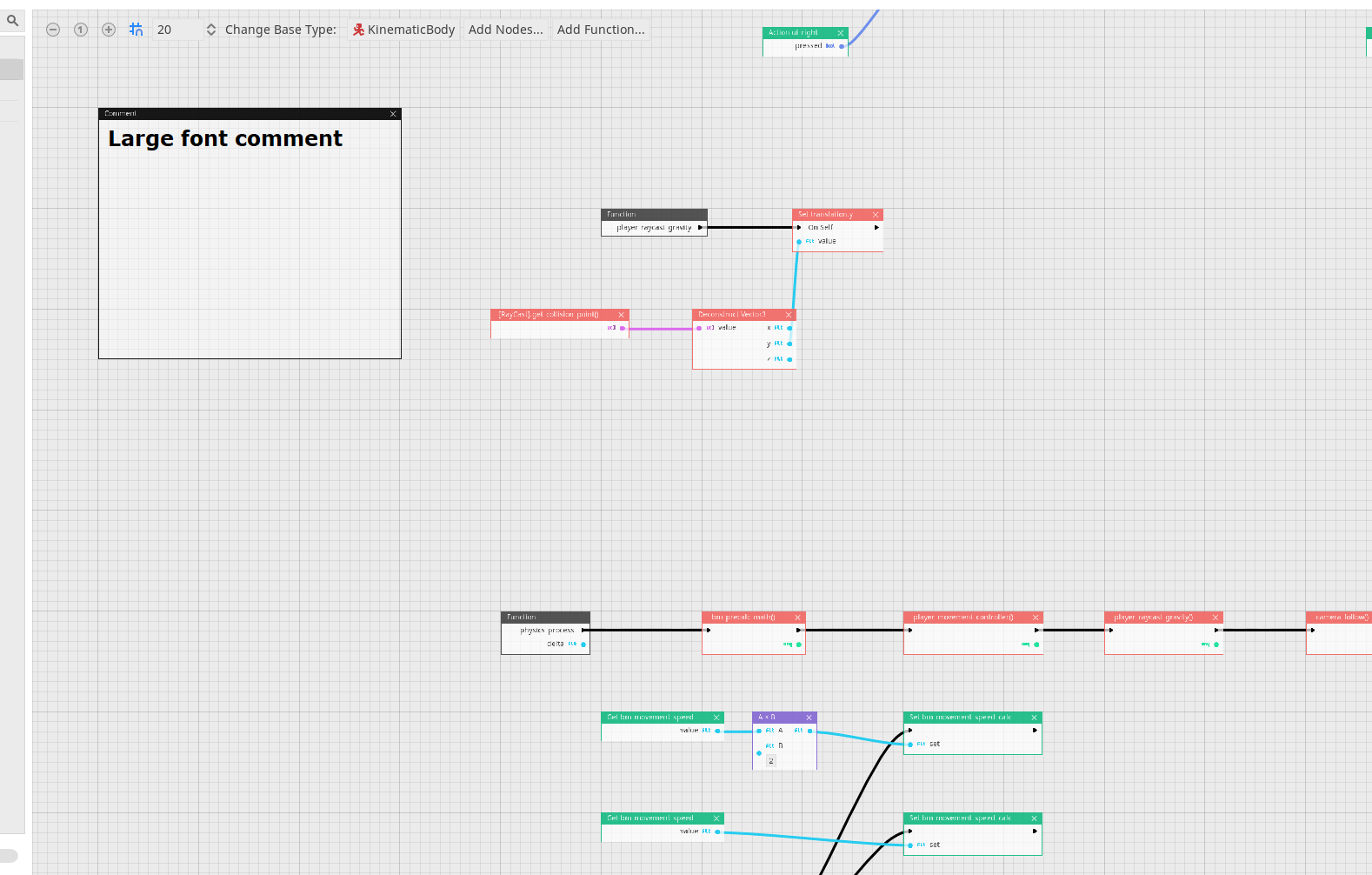
It would be a standard comment box, but with a font that could be read, when zoomed out, that way we could even have an even bigger zoomed out mode, or two, and still be able to see, where stuff is, or so . . .
Describe the feature / enhancement and how it helps to overcome the problem or limitation:
Just, it's tough to keep track of large scripts, or re-read them later, this would help deal with that, or so . . Not, sure . . .
Describe how your proposal will work, with code, pseudocode, mockups, and/or diagrams:
Make it so, the ' Comment ' box supports several font sizes, with an integer increments, +1, +2, +3, so on, so it's readable, when zooming, or so . . .
If this enhancement will not be used often, can it be worked around with a few lines of script?:
I don't know how to do that, another option could be a border-less comment box, for quickly adding words, for over-view, navigation, or so . .
Is there a reason why this should be core and not an add-on in the asset library?:
Just, because zoomed out works a bit wonky, atm, for visual script . . .
 jasperbrooks79
All 14 comments
Two more things, for this to work well, it would be nice, if one could make the screen zoom, at where the mouse is pointing, not only buttons, for zoom, in top corner . . .
Also, could one make a system, where one can give each comment box, a different color, so when zoomed out, it's easier to see, which stuff belongs where . . Maybe there could be 16 - 24 colors, to set background, of comment boxes, or so . . It would make reading stuff, when zoomed out, a lot easier, get a quick over-view, of old code . . . :D <3 . . .
jasperbrooks79
on 9 Sep 2020
Like this, so one can more easily ' see ', what is where, on canvas, or so . .
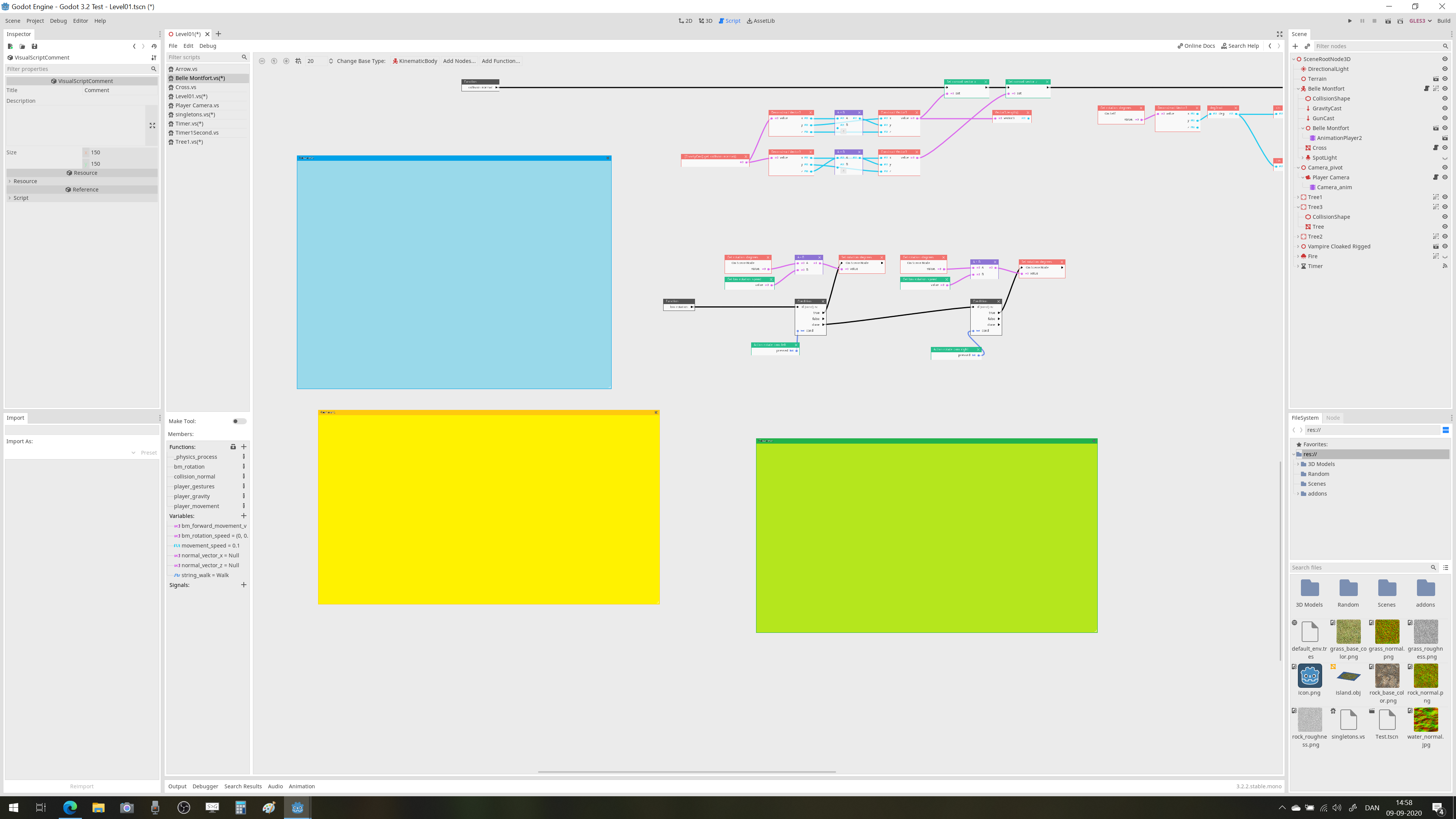
It not change color, inside other nodes, just offer a bit more clarity, or so . . .
jasperbrooks79
on 9 Sep 2020
The last idea is, make comments boxes, so they can be layered, with different colors, or so . . . Here . . .
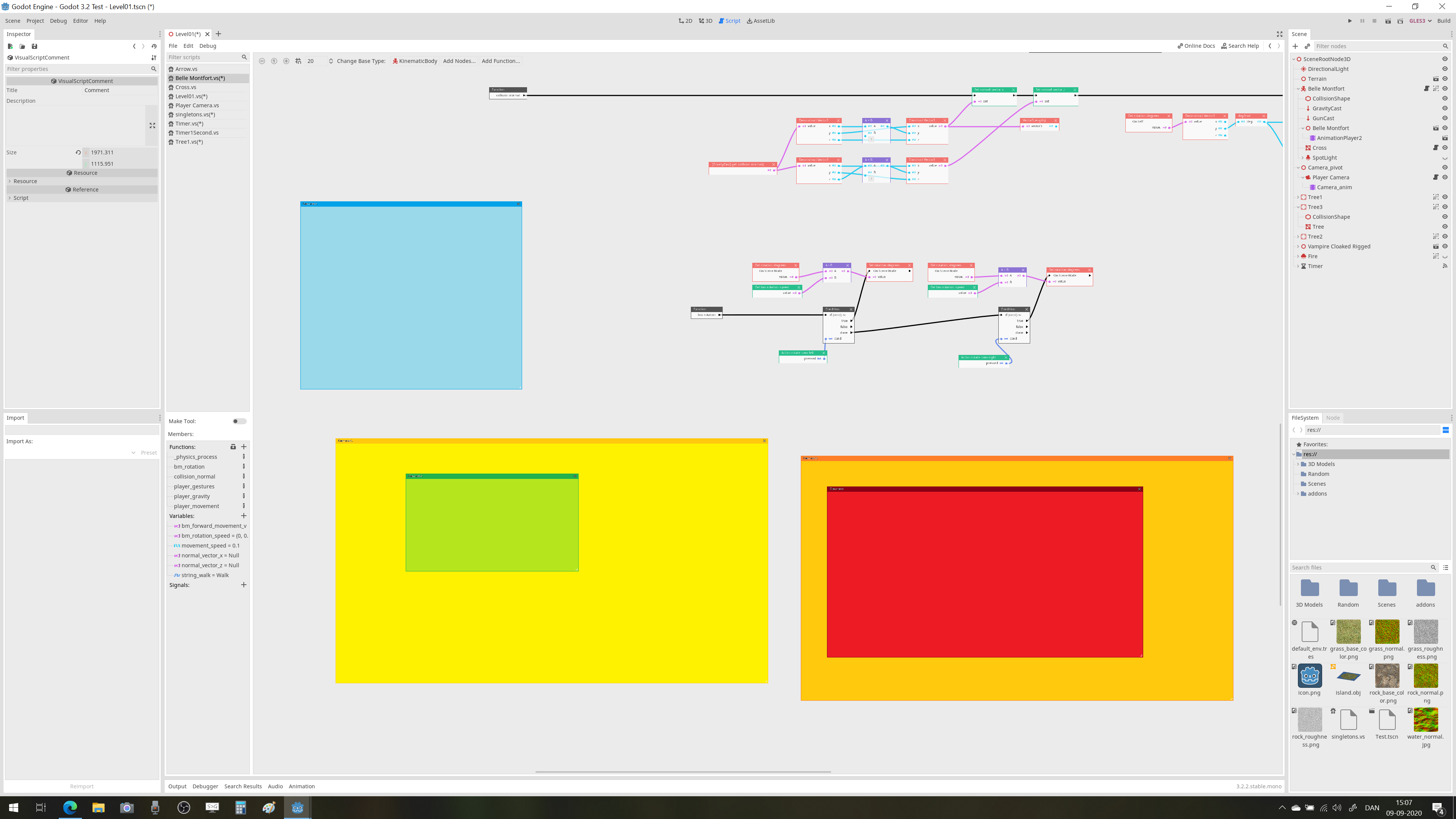
It would be a simple solution, many pro users complain large canvases are difficult to navigate, this might help . . .
If one could make a ' color box ', and a comment box, with larger font size, and also have color settings, it'd be nice, for hard-core visual scripters . . .
the colors would help quickly remember, what one did earlier, or so, a ' visual ' aid, for eyes, or so . . .
jasperbrooks79
on 9 Sep 2020
last, make so one can also have Comment text be Normal, Italic, Bold, or Underlined, and, one can make comment BOX invisible, after writing, or almost invisible . . . That way, maintaining overview is easier, or so, not sure . . Some of text, in picture, is for instance italic, for sub parts, or so, of a script . . <3

And, then even having 1 - 2 more zoom out levels, as well . .
jasperbrooks79
on 9 Sep 2020
I was also thinking, since one often makes a ' main - line ', of logic, after _process, or _ready, that one could have a special bar, one could toggle, at bottom, where one can always look at main line, in different zoom, or so . . . .

Above ' dark ' line, canvas is more zoomed out, or have option, to divide canvas into ' two ' window, with different zoom levels, with vertical, and horizontal split, or like so <3 all my ' new functions ' are running, in that ' bar ', if one could ' pan ' it, with the mouse, it'd be nice, or so . . .
could be tough, to see . . but, so one can have two ' bars ', with boxes that are not zoomed out, with the ' main ' logic line, and if one double clicks on a function, like in side-bar, list of functions, one jumps to that function, in the main, zoom-out area, or so . . This would help people organize the main line, and visualize it, while being able to navigate a large script, or so . . .
ideal, there be up to TWO lower bars, with independent zoom, one for _ready, one for_physicsprocess, or TWO lines, or functions, or signals, or so . . the lower bar, with main logic, would only scroll horizontal, or so, so it's very easy, to over-look entire logic, while finding the different areas, one would need, not sure . .
jasperbrooks79
on 9 Sep 2020
Last, if there was an extra panel, below ' functions ', variables, where the comments were listed, and one could ' type search ' in a panel, to elimate not-corresponding comments, and then double-click the comment, to zoom there, it could help navigate larger scripts . . The panel could be set to ' on - off ', ie. disabled if one doesn't need it, or so . .
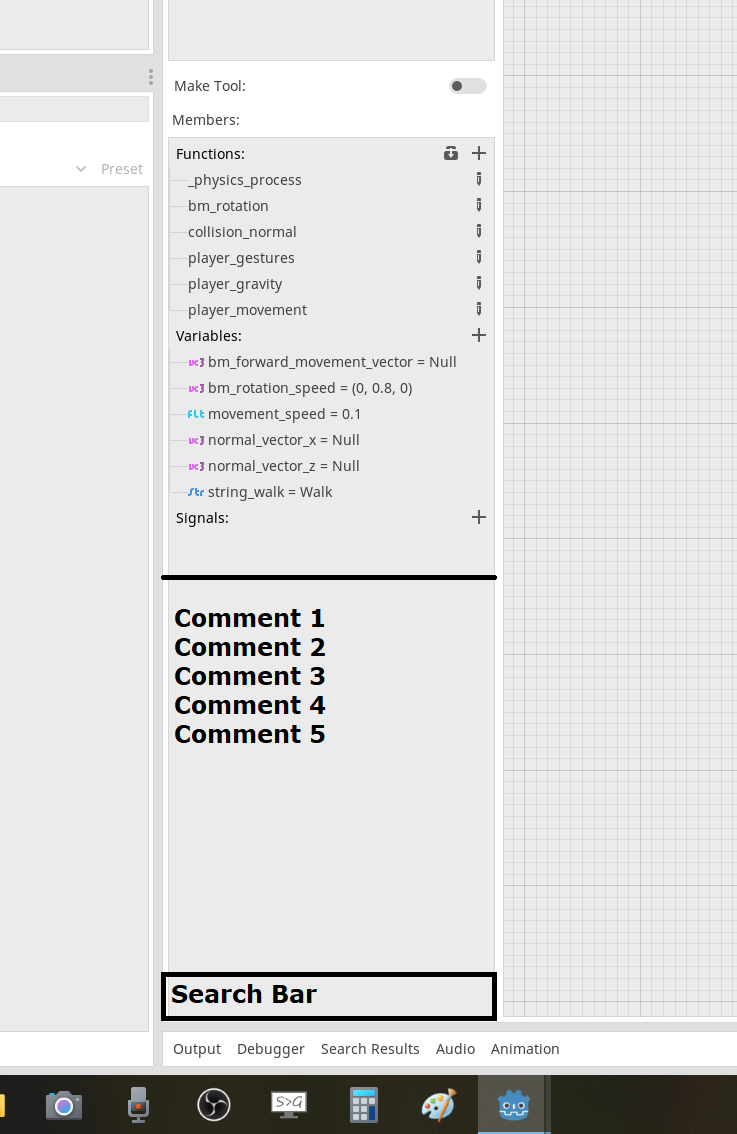
That way, one could quickly locate parts, of larger scripts, and have a nicer overview, not sure . . . . . Idea is, if you type a word in the ' search bar ', maybe ' character controller ', it sorts away any comment, without those words, quickly . . . <3
Thank you, again . . .
jasperbrooks79
on 9 Sep 2020
It would be nice, if the horizontal split, would follow the snap, so it looked cool, or like, so it felt ' well - done ', like . . For, having two areas, with different zoom, or so . . .
jasperbrooks79
on 9 Sep 2020
Last, a setting so one can align text, in comment to left, middle, or right, give nice graphics, or so . . .
jasperbrooks79
on 9 Sep 2020
Maybe, also so one could either ' still see ' the nodes, or cover them completely, or so . .

Or, the nodes become more ' hard to see ', covered . .
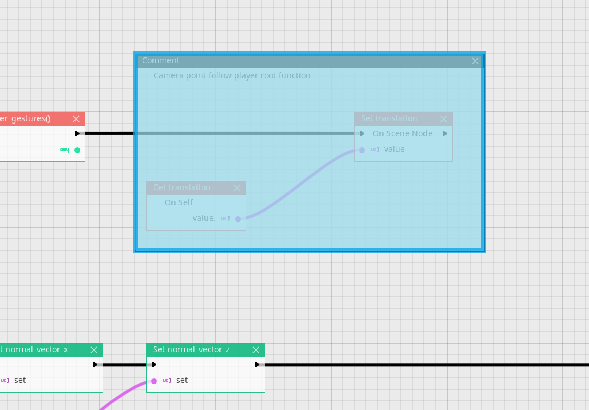
I'm not sure, maybe some of these ideas, can be used, Thank you . .
<3 . .
If this was done, maybe one could toggle between ' see ' boxes, ' partially see ' boxes, and ' cover completely, by clicking the ' text ', on the comment, with shift, or control, or so, to work faster, or so . . .
jasperbrooks79
on 9 Sep 2020
Also, enable a setting, so the ' comment ' snaps to the grid, when re-sizing, so one can quickly make a weird shape, with some boxes, maybe here just ' color boxes ', no comment text, as above, in suggestion, or so . . .
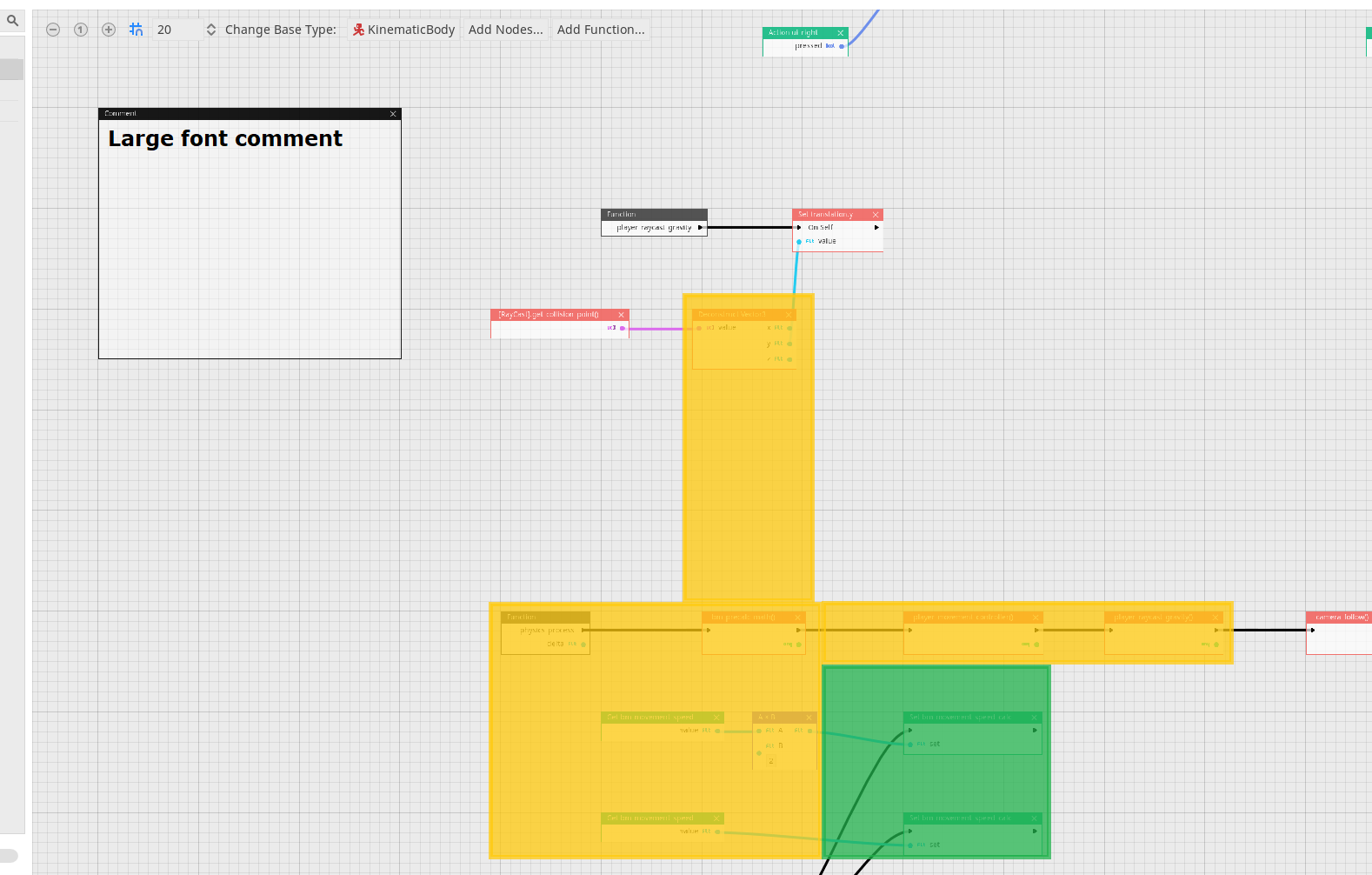
These things, might make it easier to read, larger scripts . .
For really large scripts, it might be nice to attach TWO scripts, to a given node, so one can do a lot of heavy math, or calculations in the first script, which has ' priority ', and gets ' processed first, then one could pass the variables, and data, into the second script, and work there, or so . . .
Maybe these are weird ideas, but not sure, for large scripts, Godot is not working, at least sometimes, people have some complaints, or so . .
To do that, maybe one could ' group ' some color box nodes, ' comments boxes without text ', so if one toggles ' one ' to half-transparent, the grouped nodes all change color, or a special color box, one can ' move ' out side on, to make complex shapes, or so . . In the list of ' comments ', or color boxes, if one could parents some, under a higher box, so if one changes ' color ' on one, or ' see - through settings ', the ones below follow . .
jasperbrooks79
on 9 Sep 2020
Last, since visual scripters like to have, a cool look, MAYBE make it so, one can use a custom font, in the comment boxes, or so . . .
This is less important, but would help get a ' nicer ' visual appeal, of the code, to me, or so, thanks . . .
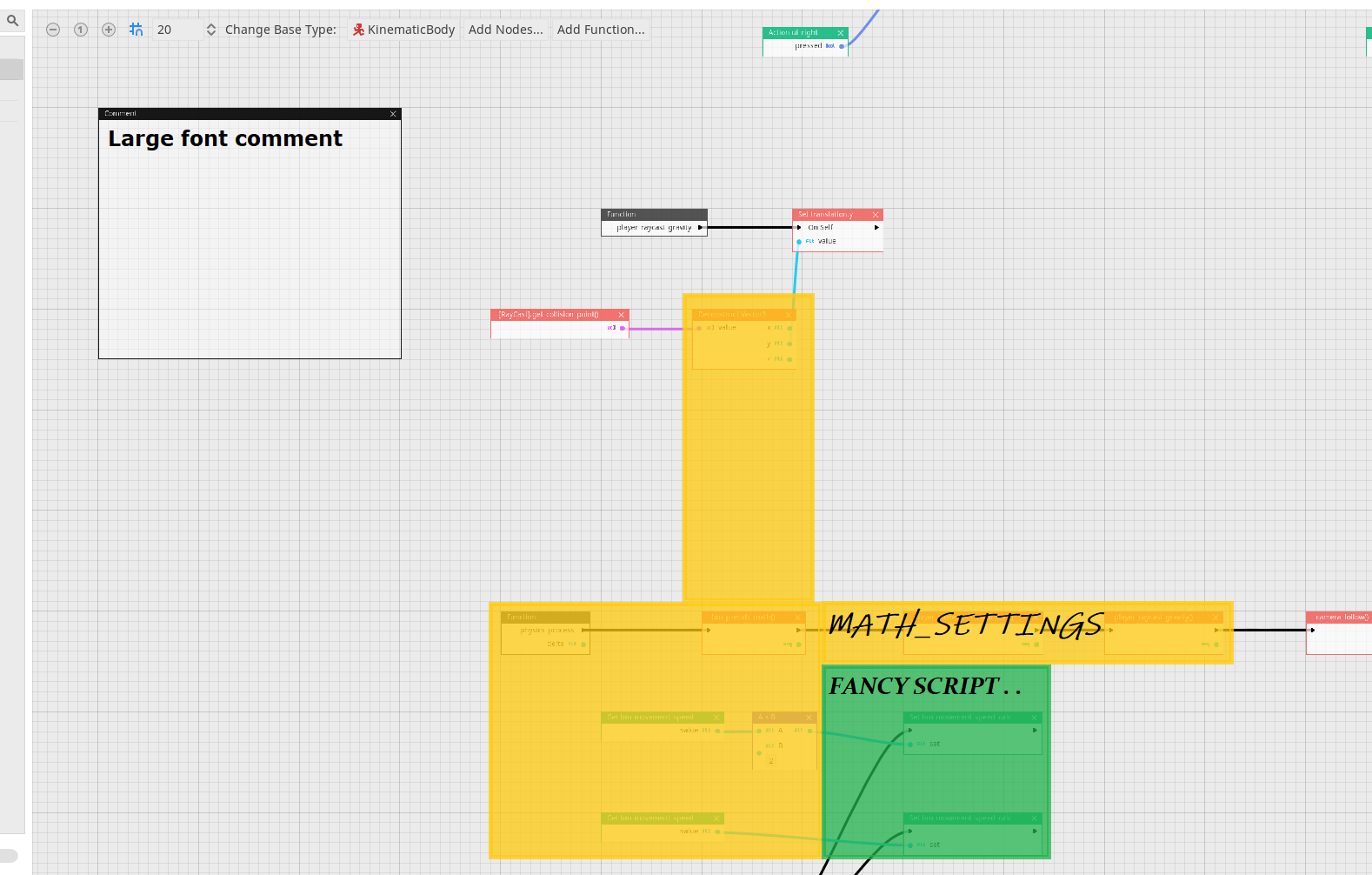
jasperbrooks79
on 9 Sep 2020
the search bar, for ' comment ' could also search for names, of functions, in list, so if I made ' character_controller() ', that'd also be on the list, ie. it'd look through all nodes, as well as comments, for special names, ie. move_and_slide(), one would find it, and if there's only ONE on list, that matches, automatically move there, or so <3 . . . Not, sure . . .
Some of it is silly, but would look nice, I really like amazing looking, fun scripts, or so . . .
Thanks . . <3
jasperbrooks79
on 9 Sep 2020
@jasperbrooks79 You really need to work on condensing your thoughts, this thread is incredibly hard to read. That said:
Changing the font size of VS comments sounds like a nice feature, but it would be nice to get https://github.com/godotengine/godot/pull/29762 first to make this easier to implement. This should just be a number, not a special type of box.
The ability to search for words in VS comments also sounds like a nice feature. I think this would actually be a great junior job, for anyone new to Godot who wants to contribute to VisualScript.
 aaronfranke
on 10 Sep 2020
aaronfranke
on 10 Sep 2020
Okay, idea is also to make the ' search bar ' look for nodes, in canvas . . so, if I type ' move_and_sl ', I get a list, if click on it, I ' jump ' to that node, ie. the title . . this would make it easier to find nodes later . .
I also think, having an integer or, so, for making text bigger, like standard number is size 1, or 2 . . then, can set size, by clicking there would be nice . . it's much better, or so . . the idea is, one could search for node names, variables, functions, and comments, and the words, in them . .
then, for instance, if I start typing ' charact ', all the nodes I made, and comments are sorted, that are relevant . . double-click the ' sorted ' names, and one ' jumps ' to them . .
I also think it would be nice, if one could make a horizontal, and vertical split, of the canvas, and have different zoom number in each one, so one could have the ' main ' _process line, easily readable in a lower canvas, and then use top canvas for navigating . . the last thing is, if one double-clicks a ' new_function ' in the script canvas, one gets taken to the ' first ' copy of it, in the larger script canvas, click again, and it takes to next instance, of that function, or so . . atm, I have to click the name of a ' new_function ' in the ' list ', of functions, in the side-panel, would be nice if one could double-click a ' new_function ' on canvas twice, then jump to the function, it refers, for quicker navigation . .
and, being able to make ' color boxes ', would really help ' visualize ' it later . .
last thing is, when zoomed out, if one could make ' larger ' arrows, to show over-all flow . . like so . .
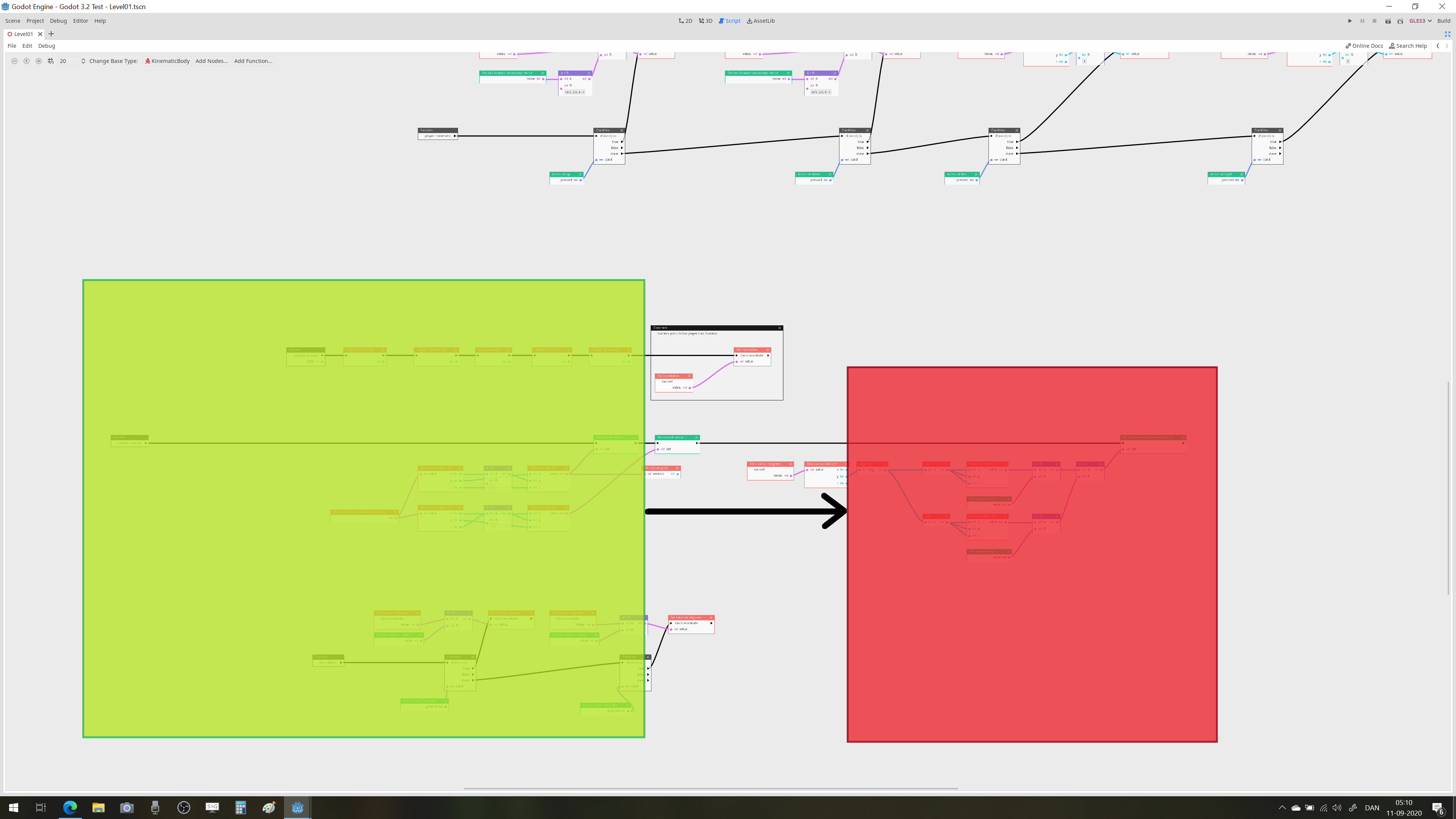
The image is a terrible example, but being able to make larger arrows, like that, would make reading large script, really easy, terrible example . . .
So, if one could make these really large arrows, it could help visualize larger connections, or idea, in the script, or so . .
These are just some things I'd really like, also many complain that for larger scripts, visual script isn't working so well, these are some things others OFTEN complain about, how it becomes ' tough ', for larger stuff . . Or, so . . .
jasperbrooks79
on 11 Sep 2020
Related issues
 regakakobigman
·
3Comments
regakakobigman
·
3Comments
 WizzardMaker
·
3Comments
WizzardMaker
·
3Comments
 sprite-1
·
3Comments
sprite-1
·
3Comments
 PLyczkowski
·
3Comments
PLyczkowski
·
3Comments
 IllusiveS
·
3Comments
IllusiveS
·
3Comments
Most helpful comment
@jasperbrooks79 You really need to work on condensing your thoughts, this thread is incredibly hard to read. That said:
Changing the font size of VS comments sounds like a nice feature, but it would be nice to get https://github.com/godotengine/godot/pull/29762 first to make this easier to implement. This should just be a number, not a special type of box.
The ability to search for words in VS comments also sounds like a nice feature. I think this would actually be a great junior job, for anyone new to Godot who wants to contribute to VisualScript.