Godot-proposals: Add AmbientLight3D node
Describe the project you are working on:
In the new Godot 4.0, when one adds a directionallight3D, it creates a sun . . But, as a new user I had problems figuring out AmbientLight was in the environment node . . It would be a nice feature, if one could also choose an AmbientLight node, along with DirectionalLight, SpotLight, and OmniLight, as those are the four core components, of virtual light, I was looking for it for a long time, and sort of wondered why it wasn't next to the other lights, in the Add Node setting . .
Describe the problem or limitation you are having in your project:
It would just be a nice addition, and complete the nodes, for adding light, also, for beginners . . .
Describe the feature / enhancement and how it helps to overcome the problem or limitation:
Be, a nice addition, to 4.0, if it was finally there . . <3
Describe how your proposal will work, with code, pseudocode, mockups, and/or diagrams:
Just, a new node, that completes the list, of light sources . .
If this enhancement will not be used often, can it be worked around with a few lines of script?:
Many beginners struggle to find this . . <3
Is there a reason why this should be core and not an add-on in the asset library?:
Just, to complete the Godot, also with the updates to DirectionalLight, so cool, Thx ! For some titles, one only really wants Ambient light, if there was a node, Godot would be complete, in terms of light nodes . . ! ! :O
 jasperbrooks79
All 11 comments
I don't see much point for making ambient light emitted by a node (instead of an Environment property).
Most of the time, you want ambient light to be adjusted for the Environment currently in use. Therefore, if you swap out the Environment resource for another, you also want the ambient lighting to be adjusted accordingly.
DirectionalLight3D already doesn't have a translation and scale to speak of (only its rotation matters). An AmbientLight3D node would also disregard its translation on top of that, making its presence as a 3D node even less useful.
 Calinou
on 20 Jul 2020
Calinou
on 20 Jul 2020
You guys now best, but there are four major light sources, ambient, directional, omni and, spotlight, if there was a node, that sort of, set the AmbientLight, like DirectionalLight creates a sun, that rotates, the list would be complete, right away . .
Anyway, it would just make more sense, I didn't find the environment node until later, and I didn't know I could edit the default_env file, for a while . . That way, the list would be complete, and new users would never wonder, where to set this setting, again this is mostly to make it more user-friendly, for beginners . . .
jasperbrooks79
on 20 Jul 2020
Sometimes, after having made a scene, one just wants to add to the light, on the entire scene, uniformly, aside from DirectionalLight, that makes shadows . . Anyway, it would sort of just complete the list, of light nodes, as a new user it didn't make sense I couldn't add the most basic light function, as a node . . . Thx . . .
Add : Most of my suggestions are from a beginner, started using Godot 6 - 8 months ago, for experienced users these things might not be important, but sometimes you want to make a 3D game with just ambient light, technically the node could just over-ride the settings in default_env, or so . . I have been wondering why it's not there, for a long time, it's especially used for some stylized 3D games, always felt the list was not ' right ', when I looked, for light sources . . Sry . . . The same way the new directional light controls the sun, the node could just over-ride the settings, in the default_env, and WorldEnvironment nodes, so the software makes more sense, to beginners, or so . . .
Add : Also, for some in-door levels, you just want to use an AmbientLight, to set the base-level light, and then add omnilights and, spotlights, for those circumstances, it would make more sense, especially for new users . .
jasperbrooks79
on 20 Jul 2020
You know, if you want a node that controls ambient light, a WorldEnvironment node sounds like the node you want. It allows you to have custom ambient light among other things, and most users are aware of this node.
https://docs.godotengine.org/en/3.2/tutorials/3d/environment_and_post_processing.html
 SIsilicon
on 20 Jul 2020
SIsilicon
on 20 Jul 2020
Anyway, it would just make more sense, I didn't find the environment node until later, and I didn't know I could edit the default_env file, for a while . . [...] Many beginners struggle to find this . . <3
This doesn't mean we need a new node. Googling "godot ambient light" mentions Environment in the very first link. If beginners did just as much as search for information, it would solve 99% of the similar problems.
 KoBeWi
on 20 Jul 2020
KoBeWi
on 20 Jul 2020
I know that, having used the engine for some months, I guess I feel it is missing among the light nodes, when new users try to set up their first level, it is oddly missing . . For many in-door games, like a cave exploring game, one wants to set an ambient light, and then only add omni and, spotlight, but when one wants to do that, it's missing . . Classically speaking, games have always had AmbientLight, DirectionalLight, OmniLight, and SpotLight, I know people that know the engine really well, don't even think about this, but I was puzzled by it, as a beginner, for 2 - 3 months, and I still wonder, isn't ambient light, a form of light, like the others . . Wanted to suggest it, to help beginners get into the engine faster, but I realize people that have used the engine for years, don't even think about it, it was to make it more approachable, to beginners, nothing more . . . A node for ambient light, could simple over-ride the environment settings, same way the new directionalight node over-rides the sun position, which is really nice, and imo makes the engine nicer and, also better . .
For me, AmbientLight is the most basic light source, so I have been wondering a lot, why it isn't with the other light sources, in the Add Node, where one adds other lights . . :( . .
I know some of you guys are actually coding the engine, and have used it so much, you don't think much about the things, that give new users problems or, pause . . And, yes it's a bit silly, but from a beginner, it'd make more sense, and it could basically just ' control ' the environment settings, on a global scale, ie if one has camera, with different environments, it globally controls ambient light, I know you guys are basically all hard-core users, thank you . . .
The problem is, I shouldn't have to use google, to find out how to add the most common, classic light type, found by accident I could click the default_env, and set it there, after watching a video, about post-processing by Nathan GDQuest, that's how I found it . . I don't think the engine would become less, by being more approachable for complete beginners, especially now the Godot 4.0 is a ' black ' empty scene, with no default light . . I keep thinking I'm doing something wrong, when I can't find ambientlight, on the list, of nodes, like in other software, games . . . :O It's for, beginners . . .
I felt a bit, at a loss, when AmbientLight wasn't there, as that was the first thing, I wanted to add, that's all, could help . .
jasperbrooks79
on 21 Jul 2020
The problem is, I shouldn't have to use google, to find out how to add the most common, classic light type
When learning anything, the first thing a learner should do, is their research. With any sort of program, you'll need help to figure out what each gadget and do-bob does. For example. Not a lot of people know about GIProbes. So what do they do? They look it up. Don't know what this node does? Look it up. Want to know whether a function exists? Look it up. Godot also helps by having a built-in documentation system.
Also I have a question for you. How do you think the other engines expose ambient light settings to the user?
SIsilicon
on 21 Jul 2020
I agree, it's a bit silly, it is in the default_env, and in WorldEnvironment node, but when I started the engine, I had no idea I needed to change the environment, to change the light, since the list of nodes had the other three . .
And, yes, research is important . . But, no need to make the engine against intuition, and common knowledge, of how games work, ie most basic light, is ambientlight, then omnilight, then either directional, or spotlight, can't remember how 3D games originally started, I think those were the ones . . But, yes research is important . . What I found from looking at the official docs is, that a lot of it was sort, not the best . . In docs, there are a bunch of VisualScriptWhile, VisualScriptCondition, and as dumb as it sounds, there are no ' pictures ', or animated gifs, or common use cases . . It's very bare-bone, atm . . I have been thinking of trying to add, to the docs, but not sure how it works . . Also, best leave it to experts, I know . . Also, in the Add Nodes for visual script, a lot of the boxes don't have a description, in the little hint bar . . I made a proposal, for visual script, that each box got a look, like this, where one could expand or, collapse the lower bar, and each box had a ' ? ' mark, that would take one to a documentation, for each box . . . Also, to copy Blender's shader node visual style, to give a visual overhaul, for the better . . And, lines one can add ' bend ' points to, to have less spaghetti, it's in another proposal, after we had a discussion on a forum, on what we'd like visual script, to become . . Sigh, off - topic, lol . .
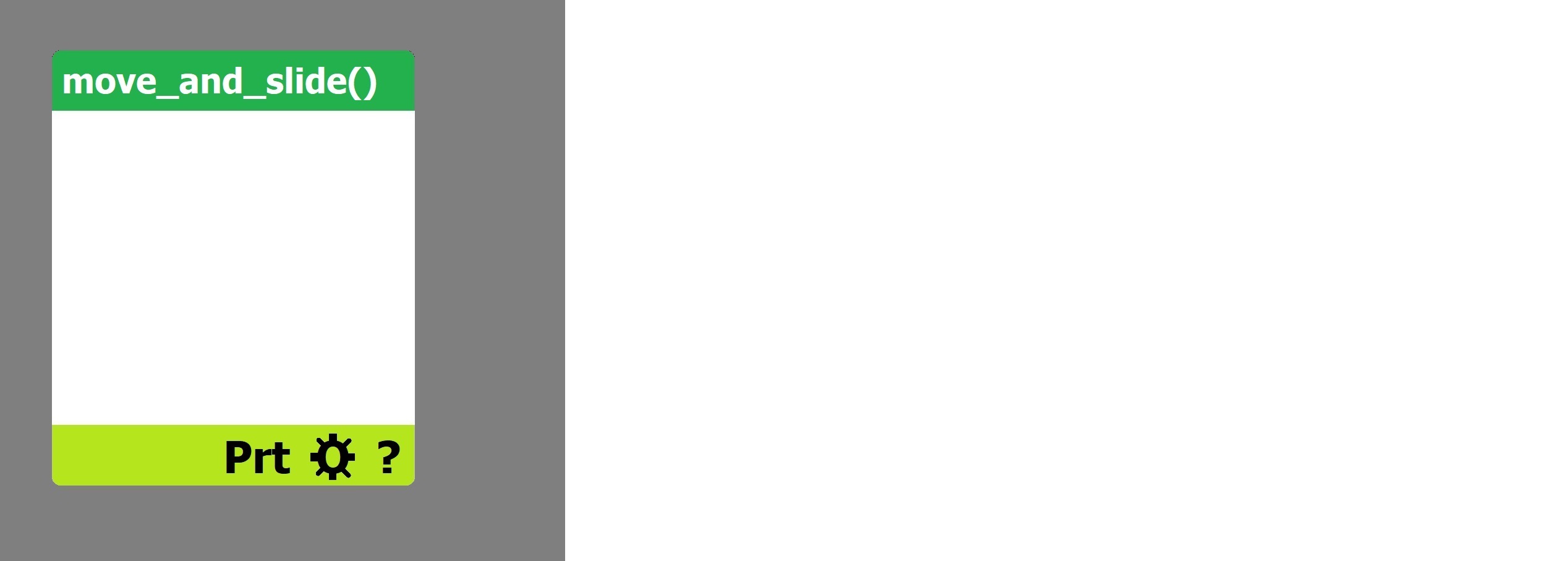
The lower bar, can be collapsed, in there one could set PRINT, of any output, so one doesn't have to add a print, often it's a bit tough, to find a place, where one can add it, from the main logic node line . . And, by clicking the ' ? ', one goes to a page, where users can add to the docs, so over time, the docs will get filled for all the nodes, to save work, for the devs . . . I asked how to access a singleton variable in visual script, and the answer was anything but, useful . . It's basically super-complex . .
It would be a lot easier to do research, if the official docs were more expanded, and one could access direct documentation from any node, in visual script, and option to see the ' code ', written, of visual script, which would be cool, as well . .
I know experienced users don't see this as a problem, all the same, I think it's a good idea, to make the engine both capable, as well as approachable, and logical for new users, without losing power . . That's what it's about, the new users, I know where it is now, as well, but I still think twice, everytime I add a light node, and AmbientLight isn't there, like am I in the right place, have I made a mistake, wrong list . . Sry . . .
I agree, it's a bit daft, but for new users . . . Thx . .
I don't think advanced users would feel, the engine got worse, because of it, and new users would have fewer problems, finding what they need . . . That's, the idea . . In Blender, there was this big discussion, should one select with right-click, or left-click, eventually they agreed, it was best to change it to how, it worked in other programs, also to ASK, to save, before exiting, instead of just closing . . . Those additions, while a bit weird for the Blender hard-core users, basically made the 3D program better, most agree . . But, there was some resistance, from experienced users, as well . . . I think they're happy with it too, now it's done, in Blender . . :(
jasperbrooks79
on 21 Jul 2020
I don't think advanced users would feel, the engine got worse, because of it, and new users would have fewer problems, finding what they need . . . That's, the idea . .
Ok, so how exactly the new node would work? The ambient light is a property of the Environment and this won't change. So the AmbientLight3D would need to override this property. Would it directly affect the environment? Then it would need somehow access it, and if it doesn't exist, it means additional code to get current environment. Other option is making it a global override, but then we'd have to take environment into account and any potential ambient light node. What I mean is that it increases engine complexity and adds more code to maintain. The end user might not notice it (aside from minimally bigger editor binary and more nodes in the node creation dialog), but the code would be in core, which means potential bugs that need to be fixed and any new feature using ambient light would need to consider that a node might exist.
tl;dr adding this new node (probably) isn't trivial, so it might not really be worth it.
KoBeWi
on 21 Jul 2020
To be clear, I know I'm a noob, so the proposal is what it is, that's all . . .
jasperbrooks79
on 21 Jul 2020
Okay, that's what I was worried about, it seemed quite simple to me, make a node, that if it's been added, simply ' sets ' the value in the WorldEnvironment, in that scene, or default_env, ie, when I move it in the node, it ' moves ' in those other places . . . However, I have had ideas before, for the engine, and I was told, that's basically super-complex, I don't know, I'm a new Godot user, that's that . .
Thx, for listening, it would help me, maybe other new users, get faster into the engine, pros might like it, as well, even if they know how to access it, all the same . . . I have never coded an engine, and it could be VERY complex, sry . . I guess it might mean someone would have re-read a big deal of code, not sure, to add it, don't know . . . Hope, it's quite simple, thx . .
jasperbrooks79
on 21 Jul 2020
Related issues
 regakakobigman
·
3Comments
regakakobigman
·
3Comments
 arkology
·
3Comments
arkology
·
3Comments
 Xrayez
·
3Comments
KoBeWi
·
3Comments
Xrayez
·
3Comments
KoBeWi
·
3Comments
 SleepProgger
·
3Comments
SleepProgger
·
3Comments
Most helpful comment
Ok, so how exactly the new node would work? The ambient light is a property of the Environment and this won't change. So the AmbientLight3D would need to override this property. Would it directly affect the environment? Then it would need somehow access it, and if it doesn't exist, it means additional code to get current environment. Other option is making it a global override, but then we'd have to take environment into account and any potential ambient light node. What I mean is that it increases engine complexity and adds more code to maintain. The end user might not notice it (aside from minimally bigger editor binary and more nodes in the node creation dialog), but the code would be in core, which means potential bugs that need to be fixed and any new feature using ambient light would need to consider that a node might exist.
tl;dr adding this new node (probably) isn't trivial, so it might not really be worth it.