Go: runtime, syscall: syscall.GetMessage hangs indefinitely after calling runtime.GC()
What version of Go are you using (go version)?
$ go version
go version go1.13 windows/amd64
Does this issue reproduce with the latest release?
It is the latest release
What operating system and processor architecture are you using (go env)?
Windows 10 Version 10.0.17763 Build 17763
go env Output
$ go env

set GO111MODULE=

set GOARCH=amd64

set GOBIN=

set GOCACHE=C:\Users\WillyAppData\Localgo-build

set GOENV=C:\Users\WillyAppData\Roaminggoenv

set GOEXE=.exe

set GOFLAGS=

set GOHOSTARCH=amd64

set GOHOSTOS=windows

set GONOPROXY=

set GONOSUMDB=

set GOOS=windows

set GOPATH=C:\Users\Willygo

set GOPRIVATE=

set GOPROXY=https://proxy.golang.org,direct

set GOROOT=c:go

set GOSUMDB=sum.golang.org

set GOTMPDIR=

set GOTOOLDIR=c:go\pkg\tool\windows_amd64

set GCCGO=gccgo

set AR=ar

set CC=gcc

set CXX=g++

set CGO_ENABLED=1

set GOMOD=

set CGO_CFLAGS=-g -O2

set CGO_CPPFLAGS=

set CGO_CXXFLAGS=-g -O2

set CGO_FFLAGS=-g -O2

set CGO_LDFLAGS=-g -O2

set PKG_CONFIG=pkg-config

set GOGCCFLAGS=-m64 -mthreads -fmessage-length=0 -fdebug-prefix-map=C:\Users\WillyAppData\Local\Tempgo-build171531418=/tmp/go-build -gno-record-gcc-switches
What did you do?
Use syscall to register a windows hotkey and then use GetMessage to get messages for the hotkey. After each loop run runetime.GC(). This will free GetMessage and it won't get any more messages. It just hangs indefinitely.
package main

import (
    "fmt"
    "runtime"
    "syscall"
    "unsafe"
)

type MSG struct {
    HWND   uintptr
    UINT   uintptr
    WPARAM int16
    LPARAM int64
    DWORD  int32
    POINT  struct{ X, Y int64 }
}

var (
    user32          = syscall.MustLoadDLL("user32")
    pRegisterHotKey = user32.MustFindProc("RegisterHotKey")
    pGetMessage     = user32.MustFindProc("GetMessageW")
    pPeekMessage    = user32.MustFindProc("PeekMessageW")
)

func main() {
    const ModAlt = 0x0001
    const VkB = 0x42

    // Register hotkey
    r1, _, err := pRegisterHotKey.Call(0, 1, ModAlt, VkB)
    if r1 == 1 {
        fmt.Println("Registered")
    } else {
        fmt.Println("Failed to register error:", err)
    }

    // Listen for hotkey
    for {
        var msg = &MSG{}
                // It freezes here after the first runtime.GC() pPeekMessage does not hang indefinitely
        pGetMessage.Call(uintptr(unsafe.Pointer(msg)), 0, 0, 0, 1) //pPeekMessage works

        if id := msg.WPARAM; id == 1 {
            fmt.Println("alt+b pressed")
        }
        runtime.GC()
    }
}
Run this program and press alt+b to trigger the hotkey
What did you expect to see?
I expected pGetMessage to return the next time I pressed alt+b
What did you see instead?
After the first successful pGetMessage and then runtime.GC, pGetMessage hangs/freezes on that line.
 Ragnoroct
All 11 comments
Just some more information. I implemented my own Hotkeys without syscall using cgo. The same thing happens.
My cgo code implementation
package main

/*
#include <windows.h>
#include <stdio.h>

void registerHotKey(int id, UINT modifiers, UINT key) {
    if (RegisterHotKey(NULL, id, modifiers, key))    //0x42 is 'b' 0x4000 is MOD_NOREPEAT
    {
        wprintf(L"Hotkey 'alt+b' registered, using MOD_NOREPEAT flag\n");
    } else {
        wprintf(L"It failed\n");
    }
}

MSG msg;
int getMessageHotKey() {
    BOOL rt;

    //rt = PeekMessageA(&msg, NULL, 0, 0, 0);   //this works as well
    rt = GetMessageA(&msg, NULL, 0, 0);
    if (rt == -1 || rt == 0) {
        return rt;
    } else {
        if (msg.message == WM_HOTKEY) {
            return msg.wParam;
        }
    }
}

*/
import "C"

import (
    "fmt"
    "runtime"
)

func main() {
    C.registerHotKey(1, 0x0001, 0x42)
    count := 0
    for {
        count++
        id := C.getMessageHotKey()
        if id == 1 {
            fmt.Println("alt+b pressed")
        }
        fmt.Println("Alloc %v", getAlloc())
        runtime.GC()
    }
}

func getAlloc() uint64 {
    var m runtime.MemStats
    runtime.ReadMemStats(&m)
    return m.Alloc
}
Thank you for filing this bug @Ragnoroct and welcome to the Go project!
I shall kindly ping some Windows, CGO and runtime experts: @alexbrainman @ianlancetaylor @aclements.
 odeke-em
on 15 Sep 2019
odeke-em
on 15 Sep 2019
Thanks :)
Just to add some more info too. I tried adding
TranslateMessage(&msg);
DispatchMessage(&msg);
right after GetMessage to my cgo example and that also didn't work. I thought that possible https://docs.microsoft.com/en-us/windows/win32/winmsg/about-messages-and-message-queues#message-deadlocks might be a clue as to what is going on but I couldn't really figure out the how
Ragnoroct
on 16 Sep 2019
@Ragnoroct May I kindly ask you something? Do you really need to run runtime.GC() every time after the message got from the queue? When I try it in my local environment and inspect it with task manager, I don't think there is any memory leak even I comment the runtime.GC().
 fairyhunter13
on 17 Sep 2019
fairyhunter13
on 17 Sep 2019
No, I don't need to run runtime.GC() every time after GetMessage.
The only reason I was doing it was to try to actually see if there is a memory leak. When I did it I noticed that GetMessage just stopped working after.
It "probably" wouldn't be a problem but what if the GC does need to run. The application will just break without any chance of recovery or restarting.
Ragnoroct
on 17 Sep 2019
Where I got a hunch that syscall's GetMessage on windows has a memory leak is from the second comment on this SO answer https://stackoverflow.com/a/38954281/10111548
Ragnoroct
on 17 Sep 2019
@Ragnoroct I see your point there, thank you for explaining to me. However, I feel strange for the GetMessage to stop working after the GC run. It seems I still don't have any clue about it.
fairyhunter13
on 17 Sep 2019
I don't know what is going on here. Can anybody else recreate the problem?
 ianlancetaylor
on 18 Sep 2019
ianlancetaylor
on 18 Sep 2019
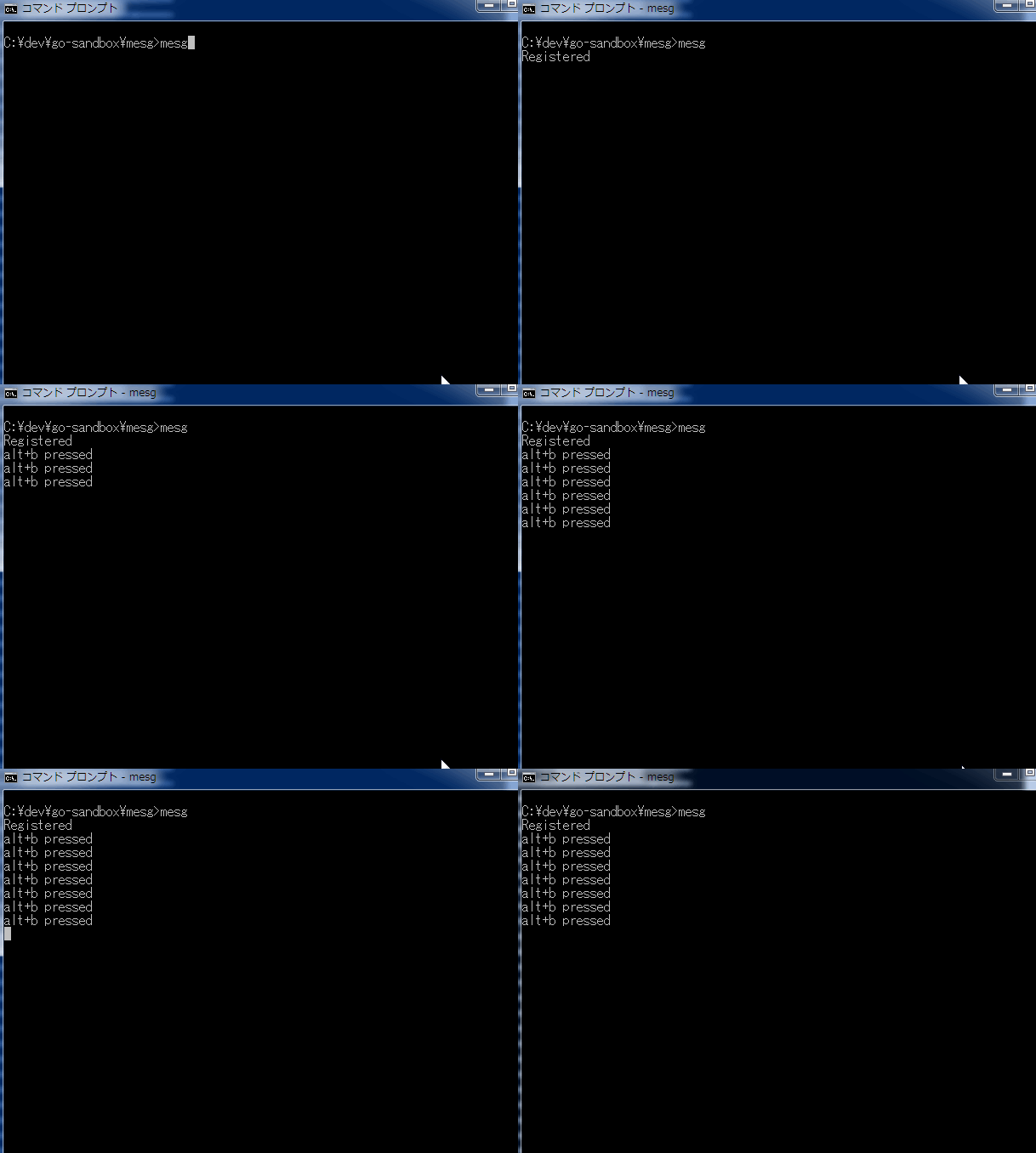
GetMessage must be called in same thread. So you need to call runtime.LockOSThread() at top of main.
 mattn
on 18 Sep 2019
mattn
on 18 Sep 2019
I think this is not a bug of Go.
mattn
on 18 Sep 2019
@mattn That fixes it. When I printf("thread %d", pthread_self()); in my cgo code without the lock the first time is thread 1 and after runtime.GC() it is thread 2.
It seems that runtime.GC() changes the thread/goroutine?
Adding runtime.LockOSThread() to the top of the application fixes it.
I'll mark it as closed now. Thanks for the help.
Ragnoroct
on 19 Sep 2019
Related issues
 rsc
·
3Comments
rsc
·
3Comments
 michaelsafyan
·
3Comments
michaelsafyan
·
3Comments
 go101
·
3Comments
go101
·
3Comments
 mingrammer
·
3Comments
mingrammer
·
3Comments
 Miserlou
·
3Comments
Miserlou
·
3Comments
Most helpful comment
GetMessage must be called in same thread. So you need to call
runtime.LockOSThread()at top of main.